Best Selling Products

Windows 10 & 11 Pro Key
36 USD

Plugin Retouch4me
69 USD

Capcut Pro 1 Year
39 USD

Copyright Adobe Lightroom Account
59 USD

Upgrade Genuine Office 365
49 USD

ChatGPT Plus Account (GPT-4)
16 USD

Genuine Adobe Illustrator account
99 USD

Freepik Premium Account
59 USD

Upgrade Duolingo Super
29 USD

MidJourney Account
29 USD

Autodesk All App Account Copyright
120 USD

Genuine Cheap Canva Pro
39 USD

Adobe Photoshop Copyright - Full App
120 USD

Upgrade genuine Capture One account
120 USD

Adobe Premiere Pro Account
99 USD
6 Essential Photoshop Plugins Everyone Should Know
Nội dung
- 1. What are plugins in Photoshop?
- 2. 6 Essential Plugins in Photoshop
- 2.1 Neat Image - Skin Editing & Smoothing Plugin
- 2.2 Portraiture - Skin Tone Adjustment Plugin
- 2.3 Knoll Light Factory - Light Processing Plugin
- 2.4 Toonit - Transforming Photos into Comics
- 2.5 Panorama Corrector - Panorama Photo Editor
- 2.6 Flood - Water Surface Effect
- 3. Tips for using plugins to create the perfect design.
Photoshop is considered the king of photo editing software, and it's the plugins within Photoshop that have truly elevated its influence.
1. What are plugins in Photoshop?
Plugins, also known as extensions, are additional software programs designed to integrate with Photoshop, expanding its design capabilities and features. With the help of plugins, users can perform many tasks more quickly and efficiently. Here are some of the notable benefits that plugins offer:
-
Add unique effects and filters : Plugins offer many effects and filters that Photoshop doesn't support by default, making it easy to create impressive images with a personal touch.
-
Process automation : By automating repetitive tasks, the plugin saves valuable time, allowing you to focus on creativity rather than tedious work.
-
Expand your editing capabilities : Numerous specialized plugins allow you to edit photos in various ways, from editing RAW images to improving portrait image quality, resulting in more perfect results.
-
Connecting with other platforms : Some plugins also support connecting Photoshop to cloud storage services like Google Drive or Dropbox, making it easy to share and store your work conveniently.
2. 6 Essential Plugins in Photoshop
If you're just starting your creative journey with Photoshop, getting familiar with useful plugins will help you optimize your workflow and improve the quality of your work. Below are three excellent plugins that you can't miss, helping to make photo editing easier and more efficient.
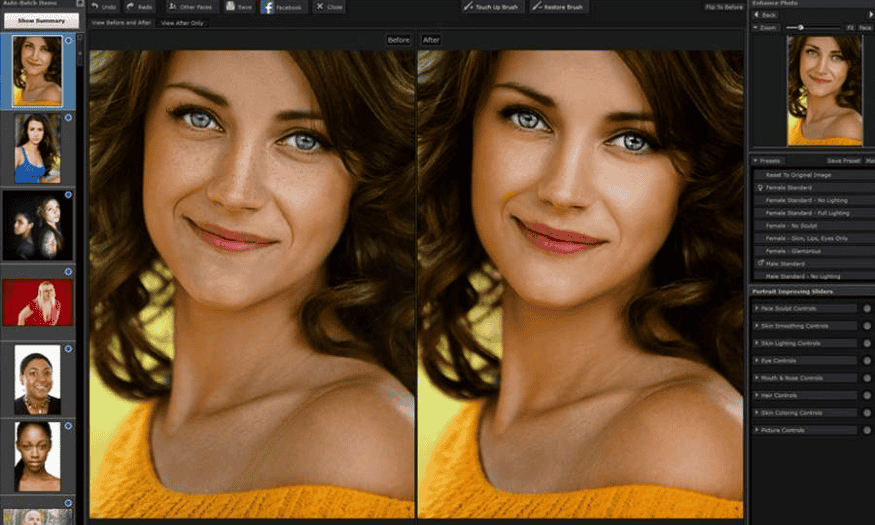
2.1 Neat Image - Skin Editing & Smoothing Plugin
When discussing plugins, it's impossible not to mention Neat Image, a tool that has been around for a long time and is favored by many users. Neat Image stands out for its ability to smooth skin and significantly improve image quality. This plugin allows you to smooth skin surfaces, helping to remove imperfections without losing image detail.
With Neat Image, even beginners with little image editing experience can create perfect portraits. In particular, you can adjust parameters to customize the level of smoothing and sharpness to your liking. This is truly an indispensable tool in the collection of anyone who loves photo editing.
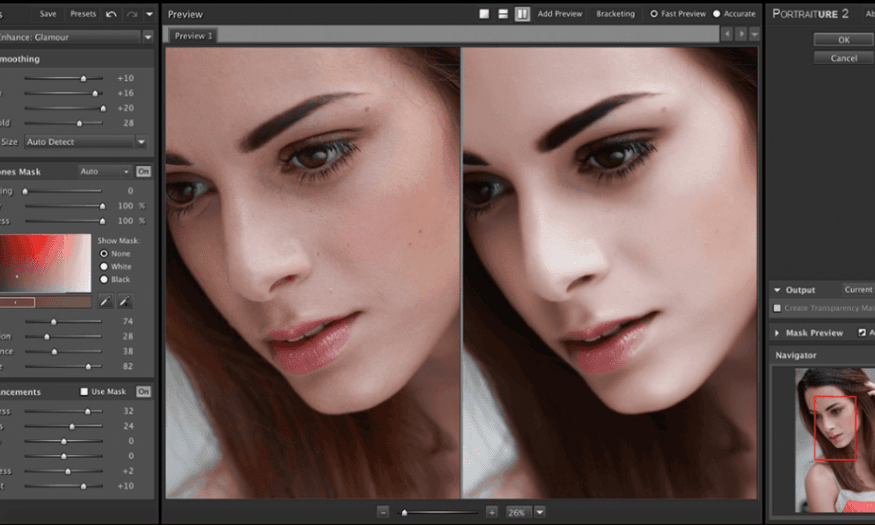
2.2 Portraiture - Skin Tone Adjustment Plugin
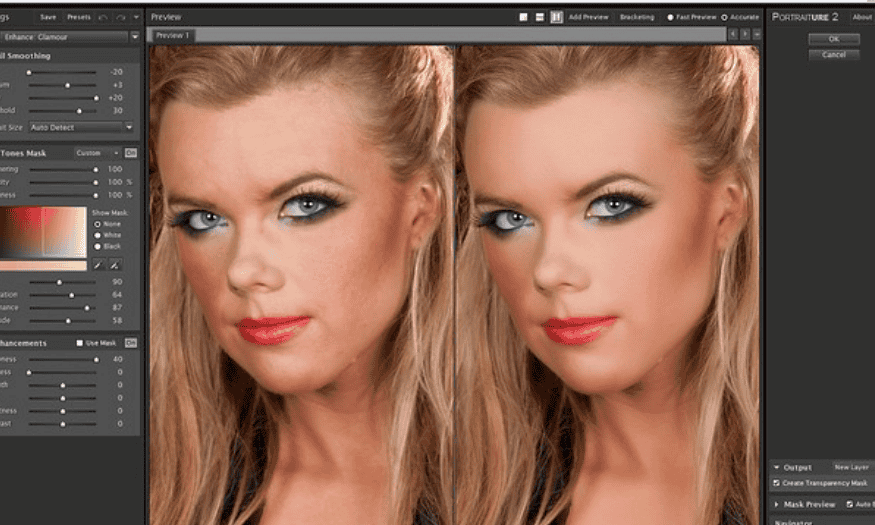
Portraiture is one of the most powerful plugins for those who want to improve skin tone in portrait photos. With its skin smoothing and color correction features, Portraiture helps you quickly create stunning photos with naturally beautiful skin.
This plugin offers numerous skin tone options, allowing you to adjust parameters like Hue, Saturation, and Luminance to achieve the most pleasing color. Additionally, the Sharpness function enhances image sharpness while preserving fine details like pores, resulting in a more realistic look. With its ability to support low-resolution images, Portraiture is truly an ideal choice for beginners.
2.3 Knoll Light Factory - Light Processing Plugin
Knoll Light Factory is a fantastic plugin for anyone who wants to create stunning lighting effects in their photos. If you love crafting lighting like in Hollywood movies, this plugin will be the perfect tool for you.
Knoll Light Factory allows you to add flexible lighting effects, from soft to bright, making your photos more vibrant and captivating. This plugin is not only for beginners but also a useful tool for experienced users, helping to improve their ability to handle lighting in their artwork.

2.4 Toonit - Transforming Photos into Comics
If you're looking for a creative way to refresh your photos, Toonit is the perfect choice. This plugin lets you transform ordinary photos into comic-style artwork with just a few clicks. With Toonit, you don't need to be an artist or have advanced editing skills; just install the plugin and start exploring the editing options.
Toonit offers a variety of hand-drawn effects, helping to create vibrant strokes and bright colors. You can customize the stroke thickness, color, and other elements to create your own unique style. This is truly a great way to express your personality and creativity through images, while also bringing a fresh look to your photo collection.

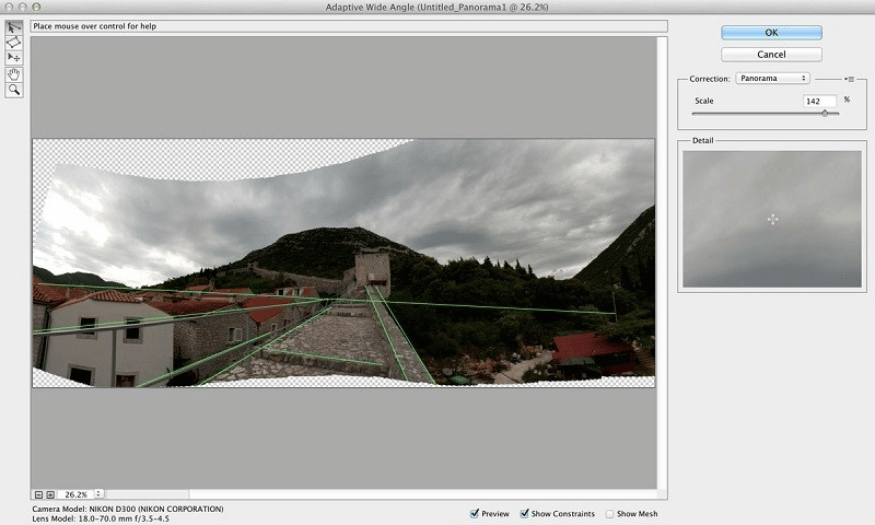
2.5 Panorama Corrector - Panorama Photo Editor
Panorama photography is a great way to capture the beauty of vast landscapes, but sometimes it's not easy. You might encounter problems like distortion or unevenness in the frame due to the effects of focal length and lens. To overcome these issues, Panorama Corrector will be your invaluable assistant.
This plugin helps you edit and straighten panoramic photos with just a few simple steps. It provides powerful tools to handle distortion, adjust aspect ratios, and improve image clarity. Thanks to Panorama Corrector, you'll be able to transform low-quality panoramic photos into perfect works of art, making them easy to share with friends and family.
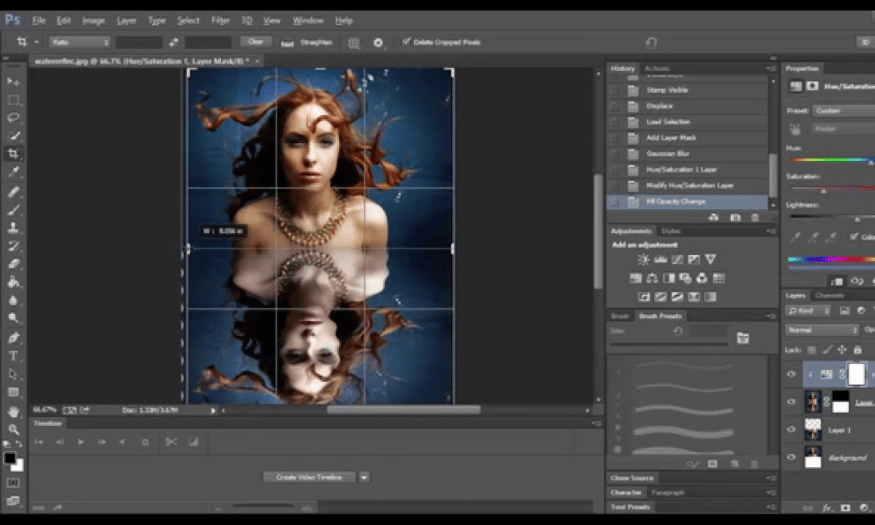
2.6 Flood - Water Surface Effect
Flood is a unique plugin that allows you to create stunning water effects in Photoshop. While Photoshop already offers many ways to create water effects, Flood simplifies the process, especially for beginners.
With Flood, you can easily create vibrant, reflective water surfaces, adding depth and visual appeal to your photos. Simply drag and drop, adjusting basic parameters to create the desired water effect. This is a great tool for adding artistic flair and creativity to landscapes, portraits, or any image you want.
3. Tips for using plugins to create the perfect design.
Using plugins in Photoshop can significantly enhance your creativity and design quality. However, to get the most out of these tools, keep these helpful tips in mind:
-
Choose a reliable plugin download source : Download from official or reputable websites to avoid malware.
-
Read the installation and usage instructions carefully : Understand how the plugin works to avoid problems.
-
Regular plugin updates : Ensure compatibility and security by checking for and updating to the latest versions.
-
Experiment and explore features : Take the time to learn about the plugin's unique features and combine them to create new effects.
Above are 6 essential plugins you need to know. Whether you're a beginner or an experienced designer, incorporating these plugins into your workflow will help you improve image quality, transforming ordinary photos into impressive works of art. Explore and make the most of these tools to create products with your personal touch!





















VIP Products








Best Selling Products
Windows 10 & 11 Pro Key
36 USD
Plugin Retouch4me
69 USD
Capcut Pro 1 Year
39 USD
Copyright Adobe Lightroom Account
59 USD
Upgrade Genuine Office 365
49 USD
ChatGPT Plus Account (GPT-4)
16 USD
Genuine Adobe Illustrator account
99 USD
Freepik Premium Account
59 USD
Upgrade Duolingo Super
29 USD
MidJourney Account
29 USD
Autodesk All App Account Copyright
120 USD
Genuine Cheap Canva Pro
39 USD
Adobe Photoshop Copyright - Full App
120 USD
Upgrade genuine Capture One account
120 USD
Adobe Premiere Pro Account
99 USD