Best Selling Products

Upgrade Duolingo Super
29 USD

Freepik Premium Account
59 USD

ChatGPT Plus Account (GPT-4)
16 USD

Upgrade genuine Capture One account
120 USD

Upgrade Genuine Office 365
49 USD

Genuine Adobe Illustrator account
99 USD

Genuine Cheap Canva Pro
39 USD

Adobe Photoshop Copyright - Full App
120 USD

Windows 10 & 11 Pro Key
36 USD

MidJourney Account
29 USD

Adobe Premiere Pro Account
99 USD

Plugin Retouch4me
69 USD

Copyright Adobe Lightroom Account
59 USD

Capcut Pro 1 Year
39 USD

Autodesk All App Account Copyright
120 USD
90% of ChatGPT Users Don't Know These 3 Ways to Get Accurate Answers
Nội dung
Are you using ChatGPT as a search tool? If so, you're missing out on a lot of AI power. The three techniques in this article will help you significantly improve the accuracy, depth, and value of your answers without needing to understand the technology.
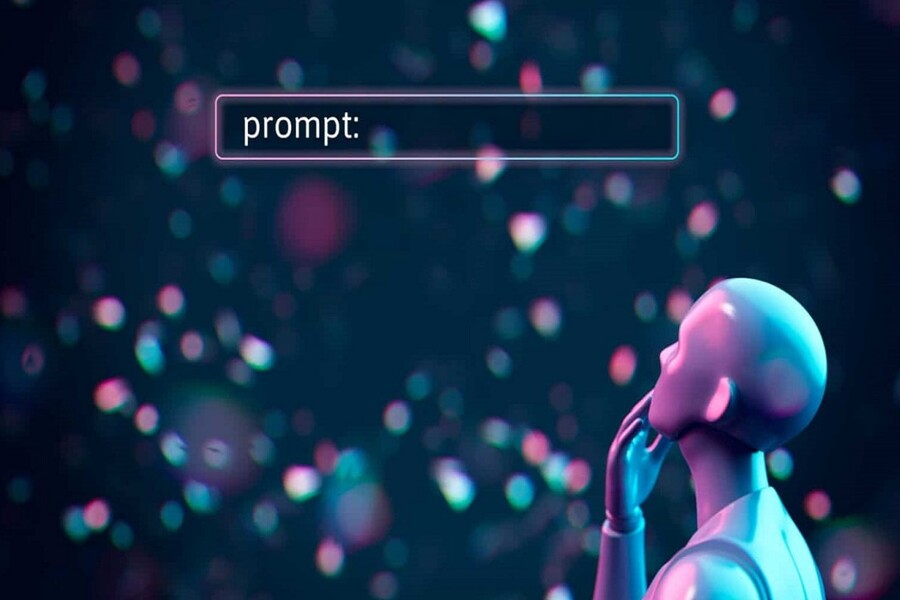
90% of ChatGPT Users Don't Know These 3 Ways to Get Accurate Answers
Are you using ChatGPT as a search tool? If so, you're missing out on a lot of AI power. The three techniques in this article will help you significantly improve the accuracy, depth, and value of your answers without needing to understand the technology.
Are you using ChatGPT like a search engine? You type your question, read the answer, and then stop? If so, you're only using a very small fraction of AI's capabilities. ChatGPT doesn't just answer questions. It can analyze, reason, compare, evaluate, create, optimize, and work alongside you like a true partner, as long as you know how to "command" it correctly. This article will help you understand and effectively apply the three most important techniques to improve the quality of your ChatGPT answers. When applied correctly, you'll notice a significant difference: answers that are deeper, more accurate, more logical, and more targeted.
1. Basic information about ChatGPT
ChatGPT is an artificial intelligence system developed to mimic human communication and language processing capabilities. Instead of simply searching and displaying information like traditional search engines, ChatGPT understands context, analyzes requests, infers logically, and generates complete answers in the form of natural conversation. This makes it one of the most popular AI tools in many fields such as content writing, education, research, planning, programming, marketing, and creative design.
Essentially, ChatGPT operates based on large language models. These models are trained on massive amounts of data from various sources to learn how to understand and generate human-like language. When you ask a question or make a request, the system analyzes the sentence structure, identifies intent, predicts relevant information, and generates a response in the most coherent and logical way possible.
A key difference between ChatGPT and search engines is its two-way interaction capability. You not only receive answers but can also continue the exchange, edit your request, add context, or change your goals to get better results. Therefore, ChatGPT acts not only as a search tool but also as a digital assistant that can support critical thinking, analysis, and creativity.
.jpg)
ChatGPT can perform a wide variety of tasks. In the workplace, it assists with email writing, document drafting, summarizing information, data analysis, and planning. In the creative field, it helps develop ideas, build concepts, write marketing content, name brands, create taglines, and analyze customer insights. In learning, it can explain concepts, provide step-by-step instructions, demonstrate examples, and support research.
Another strength of ChatGPT is its adaptability to the user's style and goals. You can request a professional, friendly, academic, creative, or concise tone depending on your needs. You can also control the length, level of detail, and output format to suit specific situations such as writing reports, composing social media posts, or preparing presentation content.
However, to maximize the effectiveness of ChatGPT, users need to understand that the quality of the answers largely depends on how the questions are phrased. When the request is clear, contextual, and structured, the results will be more accurate and helpful. When the question is vague or lacks information, the answer tends to be general. Therefore, the ability to communicate with AI is gradually becoming a crucial competency in the modern workplace.
2. Many users have not yet fully utilized the power of ChatGPT.
The biggest difference between the average user and an effective AI user lies not in the tool itself, but in how they interact with it. ChatGPT is not a mind-reading tool. It responds based on the information and how you phrase your question. When the question is vague, the answer is often generic. When the request is clear, the answer becomes more insightful, logical, and valuable.
.jpg)
Most users today still communicate with AI in the same way they do when searching on Google. They ask short questions, without providing context, specifying a goal, controlling the length, or structuring their requests. This forces ChatGPT to "guess" the user's intent, resulting in answers that are sometimes off-topic or lacking in depth.
There are three common mistakes. First, users ask overly general questions lacking context, preventing the AI from understanding the real issue. Second, they fail to control the length and level of detail, resulting in lengthy or unconcise answers. Third, they make complex requests without clear structure, making it difficult for the AI to determine what is most important.
As a result, many people believe that AI "isn't as smart as expected," when in reality, the problem lies in how they interact with the AI. The good news is that simply changing your mindset when writing commands can immediately improve the quality of the results.
The three techniques below are the most important foundations for doing that.
2.1. Activate deep thinking using the command "Think hard about this"
One of the most significant differences between a superficial answer and a more in-depth one lies in the level of reasoning you ask of the AI. When you ask a simple question, ChatGPT typically responds quickly, directly, and at a basic level of information. But when you ask the AI to think more deeply, it will analyze more thoroughly, consider multiple perspectives, use more rigorous logic, and produce a more nuanced argument.
.jpg)
A simple way to activate this mode is to add phrases like "Think hard about this" or "Think deeply about this" to the end of the command. These phrases act as a signal to the AI to focus on the quality of reasoning rather than just a quick response. You can also write in Vietnamese such as "Think carefully before answering" or "Analyze this issue in depth."
For example, when you ask, "Why isn't my brand growing?", the answer will usually be general. But when you ask, "Analyze in detail why my brand isn't growing. Think deeply about this," AI will delve deeper into factors such as positioning strategy, customer experience, communication, competition, messaging, and even market factors. The difference lies in the depth of the analysis.
In the fields of design and content creation, this technique is particularly useful when you need to evaluate concepts, analyze brand strategies, find the root causes of problems, or compare multiple creative approaches. When you ask AI to think deeply, you're transforming ChatGPT from a response tool into an analytical advisor.
It's important to understand that AI isn't "lazy thinkers." It only optimizes speed when you don't require depth. When you give clear instructions, AI will dedicate more resources to reasoning.
2.2. Controlling the length of the results
A familiar characteristic of ChatGPT is its tendency to provide full and contextually rich responses. This is helpful when you want in-depth information, but can sometimes be annoying when you only need concise and accurate information. Many people don't realize that ChatGPT is very good at adhering to length requirements.
.jpg)
Simply specify the requirements, and the AI will adjust immediately. When you request a specific word count, a summary in a few sentences, or a concise presentation, the results will be significantly more condensed. Controlling the length not only saves reading time but also allows you to control the level of detail in the information.
In practical work, this technique is extremely useful. When composing emails, you can request that they be written in a specific word count and with a professional tone. When creating slides, you can request that they be summarized into short, easy-to-read points. When you need to make quick decisions, you can request that they only state the conclusion without lengthy explanations.
In the design field, where conciseness and clarity are crucial, controlling length helps you write more succinct briefs, present concepts more clearly, and reduce editing time. A good brief doesn't just say "what to write," but also "how much to write."
2.3. Statement structuring (Prompt)
The most common mistake when assigning complex tasks to ChatGPT is writing a long prompt with many confusing requests. This makes it difficult for the AI to determine what is most important, leading to inaccurate or unfocused results. The solution is to structure the prompt.
.jpg)
A standard structure typically includes context, task, requirements, constraints, and output format. When you provide clear context, the AI understands the situation. When you define a specific task, the AI knows what to do. When you state the requirements, the AI knows what is mandatory. When you set constraints, the AI knows what to avoid. When you specify the format, the AI knows how to present it.
This structure helps AI understand your intentions correctly and prioritize processing the information more accurately. In the fields of design and content creation, the prompt structure helps you write clear briefs, create consistent concepts, control style, and increase output accuracy.
AI understands structure better than intuition. The clearer the prompt, the more accurate the results.
ChatGPT is more than just a chatbot that answers questions. When used correctly, it becomes an intelligent assistant, an analytical advisor, and a powerful creative partner. With just three minor adjustments, you can significantly improve the accuracy, quality, and applicability of the results obtained.





















VIP Products








Best Selling Products
Upgrade Duolingo Super
29 USD
Freepik Premium Account
59 USD
ChatGPT Plus Account (GPT-4)
16 USD
Upgrade genuine Capture One account
120 USD
Upgrade Genuine Office 365
49 USD
Genuine Adobe Illustrator account
99 USD
Genuine Cheap Canva Pro
39 USD
Adobe Photoshop Copyright - Full App
120 USD
Windows 10 & 11 Pro Key
36 USD
MidJourney Account
29 USD
Adobe Premiere Pro Account
99 USD
Plugin Retouch4me
69 USD
Copyright Adobe Lightroom Account
59 USD
Capcut Pro 1 Year
39 USD
Autodesk All App Account Copyright
120 USD