Best Selling Products

Plugin Retouch4me
69 USD

Adobe Premiere Pro Account
99 USD

Windows 10 & 11 Pro Key
36 USD

ChatGPT Plus Account (GPT-4)
16 USD

Upgrade Duolingo Super
29 USD

Upgrade Genuine Office 365
49 USD

Autodesk All App Account Copyright
120 USD

Genuine Adobe Illustrator account
99 USD

Copyright Adobe Lightroom Account
59 USD

MidJourney Account
29 USD

Genuine Cheap Canva Pro
39 USD

Adobe Photoshop Copyright - Full App
120 USD

Upgrade genuine Capture One account
120 USD

Freepik Premium Account
59 USD

Capcut Pro 1 Year
39 USD
Catch the Soulmate Painting Trend on CapCut in Just 5 Minutes, No Editing Skills Needed
Nội dung
- 1. Why is the Soulmate painting trend so popular?
- 1.1 The trend taps into the desire for connection and personalization
- 1.2 Simple process, anyone can join
- 2. What to prepare before creating the Soulmate painting trend on CapCut?
- 3. Step-by-step guide to creating the Soulmate painting trend on CapCut
- 3.1 Step 1: Access the Soulmate template on CapCut
- 3.2 Step 2: Open and preview the template
- 3.3 Step 3: Select photos from your album
- 3.5 Step 5: Review the result
- 3.6 Step 6: Export and share
- 4. Tips to make your Soulmate video more attractive and trending
- 4.1 Choose clear and well-lit portraits
- 4.2 Match the emotional tone
- 4.3 Keep original template music
- 4.4 Avoid excessive effects or text
- 4.5 Keep duration concise and write focused captions
- 5. Frequently Asked Questions
- 5.1 What is the Soulmate painting trend?
- 5.2 Do you need a powerful device?
- 5.3 Does CapCut PC support this trend?
- 5.4 Do you need to edit photos beforehand?
- 6. Conclusion
If you’re also looking for an easy, straightforward way to create the Soulmate painting trend using CapCut on your phone, this article is for you! Recently, Soulmate paintings have become one of the standout trends on TikTok and Facebook, featuring romantic visuals, smooth transitions, and emotional music.
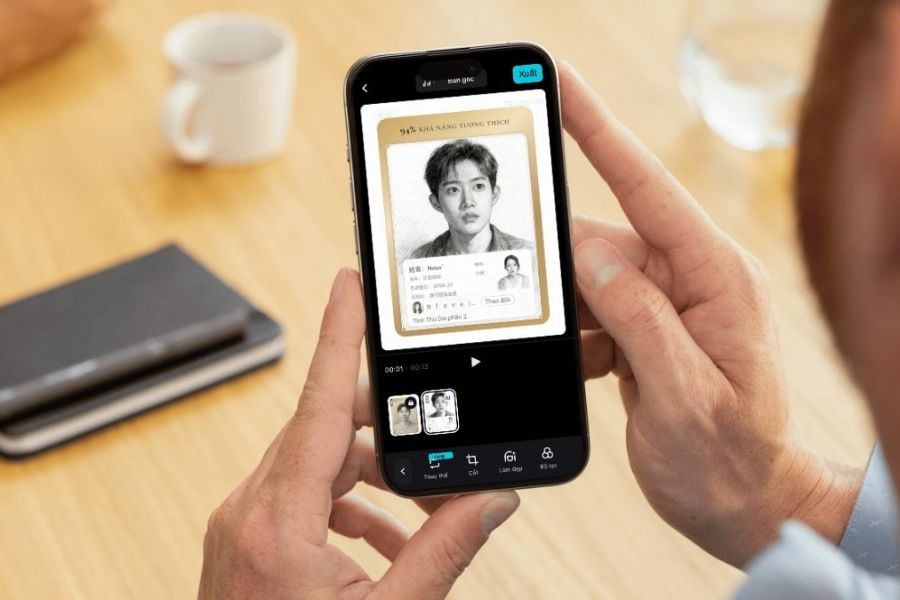
1. Why is the Soulmate painting trend so popular?
It’s no coincidence that the Soulmate painting trend has exploded and consistently appears on TikTok and Facebook trending boards. Behind those short videos is a clever combination of technology and emotion. Viewers aren’t just watching a visually pleasing effect—they’re experiencing a story told through images and music. This blend makes the content stand out among countless regular entertainment videos.
1.1 The trend taps into the desire for connection and personalization
The Soulmate painting trend resonates with people’s love for personal and emotional content. When a portrait is transformed into an artistic painting, it feels like witnessing a destined story brought to life visually. The two characters in the artwork are not just combined images but are placed in poetic settings, creating a deeper sense of connection.
Additionally, personalization makes each video unique. Even with the same template, the images and stories behind each pair are completely different. Soft colors, gentle lighting, and emotional art styles make the content more refined than ordinary photos. This uniqueness makes viewers more empathetic, more likely to share, and more engaged.
1.2 Simple process, anyone can join
One key reason for the trend’s popularity is its near-zero barrier to entry. No drawing skills, no complex editing knowledge, and no professional equipment required. With just a smartphone and a few photos, anyone can start creating.
CapCut provides ready-made templates with AI effects, layouts, and perfectly timed transitions. Users simply add their photos, and the system handles the rest—from transforming images into paintings to syncing duration with music. Even beginners can create professional-looking videos in just minutes and join the viral trend across social media.
.jpg)
2. What to prepare before creating the Soulmate painting trend on CapCut?
Before starting, image preparation determines up to 70% of the video quality. No matter how beautiful the template or smooth the effects, low-quality input images will limit the final result. Choosing the right portrait helps AI recognize faces accurately and preserve emotion and harmony when converted into artwork. Spending a few minutes selecting the right images will save time and reduce the need for re-editing.
Important tips when choosing images:
- Choose clear, well-lit portraits: Faces should be fully visible, not too dark or overexposed. Balanced natural lighting helps AI recreate smooth details and avoid distortions.
- Avoid obstructions like hair, sunglasses, or masks: These make it harder for AI to detect facial features, resulting in less accurate outputs.
- Prioritize natural and emotional expressions: Gentle smiles or soft gazes create depth and match the romantic Soulmate vibe.
- Use high-resolution images: Blurry or distant photos reduce detail quality after processing.
- Select simple backgrounds: Busy backgrounds can make the composition cluttered; clean backgrounds highlight the subject better.
Careful preparation ensures better visual results and a smoother editing process.
3. Step-by-step guide to creating the Soulmate painting trend on CapCut
Once your images are ready, the process only takes a few minutes if done correctly.
3.1 Step 1: Access the Soulmate template on CapCut
Open a trending Soulmate template to ensure accurate AI effects. You can paste a template link into Chrome or search directly in CapCut using keywords like “Soulmate AI,” “AI Soulmate,” or “Soulmate Sketch.” Then tap “Use template” to proceed.
.jpg)
3.2 Step 2: Open and preview the template
Preview the template to understand layout, duration, and transitions. Then tap “Use AI template” to begin customization.
.jpg)
3.3 Step 3: Select photos from your album
Grant access to your photo library and choose prepared portraits with clear faces and good lighting. Follow the required order if multiple images are needed.
.jpg)
3.4 Step 4: Wait for AI processing
CapCut will automatically apply the painting effect. Processing usually takes a few seconds. Avoid leaving the app during this step.
.jpg)
3.5 Step 5: Review the result
Check the video for clarity, color, and harmony between characters. Minor adjustments can be made, but avoid over-editing.
.jpg)
3.6 Step 6: Export and share
Export in 1080p for best quality. Then upload to TikTok, Facebook Reels, or other platforms with relevant hashtags to increase reach.
.jpg)
4. Tips to make your Soulmate video more attractive and trending
4.1 Choose clear and well-lit portraits
High-quality images ensure better AI results with natural expressions and accurate details.
4.2 Match the emotional tone
Use images with soft, romantic expressions to align with the Soulmate theme and background music.
4.3 Keep original template music
Trending audio increases algorithm reach and ensures smooth synchronization with transitions.
4.4 Avoid excessive effects or text
Too many elements reduce the elegance of the video. Keep it simple and clean.
4.5 Keep duration concise and write focused captions
Short videos perform better. Use relevant keywords like Soulmate AI, CapCut trend, or AI painting to improve visibility.
5. Frequently Asked Questions
5.1 What is the Soulmate painting trend?
It’s a trend using AI to transform portraits into emotional artistic paintings, often depicting a meaningful connection between two people. The blend of visuals and emotion makes it highly engaging.
5.2 Do you need a powerful device?
No. Most smartphones can handle it smoothly. Higher-end devices may process faster, but it’s not required.
5.3 Does CapCut PC support this trend?
Yes. CapCut on PC supports the same AI templates, with the advantage of a larger screen and easier adjustments.
5.4 Do you need to edit photos beforehand?
Not necessarily. CapCut AI adjusts images automatically, but minor brightness or color corrections can improve results if the original image quality is poor.
6. Conclusion
The Soulmate painting trend is more than just entertainment—it’s a way to express emotions and creativity through visuals. With CapCut, the process becomes simple and accessible, even for beginners. With the right images, proper timing, and suitable music, you can create a complete trending video in just minutes. Hopefully, this guide helps you confidently try the Soulmate trend and create your own unique version. Don’t hesitate to experiment with different styles to find what suits you best. Wishing you success and enjoyable experiences creating videos with CapCut!





















VIP Products








Best Selling Products
Plugin Retouch4me
69 USD
Adobe Premiere Pro Account
99 USD
Windows 10 & 11 Pro Key
36 USD
ChatGPT Plus Account (GPT-4)
16 USD
Upgrade Duolingo Super
29 USD
Upgrade Genuine Office 365
49 USD
Autodesk All App Account Copyright
120 USD
Genuine Adobe Illustrator account
99 USD
Copyright Adobe Lightroom Account
59 USD
MidJourney Account
29 USD
Genuine Cheap Canva Pro
39 USD
Adobe Photoshop Copyright - Full App
120 USD
Upgrade genuine Capture One account
120 USD
Freepik Premium Account
59 USD
Capcut Pro 1 Year
39 USD