Best Selling Products

Adobe Photoshop Copyright - Full App
120 USD

Adobe Premiere Pro Account
99 USD

Genuine Cheap Canva Pro
39 USD

Genuine Adobe Illustrator account
99 USD

Freepik Premium Account
59 USD

ChatGPT Plus Account (GPT-4)
16 USD

Upgrade Duolingo Super
29 USD

Upgrade Genuine Office 365
49 USD

Plugin Retouch4me
69 USD

Copyright Adobe Lightroom Account
59 USD

MidJourney Account
29 USD

Windows 10 & 11 Pro Key
36 USD

Capcut Pro 1 Year
39 USD

Autodesk All App Account Copyright
120 USD

Upgrade genuine Capture One account
120 USD
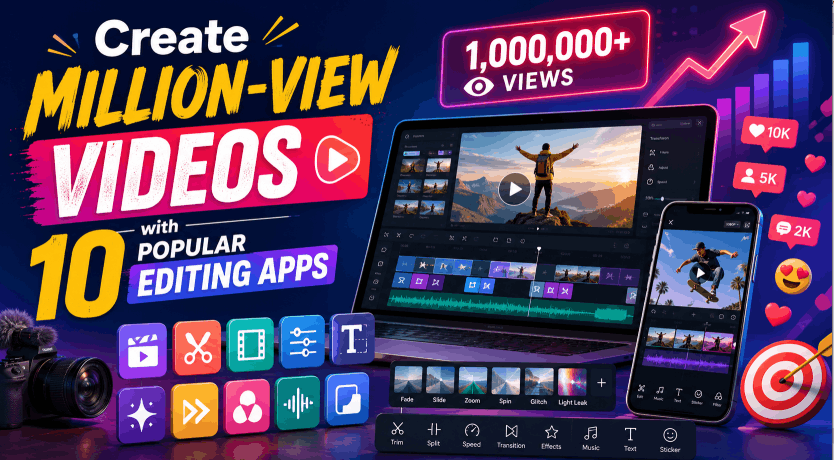
Create Million-View Videos with 10 Popular Editing Apps
Nội dung
In today’s digital age, video has become one of the most powerful forms of media for communicating and connecting with audiences. As social media platforms such as TikTok, Instagram, and YouTube continue to boom, creating videos with millions of views is no longer unfamiliar. However, to attract viewers and create impressive content, video editing has become a key factor. In this article, Appvip will introduce you to 10 popular video editing applications that help you easily create high-quality, engaging videos capable of attracting millions of views.
1. VivaVideo
VivaVideo is establishing its position as one of the leading video editing applications today, attracting millions of users worldwide. With a friendly and easy-to-use interface, VivaVideo allows users to transform ordinary moments into compelling stories. You can combine images, create videos with unique effects, and even add cheerful music tracks to make the content stand out.
One of VivaVideo’s outstanding advantages is its ability to create professional-quality videos. This application provides a range of basic editing tools such as cutting, merging, and adding background music. This helps users operate it easily without needing extensive video experience. In addition, VivaVideo also has a free music library, helping you confidently create videos without worrying about copyright issues.
Not only that, VivaVideo also provides users with many unique effects to create highlights for their videos. From entertaining stickers to colorful emojis, you can enrich your video content, making it more appealing than ever. With VivaVideo, creating videos has never been so easy and enjoyable!
.png)
2. WeVideo
WeVideo is an online video cutting and merging application that stands out for its simplicity and ease of use. This application allows users to combine multiple video clips, add audio, voiceovers, and create videos with their own style. What makes WeVideo special is that users can perform all these operations directly in the browser without having to download it to their devices.
One of WeVideo’s strengths is its ability to easily create a video from many different video clips. You only need to drag and drop the videos onto the timeline, and you can immediately cut and arrange the videos in your preferred order. Customizing the video’s name and description also becomes simple with the professional tools provided by WeVideo.
In addition, WeVideo allows users to easily add dialogue or background audio to their videos. You can choose background music from the extensive library provided by the application and adjust the music’s starting time to match the video content. Thanks to these features, WeVideo is truly an excellent tool for those who want to create quality videos without investing too much time.
3. Splice
Splice is a versatile video editing application that stands out with many tools to help you create and edit videos flexibly. From cutting and merging to inserting music, adjusting speed, and selecting aspect ratios, Splice provides all the necessary features for creating unique and impressive videos. With Splice, every user can become a professional filmmaker in just a few simple steps.
One of Splice’s outstanding features is its ability to cut and merge videos quickly in just a few seconds. You can easily select the video clips you want to use, then edit and arrange them in the desired order. In addition, Splice also allows you to adjust the video speed from fast to slow, helping create interesting effects for your work.
Finally, Splice also has a diverse free music library, helping you find the most suitable music track to highlight your video. After completing it, you can easily share the video on popular social networks such as Facebook, YouTube, and many other platforms with just one click. This not only helps you spread your content quickly but also attracts the audience’s attention, contributing to the creation of the million-view videos you have always hoped for.
.png)
4. Inshot
Inshot has quickly become one of the most popular video editing applications thanks to its perfect combination of features and ease of use. Its user-friendly interface helps even beginners operate it easily. Inshot not only allows you to cut and merge videos but also provides a range of unique filters and effects, helping your videos become more professional and attractive.
One of Inshot’s outstanding features is its ability to add music and sound effects easily. You can choose from an extensive music library or upload your favorite music track. In addition, the application also supports inserting cute and entertaining stickers, making your videos more vivid and engaging. This is highly useful for those who want to create interesting and unique content to share on social media.
Inshot also provides many aspect ratio options, allowing you to easily create videos suitable for each platform, from Instagram and TikTok to YouTube. The fast-forward or slow-motion feature helps you easily adjust the speed of video clips and create distinctive effects. With Inshot, you are not simply editing videos but can also turn them into true works of art.
5. Quik
Quik is a free video editing application that stands out with its intelligent automation capabilities, helping you quickly create impressive videos without requiring too much effort. With this feature, Quik will automatically find the best moments in your video and add suitable color filters, effects, and music. This not only saves time but also provides you with a completed product in just a few minutes.
One of Quik’s greatest benefits is its ability to easily rearrange, cut, merge, and rotate images and video clips. You can create engaging short videos without needing extensive editing knowledge. In addition, Quik also allows you to add images to videos smoothly, helping enrich the content.
Quik’s Flashbacks 24H feature is a major advantage, allowing you to review memorable moments recorded within the most recent 24 hours. This is truly useful for those who want to preserve memorable moments and share them with friends and family. With Quik, creating vivid and emotional videos has never been easier.
.png)
6. Adobe Premiere Rush - Video Editor
Adobe Premiere Rush is a powerful video editing application from Adobe, a company well known for its high-quality creative products. Designed to serve both professional and amateur users, Premiere Rush helps you easily create and share professional videos. This application provides many powerful video editing tools, including adding special effects, creating slow-motion videos, and adding background music.
One of Adobe Premiere Rush’s outstanding features is its ability to record high-quality videos. You can use the application to capture memorable moments and edit them immediately. Cutting, merging, and adding sound effects also become easier than ever with the intuitive tools provided by the application. In addition, you can also easily insert text into videos, helping convey messages more clearly.
Adobe Premiere Rush also provides more than 100 free motion graphics templates from Adobe Stock, helping you enrich your video content without worrying about watermarks. Integrated with Adobe Sensei artificial intelligence, this application allows you to naturally adjust audio, record voices, and reduce noise. Finally, sharing videos on social networks such as Instagram, Facebook, and YouTube becomes extremely simple, helping you easily connect with audiences and spread your content.
7. FilmoraGo
FilmoraGo is one of the most popular video editing applications today, standing out for allowing users to create impressive videos without time limitations. With FilmoraGo, you can easily capture memorable moments in life, from outdoor trips to parties, and share them with friends in just a few simple steps. Its friendly and easy-to-use interface helps even beginners operate it easily and quickly.
One of FilmoraGo’s outstanding features is its ability to create videos from images in just three simple steps. You only need to select images, add music, and apply customized effects. FilmoraGo provides a diverse collection of entertaining and amusing effects, helping your videos become more vivid and enjoyable. Furthermore, the application also allows you to choose from many popular aspect ratios, helping your videos suit each social media platform on which you want to share them.
FilmoraGo also provides powerful video editing tools such as cutting, merging, and adding text to videos. This allows you to create content freely and flexibly. In particular, the reverse, slow-motion, or fast-forward options help you create unique and impressive videos that attract viewers’ attention. With FilmoraGo, you will not simply record moments but can also transform them into unique works of art.
.png)
8. KineMaster
KineMaster is a multifunctional video editing application that provides users with a powerful editing experience directly on mobile phones. One of KineMaster’s outstanding features is its ability to create multiple video layers, allowing you to overlay multiple images and videos to create unique and impressive effects. This application also provides many color filters, stickers, and special features such as video reversal, helping you easily create content in your own way.
KineMaster supports video exports in 4K 2160p quality and frame rates of up to 30 fps, providing you with high-quality video products. You can easily add voiceovers, background music, and professional sound effects to your videos, helping create vivid and engaging audio experiences. This feature is a major advantage for those who want to create professional videos without having to use complicated computer software.
In addition, KineMaster allows you to adjust the video speed, from timelapse to slow motion, providing distinctive effects for your content. The application also supports many different aspect ratios, helping you easily share videos on your favorite social media platforms. With KineMaster, creating unique and professional videos has never been easier.
9. Androvid
Androvid is a powerful video editing application for Android operating system users, providing a convenient solution for those who want to create quality videos without requiring extensive professional knowledge. With Androvid, you can easily cut, join, and edit video clips together to create complete and professional products. This application not only allows you to edit videos but also ensures that the exported video quality is equivalent to the original video, helping you maintain the sharpness and detail of each frame.
One of Androvid’s outstanding features is its ability to remove unnecessary parts from videos. You can easily identify and cut unwanted sections, thereby creating a more coherent and engaging video. Merging multiple videos also becomes easier than ever, allowing you to create a complete video without encountering any difficulty.
In addition, Androvid provides many other useful features, such as inserting music and adjusting the volume. You can add background music from the music library available in the application or from the music collection on your phone. The volume adjustment feature also allows you to mute the video’s original sound when necessary, helping create a more complete and professional product. With Androvid, video editing has never been so easy and effective.
.png)
10. Funimate
Funimate is a unique video editing application that stands out with its rich and diverse collection of effects. This application helps users create vivid and adorable videos in just a few simple steps. Funimate’s friendly and easy-to-use interface allows you to easily insert text, add music, and create professional videos without requiring extensive video editing experience.
One of Funimate’s strengths is its ability to provide an extensive collection of effects, helping you easily transform ordinary video clips into unique works of art. You can choose from hundreds of different effects, ranging from smooth transitions to special effects that highlight your video content. This not only increases the video’s attractiveness but also helps you express your personality and personal style.
In addition to editing videos, Funimate allows you to easily save videos to your phone or share them immediately with friends and family. You can also join the Funimate community to interact and share with other users, similarly to social networks. This feature not only helps you expand your relationships but also creates opportunities to learn from others and find inspiration for your next videos.
11. Conclusion
Creating million-view videos does not depend only on engaging content but also on professional editing techniques. With the support of the 10 video editing applications we have introduced, you can fully seize this opportunity to stand out from the crowd. Do not hesitate to experiment, create, and share your work because your next video may become the million-view phenomenon you have always hoped for!





















VIP Products








Best Selling Products
Adobe Photoshop Copyright - Full App
120 USD
Adobe Premiere Pro Account
99 USD
Genuine Cheap Canva Pro
39 USD
Genuine Adobe Illustrator account
99 USD
Freepik Premium Account
59 USD
ChatGPT Plus Account (GPT-4)
16 USD
Upgrade Duolingo Super
29 USD
Upgrade Genuine Office 365
49 USD
Plugin Retouch4me
69 USD
Copyright Adobe Lightroom Account
59 USD
MidJourney Account
29 USD
Windows 10 & 11 Pro Key
36 USD
Capcut Pro 1 Year
39 USD
Autodesk All App Account Copyright
120 USD
Upgrade genuine Capture One account
120 USD