Best Selling Products

Copyright Adobe Lightroom Account
59 USD

Genuine Cheap Canva Pro
39 USD

MidJourney Account
29 USD

Upgrade Duolingo Super
29 USD

Capcut Pro 1 Year
39 USD

Plugin Retouch4me
69 USD

Freepik Premium Account
59 USD

Adobe Premiere Pro Account
99 USD

Upgrade genuine Capture One account
120 USD

ChatGPT Plus Account (GPT-4)
16 USD

Upgrade Genuine Office 365
49 USD

Windows 10 & 11 Pro Key
36 USD

Genuine Adobe Illustrator account
99 USD

Autodesk All App Account Copyright
120 USD

Adobe Photoshop Copyright - Full App
120 USD
Enhance design productivity with Photoshop and AI technology.
Nội dung
- 1. Achieve better results with new partner AI models in Generative Fill.
- 2. Enhance your image quality with Topaz Labs
- 3. Create seamless photo collages with just one click using Harmonize.
- 4. Quickly kickstart your Photoshop workflow by brainstorming in Firefly Boards.
- 5. Work more efficiently and quickly with Photoshop.
- 6. Explore the features of Photoshop
Photoshop incorporates AI technologies to automate many complex editing tasks.
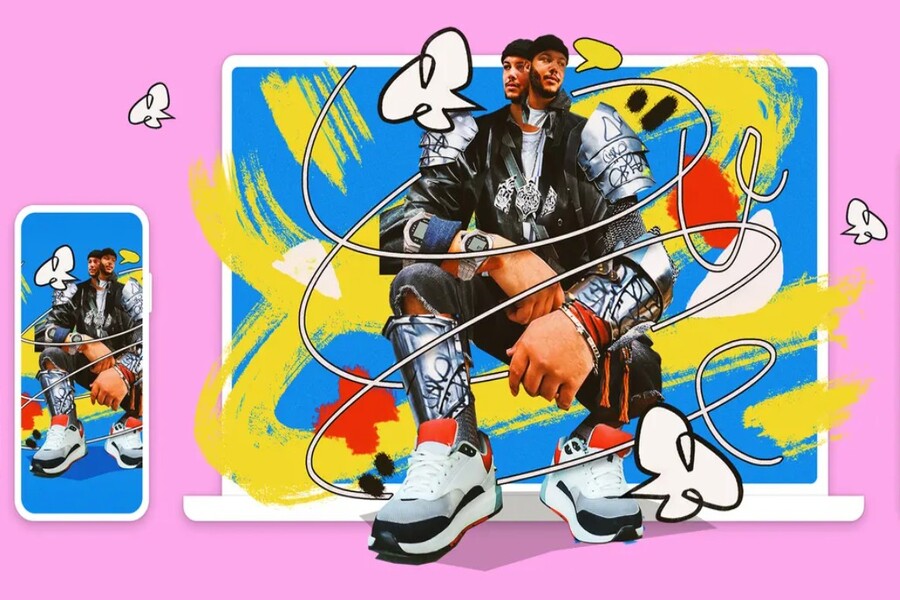
Adobe Photoshop is more than just photo editing software; it has become a core creative platform for the design, photography, media, and digital content industries. From basic editing to complex post-production processes, Photoshop is a constant companion for creators of all levels, from beginners to experts.
Entering a new phase, Photoshop is undergoing a powerful transformation thanks to the deep integration of artificial intelligence (AI). Technologies like Generative Fill, new AI partner models, Harmonize, and Firefly Boards not only shorten operation time but also change the way we think and approach the image creation process. Photoshop is now more than just an "execution" tool; it has become a true creative assistant. This article will help you understand how to work more efficiently and quickly with Photoshop , leveraging intelligent tools to achieve better results, improve image quality, and optimize workflows in the modern design landscape.
Buy genuine, licensed Adobe Photoshop at a low price. SADESIGN Software Co., Ltd.
1. Achieve better results with new partner AI models in Generative Fill.
Generative Fill marks one of Photoshop's most significant advancements in the AI era. Instead of manually editing every minute detail, users can now describe their ideas using natural language and let AI handle the rest. With the introduction of new AI partner models like Gemini 3, FLUX.2 Pro, and Firefly Fill & Expand (beta), image generation capabilities have become more flexible, diverse, and precise than ever before.
These models offer a variety of processing styles, from realistic to highly creative, allowing users to easily choose the result that best suits their design goals. More importantly, Generative Fill is no longer just a "fix-up" tool, but has become an indispensable part of the modern image creation process.
.jpg)
2. Enhance your image quality with Topaz Labs
One of the biggest challenges in design and photography is the quality of the input images. We don't always get high-resolution images, ideal lighting, or perfect sharpness. Editing poor-quality images used to be very time-consuming and laborious.
The integration of partner AI models from Topaz Labs into Photoshop has completely changed that. With the ability to zoom in on images, increase detail, and intelligently reduce noise, Topaz Labs helps users enhance images in seconds while maintaining realism. This is a particularly significant advantage for print designers, commercial photographers, and projects requiring high image quality.
Image enhancement is no longer a complicated post-processing step, but a quick and easy operation, allowing you to focus more on composition, color, and the overall concept.
3. Create seamless photo collages with just one click using Harmonize.
Image collage is always an important skill in Photoshop, but it's also one of the most difficult and time-consuming processes. Adjusting the lighting, color, and shadows between different elements requires experience and a good eye for aesthetics.
Harmonize was created to address this very problem. This tool uses AI to automatically analyze the context and adjust the added person or object to blend seamlessly with the background. Lighting, contrast, color, and even micro-details are intelligently processed to create a natural-looking image.
.jpg)
For designers working in advertising, media, or digital content creation, Harmonize significantly reduces editing time while maintaining professional image quality.
4. Quickly kickstart your Photoshop workflow by brainstorming in Firefly Boards.
An efficient workflow doesn't start with editing, it starts with ideas. Firefly Boards provides a visual creative space where you can sketch concepts, experiment with layouts, colors, and styles before going into detail.
Instead of having to open multiple files or use external tools for brainstorming, Firefly Boards lets you do everything right within the Adobe ecosystem. This is the ideal stepping stone to speed up the entire Photoshop workflow, helping you work with clear direction and minimizing rework.
5. Work more efficiently and quickly with Photoshop.
Delete objects
Removing distracting elements like power lines, extraneous people in the background, or unwanted objects used to be one of the most time-consuming tasks. Now, with the improved Remove tool, Photoshop can intelligently detect and remove these details automatically.
.jpg)
AI not only removes objects but also reconstructs the background seamlessly and naturally. This saves you considerable time and enhances the aesthetic appeal of your images right from the first editing step.
Combine images
Photoshop has always been the ideal "playground" for image blending, and with the help of AI, this process becomes more flexible than ever. You can mix multiple image sources, graphics, and visual elements to create a unique piece of work with a personal touch.
.jpg)
Photoshop's powerful image-combining capabilities make it an indispensable tool for designing advertisements, posters, banners, and cross-platform media content. More importantly, you can experiment with many creative options without worrying about spending too much time.
Image conversion
Photoshop isn't just for "editing photos," it's also a comprehensive image transformation tool. From customizing colors and text to changing visual styles, you can create entirely new products from the original image.
.jpg)
This flexible adaptability is particularly useful in branding, where each image needs to be adapted to suit various contexts and platforms.
6. Explore the features of Photoshop
Create larger and sharper images with Topaz Labs.
With the help of Topaz Labs, image enhancement has become a seamless part of Photoshop. You can increase resolution, improve detail and sharpness without losing the natural quality of the image.
.jpg)
This is especially important in large-scale printing projects, where image quality directly impacts the viewer's visual experience.
Create lifelike photographs with Harmonize
Harmonize not only helps with photo merging, but also opens up a new approach to image creation. Adding people, objects, or new elements to a scene becomes quick and precise, helping you realize your ideas without being limited by technique.
.jpg)
New adjustment classes
Photoshop continues to expand its Adjustment Layers system with Temperature and Tone adjustment layers. These adjustments do not destroy the original image, allowing you to control the entire creative process and easily revert to previous versions.
.jpg)
This is a key factor in making workflows more flexible and secure, especially in long-term projects.
High accuracy for selecting areas and backgrounds.
Selecting areas and separating backgrounds has always been one of the most important operations. With new improvements, Photoshop offers greater accuracy, faster speed, and better control, even when working offline.
.jpg)
This makes it easier than ever to handle intricate details like hair, fur, or blurry outlines.
Improved uninstallation tool
The new Erase tool is not only faster but also smarter, allowing you to remove unwanted people and objects without leaving a trace. This is clear evidence that AI is helping Photoshop get closer to its goal of "one-touch editing."
.jpg)
New AI partner models in Generic Fill
The diversity of AI models gives users more choices, ranging from realistic to highly creative styles. This is especially useful when you need to experiment with many different ideas in a short amount of time.
.jpg)
Photoshop is entering a new era where efficiency and speed are no longer compromised for quality and creativity. With the support of AI, intelligent tools, and an ever-evolving ecosystem, Photoshop helps you work faster, more accurately, and with more creative freedom than ever before.
Photoshop is always with you, anytime, anywhere. Unleash your creativity, crop and zoom images, adjust colors, add and remove objects on your computer, the web, and mobile devices. Get all these powerful features with a Photoshop subscription, or start your creative journey by downloading the free mobile app.
Buy genuine, licensed Adobe Photoshop at a low price. SADESIGN Software Co., Ltd.





















VIP Products








Best Selling Products
Copyright Adobe Lightroom Account
59 USD
Genuine Cheap Canva Pro
39 USD
MidJourney Account
29 USD
Upgrade Duolingo Super
29 USD
Capcut Pro 1 Year
39 USD
Plugin Retouch4me
69 USD
Freepik Premium Account
59 USD
Adobe Premiere Pro Account
99 USD
Upgrade genuine Capture One account
120 USD
ChatGPT Plus Account (GPT-4)
16 USD
Upgrade Genuine Office 365
49 USD
Windows 10 & 11 Pro Key
36 USD
Genuine Adobe Illustrator account
99 USD
Autodesk All App Account Copyright
120 USD
Adobe Photoshop Copyright - Full App
120 USD