Best Selling Products

Upgrade genuine Capture One account
120 USD

Autodesk All App Account Copyright
120 USD

Upgrade Duolingo Super
29 USD

Copyright Adobe Lightroom Account
59 USD

MidJourney Account
29 USD

Windows 10 & 11 Pro Key
36 USD

Capcut Pro 1 Year
39 USD

Freepik Premium Account
59 USD

Upgrade Genuine Office 365
49 USD

Adobe Photoshop Copyright - Full App
120 USD

Genuine Cheap Canva Pro
39 USD

ChatGPT Plus Account (GPT-4)
16 USD

Plugin Retouch4me
69 USD

Genuine Adobe Illustrator account
99 USD

Adobe Premiere Pro Account
99 USD
How to Use ChatGPT Voice Mode: Talk to AI Naturally, Quickly, and Conveniently
Nội dung
- 1. ChatGPT Voice Mode: A New Step Forward in Conversational AI
- 2. Why Is ChatGPT Voice Mode Receiving So Much Attention?
- 3. How Does ChatGPT Voice Mode Work?
- 3.1 Speech Technology and AI Language Processing
- 3.2 The Difference Between ChatGPT Voice and Traditional Chatbots
- 3.3 A Real-Life Experience Like Talking on the Phone
- 4. How to Enable and Use ChatGPT Voice Mode
- 4.1 On Mobile Devices (iOS and Android)
- 4.2 ChatGPT Voice on Desktop Computers
- 5. How to Configure Your Microphone and Speakers for Optimal Quality
- 6. Notes on Using Free and Paid ChatGPT Voice Versions
- 7. Key Advantages of ChatGPT Voice Mode
- 7.1 Faster Communication Without Typing
- 7.2 A More Natural and Human-Like AI Experience
- 7.3 Support for Learning, Work, and Content Creation
- 7.4 Business Applications
- 8. Conclusion
Have you ever imagined being able to talk directly with artificial intelligence as if you were speaking with a real friend? No typing, no complicated navigation—just speak, and the AI instantly responds with a natural, fluent, and expressive voice.
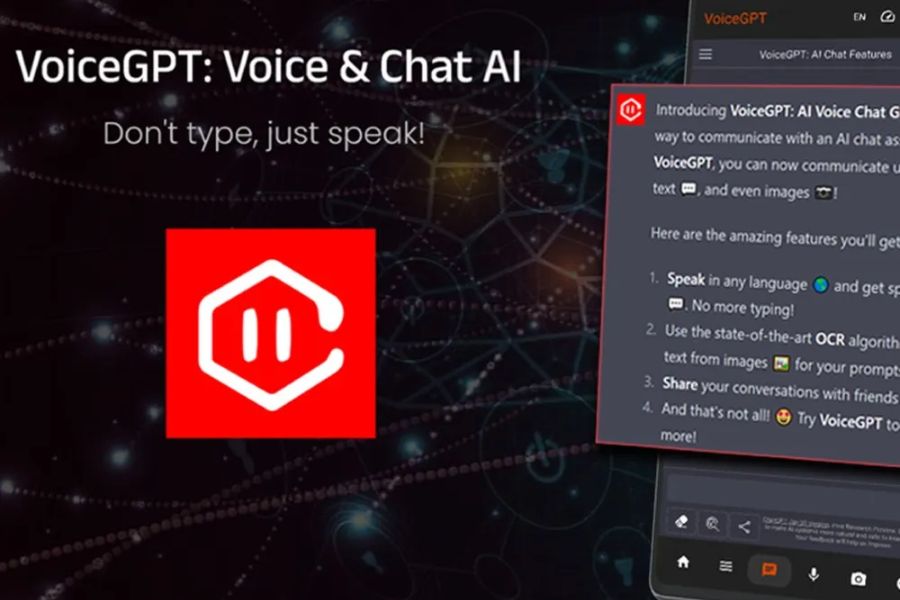
1. ChatGPT Voice Mode: A New Step Forward in Conversational AI
If we were once accustomed to interacting with ChatGPT through manually typed text, the arrival of ChatGPT Voice Mode has created a major turning point in how people communicate with technology. Instead of typing every sentence, users simply speak, and the AI responds immediately with a natural, coherent, and expressive voice like a true companion. The technology behind this feature combines Natural Language Processing (NLP) and high-quality Text-to-Speech (TTS), making conversations smoother, more engaging, and more human than ever before. As a result, AI is no longer just a “question-answering machine” but a genuine conversational assistant capable of receiving spoken input, understanding context, and responding instantly to create a highly human communication experience.
Key highlights of this advancement include:
- Near-instant response speed, making conversations feel as natural as face-to-face discussions.
- Smooth, expressive speech that feels friendly rather than robotic like older technologies.
- The ability to understand tone, intonation, intent, and context to provide more accurate responses.
- Optimized for multitasking activities such as driving, cooking, or situations where using a keyboard is inconvenient.
- Opens new possibilities in education, customer service, teamwork, and skills training.
.jpg)
2. Why Is ChatGPT Voice Mode Receiving So Much Attention?
ChatGPT Voice Mode is not just an interesting feature; it is proof of a new communication trend that modern users are seeking: fast, convenient, and natural. When AI can listen, understand, and respond with speech, interactions become much more personal, especially in a world where people are increasingly busy and looking to save time. Voice communication not only accelerates interactions but also introduces emotion, making conversations feel more authentic and less mechanical. For this reason, ChatGPT Voice Mode has quickly captured the attention of technology enthusiasts, content creators, service professionals, and even daily language learners.
Reasons why ChatGPT Voice has become a focal point:
- Exceptional convenience: It can be used while commuting, performing manual tasks, or when typing is impractical, maximizing time and effort savings.
- A natural experience like talking to a real person: The AI voice is refined to sound smooth, expressive, pleasant, and emotionally engaging.
- Faster information processing: Speaking can be up to three times faster than typing, helping users complete tasks more quickly.
Applications Across Multiple Fields:
- Language learning with instant feedback and accurate pronunciation.
- Work consulting, reminders, and brainstorming.
- Real-time customer support.
- Smart home and IoT technology interactions.
The Future of Digital Communication: As voice becomes a more common communication method, Voice AI will play a central role in how people interact with smart devices.
3. How Does ChatGPT Voice Mode Work?
ChatGPT Voice Mode operates through a sophisticated combination of modern speech processing technology and artificial intelligence capable of understanding natural language. When you speak, the system immediately captures the audio, interprets the content, analyzes the intent, and responds with a natural voice within seconds. The entire process is so seamless that users feel as though they are talking directly to a real person, without any noticeable waiting time. This makes communication with AI significantly more approachable, natural, and user-friendly compared to older text-based technologies.
3.1 Speech Technology and AI Language Processing
To create a smooth conversational experience from start to finish, ChatGPT Voice Mode combines two essential AI technologies.
ASR, short for Automatic Speech Recognition, is the technology that recognizes speech and converts audio into text, allowing the AI to accurately understand what you are saying. ASR not only captures words but also analyzes tone and context to interpret intent correctly.
TTS, short for Text-to-Speech, comes into play after the AI processes information and generates a response. The system converts text into spoken language with natural rhythm and emotion. This makes responses much more engaging and pleasant than traditional speech synthesis technologies.
Thanks to the seamless cooperation between ASR and TTS, the entire process of listening, understanding, and responding occurs almost instantly, creating a smooth conversation with virtually no delay.
.jpg)
3.2 The Difference Between ChatGPT Voice and Traditional Chatbots
The biggest difference between ChatGPT Voice Mode and text-based chatbots lies in the interaction experience. Instead of typing every sentence as before, users can converse using their voice, creating a more natural and emotionally rich flow of communication. This evolution allows ChatGPT Voice to become a true conversational partner rather than merely a question-answering tool.
Comparison table:
This comparison clearly shows that Voice Mode excels in speed, emotional engagement, and convenience. Users not only save time but also enjoy a far more authentic conversational experience than text-based interactions can provide.
3.3 A Real-Life Experience Like Talking on the Phone
Anyone who has used ChatGPT Voice Mode can quickly recognize the familiar feeling of making a phone call to a friend. You speak, the AI responds, and the conversation continues smoothly without interruption. This fluid conversational rhythm has unlocked many new applications, from customer support and healthcare assistance to entertainment and casual conversation after a long workday. The comfort and friendliness of these interactions make it easy for users to embrace AI as a reliable companion in both work and daily life.
4. How to Enable and Use ChatGPT Voice Mode
ChatGPT Voice Mode is designed so that anyone can activate and use it within minutes. Whether you are using a smartphone or a computer, the feature allows you to start a natural conversation with just one tap on the microphone icon. Enabling Voice Mode is simple, but understanding each step will help you take full advantage of its capabilities quickly and effectively.
4.1 On Mobile Devices (iOS and Android)
ChatGPT Voice is integrated directly into the ChatGPT app on both iOS and Android, allowing users to start using it immediately after installation. After downloading the app from the App Store or Google Play, simply sign in with your OpenAI account. For users who purchase licensed accounts through CentriX Software, the experience can be even more convenient and stable thanks to full licensing support.
To enable Voice Mode, go to Settings, locate the New Features section, and select Voice Conversations. Once enabled, return to the chat screen, where the microphone icon will appear beside the input field. Simply tap the microphone to begin talking with AI without needing to type or perform complicated actions.
4.2 ChatGPT Voice on Desktop Computers
ChatGPT Voice Mode is not limited to smartphones; it also supports desktop computers, allowing users to converse with AI on a larger screen. This is particularly useful for office workers handling documents or needing fast interaction while focusing on their tasks.
First, visit the official ChatGPT website and sign in to your account. Next, allow your browser to access your microphone. Once permission is granted, you can use Voice Mode whenever needed. Then click the microphone icon within the chat interface to begin speaking.
Many users report that ChatGPT Voice on desktop offers an even clearer and more accurate experience because laptop microphones and speakers are often more stable than those on mobile devices. Additionally, desktop use allows seamless multitasking, making it ideal for creative work, online meetings, or note-taking.
.jpg)
5. How to Configure Your Microphone and Speakers for Optimal Quality
Although ChatGPT Voice works with most devices, preparing a good audio setup can significantly improve your experience. A reliable microphone helps the AI recognize speech accurately, while quality speakers or headphones ensure that responses are heard clearly without interference from background noise.
For the best results, consider using an external microphone or headphones with a built-in microphone to reduce ambient noise. High-quality speakers or headphones will also ensure clear playback of the AI’s voice. Additionally, a strong internet connection is crucial for minimizing latency and maintaining a smooth, natural conversation. Many experts suggest that even a simple USB microphone can dramatically improve the Voice Mode experience, especially for professional work or online meetings.
6. Notes on Using Free and Paid ChatGPT Voice Versions
OpenAI currently offers two options for using ChatGPT Voice Mode, catering to different user needs. The free version allows users to experience the core functionality, including voice conversations and real-time responses. However, processing speed and voice quality may occasionally be limited, especially during peak usage periods.
Meanwhile, the paid ChatGPT Plus subscription offers faster performance, more natural voice responses, and access to advanced models such as GPT-4. This is especially important for professionals who require high accuracy, intensive learning environments, or customer service applications.
If you intend to use ChatGPT Voice regularly as a work-support tool, upgrading to the paid version is worth considering to ensure optimal stability and quality.
.jpg)
7. Key Advantages of ChatGPT Voice Mode
ChatGPT Voice Mode is not merely a new feature—it represents a significant evolution in conversational technology. Thanks to natural voice interaction, users can engage with AI faster, more dynamically, and more effectively across a wide range of scenarios.
7.1 Faster Communication Without Typing
One of the most obvious benefits of ChatGPT Voice Mode is speed. Speaking is significantly faster than typing, especially when you are busy or unable to use your hands. Users can ask questions, describe problems, or discuss scenarios within seconds. Voice Mode’s near-instant processing enables smooth conversations, saves time, and improves productivity in both professional and personal contexts.
7.2 A More Natural and Human-Like AI Experience
Hearing AI responses delivered through speech feels very different from reading text. Each response is expressed with rhythm, intonation, and natural emotion, creating the impression of talking to a real person. This sense of familiarity helps users feel more comfortable interacting with AI, making technology feel warmer, more accessible, and more connected. It is also a key factor in making AI approachable for users of all ages.
7.3 Support for Learning, Work, and Content Creation
ChatGPT Voice Mode opens up countless opportunities in education and professional work. Language learners can practice pronunciation, engage in simulated conversations, and build confidence through natural interactions with AI. Students can discuss ideas, ask questions quickly while researching, or collaborate in study sessions. For office workers, Voice Mode serves as a powerful tool for brainstorming, outlining content, or creating notes without typing. Voice interaction makes the creative process more flexible and comfortable.
7.4 Business Applications
For businesses, ChatGPT Voice Mode offers significant advantages in optimizing operational workflows. It can be used to build intelligent customer service systems where customers simply speak and receive immediate responses. Companies can also leverage Voice Mode for internal training, scenario simulations, onboarding new employees, or providing 24/7 technical support without requiring a full-time call center team. As a result, efficiency increases, operating costs decrease, and customer experiences improve substantially.
.jpg)
8. Conclusion
ChatGPT Voice Mode is more than just a new feature—it demonstrates a powerful shift in how people interact with technology. When every action is simplified into spoken language, users can save time, optimize productivity, and experience a completely natural form of communication with AI. From language learning and quick note-taking to work support and entertainment, everything becomes easier through voice interaction alone. If you are looking for a way to boost efficiency and enjoy the convenience of the digital age, ChatGPT Voice Mode is a tool you should not overlook.





















VIP Products








Best Selling Products
Upgrade genuine Capture One account
120 USD
Autodesk All App Account Copyright
120 USD
Upgrade Duolingo Super
29 USD
Copyright Adobe Lightroom Account
59 USD
MidJourney Account
29 USD
Windows 10 & 11 Pro Key
36 USD
Capcut Pro 1 Year
39 USD
Freepik Premium Account
59 USD
Upgrade Genuine Office 365
49 USD
Adobe Photoshop Copyright - Full App
120 USD
Genuine Cheap Canva Pro
39 USD
ChatGPT Plus Account (GPT-4)
16 USD
Plugin Retouch4me
69 USD
Genuine Adobe Illustrator account
99 USD
Adobe Premiere Pro Account
99 USD