Best Selling Products

Adobe Photoshop Copyright - Full App
120 USD

Adobe Premiere Pro Account
99 USD

Windows 10 & 11 Pro Key
36 USD

Genuine Cheap Canva Pro
39 USD

Genuine Adobe Illustrator account
99 USD

Plugin Retouch4me
69 USD

Autodesk All App Account Copyright
120 USD

Copyright Adobe Lightroom Account
59 USD

Freepik Premium Account
59 USD

Upgrade genuine Capture One account
120 USD

Capcut Pro 1 Year
39 USD

Upgrade Genuine Office 365
49 USD

Upgrade Duolingo Super
29 USD

MidJourney Account
29 USD

ChatGPT Plus Account (GPT-4)
16 USD
Recommended Professional and Easy-to-Use Wedding Photo Editing Apps
Nội dung
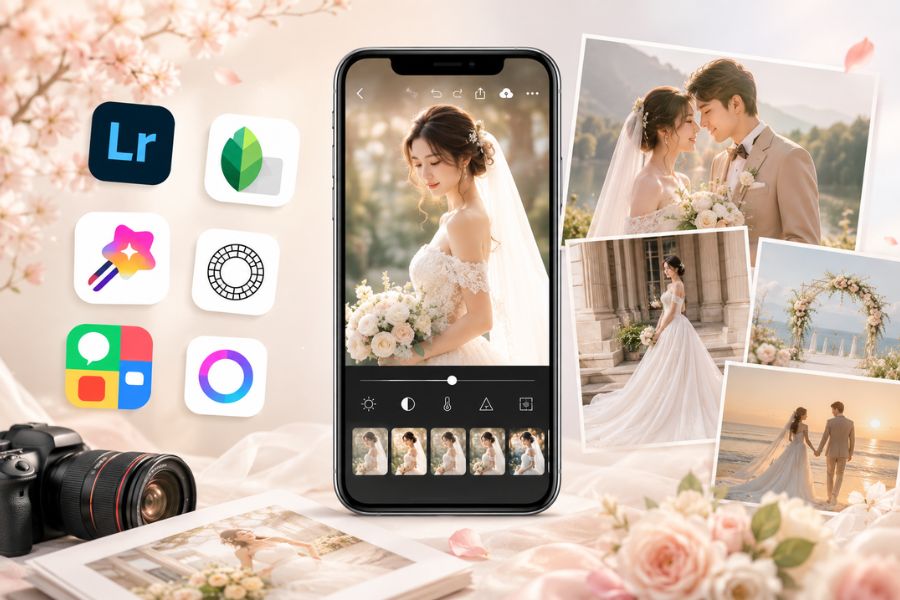
If you''''re looking for apps that support professional wedding photo editing but are still easy for beginners to use, the article below from AppVip.ai will help you discover the most outstanding wedding photo editing app options, suitable for both Android and iPhone, to fully preserve your happy moments in the most impressive way.
1. Korean Wedding Photo Suit Kpop Style
If you love a gentle, romantic Korean style, then Korean Wedding Photo Suit Kpop Style is definitely a wedding photo editing app worth trying. The app lets users easily swap their face into available bride-and-groom wedding photo templates with a modern, standard Kpop concept. With just a few simple steps on your phone, you can already own wedding photos with a luxurious Korean vibe without spending too much on a professional studio shoot. In addition, the diverse collection of wedding dresses, from classic to modern, also lets users freely choose according to their personal taste.
Standout features of the wedding photo editing app Korean Wedding Photo Suit Kpop Style:
Supports quick face-swapping into available bride-and-groom wedding photos, extremely convenient.
Offers many young, modern Korean-style wedding dress templates.
A diverse collection of wedding photo frames that make images more stunning.
Easy-to-use interface, suitable even for people editing wedding photos for the first time.
Easily share edited wedding photos to Facebook, Instagram, or TikTok.
.jpg)
2. PicsArt
PicsArt is one of the most beloved wedding photo editing apps thanks to its powerful and highly versatile editing capabilities. Not only does it support skin beautification, color adjustment, and adding artistic effects, but the app also helps brides and grooms create wedding photo sets with their own creative style. With a host of modern filters and professional editing tools, PicsArt makes wedding photo editing on the phone simple while still producing results as beautiful as editing on a computer.
Standout features of the wedding photo editing app PicsArt:
Supports photo cropping and merging, skin tone adjustment, and natural facial beautification.
Adds artistic effects that make wedding photos more striking and eye-catching.
Integrates tools for adding text, stickers, and a diverse range of decals for wedding photos.
Allows creating photo collages from multiple images with many professional layouts.
Supports creative wedding video editing right on the phone.
Quickly shares wedding photos to social media platforms with just a few taps.
3. Wedding Dress Photo
Wedding Dress Photo is a wedding photo editing app suitable for anyone who wants to try on many different wedding dress designs before deciding on their actual photoshoot. The app offers an interesting experience, letting users easily swap their face into beautiful wedding dress templates in just a few minutes. With an intuitive interface and simple operation, Wedding Dress Photo helps brides-to-be quickly create stunning wedding photos without needing in-depth editing skills.
Standout features of the wedding photo editing app Wedding Dress Photo:
A diverse collection of wedding dress templates with many styles, from gentle to luxurious.
Supports fast, free wedding photo merging right on the phone.
Includes zoom in, zoom out, and rotate tools to adjust the face appropriately.
Edits wedding photos easily with just a few simple steps.
Helps users try out many different wedding dress concepts in advance.
.jpg)
4. Wedding Dress Photo Editing
Wedding Dress Photo Editing is a wedding photo editing app suitable for anyone who wants to try many different bridal styles right on their phone. The app has a simple, easy-to-operate interface, so even those who have never edited a photo before can use it quickly. With a diverse wedding dress collection ranging from gentle and elegant to luxurious, the app helps you easily visualize the style that suits you before doing your actual wedding photoshoot. In addition, smart editing tools also help align the face naturally to create wedding photos that are more stunning and professional.
Standout features of this wedding photo editing app:
A diverse wedding dress collection with many realistic-looking designs, helping brides easily choose a suitable style.
Supports resizing, rotating, zooming in and out, and adjusting the face to blend more naturally with the wedding dress.
A friendly wedding photo editing interface with simple, easy operation on the phone.
Allows saving and sharing wedding photos directly to today's popular social media platforms.
5. Wedding Dress Photo Camera
Wedding Dress Photo Camera is a wedding photo editing app loved by many for its ability to merge wedding dresses quickly and completely free. The app offers a host of wedding dress templates in many different styles for you to try out before choosing your actual outfit for the big day. With just a few simple steps, users can swap their face into luxurious wedding dress templates and create images as beautiful as those taken at a professional studio. This is a suitable option for anyone who wants to try out many wedding photo concepts right at home.
Features of Wedding Dress Photo Camera:
Offers a diverse range of wedding dress templates in styles from modern to classic.
Allows face-swapping into wedding dress outfits completely free.
Supports editing tools such as rotate, zoom in, zoom out, and move to more accurately align the face.
Easily creates beautiful wedding photos with just a few simple steps on the phone.
(1).jpg)
6. PhotoGrid
PhotoGrid is not only known as a photo-merging app but is also a highly rated wedding photo editing app today. Thanks to a host of integrated modern editing tools, PhotoGrid makes creating stunning wedding photos much simpler. Users can adjust skin tone, change hair color, remove the background, or add effects to make wedding photos stand out more. In addition, the app also supports creating wedding videos combined with music, helping to preserve meaningful moments in a more vivid and emotional way.
Standout features of PhotoGrid:
Supports cutting out subjects, removing backgrounds, and quickly replacing backgrounds for wedding photos.
Allows adjusting skin tone, hair color, lip color, and many other details as desired.
Integrates a video-merging tool with music to create impressive wedding photo videos.
Offers many emoji icons, stickers, and over 700 diverse fonts for designing beautiful wedding photo albums.
7. Lightroom CC
Lightroom CC is a professional wedding photo editing app developed by Adobe and supported on both iOS and Android. The app stands out for its in-depth color-grading capabilities, helping couples easily create wedding photo sets with a more luxurious and emotional color tone. With a modern interface and a host of powerful tools, Lightroom CC is suitable for both beginners and those with editing experience. This is also an app used by many studios and photographers for professional wedding photo editing today.
Standout features of the wedding photo editing app Lightroom CC:
Fully integrates editing tools such as cropping, brightness/darkness adjustment, color temperature, contrast, and highlight creation for wedding photos.
Offers many color filters that let users easily adjust the wedding photo tone to their desired style.
Supports data syncing between phone and computer via Creative Cloud, for convenience.
Allows storing photos online and editing them professionally across multiple devices.
.jpg)
8. Snapseed
Snapseed is a versatile wedding photo editing app loved by many for its powerful yet still easy-to-use editing toolset. The app integrates hundreds of effects and color filters along with many modern editing features that help users easily create wedding photos that are more stunning and natural. Whether you're a beginner or already experienced in photo editing, Snapseed still meets editing needs from basic to advanced right on your phone.
Standout features of Snapseed:
Integrates many color filters and effects that make wedding photos more artistic.
Supports detailed facial adjustment, skin smoothing, and natural light balancing.
Has in-depth editing tools such as object removal, background blurring, and selective color adjustment.
Simple interface, quick operation, suitable for a wide range of users.
9. PhotoWonder
PhotoWonder is an outstanding wedding photo editing tool on both iPhone and Android, with many beautiful filters and vivid effects. The app helps users create stunning wedding photos with a sweet, youthful style. Besides basic editing capabilities, PhotoWonder also has a diverse collection of photo-merging themes that make it easy for brides and grooms to create a unique and emotional wedding photo album.
Standout features of PhotoWonder:
Offers many color filters and beautifying effects specifically designed for wedding photos.
Supports skin adjustment, face brightening, and creating more natural photo effects.
Integrates a rich collection of photo-merging themes with many different styles.
Allows creating vivid wedding photo albums quickly right on the phone.
.jpg)
10. VSCO
VSCO is a wedding photo editing app loved by many young people for its ability to create an extremely impressive film color tone. The app has many ready-made color presets, from classic to modern, that help wedding photos become more artistic and emotionally rich. VSCO is suitable for both professional editors and beginners thanks to its minimalist interface and easy-to-use operation. This is also an app commonly used to create wedding photo sets with a gentle, vintage, and cinematic style.
Standout features of VSCO:
Integrates many beautiful film color filters that make wedding photos more artistic.
Supports in-depth color adjustment with parameters for brightness, darkness, grain, and contrast.
Includes additional premium color presets suitable for both classic and modern styles.
Minimalist interface, easy to operate, and suitable even for non-professional users.
11. Conclusion
Choosing the right wedding photo editing app will help couples save significant time and cost while still getting naturally beautiful, emotionally rich photos. Each app has its own strengths, from professional color grading, facial beautification, to adding unique artistic effects, catering to a variety of styles from classic to modern. We hope the suggestions in this article have helped you easily find the right tool to edit truly stunning wedding photos, creating a memorable keepsake album before your big day.





















VIP Products








Best Selling Products
Adobe Photoshop Copyright - Full App
120 USD
Adobe Premiere Pro Account
99 USD
Windows 10 & 11 Pro Key
36 USD
Genuine Cheap Canva Pro
39 USD
Genuine Adobe Illustrator account
99 USD
Plugin Retouch4me
69 USD
Autodesk All App Account Copyright
120 USD
Copyright Adobe Lightroom Account
59 USD
Freepik Premium Account
59 USD
Upgrade genuine Capture One account
120 USD
Capcut Pro 1 Year
39 USD
Upgrade Genuine Office 365
49 USD
Upgrade Duolingo Super
29 USD
MidJourney Account
29 USD
ChatGPT Plus Account (GPT-4)
16 USD