Best Selling Products

Autodesk All App Account Copyright
120 USD

Windows 10 & 11 Pro Key
36 USD

Genuine Adobe Illustrator account
99 USD

Upgrade genuine Capture One account
120 USD

Copyright Adobe Lightroom Account
59 USD

ChatGPT Plus Account (GPT-4)
16 USD

Capcut Pro 1 Year
39 USD

Adobe Premiere Pro Account
99 USD

Plugin Retouch4me
69 USD

Genuine Cheap Canva Pro
39 USD

MidJourney Account
29 USD

Adobe Photoshop Copyright - Full App
120 USD

Freepik Premium Account
59 USD

Upgrade Duolingo Super
29 USD

Upgrade Genuine Office 365
49 USD
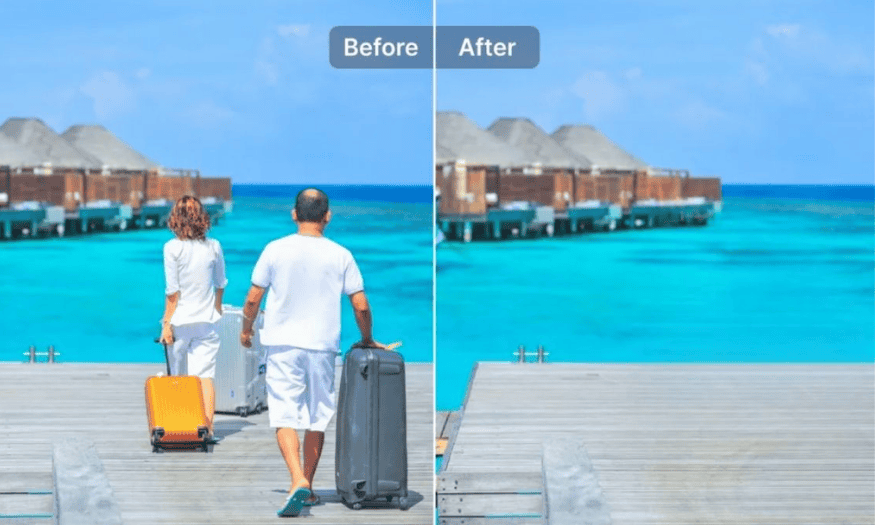
The number one app for removing objects from photos is SnapEdit Pro.
Nội dung
Currently, there are countless photo editing software programs with various features and advantages. However, SnapEdit Pro has proven its superior position, becoming the top choice for many users.
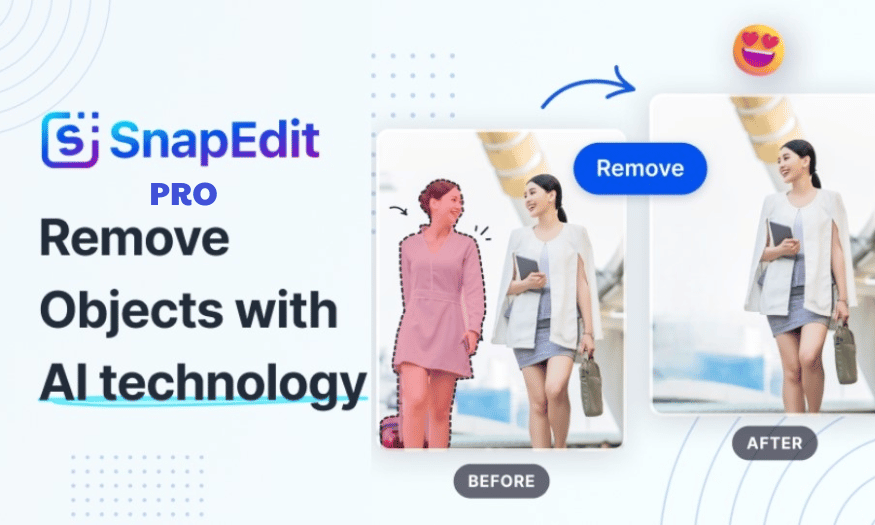
1. What is SnapEdit Pro?
SnapEdit Pro is an advanced online photo editing platform built on artificial intelligence (AI), offering an easy and enjoyable photo editing experience for users of all skill levels. With SnapEdit Pro, creating perfect photos is no longer a difficult task or one that requires advanced skills.
This platform offers a rich set of editing tools, including object removal, background removal, image quality enhancement, text removal, and old photo restoration. Whether you're a professional photographer or just a photography enthusiast, SnapEdit Pro has something for everyone.
2. Why choose SnapEdit Pro?
One of SnapEdit Pro's highlights is its ability to work on both web and mobile applications, allowing you to edit photos anytime, anywhere. The advanced AI technology used in SnapEdit Pro saves time and effort, enabling you to achieve professional-quality edits with just a few clicks. This means you don't need to spend hours familiarizing yourself with complex editing software.
3. How does SnapEdit Pro work?
SnapEdit Pro utilizes AI technology and machine learning algorithms to deliver powerful editing features. When you want to remove an unwanted object from an image, the AI will automatically identify and remove it, naturally filling in the empty space. With its background removal tool, SnapEdit Pro helps you precisely crop objects and offers hundreds of beautiful background templates to choose from.
Additionally, SnapEdit Pro's image enhancement feature uses AI to automatically improve image quality, increase sharpness, and enhance resolution. Specialized AI models for tasks such as text removal or restoring old photos are also integrated, making it easy to transform old photos into fresh works of art.

4. Comparing SnapEdit Pro with other people removal tools
Besides SnapEdit Pro, there are several other tools that can remove objects, but why do many people still trust SnapEdit? Below is a detailed comparison table between SnapEdit and some other tools, which will help you answer that question.
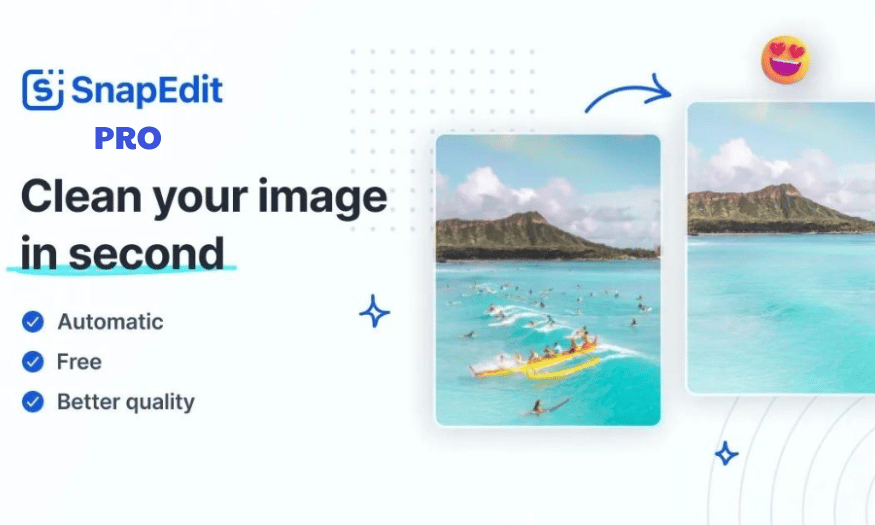
5. Key Features of SnapEdit Pro
SnapEdit is an editing app designed for photography enthusiasts who lack editing experience. With its user-friendly interface and smart features, SnapEdit makes it easy for users to create stunning photos with just a few simple steps. Below are some of the app's standout features that you shouldn't miss.
6. Tips for using SnapEdit Pro effectively
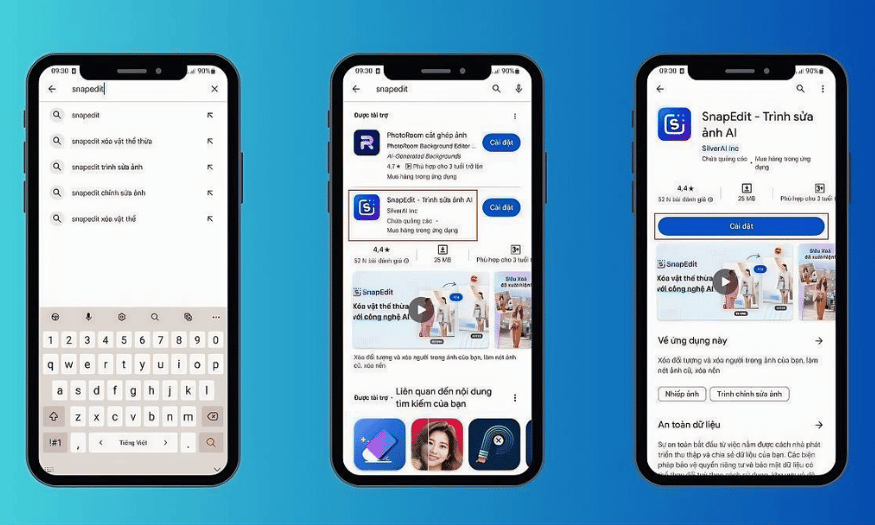
To make the most of SnapEdit's features and have a smooth photo editing experience, please pay attention to the following points:
-
Always check for and update to the latest version of SnapEdit to ensure you have the best experience with new features and improvements.
-
You should only download SnapEdit from the App Store for iOS and the Google Play Store for Android to protect your device from malware and ensure you get the safest version.
-
When installing, carefully review the access permissions the app requests to ensure they are reasonable and do not infringe on your privacy.
7. Where should I upgrade SnapEdit Pro?
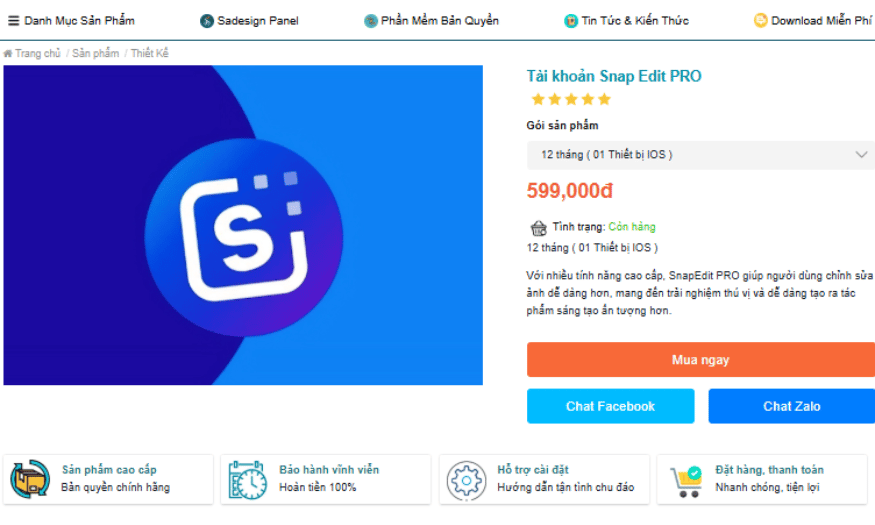
Looking to upgrade your SnapEdit Pro to create truly professional and outstanding photos but don't know where to find a reputable service? Don't worry, Sadesign will help you realize your dream of becoming a talented photo designer with SnapEdit Pro.
-
Affordable pricing: SaDesign offers SnapEdit Pro accounts at a price of 599,000 VND for 12 months of use on one iOS device, helping you save money.
-
Premium features: Upgrading here gives you access to more advanced photo editing features, making it easier to create works of art.
-
Genuine Licenses: SaDesign is committed to providing genuine licensed accounts, ensuring you can use the products without worrying about copyright infringement.
-
Dedicated support: The SaDesign team is ready to assist with installation and guide you throughout the entire usage process, helping you easily get familiar with the application.
-
Refund policy: If you are not satisfied with the product, SaDesign has a 100% refund policy, providing peace of mind when shopping.
-
Promotions and offers: SaDesign regularly has promotions and offers for customers, allowing you to acquire an account at a better price.
-
Easy ordering: The ordering and payment process at SaDesign is quick and convenient, saving you time.
SnapEdit stands out for its ability to quickly and easily remove unwanted people and objects, especially thanks to its AI technology. This saves users time and effort, particularly those with little experience in photo editing. For these reasons, upgrading to SnapEdit Pro at SaDesign is a smart choice for anyone who loves photo editing. Upgrade today to create truly beautiful images!





















VIP Products








Best Selling Products
Autodesk All App Account Copyright
120 USD
Windows 10 & 11 Pro Key
36 USD
Genuine Adobe Illustrator account
99 USD
Upgrade genuine Capture One account
120 USD
Copyright Adobe Lightroom Account
59 USD
ChatGPT Plus Account (GPT-4)
16 USD
Capcut Pro 1 Year
39 USD
Adobe Premiere Pro Account
99 USD
Plugin Retouch4me
69 USD
Genuine Cheap Canva Pro
39 USD
MidJourney Account
29 USD
Adobe Photoshop Copyright - Full App
120 USD
Freepik Premium Account
59 USD
Upgrade Duolingo Super
29 USD
Upgrade Genuine Office 365
49 USD