Best Selling Products

MidJourney Account
29 USD

Windows 10 & 11 Pro Key
36 USD

Upgrade Duolingo Super
29 USD

ChatGPT Plus Account (GPT-4)
16 USD

Genuine Adobe Illustrator account
99 USD

Adobe Premiere Pro Account
99 USD

Plugin Retouch4me
69 USD

Genuine Cheap Canva Pro
39 USD

Freepik Premium Account
59 USD

Autodesk All App Account Copyright
120 USD

Adobe Photoshop Copyright - Full App
120 USD

Upgrade Genuine Office 365
49 USD

Capcut Pro 1 Year
39 USD

Upgrade genuine Capture One account
120 USD

Copyright Adobe Lightroom Account
59 USD
Top 10 Apps for Creating Professional and Beautiful Shadows for Photos
Nội dung
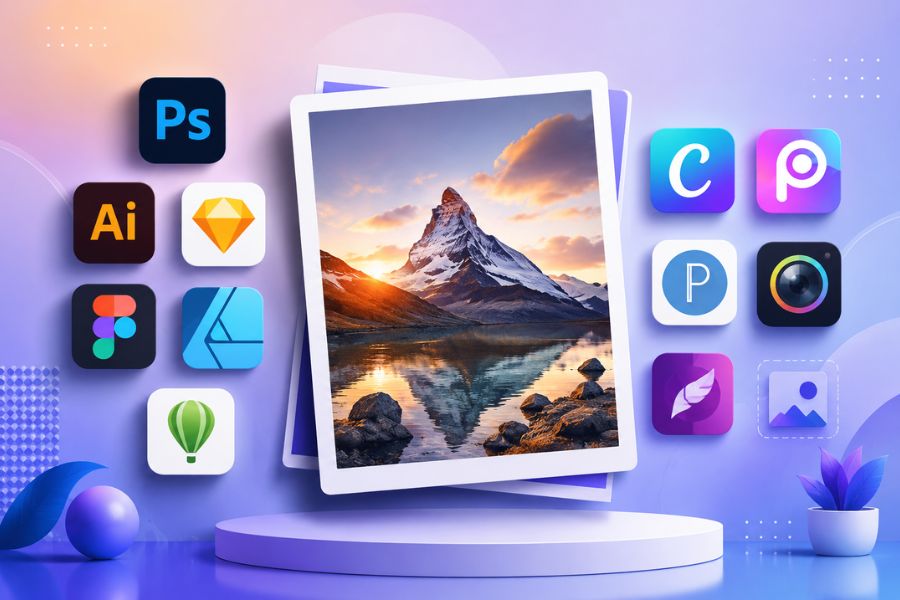
Instead of using complex computer software, many photo shadowing apps are now available, allowing users to quickly add shadow effects with just a few simple steps.
1. Adobe Photoshop
When it comes to top-tier professional photo editing tools, Adobe Photoshop is always a top choice for designers, photographers, and content creators. It's not only a powerful photo editing software but also considered a comprehensive app for creating shadows , allowing users to create realistic and artistic shadow effects. With features like Layer Styles, Drop Shadow, Gradient Overlay, and Blending Options, Photoshop makes creating shadows flexible and precise down to the smallest detail.
Photoshop's standout feature lies in its extensive customization capabilities. Users can adjust the lighting direction, opacity, spacing, size, and color of shadows to suit various design styles. From commercial product photos and advertisements to professional poster and banner designs, Photoshop effectively meets all needs. If you're looking for an app that offers virtually limitless creative possibilities for creating shadows , Adobe Photoshop is definitely a worthwhile option.

2. Adobe Illustrator
Adobe Illustrator is a popular vector design tool widely used in logo design, brand identity, illustration, and digital graphics. Besides its ability to process sharp vector images, Illustrator is also highly regarded as an effective app for creating shadows in images thanks to its built-in shadow effects. Tools like Drop Shadow, Inner Glow, and Gaussian Blur allow users to easily create depth and enhance the prominence of objects in their designs.
A major advantage of Illustrator is its ability to maintain image sharpness regardless of zooming in or out multiple times. This is especially useful when creating shadows for logos, icons, or graphic elements that need to be used at various sizes. Its intuitive interface and detailed customization options make Illustrator an ideal choice for both design beginners and professionals. If you're looking for an app to create shadows for images, focusing on professional vector design, Adobe Illustrator is a tool well worth trying.
3. Sketch
Sketch is a user interface and user experience design software loved by the UI/UX design community worldwide. While primarily known for app and website design, Sketch is also a useful app for adding shadows to images, thanks to its ability to quickly and intuitively apply shadow effects. Users can easily add shadows to design elements with just a few drag-and-drop actions, creating a sense of depth and enhancing the modern look of the interface.
Sketch's strength lies in its simplicity while still ensuring high work efficiency. In addition to its built-in tools, the software supports hundreds of community-generated plugins that expand its capabilities for creating lighting and shadow effects. This allows designers to create many different styles without spending too much time on editing. For those who frequently design digital interfaces and are looking for a lightweight, easy-to-use yet professional app for creating shadows , Sketch is a very suitable choice.

4. Figma
Figma is an online UI/UX design platform chosen by many UI/UX designers, programmers, and product development teams for its effective teamwork capabilities. Besides its modern design tools, Figma is also considered a useful app for creating shadows in images, allowing users to easily add depth to interface elements. With just a few simple steps, you can add shadow effects, blur effects, or adjust lighting to highlight objects in your design.
Figma's appeal lies in its ability to edit directly on the cloud platform without complex installation. Parameters such as opacity, distance, lighting angle, and shadow spread can all be flexibly customized to suit various design styles. For those looking for a photo shadowing app that supports online work, easy sharing, and real-time collaboration, Figma is a very worthwhile option.
5. Affinity Designer
Affinity Designer is a professional graphic design software widely regarded as a formidable competitor to Adobe Illustrator. Boasting a modern interface and stable performance, Affinity Designer allows users to create high-quality designs without monthly subscription fees. It's also a popular app for creating shadows in photos, thanks to its ability to accurately and naturally handle lighting and shadow effects.
In addition to creating shadows for images, the software also allows you to apply effects to text, icons, and vector objects with high detail. Users can easily adjust the softness of the shadows, the direction of light, and the degree of diffusion to create designs with more depth and a more professional feel. If you need a powerful yet cost-effective app for creating shadows for images , Affinity Designer is definitely a worthwhile option to try.

6. CorelDRAW
CorelDRAW is a vector graphic design software that has been on the market for a long time and still maintains a strong position in the professional design community. Thanks to its diverse set of tools, CorelDRAW helps users create impressive graphic works, from logos, banners, and brochures to high-quality printed materials. In addition, it's also an effective app for adding shadows to images , with many rich shadowing options to enhance depth and prominence in designs.
One of CorelDRAW's outstanding advantages is its ability to precisely control shadow effects. Users can customize the shape, transparency, lighting angle, and distance of shadows to create unique effects tailored to each project. Thanks to this flexibility and power, CorelDRAW remains a popular choice for many designers when they need a professional shadow creation app for their daily creative work.
7. Canva
Canva is a popular online design platform chosen by millions of users worldwide thanks to its user-friendly interface. Besides supporting the creation of banners, posters, and social media posts, Canva is also a popular app for adding shadows to images, thanks to its ability to quickly add shadow effects without requiring advanced design knowledge. With just a few clicks, users can create shadow effects for images, text, or graphic elements to enhance the professionalism of their work.
Canva's strengths lie in its extensive library of design templates and its optimized system of effects. Users can customize the blur, position, and intensity of shadows to create eye-catching images suitable for various purposes. If you're looking for a simple, accessible app to add shadows to your photos that still delivers high aesthetic results, Canva is a very worthwhile option to try.

8. PicsArt
PicsArt is a versatile photo editing app widely loved by mobile users thanks to its many modern and creative tools. It's considered a convenient app for adding shadows to photos, allowing users to quickly add artistic shadow effects to portraits, product photos, or designs posted on social media. With its intuitive interface and simple operation, PicsArt is suitable for both beginners and experienced image editors.
Besides its shadow-creating capabilities, PicsArt also integrates many supporting tools such as background removal, adding lighting effects, photo merging, and professional color correction. Users can combine various effects to create unique and more attractive photos. Thanks to its flexibility and convenience, PicsArt is increasingly becoming the preferred photo shadow app for many content creators in their digital image production process.
9. PixelLab
PixelLab is a popular mobile text and graphics editing app used by many to design YouTube thumbnails, advertising banners, and promotional images. One of PixelLab's standout features is its ability to create beautiful shadow effects for text and images, making it a highly-rated image shadowing app in the mobile segment. The tools are organized logically, making it easy for users to operate even without prior design experience.
The app allows for detailed customization of color, opacity, lighting angle, and shadow distance to create various design styles. Importantly, PixelLab is lightweight, doesn't require high-end hardware, yet delivers impressive editing quality. If you're looking for a free, easy-to-use photo shadowing app suitable for quick design tasks on your phone, PixelLab is a very worthwhile option.

10. PhotoDirector
PhotoDirector is a modern photo editing application developed with many advanced image processing technologies. It not only supports color correction, object removal, and image quality enhancement, but it's also a powerful shadowing app that helps users create professional depth effects in just minutes. The editing tools are optimized to provide a simple experience while ensuring accuracy and high quality.
PhotoDirector's highlight is its ability to harmoniously combine lighting and shadow effects, making images more realistic and appealing. Users can easily customize parameters to create their own style suitable for different types of photos. With its rich effects library and user-friendly interface, PhotoDirector deserves a place on the list of the best photo shadowing apps to try today.
11. Conclusion
Choosing the right photo shadowing app will save you editing time while effectively improving image quality. Whether you're a beginner or a professional designer, you can utilize these apps to create beautiful shadow effects, add depth, and highlight the subject in your photos. Hopefully, the list above will help you find the right tool to create more impressive and professional photos every day.





















VIP Products








Best Selling Products
MidJourney Account
29 USD
Windows 10 & 11 Pro Key
36 USD
Upgrade Duolingo Super
29 USD
ChatGPT Plus Account (GPT-4)
16 USD
Genuine Adobe Illustrator account
99 USD
Adobe Premiere Pro Account
99 USD
Plugin Retouch4me
69 USD
Genuine Cheap Canva Pro
39 USD
Freepik Premium Account
59 USD
Autodesk All App Account Copyright
120 USD
Adobe Photoshop Copyright - Full App
120 USD
Upgrade Genuine Office 365
49 USD
Capcut Pro 1 Year
39 USD
Upgrade genuine Capture One account
120 USD
Copyright Adobe Lightroom Account
59 USD