Best Selling Products

Adobe Premiere Pro Account
99 USD

Adobe Photoshop Copyright - Full App
120 USD

Genuine Adobe Illustrator account
99 USD

MidJourney Account
29 USD

Capcut Pro 1 Year
39 USD

ChatGPT Plus Account (GPT-4)
16 USD

Genuine Cheap Canva Pro
39 USD

Upgrade Duolingo Super
29 USD

Upgrade Genuine Office 365
49 USD

Copyright Adobe Lightroom Account
59 USD

Autodesk All App Account Copyright
120 USD

Freepik Premium Account
59 USD

Windows 10 & 11 Pro Key
36 USD

Plugin Retouch4me
69 USD

Upgrade genuine Capture One account
120 USD
Understanding and Applying Aperture Priority Correctly in Photography
Nội dung
Aperture Priority is only truly effective when the photographer understands the roles of aperture, ISO, and exposure compensation. This article will help you avoid common mistakes and optimize the quality of your photos.
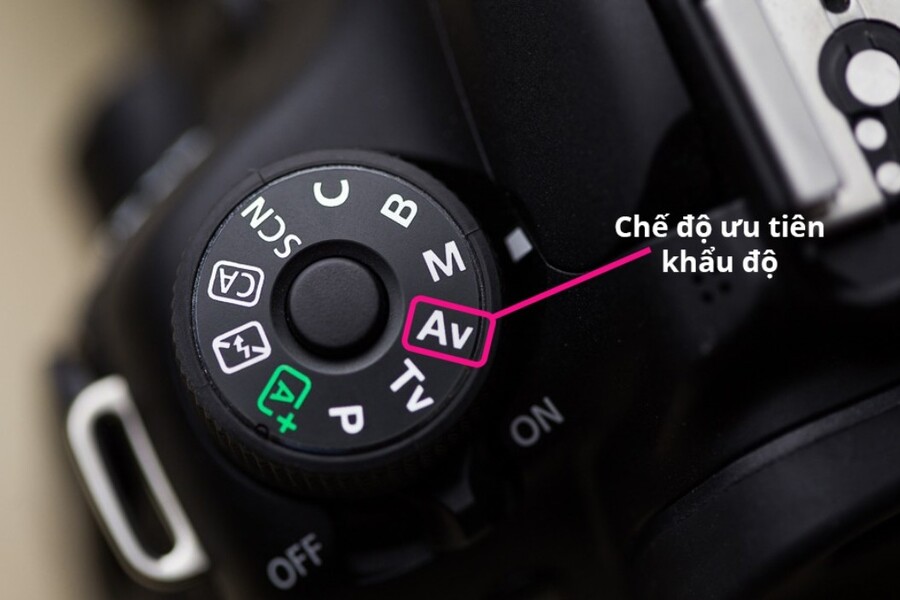
1. What is Aperture Priority mode?
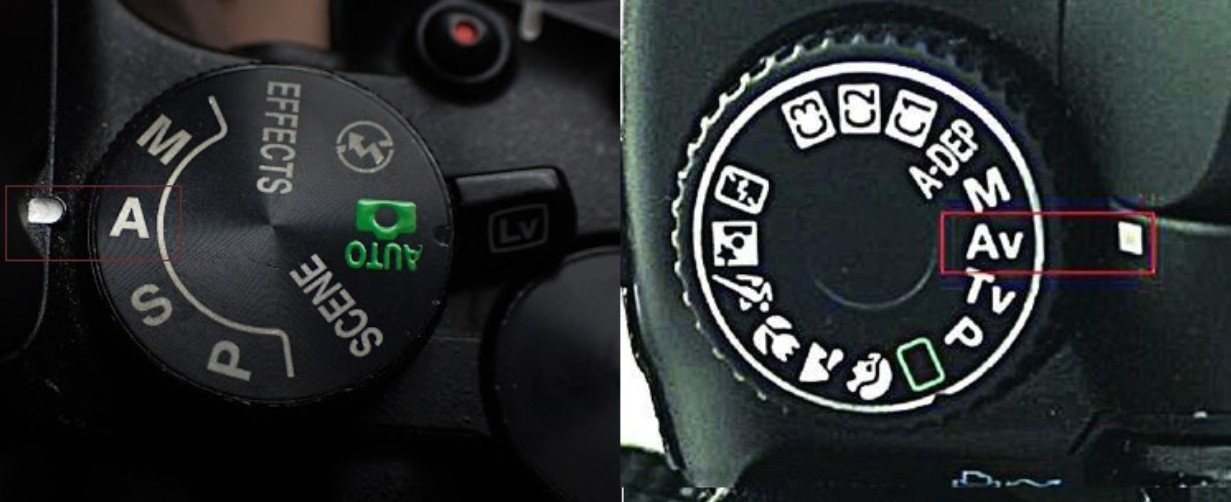
Aperture Priority mode, often denoted as A (on Nikon, Sony, Fujifilm) or Av (on Canon), is a shooting mode that allows the user to actively adjust the aperture, while the camera automatically calculates and selects the appropriate shutter speed to achieve optimal exposure.
To understand why Aperture Priority is so important, we first need to recognize the true role of aperture in photography. Aperture is not simply a technical parameter. It directly affects the depth of field, background separation, overall sharpness, diffraction, and even the visual impact of the image. A portrait with a smooth, blurred background at f/1.8 feels completely different from a sharp landscape shot from foreground to background at f/11.
Aperture Priority mode gives the photographer complete control over the aperture, similar to Manual mode. However, the core difference is that the photographer doesn't need to worry about shutter speed in most situations. The camera will automatically adjust the speed to match the selected aperture and current lighting conditions.
This offers two major advantages. First, you can focus on your creative intent instead of getting caught up in exposure calculations. Second, the speed of operation is significantly improved, especially in situations with constantly changing lighting, where Manual mode becomes slow and prone to errors.
In other words, Aperture Priority is a combination of the mindset of Manual and the speed of Auto, if used correctly.
2. How to use Aperture Priority mode effectively
At first glance, Aperture Priority seems like an "easy-to-use" mode. However, to use it effectively, photographers need a basic understanding of the relationship between aperture, ISO, and shutter speed. Without this understanding, Aperture Priority can easily become "Advanced Auto," causing photographers to lose control in difficult situations.
The first step is to activate Aperture Priority mode. On most DSLR and mirrorless cameras, this is done by rotating the PSAM mode selector dial to the A or Av position. With Fujifilm or Leica cameras, where the control philosophy is different, a similar effect can be achieved by setting the shutter speed dial to Auto and adjusting the aperture on the aperture ring.
After activating the mode, the most important step is choosing the appropriate aperture. In Aperture Priority, the aperture is a "fixed" setting, while the shutter speed changes according to the light. Therefore, deciding on the aperture also means you are defining the style and purpose of the photograph.
If the goal is to control the depth of field, choose the aperture based on the desired level of background blur or sharpness. Portraits are often suited to large apertures like f/1.8 or f/2.8, while landscapes typically require smaller apertures like f/8 or f/11 to ensure sharpness across the entire frame.
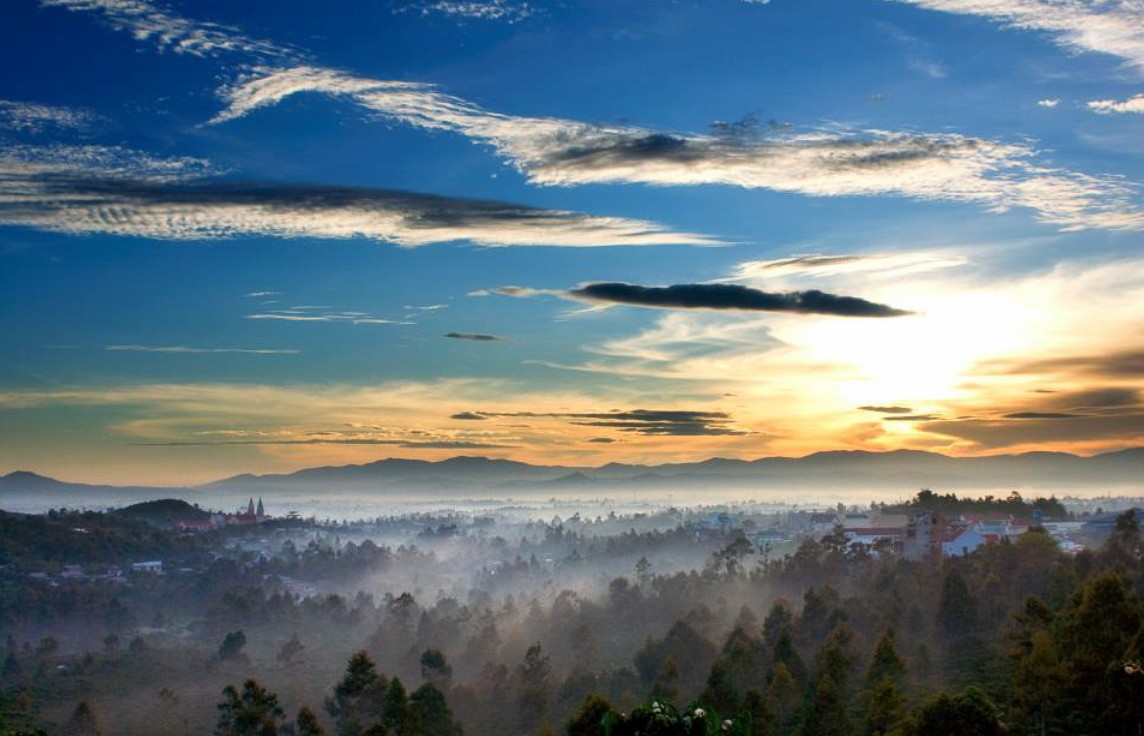
Next, exposure compensation is an indispensable tool when using Aperture Priority. Camera metering systems, no matter how modern, still rely on average light levels and can be misleading in high-contrast situations. Exposure compensation of -0.3 or -0.7 EV often helps retain detail in bright areas, especially when shooting outdoors.
The mechanism of exposure compensation in Aperture Priority is quite simple: the camera changes the shutter speed to achieve the new exposure level. This allows the photographer to fine-tune the brightness without having to deeply adjust other parameters.
Finally, there's ISO. Under ideal conditions or when using a tripod, the ISO should be kept at its base, usually ISO 100, to ensure the highest image quality. When the light is weaker or a faster shutter speed is needed, the ISO can be increased or left on Auto depending on the situation.
A prime example of the power of Aperture Priority is landscape photography. The photographer simply sets the aperture to f/8 to control the depth of field, slightly compensates for overexposure to avoid blowouts, and keeps the ISO low. The camera will automatically adjust the shutter speed accordingly, regardless of changing light conditions. This process is almost "set and shoot," yet still ensures quality and consistency.
3. Take handheld photos using Aperture Priority mode.
When using a tripod, Aperture Priority has almost no noticeable drawbacks. However, when switching to handheld shooting or facing moving subjects, the approach needs to be adjusted.
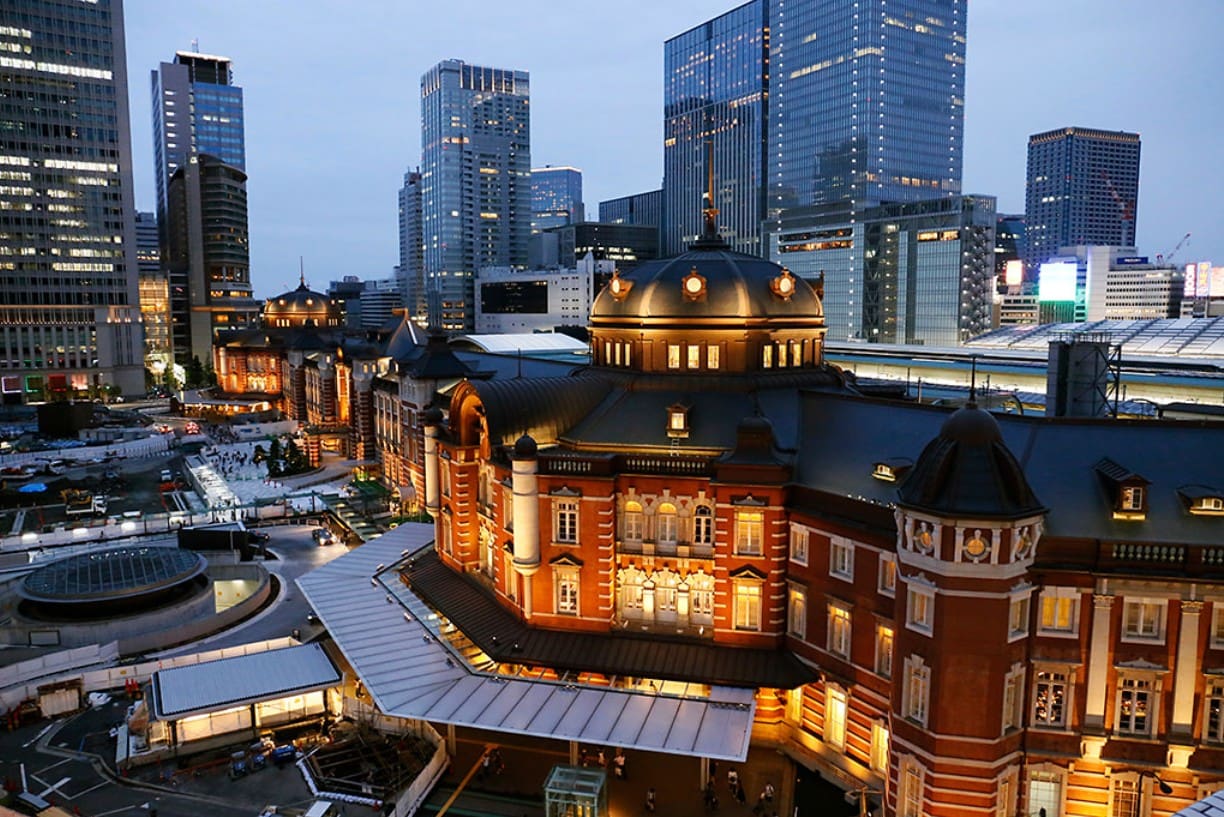
The biggest problem with handheld shooting using Aperture Priority is the slow shutter speed. In low light conditions, the camera tends to increase the shutter speed to compensate for the lack of light, leading to the risk of camera shake and blurry images. A speed of 1/10th of a second might be fine on a tripod, but it almost certainly causes blur when shooting handheld.
The most effective solution in this case is to increase the ISO. When the ISO is raised from 100 to 400, 800, or 1600, the camera will have enough "room for light" to choose a faster shutter speed, making handheld shooting much safer.
Adjusting ISO can be done manually, but in practice, Auto ISO often provides a more flexible and effective experience, especially when the lighting is constantly changing. This is also why Auto ISO is increasingly seen as a professional tool, rather than just for beginners.
4. Auto ISO and its role in Aperture Priority
Auto ISO truly shines when combined with Aperture Priority mode. The most valuable aspect of Auto ISO isn't its ability to automatically increase ISO, but rather its ability to limit the minimum shutter speed.
Instead of letting the camera freely choose a shutter speed of 1 or 2 seconds in low light conditions, the photographer can proactively set a safe limit, such as 1/100th of a second for general handheld shooting or 1/500th of a second for sports. When the shutter speed reaches this limit, the camera will prioritize increasing the ISO rather than extending the shutter speed.
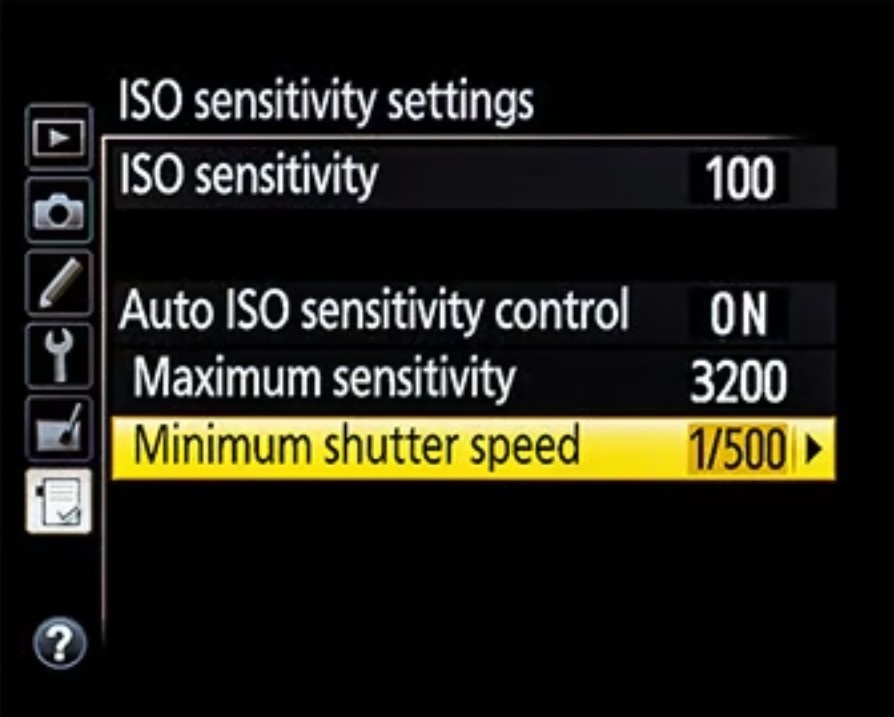
Many modern cameras also allow you to set an automatic minimum shutter speed based on focal length. When zooming from wide-angle to telephoto, the shutter speed will automatically increase to compensate for camera shake. By default, the 1/focal length rule is applied, but users can adjust it faster or slower depending on their image stabilization capabilities and camera handling technique.
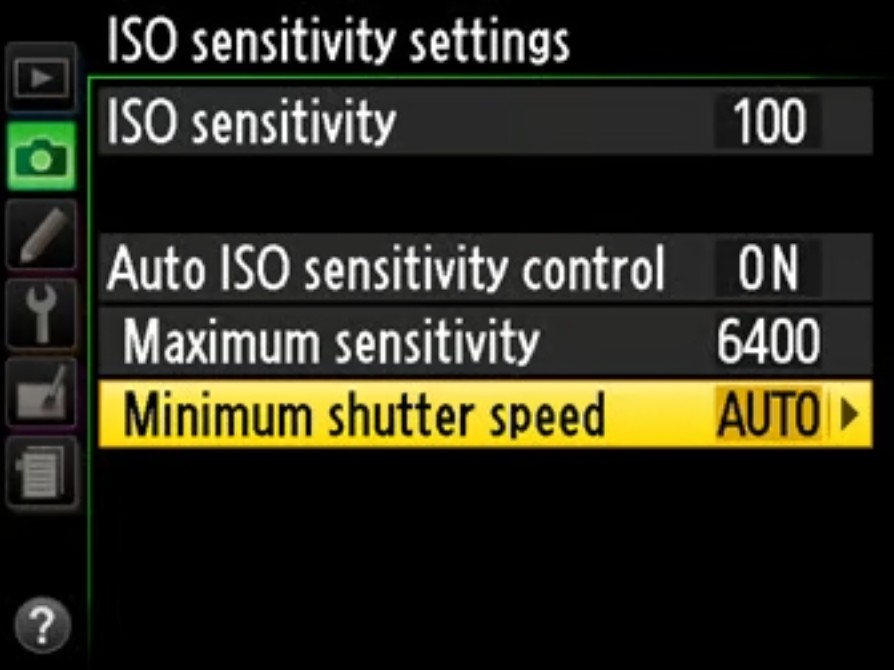
In practical use, the Aperture Priority setting combined with Auto ISO and Auto Minimum Shutter Speed is the ideal choice for most handheld shooting situations. For sports, setting a high minimum shutter speed helps ensure motion is "frozen." For landscapes on a tripod, Auto ISO can be turned off completely to maintain the original ISO and accept a longer shutter speed.
5. When should you avoid Aperture Priority mode?
Although Aperture Priority is an extremely versatile mode that can meet 90–95% of typical photography needs, there are still situations where this mode is not the optimal choice.
When absolute consistency is needed across multiple images, such as for panoramas or focus stacking, Manual mode proves superior. Aperture Priority can cause slight variations in shutter speed between frames, leading to exposure differences and making post-processing difficult.
In extremely low-light situations, such as photographing the Milky Way, automatic metering systems often don't work effectively. Even with exposure compensation, results can still be inconsistent. In these cases, manual mode is a safer and more accurate option.
Additionally, Aperture Priority is often limited to a maximum shutter speed of 30 seconds. When longer exposures are needed in Bulb or Time Mode, photographers are forced to switch to Manual mode.
In flash photography, especially macro or studio photography, Manual mode provides complete control over the relationship between ambient light and the flash. This is difficult to achieve if the camera is left to automatically adjust the shutter speed.

For sports and wildlife photography, many professional photographers opt for a combination of Manual and Auto ISO. This approach allows them to proactively set a high shutter speed to capture motion, while still taking advantage of the camera's automatic ISO adjustment capabilities. This is especially useful when the subject changes from stationary to fast-moving in an instant.
Aperture Priority is not just a convenient option, but a photographic philosophy. It represents a balance between control and flexibility, between technical thinking and artistic creativity. When understood and used correctly, Aperture Priority allows photographers to focus on what truly matters: light, composition, and the moment.
There's no single "best" shooting mode for every situation. But for most genres of lifestyle, travel, landscape, and portrait photography, Aperture Priority deserves to be the default setting in your camera bag. Mastering this mode will not only help you shoot faster, but also help you shoot smarter .





















VIP Products








Best Selling Products
Adobe Premiere Pro Account
99 USD
Adobe Photoshop Copyright - Full App
120 USD
Genuine Adobe Illustrator account
99 USD
MidJourney Account
29 USD
Capcut Pro 1 Year
39 USD
ChatGPT Plus Account (GPT-4)
16 USD
Genuine Cheap Canva Pro
39 USD
Upgrade Duolingo Super
29 USD
Upgrade Genuine Office 365
49 USD
Copyright Adobe Lightroom Account
59 USD
Autodesk All App Account Copyright
120 USD
Freepik Premium Account
59 USD
Windows 10 & 11 Pro Key
36 USD
Plugin Retouch4me
69 USD
Upgrade genuine Capture One account
120 USD