Best Selling Products

ChatGPT Plus Account (GPT-4)
16 USD

Adobe Premiere Pro Account
99 USD

Freepik Premium Account
59 USD

Upgrade genuine Capture One account
120 USD

Autodesk All App Account Copyright
120 USD

Adobe Photoshop Copyright - Full App
120 USD

Capcut Pro 1 Year
39 USD

Genuine Cheap Canva Pro
39 USD

Plugin Retouch4me
69 USD

Genuine Adobe Illustrator account
99 USD

Windows 10 & 11 Pro Key
36 USD

Upgrade Duolingo Super
29 USD

Copyright Adobe Lightroom Account
59 USD

Upgrade Genuine Office 365
49 USD

MidJourney Account
29 USD
Upgrade to affordable Canva Pro – Professional design, maximum savings.
Nội dung
- 1. Why should you upgrade to Canva Pro?
- 2. Key features when upgrading to Canva Pro
- 2.1. A vast resource pool
- 2.2. Quick and professional photo editing
- 2.3. Easy video design
- 2.4. Magic Resize – Change size with just one click
- 3. Canva Pro supports effective brand building.
- 3.1. Brand Kit
- 3.2. Managing Multiple Brand Identity Sets
- 4. Teamwork is easy.
- 5. What are the attractive features of upgrading to affordable Canva Pro?
- 6. Who should upgrade to Canva Pro?
- 7. Conclusion
Canva is a design tool chosen by millions of users thanks to its simple, user-friendly interface and incredibly rich template library. However, if you want to create professional designs, keep up with trends, and fully utilize the platform''s power, upgrading to Canva Pro is the most worthwhile option.
1. Why should you upgrade to Canva Pro?
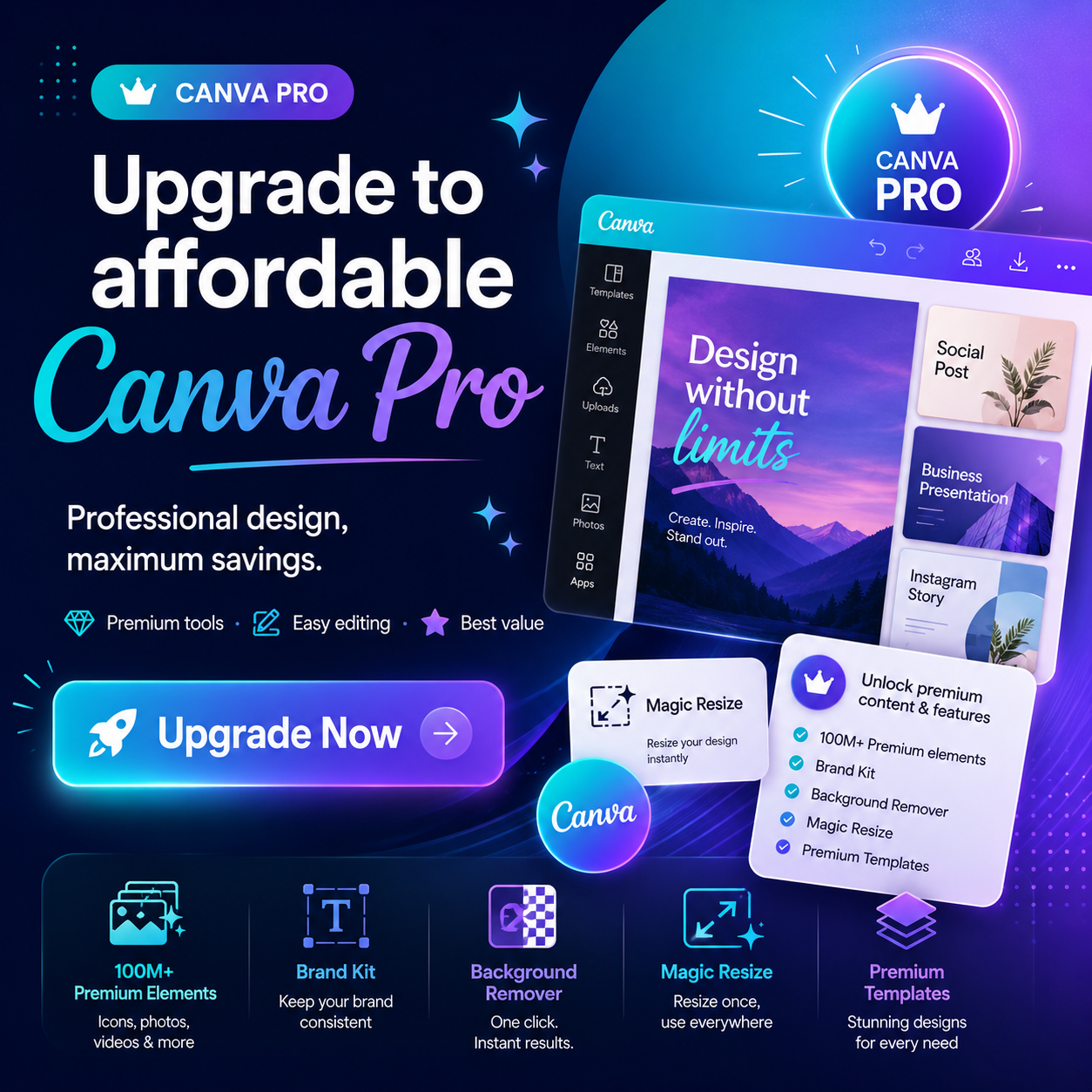
The free version of Canva adequately meets basic design needs, but is still limited in resources and features. Meanwhile, upgrading to Canva Pro allows you to work faster, be more creative, and produce high-quality products without needing complex design software.
Key benefits of using Canva Pro:
-
Access a premium resource library with over 100 million images, videos, graphics, and audio files.
-
Utilizing thousands of exclusive design templates.
-
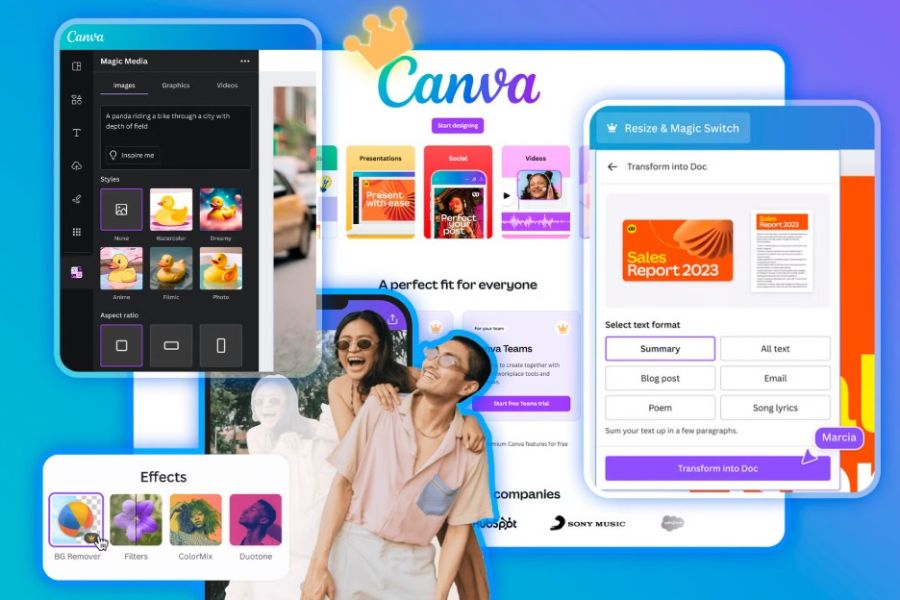
Remove the background from photos and videos with just one click.
-
The design resizes automatically.
-
Unlimited design storage and management.
-
It facilitates teamwork and easy project sharing.
This is a suitable solution for individuals, freelancers, online shop owners, marketers, teachers, students, and businesses.
2. Key features when upgrading to Canva Pro
2.1. A vast resource pool
Canva Pro's greatest strength lies in its advanced resource library. Users can utilize:
-
High-quality images.
-
Professional video.
-
Exclusive icons, stickers, and graphics.
-
Sound and effects.
-
A variety of fonts are available.
These resources are regularly updated to reflect the latest design trends, saving you a lot of time searching.
2.2. Quick and professional photo editing
Canva Pro offers a wide range of powerful editing tools while remaining incredibly easy to use.
You can:
-
Remove background automatically.
-
Blur the background.
-
Adjust the brightness and color.
-
Add effects.
-
Separate objects.
-
Restore image quality.
All of this was done directly in Canva without needing Photoshop.
2.3. Easy video design
Canva Pro is not only powerful for photo editing but also supports very effective video editing.
Users can:
-
Video editing.
-
Add transition effects.
-
Insert music.
-
Add subtitles.
-
Create a promotional video.
-
Design videos for TikTok, Facebook Reels, and YouTube Shorts.
This is an extremely useful tool for people who create content on social media.
2.4. Magic Resize – Change size with just one click
One of the most popular features when upgrading to Canva Pro is Magic Resize.
With just one step, you can convert the design from:
-
Facebook and Instagram.
-
TikTok’s Instagram.
-
Poster song banner.
-
Story becomes a post.
This saves a lot of time when deploying content across multiple platforms.
3. Canva Pro supports effective brand building.
If you're running an online business or building a personal brand, Canva Pro is a very worthwhile investment.
3.1. Brand Kit
The Brand Kit feature allows you to save:
-
Logo.
-
Brand color palette.
-
Font.
-
Identification image.
As a result, all designs are consistent and professional.
3.2. Managing Multiple Brand Identity Sets
Canva Pro supports creating various brand kits.
This is very suitable for:
-
Agency.
-
Freelancer.
-
The company has multiple brands.
-
He manages multiple projects.
4. Teamwork is easy.
Canva Pro allows for direct collaboration on the same design.
You can:
-
Invite members.
-
Grant editing permissions.
-
Comment.
-
Track the changes.
-
Manage project folders.
This is the optimal solution for marketing, design, and sales teams.
5. What are the attractive features of upgrading to affordable Canva Pro?
Currently, many providers offer affordable Canva Pro upgrade services at significantly lower costs than purchasing directly from Canva.
When you subscribe to the Canva Pro 1-year plan, you still receive all the benefits:
-
Use Canva Pro for 12 months.
-
Fully featured with premium technology.
-
Access over 100 million resources.
-
Remove the background from photos and videos.
-
Magic Resize.
-
Brand Kit.
-
Unlimited storage.
-
Supports multiple devices.
If you want to upgrade to Canva Pro at a cost-effective price while still ensuring full benefits, SaDesign is a reliable choice. SaDesign's Canva Pro package allows you to fully utilize advanced features for an extended period, offers quick activation, stable performance, and significant savings compared to purchasing directly from the Canva website. Furthermore, our dedicated support team throughout your usage will ensure you can confidently leverage the full power of Canva Pro for your work, studies, and business.
6. Who should upgrade to Canva Pro?
Canva Pro is particularly suitable for:
-
Online shop owner.
-
People who work on TikTok.
-
Content Creator.
-
Freelance designer.
-
Marketer.
-
Teacher.
-
Student.
-
Small businesses.
If you frequently create posts, banners, posters, short videos, or presentations, upgrading to Canva Pro will significantly increase your productivity.
7. Conclusion
Upgrading to Canva Pro not only unlocks millions of premium resources but also delivers a much more professional, faster, and more efficient design experience compared to the free version. With features like automatic background removal, Magic Resize, Brand Kit, video editing, and team collaboration, Canva Pro is suitable for almost everyone from individuals to businesses. If you're looking for an affordable Canva Pro upgrade , now is the perfect time to invest and elevate your design quality.





















VIP Products








Best Selling Products
ChatGPT Plus Account (GPT-4)
16 USD
Adobe Premiere Pro Account
99 USD
Freepik Premium Account
59 USD
Upgrade genuine Capture One account
120 USD
Autodesk All App Account Copyright
120 USD
Adobe Photoshop Copyright - Full App
120 USD
Capcut Pro 1 Year
39 USD
Genuine Cheap Canva Pro
39 USD
Plugin Retouch4me
69 USD
Genuine Adobe Illustrator account
99 USD
Windows 10 & 11 Pro Key
36 USD
Upgrade Duolingo Super
29 USD
Copyright Adobe Lightroom Account
59 USD
Upgrade Genuine Office 365
49 USD
MidJourney Account
29 USD