Best Selling Products

Autodesk All App Account Copyright
120 USD

Upgrade Duolingo Super
29 USD

Adobe Photoshop Copyright - Full App
120 USD

Upgrade genuine Capture One account
120 USD

Adobe Premiere Pro Account
99 USD

Upgrade Genuine Office 365
49 USD

Freepik Premium Account
59 USD

Windows 10 & 11 Pro Key
36 USD

Copyright Adobe Lightroom Account
59 USD

MidJourney Account
29 USD

Genuine Cheap Canva Pro
39 USD

ChatGPT Plus Account (GPT-4)
16 USD

Plugin Retouch4me
69 USD

Genuine Adobe Illustrator account
99 USD

Capcut Pro 1 Year
39 USD
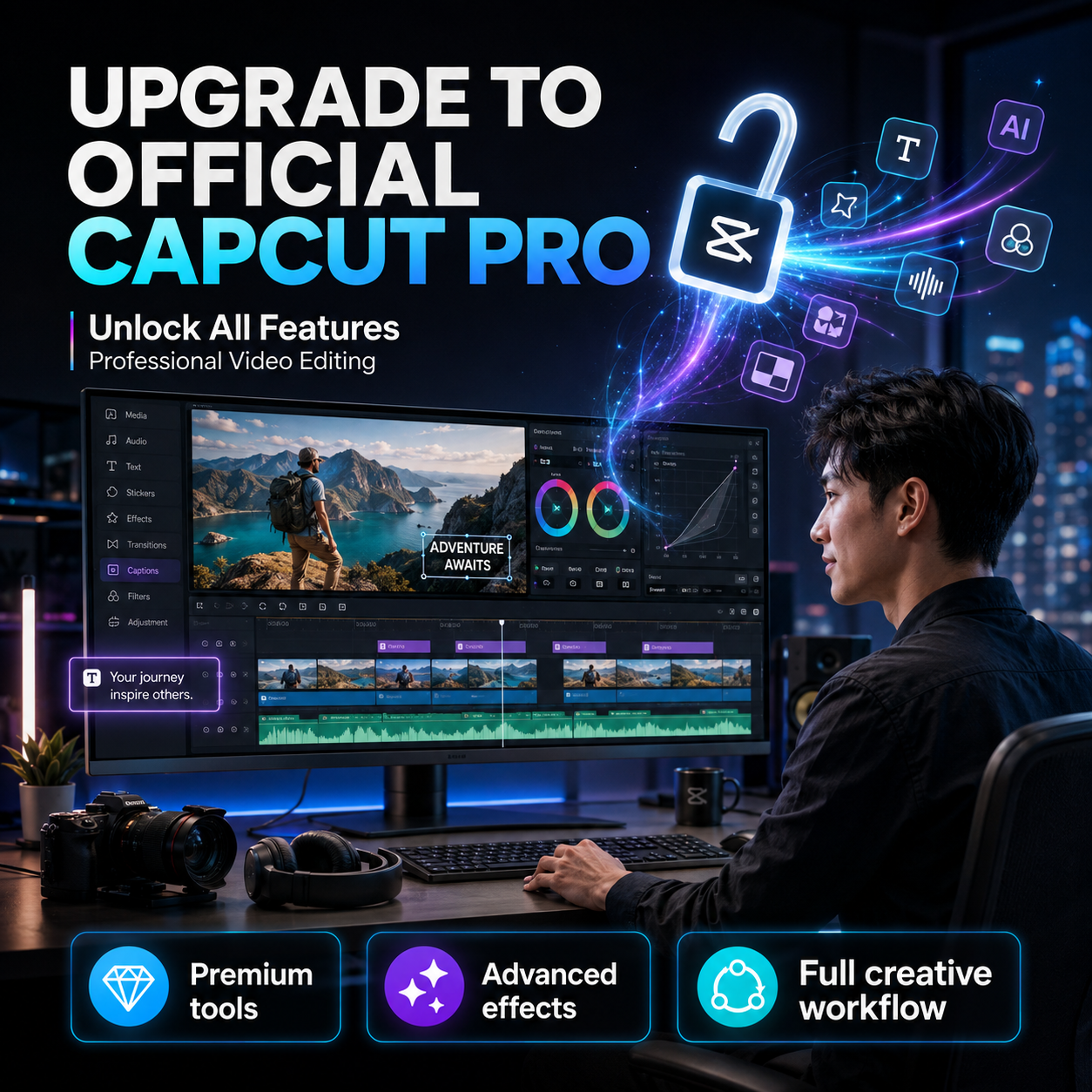
Upgrade to Official CapCut Pro: Unlock All Features, Professional Video Editing
Nội dung
- 1. What is CapCut Pro? Why is it becoming increasingly popular?
- 2. What are the benefits of upgrading to a genuine CapCut Pro?
- 2.1. Save time when editing videos
- 2.2. Create more polished and professional videos.
- 3. Who should upgrade to a genuine CapCut Pro?
- 3.1. Content Creators
- 3.2. Sellers and Businesses
- 4. A beginner's guide to creating videos with CapCut.
- 4.1. Step 1: Create a project and import content into CapCut
- 4.2. Step 2: Cutting, pasting, and arranging the scene
- 4.3. Step 3: Add text, sound, and effects
- 4.4. Step 4: Adjust color and finalize the video
- 5. How does CapCut Pro support content creation?
- 6. Experience in Safely and Effectively Upgrading to Genuine CapCut Pro
- 7. Upgrade to the official CapCut Pro at AppVip.ai for a great price and dedicated support.
- 8. Conclusion
Upgrading to the official CapCut Pro is becoming a popular choice for content creators, online sellers, marketers, and video creators. With the increasing demand for video editing, a powerful, easy-to-use, and feature-rich editing tool can significantly save time compared to juggling multiple different software programs.
1. What is CapCut Pro? Why is it becoming increasingly popular?
CapCut is a familiar video editing software for users ranging from beginners to professional content creators. Its intuitive interface, simple drag-and-drop functionality, and rich effects library allow users to create eye-catching videos without spending too much time learning complex editing techniques. CapCut Pro is an upgraded version for those who want to explore more features during editing. Instead of just cutting, splicing, adding music, or inserting text, users can access many advanced tools for processing images, sound, effects, and optimizing the video editing process.
Some of the feature sets that Pro users are often interested in include:
-
A wider variety of effects and resources are available.
-
Many convenient video editing templates are available.
-
Advanced editing tools.
-
AI-powered features.
-
Background and image processing tools.
-
The ability to create subtitles, text, and effects flexibly.
-
Many options are available to support professional video production.
2. What are the benefits of upgrading to a genuine CapCut Pro?
2.1. Save time when editing videos
Not everyone has the time to sit and fine-tune every detail in a video. CapCut Pro supports many tools that help shorten the work that would otherwise take a lot of effort, especially when you need to process a large number of videos in a short amount of time.
Instead of manually performing every step, users can leverage templates, effects, AI tools, subtitles, and many other supporting features to speed up the process. This is a significant advantage for those who frequently produce content on a daily or campaign basis.
2.2. Create more polished and professional videos.
A beautiful video depends not only on the content but also on how scenes are cut, transitions are made, the sound is used, the colors are chosen, the text is added, and effects are applied. CapCut Pro offers many more options, allowing users to actively build their own style instead of relying entirely on basic tools.
When you know how to combine the right effects, cuts, and sound, even videos shot with a phone can become more engaging. This is why the Pro version is suitable for both beginners who want to upgrade their video quality and experienced content creators.
3. Who should upgrade to a genuine CapCut Pro?
3.1. Content Creators
Content creators often have to produce videos continuously, from short clips to longer pieces. Therefore, they need a tool with good processing speed, many effects, and diverse support so that they don't spend too much time on each video.
CapCut Pro can be a useful tool in the content creation process. Users can flexibly change editing styles, experiment with new effects, and utilize supporting tools to create videos suitable for each topic.
3.2. Sellers and Businesses
Video is playing an increasingly important role in sales and communication. From product introduction videos and user guide videos to brand promotion videos, polished visuals help create a more positive impression on viewers.
For businesses or individuals selling online, CapCut Pro can also help build content in a consistent style. Once you have a well-defined editing process, creating multiple videos on the same topic becomes faster and more convenient.
4. A beginner's guide to creating videos with CapCut.
4.1. Step 1: Create a project and import content into CapCut
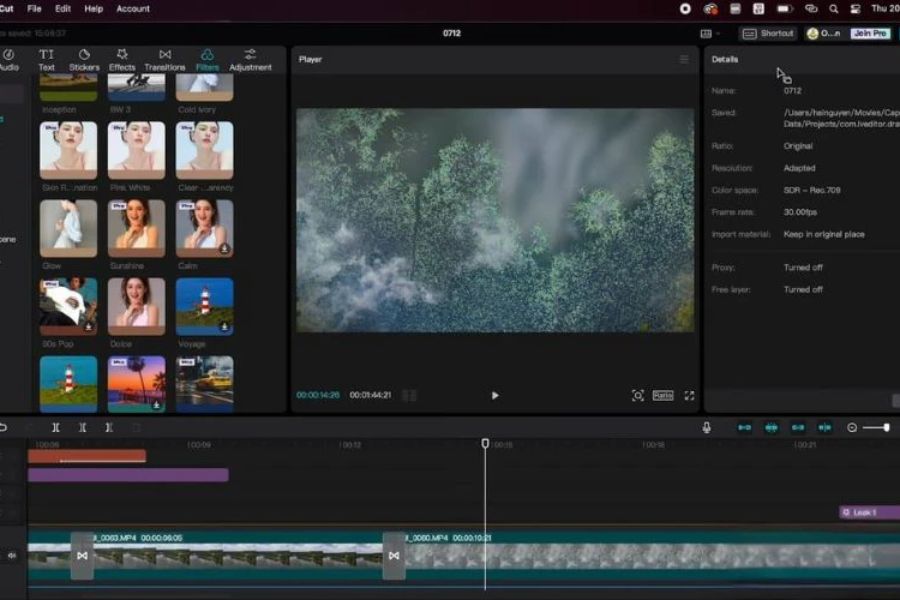
After opening CapCut, start by creating a new project and selecting the videos and images you want to use. Before editing, it's a good idea to organize the content in order to speed up the editing process.
Next, add the video clips to the timeline and review the entire content. This step helps you determine which parts to keep, which to cut, and what the video's structure will look like.
4.2. Step 2: Cutting, pasting, and arranging the scene
A compelling video doesn't usually need too many effects. The key is that the editing pace matches the content. Eliminate unnecessary segments, pauses, or scenes to make the video cleaner.
After editing, you can adjust the order of the scenes so that the story is clearly conveyed. For short videos, the opening should go straight to the main content to grab attention from the very first seconds.
4.3. Step 3: Add text, sound, and effects
After editing, add text to emphasize important information. Text can be used for titles, captions, product information, or catchy phrases in the video.
Sound is also an element that shouldn't be overlooked. A suitable piece of music along with appropriate sound effects can help a video have better emotion and rhythm. However, avoid overusing effects, as too many transitions or sounds can make the video look cluttered.
4.4. Step 4: Adjust color and finalize the video
After completing the content, check the color, brightness, contrast, and detail in each scene. If the videos were shot in various lighting conditions, color correction will help create a more consistent overall look.
Finally, review the video from beginning to end before exporting. Check for spelling errors, volume, text placement, transitions, and any unnecessary segments. A thorough review before exporting will help minimize minor errors that can affect the quality of the final product.
5. How does CapCut Pro support content creation?
One of CapCut's notable advantages lies in its focus on consolidating many tools into a single platform. Users can perform most editing tasks within a single application, from processing video and images to audio and text.
For frequent content creators, this is a very valuable feature. Instead of wasting time searching for tools for each individual need, you can build a unified workflow on CapCut. Once you're familiar with the interface and usage, video editing speed can also be significantly improved.
In addition, the new features that CapCut updates over time also open up more creative approaches. Pro users can proactively explore new tools to refresh their content style and avoid their videos becoming monotonous.
6. Experience in Safely and Effectively Upgrading to Genuine CapCut Pro
Before upgrading, users should clearly define their needs. If the goal is frequent video editing, extensive use of advanced features, and a stable working environment, choosing a genuine Pro version will be more reasonable than looking for accounts from unknown sources. Besides price, pay attention to product information, usage period, activation method, and support policies. A low price without clear information can lead to many inconveniences later on.
When choosing a software provider, you should prioritize those with transparent information, clear customer support, and experience in providing software. Especially for businesses, the ability to issue VAT invoices is a crucial factor to consider from the outset for convenient payment and accounting processes.

7. Upgrade to the official CapCut Pro at AppVip.ai for a great price and dedicated support.
If you're looking for a reliable place to upgrade to genuine CapCut Pro , AppVip.ai is a worthwhile option for individuals, content creators, and businesses. AppVip.ai aims to become one of the leading providers of graphic design software and digital tools in Vietnam, offering a wide range of products for learning, work, creativity, and online business. Besides CapCut, AppVip.ai also provides many other popular software and services such as licensed Photoshop, Canva Pro, Zoom Pro, Google One, ChatGPT, and many other work-related tools.
AppVip.ai focuses not only on price but also on the user experience. The company provides VAT invoices for individual or business customers who meet the necessary conditions, suitable for customers requiring documentation for transactions. With experience providing software products to various customer groups, AppVip.ai aims for a clear consultation process, direct support, and ongoing assistance whenever customers need answers.
Some points to note when choosing AppVip.ai :
-
Good price: Aiming for reasonable costs, suitable for a wide range of customer groups.
-
Dedicated support: Our team of consultants provides customer support throughout the product selection and usage process.
-
VAT invoice support is available: Suitable for individuals and businesses requiring invoices and supporting documents.
-
Software provision experience: Serving numerous clients and partners with diverse needs.
-
Feature Updates: Stay informed and updated on changes and new features from CapCut.
-
Clear consultation: Providing pre-purchase support and answering questions to help customers choose the right product.
-
Many products: In addition to CapCut, there are many other popular software and digital tools.
Instead of focusing solely on finding a low-cost account, users should prioritize solutions with clear information, ease of use, and support when needed. For those who frequently edit videos, upgrading to a genuine CapCut Pro account can be a worthwhile investment to expand creative tools and optimize workflow.
8. Conclusion
Upgrading to the official CapCut Pro isn't just about adding a few features; it's about building a more convenient and professional video editing workflow. From beginners and content creators to online sellers and businesses, everyone can leverage CapCut's advanced tools to create more polished content. If you're looking for a reliable place to upgrade to CapCut Pro at a good price, with dedicated support and VAT invoices available, AppVip.ai is an option to consider. Choosing the right product and the right supplier from the start will make using CapCut simpler, more stable, and more effective.





















VIP Products








Best Selling Products
Autodesk All App Account Copyright
120 USD
Upgrade Duolingo Super
29 USD
Adobe Photoshop Copyright - Full App
120 USD
Upgrade genuine Capture One account
120 USD
Adobe Premiere Pro Account
99 USD
Upgrade Genuine Office 365
49 USD
Freepik Premium Account
59 USD
Windows 10 & 11 Pro Key
36 USD
Copyright Adobe Lightroom Account
59 USD
MidJourney Account
29 USD
Genuine Cheap Canva Pro
39 USD
ChatGPT Plus Account (GPT-4)
16 USD
Plugin Retouch4me
69 USD
Genuine Adobe Illustrator account
99 USD
Capcut Pro 1 Year
39 USD