Best Selling Products

Adobe Premiere Pro Account
99 USD

ChatGPT Plus Account (GPT-4)
16 USD

Adobe Photoshop Copyright - Full App
120 USD

Upgrade Duolingo Super
29 USD

Genuine Adobe Illustrator account
99 USD

Windows 10 & 11 Pro Key
36 USD

Genuine Cheap Canva Pro
39 USD

MidJourney Account
29 USD

Autodesk All App Account Copyright
120 USD

Copyright Adobe Lightroom Account
59 USD

Upgrade genuine Capture One account
120 USD

Capcut Pro 1 Year
39 USD

Freepik Premium Account
59 USD

Plugin Retouch4me
69 USD

Upgrade Genuine Office 365
49 USD
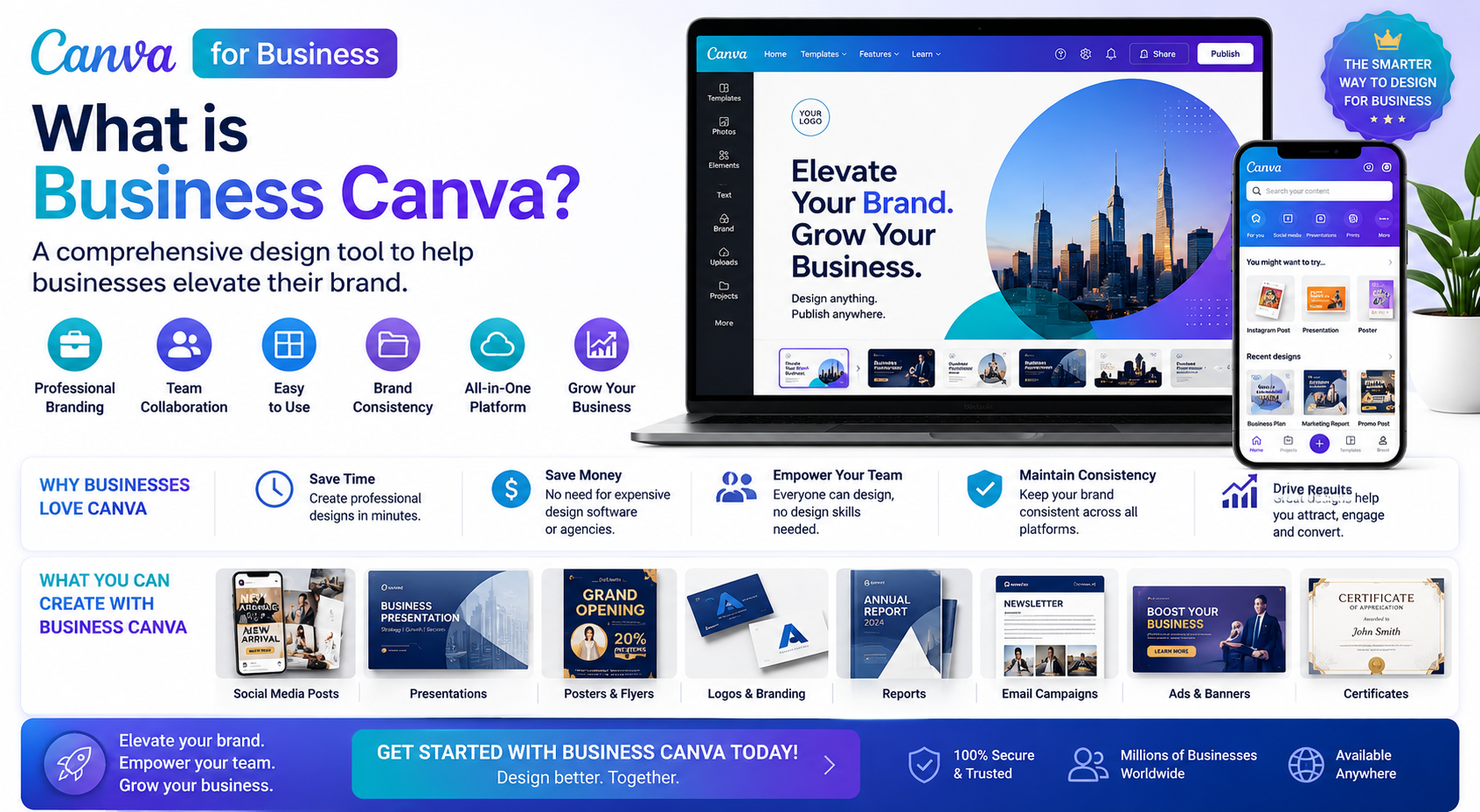
What is Business Canva? A comprehensive design tool to help businesses elevate their brand.
Nội dung
- 1. What is Business Canva?
- 2. Why is Business Canva chosen by so many businesses?
- 3. Key features of Business Canva
- 3.1 Brand Kit helps synchronize brand identity
- 3.2 A diverse template library to suit all needs.
- 3.3 Integrating AI to support rapid design
- 4. Benefits of using Business Canva
- 5. Who is Business Canva suitable for?
- 5.1 Small and Medium-Sized Enterprises
- 5.2 Marketers and Communications Team
- 5.3 Freelancers and Content Creators
- 5.4 Online shop owners
- 6. Comparing Business Canva and Canva Pro
- 7. Guide to using Business Canva effectively
- 8. Experience the licensed version of Business Canva at AppVip.ai
- 9. Conclusion
With its vast resource library, thousands of professional design templates, and advanced AI features, Business Canva helps you create stunning products in just minutes
1. What is Business Canva?
Business Canva is a version of Canva developed for businesses, organizations, and professional teams. This tool not only supports image design but also helps manage branding, facilitate real-time collaboration, and optimize the content creation process all on a single platform.
Unlike design software that requires specialized knowledge, Business Canva is built with an intuitive interface, simple drag-and-drop functionality, and a rich library of templates. With just a few edits, users can create advertising banners, social media posts, brochures, catalogs, presentation slides, and many other communication materials while ensuring aesthetics and brand consistency.
2. Why is Business Canva chosen by so many businesses?
The rapid growth of digital marketing has led to an increasing demand for graphic design. From Facebook posts and website banners to short videos and corporate brochures, everything requires meticulous attention to detail. Business Canva was created to address this challenge by helping businesses shorten design time while still producing professional-looking products.
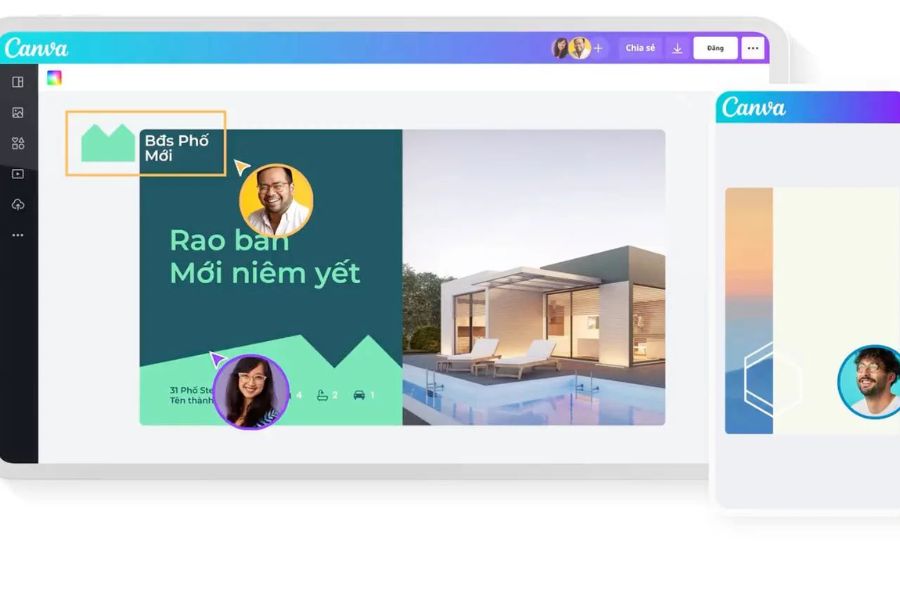
In addition to cost savings, Business Canva also helps team members easily collaborate, share data, and edit designs in real time. This helps businesses improve work efficiency, ensure consistency across all communication campaigns, and build a more professional brand image.
3. Key features of Business Canva
3.1 Brand Kit helps synchronize brand identity
Brand Kit is one of the most outstanding features of Business Canva. Businesses can save their logo, color palette, fonts, icons, and other branding resources to a shared library for all team members to use.
As a result, all designs, from advertising banners and social media posts to corporate brochures, have a consistent style. This contributes to building a professional image and helps customers easily recognize the brand across various platforms.
3.2 A diverse template library to suit all needs.
Canva Business boasts millions of design templates created by experts in various fields. Users simply choose a suitable template and then change the content, images, or colors to create a product with their own unique style.
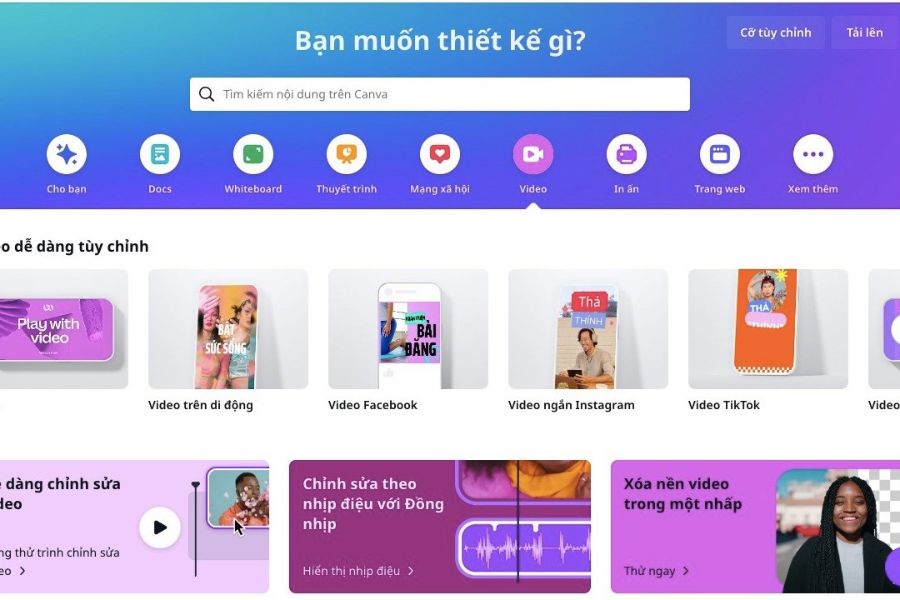
The template library includes various categories such as Facebook posts, Instagram posts, TikTok posts, website banners, posters, menus, catalogs, company profiles, CVs, brochures, infographics, ebooks, and presentation slides. This is a major advantage that helps businesses save time while still creating modern and trend-setting designs.
3.3 Integrating AI to support rapid design
Canva Business applies artificial intelligence to many design processes to optimize the user experience. Simply input a short description, and the AI can assist in creating images, writing content, suggesting layouts, or editing designs according to your needs.
In addition, the tool integrates many useful features such as removing image backgrounds, enlarging images, converting text to illustrations, resizing designs, creating short videos, and supporting AI-powered content writing. These features help businesses save significant time in content production and improve work efficiency.
4. Benefits of using Business Canva
Using Business Canva not only helps create visually appealing designs but also brings many practical benefits to businesses. Instead of having to use many different software programs, all design needs can be met on a single platform, from images and videos to presentations and communication content.
In addition, Business Canva helps businesses build a consistent brand identity system, optimize collaboration processes between departments, and shorten the time to implement marketing campaigns. This is a suitable solution for businesses of all sizes, especially those that want to improve communication effectiveness while optimizing costs.
5. Who is Business Canva suitable for?
5.1 Small and Medium-Sized Enterprises
Business Canva is an ideal choice for small and medium-sized businesses that don't yet have a professional design team. With its intuitive interface and rich resource library, businesses can proactively create advertising banners, social media posts, catalogs, company profiles, or product brochures without needing to outsource.
Besides saving costs, Business Canva helps businesses maintain consistency in color, font, and brand imagery across all communication channels. This contributes to increased brand recognition and builds a professional image in the eyes of customers.
5.2 Marketers and Communications Team
For marketers, campaign deployment speed is extremely important. Business Canva helps you quickly create a variety of designs for ads, email marketing, landing pages, Facebook, Instagram, or TikTok posts in a short amount of time.
In addition, AI features, a diverse template library, and the ability to automatically resize designs help marketing teams save significant time while ensuring image quality across all platforms.
5.3 Freelancers and Content Creators
Freelancers, content creators, and KOLs often have to handle many tasks themselves, from brainstorming to graphic design. Business Canva simplifies the creative process with millions of ready-made templates and modern editing tools.
With just a few drag-and-drop actions, users can create professional YouTube thumbnails, Facebook cover photos, Instagram stories, short videos, or infographics to support their work and build their personal brand.
5.4 Online shop owners
Businesses selling on Shopee, TikTok Shop, Facebook, or websites are also suitable target groups for Business Canva. The tool supports the design of promotional banners, product images, vouchers, posters, menus, and many other eye-catching sales materials.
Thanks to professional and consistent visuals, the booth will become more attractive, contributing to increased conversion rates and an enhanced customer shopping experience.

6. Comparing Business Canva and Canva Pro
Many people often confuse Business Canva and Canva Pro because both offer a high-end resource library and numerous design features. However, Business Canva is built for teamwork and business management, while Canva Pro is more suitable for individuals or freelancers.
Business Canva stands out with features such as member permission management, brand management using Brand Kit, centralized storage, real-time collaboration, and control over the design process within the enterprise. While Canva Pro effectively meets the needs of individual design, Business Canva is a comprehensive solution that helps teams work more efficiently, synchronously, and professionally.
7. Guide to using Business Canva effectively
To fully leverage the power of Business d in editing.
In addition, leverage AI tools and available template libraries to shorten content production time. Regularly updating design templates to reflect new trends, assigning appropriate permissions to team members, and maintaining a systematic data storage system are also ways to improve the efficiency of working with Business Canva.
8. Experience the licensed version of Business Canva at AppVip.ai
If you want to use all the premium features of Business Canva at a reasonable cost, AppVip.ai is a worthwhile option. AppVip.ai offers licensed accounts and various flexible service packages to meet the needs of individuals, businesses, and content creation teams.
When choosing Business Canva at AppVip.ai , customers will receive quick activation support, dedicated advice during use, and updates on new Canva features. This solution helps you access a professional design tool with optimal investment, thereby improving brand building and marketing activities.
9. Conclusion
Business Canva is becoming a preferred design tool for businesses thanks to its combination of simplicity, flexibility, and superior performance. From image and video design to presentations, brand management, and team collaboration, all needs are met on a single platform, saving time and optimizing costs. If you are looking for a modern design solution to enhance brand image, improve marketing effectiveness, and optimize workflows, Business Canva is definitely a worthwhile investment. Using it correctly and maximizing its features will help businesses create professional products, increase their competitive advantage, and achieve sustainable growth in the digital age.





















VIP Products








Best Selling Products
Adobe Premiere Pro Account
99 USD
ChatGPT Plus Account (GPT-4)
16 USD
Adobe Photoshop Copyright - Full App
120 USD
Upgrade Duolingo Super
29 USD
Genuine Adobe Illustrator account
99 USD
Windows 10 & 11 Pro Key
36 USD
Genuine Cheap Canva Pro
39 USD
MidJourney Account
29 USD
Autodesk All App Account Copyright
120 USD
Copyright Adobe Lightroom Account
59 USD
Upgrade genuine Capture One account
120 USD
Capcut Pro 1 Year
39 USD
Freepik Premium Account
59 USD
Plugin Retouch4me
69 USD
Upgrade Genuine Office 365
49 USD