Best Selling Products

Genuine Adobe Illustrator account
99 USD

Adobe Photoshop Copyright - Full App
120 USD

Windows 10 & 11 Pro Key
36 USD

Plugin Retouch4me
69 USD

Genuine Cheap Canva Pro
39 USD

Capcut Pro 1 Year
39 USD

ChatGPT Plus Account (GPT-4)
16 USD

Upgrade Duolingo Super
29 USD

Freepik Premium Account
59 USD

Copyright Adobe Lightroom Account
59 USD

Upgrade Genuine Office 365
49 USD

Adobe Premiere Pro Account
99 USD

Upgrade genuine Capture One account
120 USD

MidJourney Account
29 USD

Autodesk All App Account Copyright
120 USD
What is Haicaoyun? Discover the AI photo editing software MagiMir.
Nội dung
- 1. Learn about MagiMir
- 2. What are the notable features?
- 2.1. Removing unwanted people and objects using AI
- 2.2. Enhancing portraits and improving skin tone
- 2.3. AI-powered makeup in just a few steps.
- 2.4. Color Match
- 2.5. Batch image processing optimizes post-production time.
- 2.6. Beautify the lawn and improve outdoor photos.
- 2.7. Refine the eyes, teeth, and hair.
- 2.8. Connecting the camera and supporting the shooting process.
This section provides an overview of Haicaoyun.vn, the MagiMir software, and its key features such as portrait beautification, object removal, color synchronization, and batch image processing. It also analyzes the benefits of AI technology for professional photographers and studios.

1. Learn about MagiMir
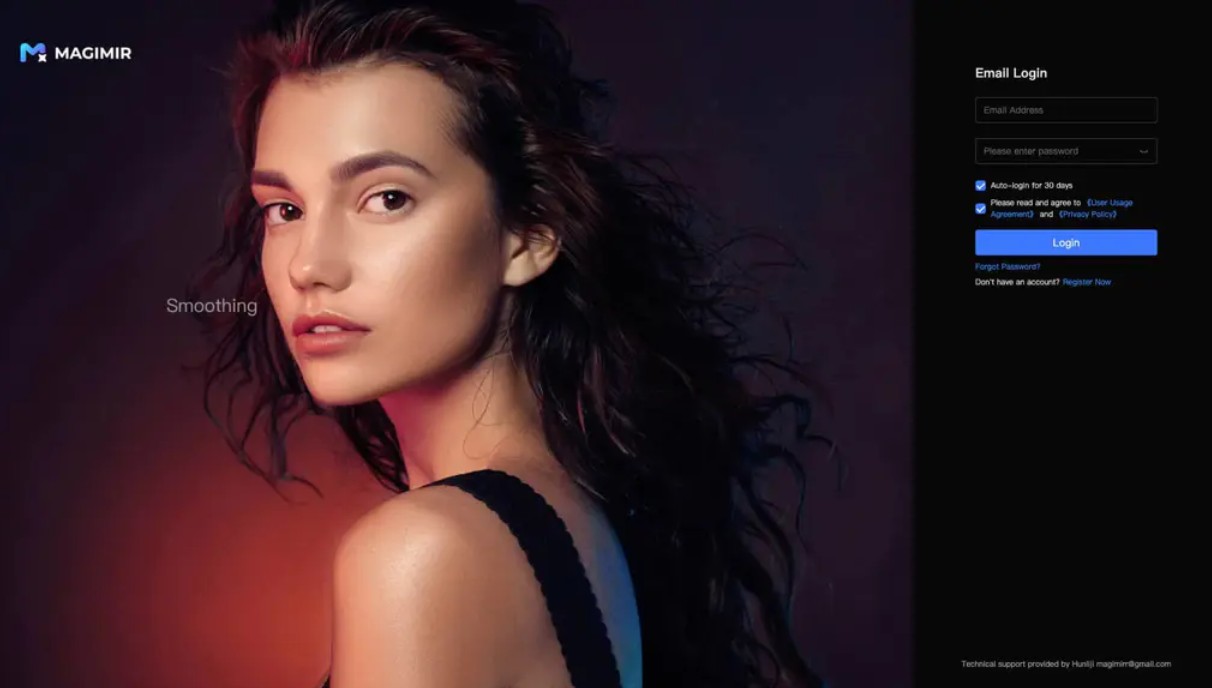
MagiMir is photo editing software with integrated AI technology, aimed at simplifying common post-processing tasks. Haicaoyun.vn, the software focuses on tasks such as portrait editing, removing unwanted objects, improving image detail, and color correction.
A notable feature of MagiMir is its ability to support repetitive tasks. Instead of having to edit each photo individually using the same process, users can take advantage of automatic and batch processing features to save time.
This tool can be useful for wedding photographers, portrait studios, post-processing professionals, and anyone who frequently needs to process large volumes of images. However, the actual results still depend on the quality of the input images, the complexity of the images, and how the user checks and refines them after AI processing.
2. What are the notable features?
2.1. Removing unwanted people and objects using AI
MagiMir offers a feature to identify and remove unwanted people from photos. Users can use the automatic detection function or manually select the area to be removed for better control over the results.
In addition to people, the software also supports removing certain objects, props, or equipment that appear in the frame. AI technology will attempt to recreate the missing background and blend the edited area with the surrounding image.
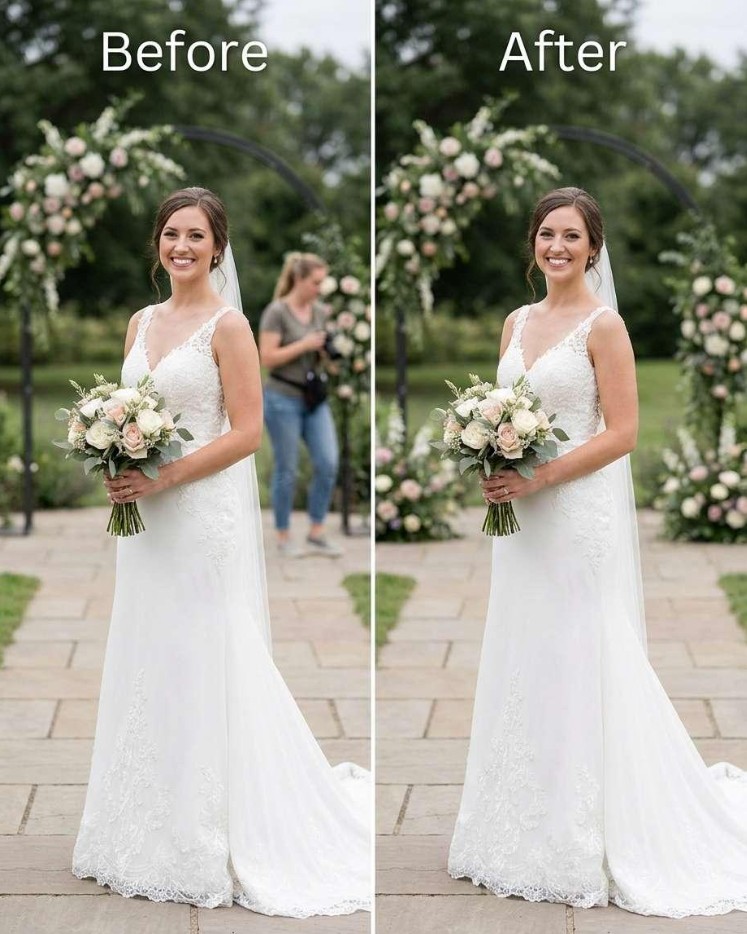
This feature is particularly useful when post-processing outdoor photos, wedding photos in public places, or product advertisements. However, for photos with complex backgrounds, many overlapping details, or subjects that obscure a large part of the frame, users should carefully check the processed area to avoid any unusual marks.
2.2. Enhancing portraits and improving skin tone
MagiMir integrates tools to help smooth skin, reduce dark circles, treat fine wrinkles, and improve several facial imperfections. The software also introduces the ability to recognize different groups such as men, women, and children to apply appropriate editing solutions.
For portrait photography, using AI can help shorten the processing time for repetitive details. The editor doesn't necessarily have to perform every operation from scratch on each photo, thus freeing up time to focus on the subject's lighting, color, and emotions.
The features address certain skin issues, including stretch marks and rashes on the baby's face, with the goal of maintaining a natural skin texture. These are tasks that need to be used carefully to avoid drastically altering the character's true appearance.
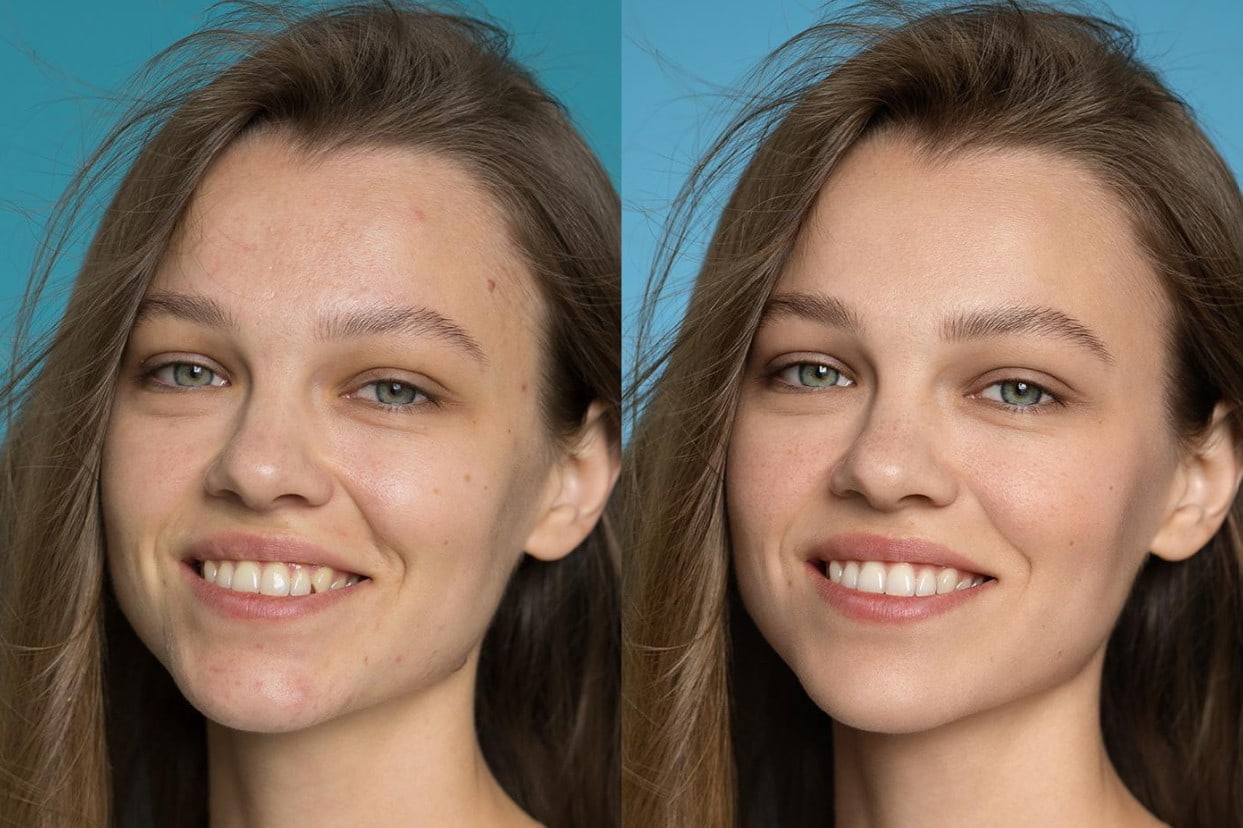
For wedding and family photos, the advice is to prioritize natural beauty over excessive skin smoothing. AI should play a supporting role, but the final decision rests with the editor.
2.3. AI-powered makeup in just a few steps.
MagiMir's AI makeup feature supports adding makeup effects such as lipstick and blush. According to the developers, users can apply these effects directly to photos without having to go through the entire makeup process manually.
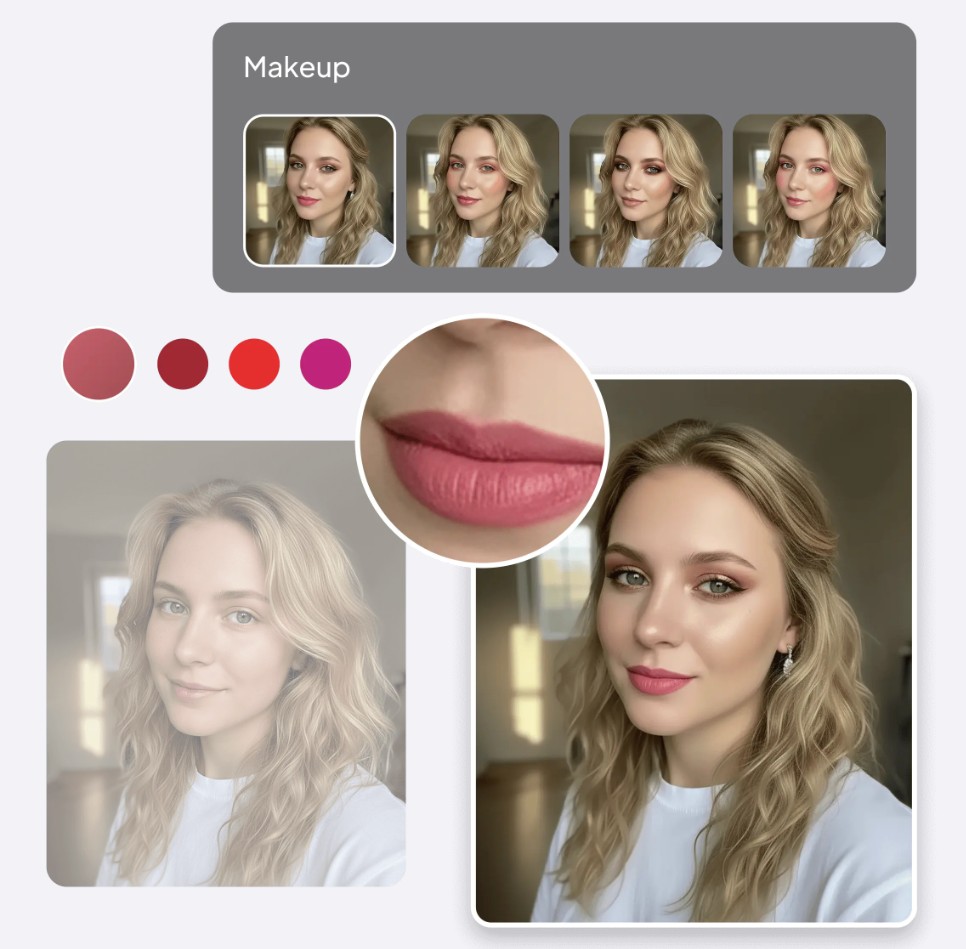
This feature can be useful when processing portraits, fashion photos, or wedding photos that require a consistent look. However, the color and intensity of the makeup should be adjusted to suit the lighting, skin tone, and style of the photo set.
Careful checking after applying AI is also crucial to avoid unnatural lip color, mismatched lip contours, or uneven makeup effects.
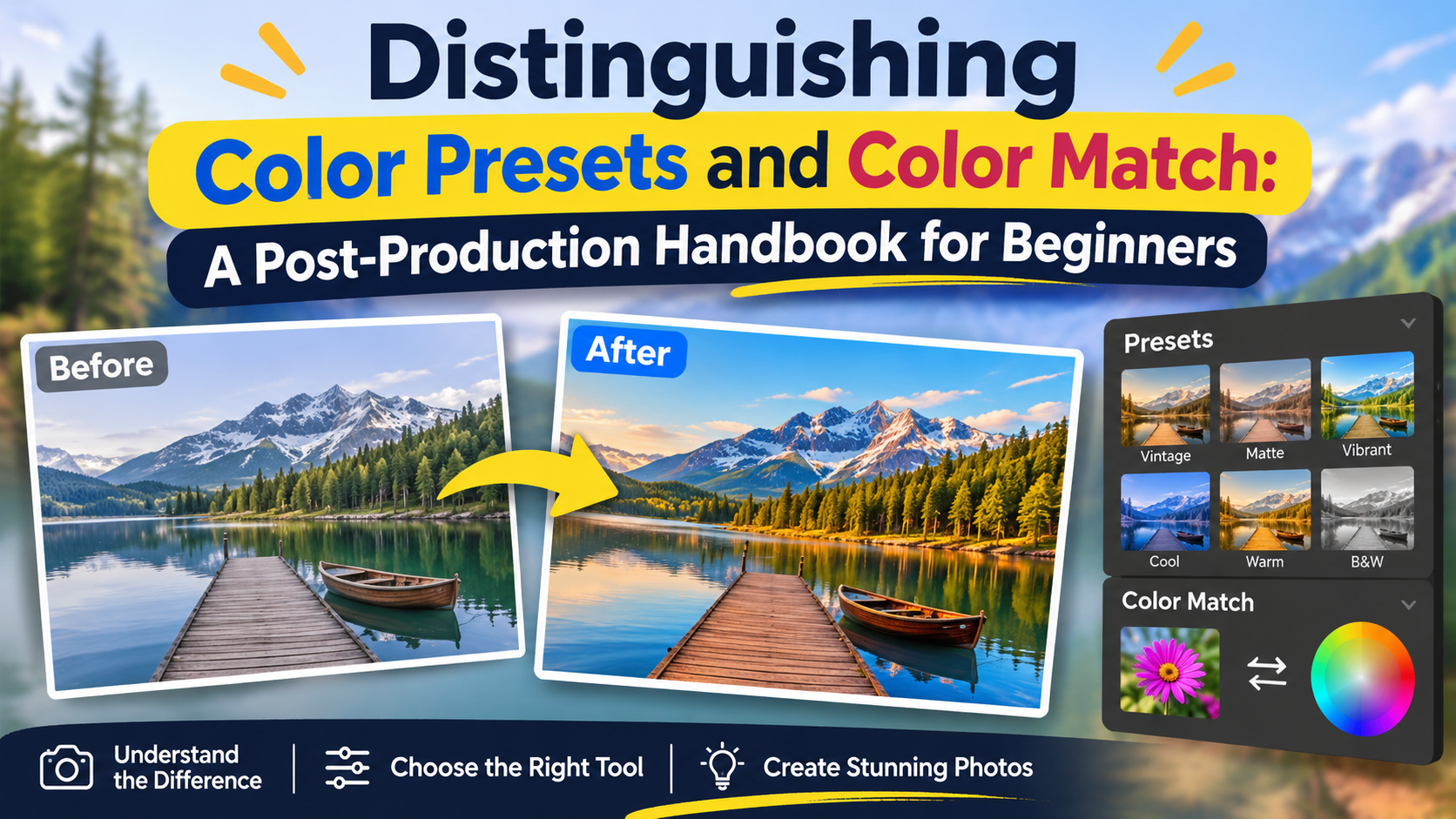
2.4. Color Match
MagiMir introduces the Color Match feature, allowing users to select a reference image. The AI will analyze the color characteristics of the reference image and apply a similar style to the image being edited.
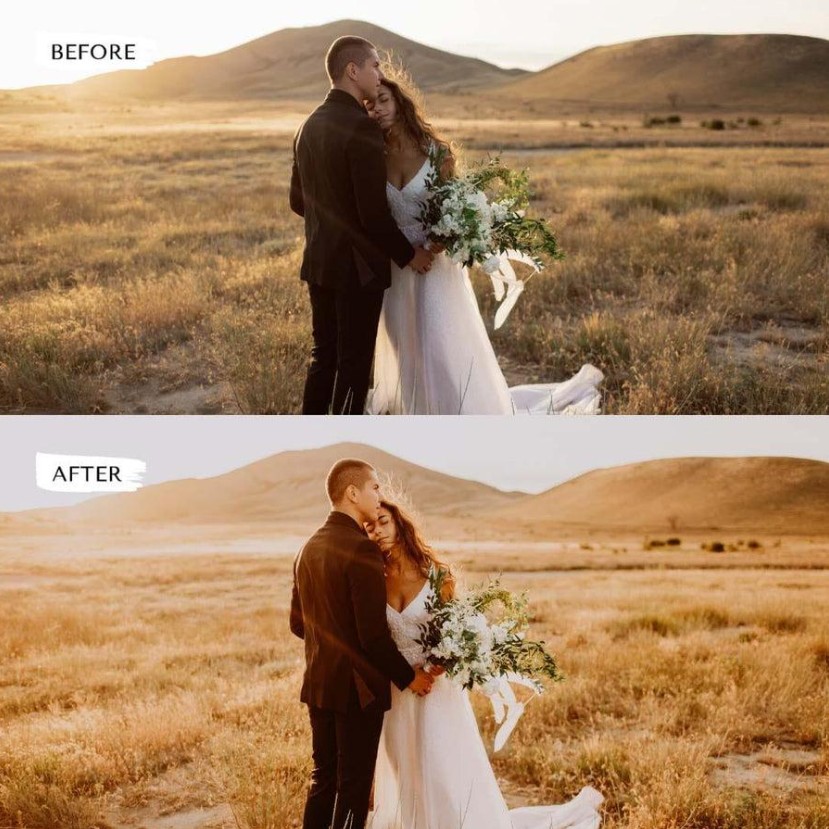
Instead of manually adjusting many parameters on each photo, users can utilize reference photos to guide the color direction for the remaining images. This is especially useful when wanting to maintain a consistent color style throughout a wedding album or portrait photo series.
However, not all photos have the same lighting conditions and white balance. Therefore, after using Color Match, the editor should check the highlights, shadows, and skin tones to ensure the image looks natural while maintaining the desired style.
2.5. Batch image processing optimizes post-production time.
MagiMir supports batch processing, allowing users to apply workflows or synchronize colors across multiple images. Instead of starting from scratch for each file, users can reduce manual steps and focus on the images that require in-depth editing.
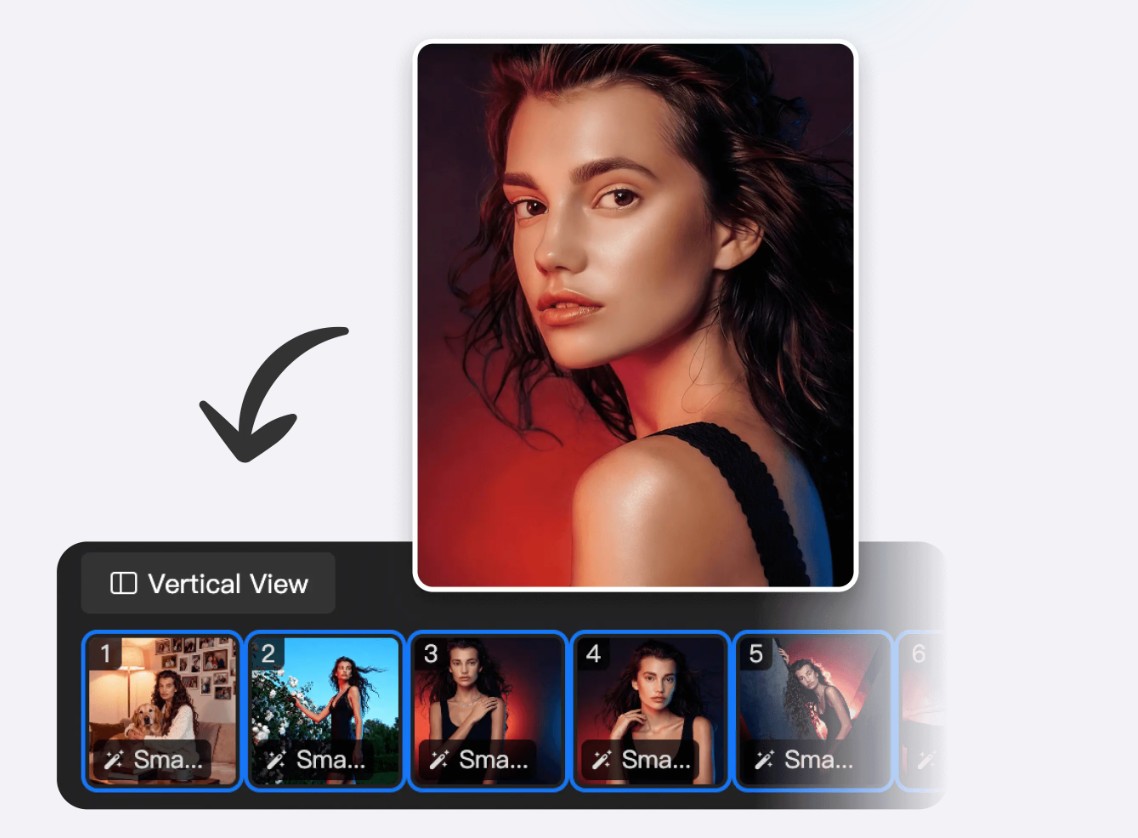
The major benefit of this feature lies not only in its speed but also in its ability to maintain album consistency. When set up properly, multiple photos can maintain a relatively consistent color style, resulting in a more complete photo set.
MagiMir can reduce repetitive editing workloads by more than 50%. This is information provided by the vendor, not a guaranteed saving for all users. Actual efficiency will vary depending on the number of images, job configuration, and the level of editing required.
2.6. Beautify the lawn and improve outdoor photos.
MagiMir introduces an AI-powered lawn beautification tool that helps improve the uniformity and appearance of grassy areas in photos. This feature can help make outdoor photos more harmonious without having to manually process the entire background.
For photographers, this is a worthwhile tool to consider when shooting in parks, resorts, gardens, or other locations with natural landscapes.
However, the editing needs to maintain a balance between the improved grass area and the surrounding details. Users should check the colors, lighting, and outlines to avoid making the scene look artificial.
2.7. Refine the eyes, teeth, and hair.
In addition to overall editing features, MagiMir also provides tools for fine-tuning small details on the face.
For teeth, the software helps improve brightness and correct certain imperfections. For the eyes, the features include reducing red veins, brightening the eyes, and correcting reflections on glasses. For hair, the software helps improve the hairline and control frizzy areas.
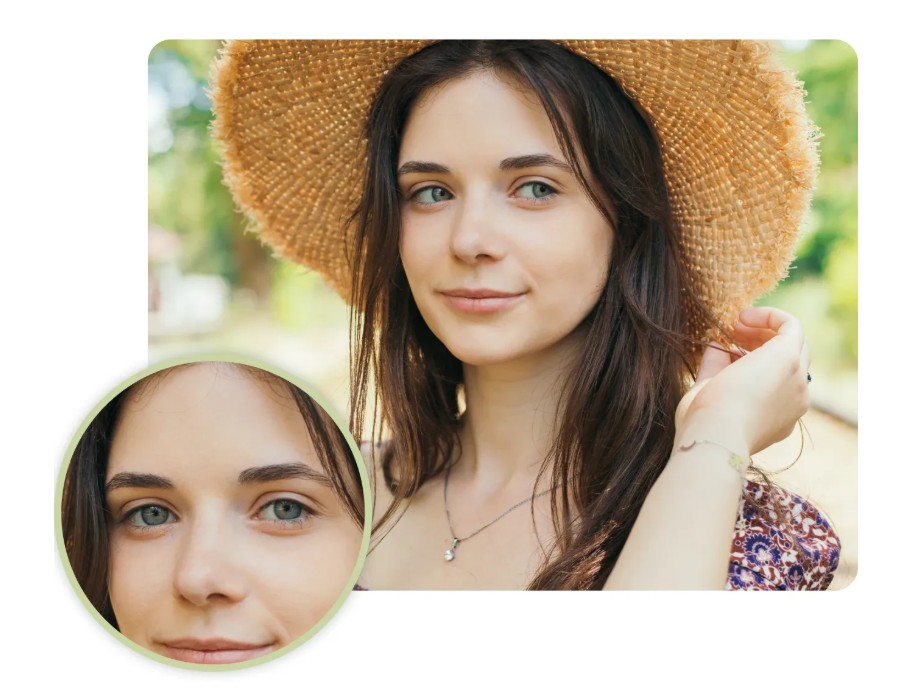
These details can significantly impact the quality of portrait photos, especially when the photos are printed in large formats or used in commercial products.
However, excessive editing can make the eyes, teeth, or hair look unnatural. Users should prioritize moderate editing and compare it to the original photo to ensure the subject retains their realistic appearance.
2.8. Connecting the camera and supporting the shooting process.
MagiMir features camera connectivity to support in-flight image viewing and processing. With the right workflow, photographers can review images faster, check quality, and make adjustments during the shoot.
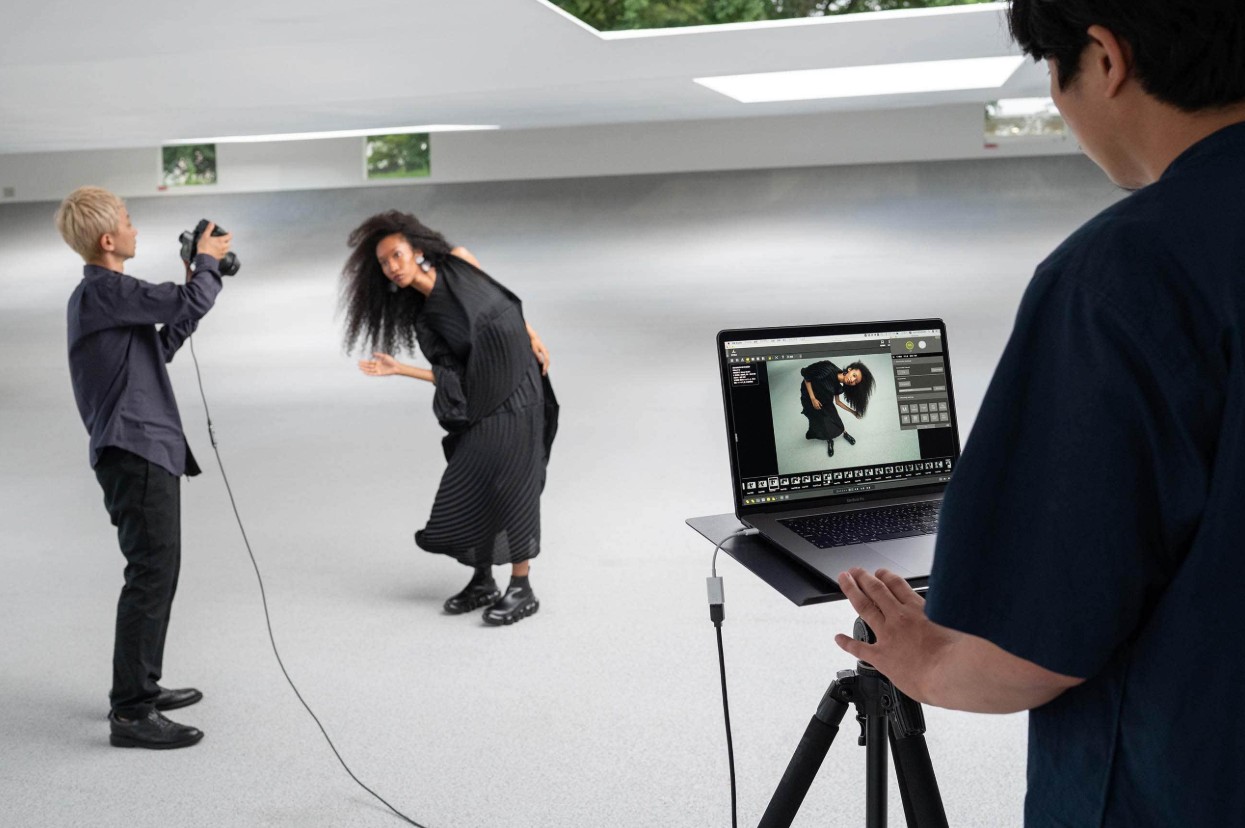
This feature can be useful for portrait studios, fashion photography, or shoots that require continuous communication with the client. Checking photos early helps detect issues with composition, lighting, or appearance before the shoot ends.
However, compatibility and the actual connection method may depend on the camera, operating system, and software version. Users should check the technical requirements before incorporating this feature into their workflow.
Haicaoyun.vn introduces MagiMir as an AI-powered photo editing tool focused on the needs of photographers, wedding studios, and post-production professionals. With features such as removing people and objects, portrait beautification, AI makeup, Color Match, batch image processing, grass enhancement, and fine-tuning of eyes, teeth, and hair, the software aims to simplify frequently repeated tasks.
If you're looking for a faster photo editing tool, especially when dealing with large numbers of images, MagiMir is an option worth considering.





















VIP Products








Best Selling Products
Genuine Adobe Illustrator account
99 USD
Adobe Photoshop Copyright - Full App
120 USD
Windows 10 & 11 Pro Key
36 USD
Plugin Retouch4me
69 USD
Genuine Cheap Canva Pro
39 USD
Capcut Pro 1 Year
39 USD
ChatGPT Plus Account (GPT-4)
16 USD
Upgrade Duolingo Super
29 USD
Freepik Premium Account
59 USD
Copyright Adobe Lightroom Account
59 USD
Upgrade Genuine Office 365
49 USD
Adobe Premiere Pro Account
99 USD
Upgrade genuine Capture One account
120 USD
MidJourney Account
29 USD
Autodesk All App Account Copyright
120 USD