Best Selling Products

Adobe Premiere Pro Account
99 USD

Copyright Adobe Lightroom Account
59 USD

MidJourney Account
29 USD

ChatGPT Plus Account (GPT-4)
16 USD

Upgrade Duolingo Super
29 USD

Adobe Photoshop Copyright - Full App
120 USD

Genuine Adobe Illustrator account
99 USD

Capcut Pro 1 Year
39 USD

Windows 10 & 11 Pro Key
36 USD

Genuine Cheap Canva Pro
39 USD

Freepik Premium Account
59 USD

Autodesk All App Account Copyright
120 USD

Upgrade genuine Capture One account
120 USD

Plugin Retouch4me
69 USD

Upgrade Genuine Office 365
49 USD
10 Professional Video Editing Programs
Nội dung
- 1. Adobe Premiere Pro CC
- Key advantages of Adobe Premiere Pro CC:
- 2. DaVinci Resolve
- Key advantages of DaVinci Resolve:
- 3. Final Cut Pro X
- Key advantages of Final Cut Pro X:
- 4. Avid Media Composer
- Key advantages of Avid Media Composer:
- 5. Sony Vegas Pro (MAGIX Vegas Pro)
- Key advantages of Sony Vegas Pro:
- 6. Adobe Premiere Rush
- Key advantages of Adobe Premiere Rush:
- 7. Filmora (Wondershare)
- Key advantages of Filmora:
- 8. HitFilm Express/Pro
- Key advantages:
- 9. Lightworks
- Key advantages:
- 10. CyberLink PowerDirector
- Key advantages:
- 11. Conclusion
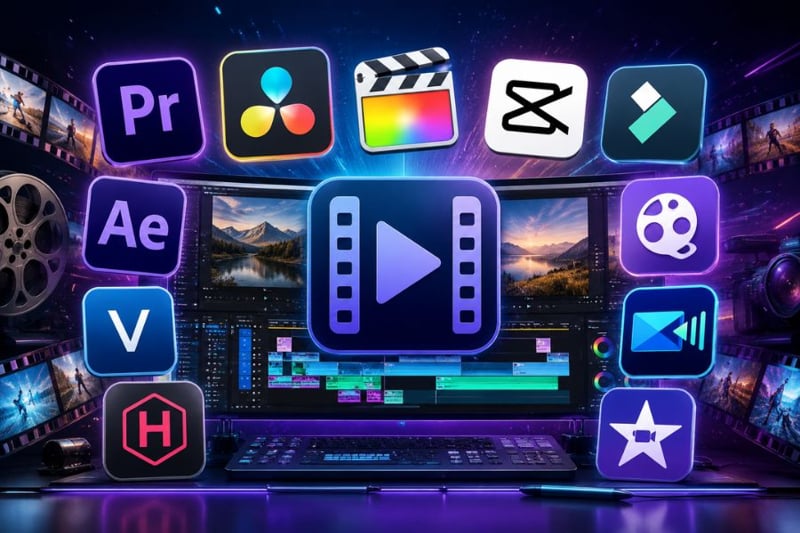
The demand for video production is growing rapidly on YouTube, TikTok, and Facebook. Therefore, choosing the right professional video editing program has become extremely important.
1. Adobe Premiere Pro CC
Adobe Premiere Pro CC is always among the most widely used professional video editing programs today. This software is commonly found in video production studios, media agencies, YouTube content creation, and even the film industry. Premiere Pro’s biggest strength lies in its comprehensive editing capabilities, support for multiple file formats, and exceptional stability for large-scale projects. Users can easily cut and merge videos, color grade, process audio, add transition effects, and export high-quality videos all within a single platform. In addition, Premiere Pro is highly praised for its powerful integration with the Adobe ecosystem, helping optimize professional workflows and significantly saving post-production time.
Key advantages of Adobe Premiere Pro CC:
A professional video editing program trusted by many editors and filmmakers.
Supports video editing from Full HD to 4K and 8K extremely smoothly.
Highly compatible with Adobe After Effects, Photoshop, and Audition.
Flexible timeline for faster and more intuitive editing.
Rich library of effects, transitions, and plugins.
Integrated Adobe Sensei AI for scene cutting and automatic subtitle creation.
Supports professional multicam editing for multi-angle videos.
Exports files in multiple formats suitable for YouTube, TikTok, and cinema.
Large user community with extensive learning resources.
2. DaVinci Resolve
DaVinci Resolve is a globally renowned professional video editing program thanks to its top-tier color grading capabilities and powerful post-production system. This software is used in many Hollywood films and professional cinematic projects. Beyond color grading, DaVinci Resolve integrates full video editing tools, audio editing, VFX, and compositing within a single platform. This allows editors to handle the entire post-production workflow without switching between multiple applications. Its interface is designed with separate workspaces, helping users optimize workflows for advanced filmmaking. Notably, the free version still provides many powerful features suitable for both beginners and professional editors.
Key advantages of DaVinci Resolve:
A professional video editing program strong in color grading and cinematic post-production.
Extremely detailed and accurate color grading tools.
Integrated Fusion for advanced VFX creation.
Fairlight system for professional audio processing.
Supports high-quality video editing up to 8K.
Stable rendering speed when paired with strong GPUs.
Free version with many premium features.
Modern interface optimized for professional workflows.
Used by many major film studios and filmmakers.
.jpg)
3. Final Cut Pro X
Final Cut Pro X is a professional video editing program exclusive to Apple’s ecosystem and highly rated for performance. This software is extremely well optimized for MacBook and iMac, making the editing process significantly faster, smoother, and more stable. One of its standout strengths is ultra-fast video processing by maximizing Apple Silicon hardware performance. In addition, the interface is highly intuitive, modern, and more user-friendly than many other complex editing tools. Final Cut Pro X also features the exclusive Magnetic Timeline, which intelligently organizes clips and reduces timeline shifting errors during editing. It is an ideal choice for YouTubers, filmmakers, and professional editors using Mac.
Key advantages of Final Cut Pro X:
A professional video editing program strongly optimized for macOS.
Fast rendering speed and exceptional stability.
Magnetic Timeline helps organize editing more scientifically.
Supports modern 360-degree and HDR video editing.
Fully leverages Apple Silicon chip performance.
Intuitive interface, easy for beginners to learn.
Wide range of effects and plugins for creativity.
Excellent synchronization with Apple ecosystem.
Suitable for vlogs, ads, and professional short films.
4. Avid Media Composer
Avid Media Composer is considered the industry-standard professional video editing program in television and cinema. This software appears in countless Hollywood blockbusters, major TV shows, and large-scale production projects. Its standout strength lies in extremely professional data management, allowing editors to handle thousands of clips in one project while maintaining stable performance. The software also supports powerful collaborative workflows, making it ideal for large production teams working simultaneously across multiple systems. In addition, Avid’s handling of complex timelines and multicam editing is regarded as among the best available today. Although its interface can be difficult for beginners, it remains the preferred professional video editing program for many major studios.
Key advantages of Avid Media Composer:
An industry-standard professional video editing program for cinema.
Extremely effective large project management.
Powerful team collaboration workflow for professional studios.
Stable multicam editing for complex multi-angle footage.
Strong timeline tools suitable for long films and TV shows.
Excellent media handling and backup management.
Supports multiple professional codecs and video formats.
Used by many Hollywood editors.
Stable performance in large-scale post-production projects.
.jpg)
5. Sony Vegas Pro (MAGIX Vegas Pro)
Sony Vegas Pro, now developed by MAGIX under the name Vegas Pro, is a professional video editing program loved by many editors for its intuitive interface and powerful editing capabilities. This software offers a workflow that is easier to approach than many complex editing tools, allowing users to work quickly even with limited experience. Vegas Pro supports high-quality editing, flexible timelines, and is especially strong in audio processing. This is why it is favored by many YouTubers, streamers, and gaming video editors. In addition, Vegas Pro provides numerous video effects, color filters, and compositing tools for professional content creation. Although less popular than Premiere Pro, it remains a highly worthwhile professional editing solution.
Key advantages of Sony Vegas Pro:
A professional video editing program with an easy-to-use interface.
Powerful and advanced audio editing support.
Intuitive timeline for faster workflow.
Stable rendering across many common formats.
Supports high-quality 4K editing.
Wide range of attractive effects and transitions.
Suitable for vlogs, gaming, and YouTube videos.
Highly rated audio processing capabilities.
Fast performance with efficient workflow optimization.
6. Adobe Premiere Rush
Adobe Premiere Rush is a lightweight version of Premiere Pro, designed for quick and flexible professional video editing. It targets content creators, TikTokers, YouTubers, and users who frequently edit across multiple devices. Premiere Rush supports seamless syncing between phones and computers, allowing editing from anywhere. Its interface is simplified yet still offers essential features such as cutting, music insertion, text overlays, and quick color adjustments. It also supports optimized exports for TikTok, Instagram Reels, and YouTube Shorts. Thanks to its convenience, it is a professional video editing program perfectly suited for modern creators.
Key advantages of Adobe Premiere Rush:
A professional video editing program optimized for creators.
Easy syncing between mobile and desktop devices.
Simple interface suitable for beginners.
Supports quick editing across multiple platforms.
Comes with built-in templates and modern effects.
Optimized exports for TikTok and YouTube Shorts.
Edit videos anytime, anywhere.
Works seamlessly within Adobe ecosystem.
Saves time for short-form video production.
.jpg)
7. Filmora (Wondershare)
Filmora by Wondershare is a semi-professional video editing program loved by many users thanks to its modern and easy-to-use interface. It is suitable for both beginners learning video editing and creators needing quick edits while maintaining professionalism. Filmora provides a rich library of effects, attractive transitions, and ready-made templates that make videos more dynamic with simple drag-and-drop actions. It also integrates many advanced AI features such as automatic subtitle generation, background removal, audio enhancement, and smart cutting. These advantages significantly reduce post-production time. With a balance between performance and usability, Filmora is becoming a globally popular professional video editing program.
Key advantages of Filmora:
A professional video editing program ideal for beginners.
Modern and intuitive interface.
Integrated beautiful effects and templates.
AI-powered subtitle generation and smart editing.
Rich audio and transition library.
Suitable for TikTok, YouTube, and advertising videos.
Fast high-quality export support.
Does not require high-end hardware.
Excellent balance between professionalism and simplicity.
8. HitFilm Express/Pro
HitFilm Express/Pro is a professional video editing program combining stable editing and powerful VFX creation. It is ideal for creators producing cinematic videos, action effects, or creative YouTube content. In addition to stable editing, HitFilm supports compositing, explosion effects, and advanced motion graphics.
Key advantages:
Combines editing and VFX in one software.
Beautiful cinematic effects.
Supports motion graphics and compositing.
Suitable for creative and cinematic videos.
Free version available for beginners.
.jpg)
9. Lightworks
Lightworks is a professional video editing program with a long development history and has been used in many famous Hollywood films. It stands out with a powerful timeline, professional workflow, and high-quality video editing support.
Key advantages:
Used in many major cinematic projects.
Professional and flexible timeline.
Supports high-quality 4K editing.
Optimized workflow for professional editors.
Stable performance across multiple operating systems.
10. CyberLink PowerDirector
CyberLink PowerDirector is a professional video editing program notable for fast processing speed and an easy-to-use interface. It integrates many modern AI tools that help users edit videos faster while maintaining quality.
Key advantages:
Fast video rendering speed.
Integrated AI for smart editing support.
Intuitive and easy-to-use interface.
Supports many beautiful effects and templates.
Suitable for YouTube, TikTok, and vlogs.
.jpg)
11. Conclusion
Choosing the right professional video editing program will make the filmmaking process faster and more efficient. If you need powerful tools for cinema and advanced post-production, DaVinci Resolve or Avid Media Composer are excellent choices. Meanwhile, Premiere Pro, Vegas Pro, and Final Cut Pro are ideal for creators and professional editors who need flexible workflows. For beginners, Filmora and PowerDirector are accessible options thanks to friendly interfaces and helpful AI features. Hopefully, the list above helps you find the professional video editing program that best suits your creative content needs.





















VIP Products








Best Selling Products
Adobe Premiere Pro Account
99 USD
Copyright Adobe Lightroom Account
59 USD
MidJourney Account
29 USD
ChatGPT Plus Account (GPT-4)
16 USD
Upgrade Duolingo Super
29 USD
Adobe Photoshop Copyright - Full App
120 USD
Genuine Adobe Illustrator account
99 USD
Capcut Pro 1 Year
39 USD
Windows 10 & 11 Pro Key
36 USD
Genuine Cheap Canva Pro
39 USD
Freepik Premium Account
59 USD
Autodesk All App Account Copyright
120 USD
Upgrade genuine Capture One account
120 USD
Plugin Retouch4me
69 USD
Upgrade Genuine Office 365
49 USD