Best Selling Products

Copyright Adobe Lightroom Account
59 USD

Windows 10 & 11 Pro Key
36 USD

Upgrade Duolingo Super
29 USD

Upgrade Genuine Office 365
49 USD

Plugin Retouch4me
69 USD

Autodesk All App Account Copyright
120 USD

Adobe Premiere Pro Account
99 USD

Freepik Premium Account
59 USD

Upgrade genuine Capture One account
120 USD

MidJourney Account
29 USD

Adobe Photoshop Copyright - Full App
120 USD

Genuine Adobe Illustrator account
99 USD

ChatGPT Plus Account (GPT-4)
16 USD

Genuine Cheap Canva Pro
39 USD

Capcut Pro 1 Year
39 USD
10 Most Popular Apps to Create Chibi Images from Real Photos on Mobile Phones
Nội dung
- 1. Draw Anime Chibi Tutorials
- Outstanding features:
- 2. IbisPaint
- Outstanding features:
- 3. MomentCam
- Outstanding features:
- 4. Procreate
- Outstanding features:
- 5. Adobe AI
- Outstanding features:
- 6. PicsArt
- Outstanding features:
- 7. Chibi Avatar Maker
- Outstanding features:
- 8. Canva
- Outstanding features:
- 9. How to Draw Anime
- Outstanding features:
- 10. Unnie Doll & Oppa Doll
- Outstanding features:
- 11. Conclusion
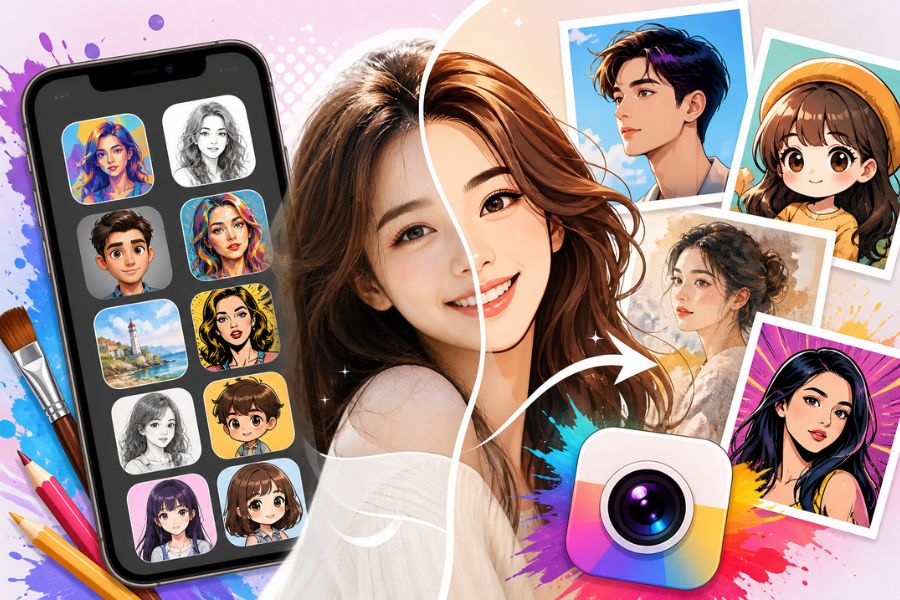
With the support of AI technology, applications are becoming increasingly smarter, offering accurate facial recognition and flexible customization based on user preferences.
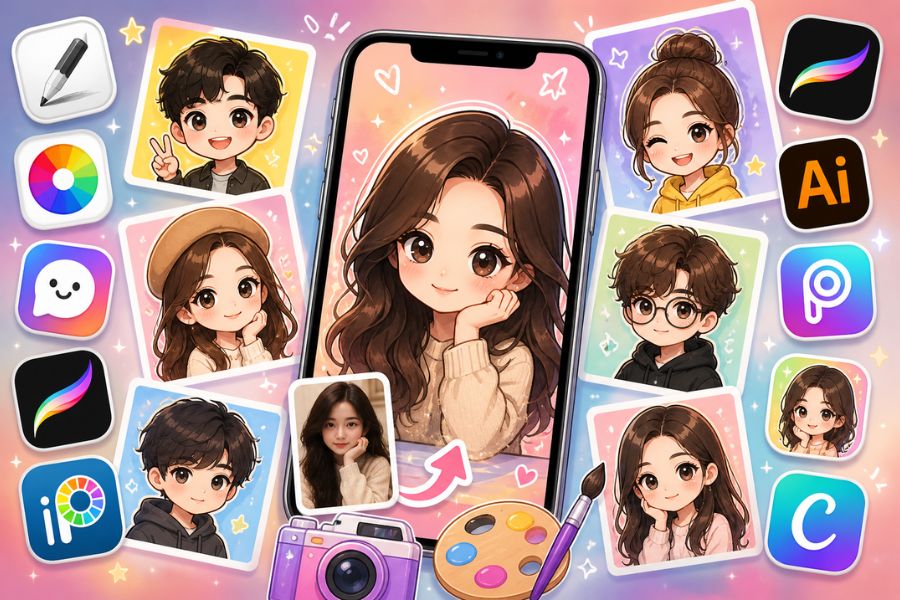
1. Draw Anime Chibi Tutorials
Offering a simple yet highly creative chibi-making experience, Draw Anime Chibi Tutorials is an ideal choice for anyone who wants to turn real photos into adorable cartoon versions right on their phone. Without requiring advanced drawing skills, this app helps users gradually get familiar with chibi styles through visual and easy-to-understand tutorials. The interface is designed to be user-friendly, with smooth operation that allows you to quickly create lively chibi images without any obstacles. Especially, using the app feels like playing a light entertainment game, allowing you to learn and create at the same time, making the process more enjoyable than ever.
Outstanding features:
Supports quick chibi image creation from real photos on Android phones
Provides detailed drawing tutorials suitable even for beginners
A diverse chibi template library for users to choose and practice with
Intuitive interface, easy to use without causing confusion
Free access to all features without requiring payment
Game-like experience that creates a relaxing feeling during use
.jpg)
2. IbisPaint
Highly popular among digital drawing enthusiasts, IbisPaint is considered a “powerful assistant” for anyone who wants to elevate their chibi image creation skills from real photos. It goes beyond simple photo conversion by allowing users to freely create and customize every detail of their artwork. Thanks to its professional and diverse tool system, IbisPaint is suitable for both beginners and experienced artists. Learning to draw chibi becomes easier with layer-based tutorials, helping users clearly understand each step in completing a polished piece. This is exactly why IbisPaint appears in most online chibi drawing tutorial videos.
Outstanding features:
Supports highly detailed chibi creation with flexible customization
More than 15,000 brush types for diverse creative styles
A library of 1,000 fonts for adding text to images
27 professional blending modes
5,300 drawing materials for vivid effects
80 filters for optimizing colors and photo styles
Ruler tools for precise line alignment
Layer-based tutorials suitable for beginners
3. MomentCam
With its unique comic-inspired style, MomentCam offers an extremely fun chibi creation experience with vibrant colors and expressive characters. This app lets you turn real photos into funny chibi characters in just a few simple steps while adding humorous elements like stickers and decorative frames to make your images more impressive. More than just an editing tool, MomentCam also creates a community space where users can share and discover creative chibi works from around the world. It is a perfect choice for those who love fresh and unique chibi creation experiences.
Outstanding features:
Converts real photos into high-quality chibi images or videos
Supports fast saving of images and GIFs directly to your phone
Includes over 100 free stickers to enhance creativity
A rich collection of expressions and styles for easy customization
Friendly interface with quick operation
Allows participation in a global chibi-sharing community directly in the app
.jpg)
4. Procreate
With its modern interface and flexible customization, Procreate is a familiar choice for users who want to create chibi images from real photos in a more professional style. This app is not only suitable for drawing enthusiasts but is also highly rated by designers thanks to its powerful tools and smooth drawing experience. One interesting feature is that users can customize or import external brushes, making the creative process more diverse and personalized. Although not the most advanced design software, Procreate still performs excellently for sketching and creating beautiful chibi artwork while learning and exploring creativity on mobile devices.
Outstanding features:
Supports smooth chibi drawing with high precision
A diverse brush library with support for importing external brushes
Intuitive interface optimized for touch controls
Layer-based drawing support for easier detailed editing
Professional color and blending effects
Reasonably priced and suitable for many users
5. Adobe AI
Known as a “giant” in the design industry, Adobe AI offers a highly advanced chibi creation experience with nearly limitless creative possibilities. It integrates a full range of tools from basic to advanced, helping users easily sketch, edit, and complete detailed, sharp chibi artwork. Multi-platform support also allows flexible work across both smartphones and computers. However, fully utilizing Adobe AI’s power requires some learning time due to its complex feature system. Even so, for serious chibi creators, it remains an incredibly valuable tool.
Outstanding features:
Professional tools for creating high-quality chibi images
A wide variety of brushes, colors, and creative effects
Supports framing, ratio alignment, and precise sketching
Integrated advanced editing features
Works across multiple devices: smartphones and computers
Suitable for users with professional design needs
.jpg)
6. PicsArt
PicsArt is an ideal app for anyone who wants to create chibi images quickly without requiring too many skills. With just a few simple steps, you can transform real photos into adorable cartoon images with eye-catching effects. Beyond that, PicsArt also offers many editing tools such as blur effects, brightness enhancement, and color adjustments to perfect your image. Thanks to constant feature updates, this app always delivers a fresh creative experience suitable for both beginners and long-time chibi enthusiasts.
Outstanding features:
Supports fast chibi creation from real photos in just a few steps
A rich collection of effects and filters, easy to apply
Flexible collage-making features for creativity
Diverse editing tools: lighting, color, and sharpness adjustments
Friendly interface suitable for beginners
Constant updates to keep up with creative trends
7. Chibi Avatar Maker
Chibi Avatar Maker helps users quickly create adorable and flexible chibi images. The app allows customization of nearly every character detail, from facial features to outfits, delivering a simple yet highly enjoyable creative experience. Even without an internet connection, you can freely design chibi characters anytime and anywhere, making it extremely convenient for mobile users.
Outstanding features:
Supports chibi creation with customizable facial features, skin color, and size
Many hairstyle, hair color, and length options
A diverse wardrobe and accessory collection with multiple styles
Quick image saving or direct sharing to social media
Works offline without requiring internet access
(1).jpg)
8. Canva
More than just a familiar design tool, Canva also supports simple chibi image creation thanks to its frames, stickers, and convenient drawing tools. Its friendly interface helps beginners quickly get started and create creative chibi characters without complex skills. With just a free account, you can begin designing impressive chibi images directly on your phone or computer.
Outstanding features:
Supports chibi creation with frames, stickers, and drawing tools
Easy drag-and-drop interface suitable for beginners
A rich library of resources: images, icons, and fonts
Easy editing, saving, and sharing
Free version available with upgrade options when needed
9. How to Draw Anime
Designed for beginner artists, How to Draw Anime is an ideal app for practicing and creating chibi images through step-by-step guidance. A rich lesson library combined with tutorial videos helps users easily learn character drawing from basic to advanced levels. Besides chibi styles, the app also supports many other cartoon styles, providing an enjoyable and accessible drawing experience.
Outstanding features:
Supports chibi creation through step-by-step tutorials
A diverse collection of templates with detailed video guides
Suitable for both beginners and experienced artists
Integrated creative coloring mode
Easy drawing practice directly on your phone
(1).jpg)
10. Unnie Doll & Oppa Doll
Unnie Doll and Oppa Doll allow users to quickly create chibi images with separate male and female characters. The app offers countless customization options from facial features and clothing to accessories, helping users create unique chibi images according to personal preferences. Although some content requires payment, the free version is still sufficient for extensive creativity.
Outstanding features:
Supports separate male (Oppa) and female (Unnie) chibi creation
Many detailed customization options: eyes, hair, clothes, accessories
Cute style that perfectly matches modern youth trends
Simple and easy-to-use interface
A diverse free resource library with optional premium upgrades
11. Conclusion
With the combination of technology and creativity, chibi creation apps have made transforming real photos into cartoon drawings simpler and more enjoyable than ever. Each tool offers unique advantages, from easy-to-use interfaces to highly detailed customization options, meeting diverse user needs. The value of chibi images lies not only in their aesthetics but also in their ability to express personality and unique digital identity. Choosing the right app and making the most of its features will help you create distinctive and impressive images. This trend continues to grow strongly, opening up many new creative opportunities, so exploring chibi image creation apps will certainly bring exciting and inspiring results.





















VIP Products








Best Selling Products
Copyright Adobe Lightroom Account
59 USD
Windows 10 & 11 Pro Key
36 USD
Upgrade Duolingo Super
29 USD
Upgrade Genuine Office 365
49 USD
Plugin Retouch4me
69 USD
Autodesk All App Account Copyright
120 USD
Adobe Premiere Pro Account
99 USD
Freepik Premium Account
59 USD
Upgrade genuine Capture One account
120 USD
MidJourney Account
29 USD
Adobe Photoshop Copyright - Full App
120 USD
Genuine Adobe Illustrator account
99 USD
ChatGPT Plus Account (GPT-4)
16 USD
Genuine Cheap Canva Pro
39 USD
Capcut Pro 1 Year
39 USD