Best Selling Products

Adobe Premiere Pro Account
99 USD

Genuine Cheap Canva Pro
39 USD

Autodesk All App Account Copyright
120 USD

Adobe Photoshop Copyright - Full App
120 USD

ChatGPT Plus Account (GPT-4)
16 USD

Upgrade Duolingo Super
29 USD

Plugin Retouch4me
69 USD

Freepik Premium Account
59 USD

Windows 10 & 11 Pro Key
36 USD

MidJourney Account
29 USD

Genuine Adobe Illustrator account
99 USD

Capcut Pro 1 Year
39 USD

Upgrade genuine Capture One account
120 USD

Upgrade Genuine Office 365
49 USD

Copyright Adobe Lightroom Account
59 USD
Remove.bg – The Leading Fast and Accurate Online Transparent Background Solution
Nội dung
- 1. Remove.bg – The Leading Fast and Accurate Online Transparent Background Solution
- 2. PhotoRoom – The Best Online Transparent Background Tool for Selling Products
- 3. Adobe Express – A Free, High-Quality Online Transparent Background Tool
- 4. Canva – A Convenient Online Transparent Background Tool for Marketers
- 5. Pixlr – A Versatile Online Photo Editor with Free Background Removal
- 6. Slazzer – An Advanced AI Online Transparent Background Tool
- 7. Removal.ai – An Online Transparent Background Tool for Batch Processing
- 8. PhotoScissors – An Online Transparent Background Tool for Difficult Details
- 9. Clipping Magic – A Highly Accurate Online Transparent Background Tool
- 10. Fotor – A Comprehensive Online Transparent Background Tool with Full Editing Features
- 11. Conclusion
If you are looking for an online transparent background tool that is both fast and accurate, Remove.bg is almost the “national favorite” choice.
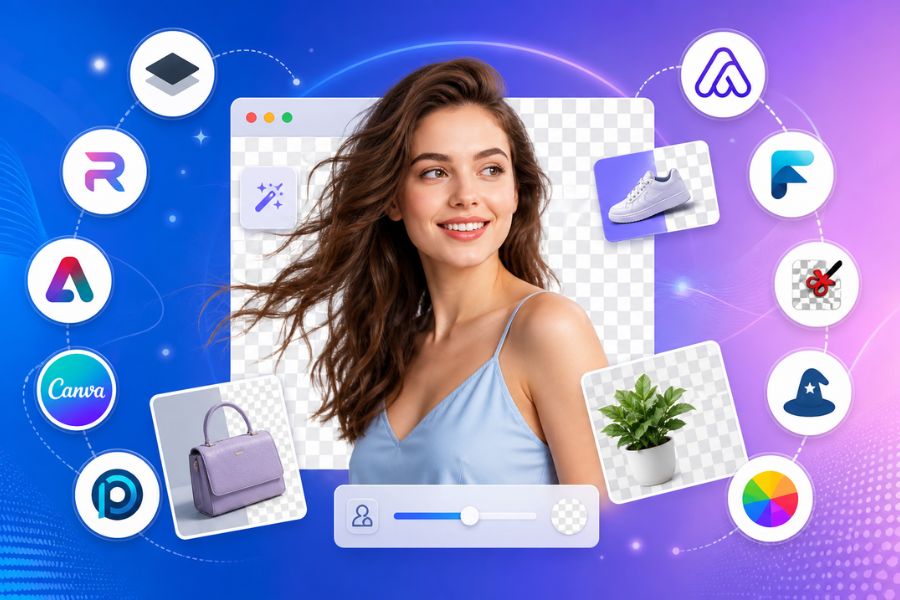
1. Remove.bg – The Leading Fast and Accurate Online Transparent Background Solution
If you are looking for an online transparent background tool that is both fast and accurate, Remove.bg is almost the “national favorite” choice. The platform’s biggest strength lies in its ability to handle highly complex details such as hair, fur, or blurry edges—things that many other tools often fail to cleanly process. Simply upload your image, and within seconds you will get a sharp transparent background result without needing any editing skills. Remove.bg is especially suitable for designers, marketers, or online sellers who need to process large numbers of images while maintaining professional quality.
Key features:
100% automatic AI background removal, no manual editing needed
Extremely accurate handling of hair and complex edge details
Fast processing speed, only takes a few seconds per image
Supports high-quality HD downloads
Provides API integration for websites and software
Allows editing the new background immediately after removal
.jpg)
2. PhotoRoom – The Best Online Transparent Background Tool for Selling Products
PhotoRoom is the ideal choice if you are running an online business and need professional transparent background images quickly and efficiently. This tool goes beyond background removal by allowing you to edit directly, add new backgrounds, insert text, create shadows, and more—all on the same platform. PhotoRoom’s biggest strength is its smooth performance on both mobile devices and web browsers, allowing you to edit images anytime, anywhere. For e-commerce users, it is practically a “powerful assistant” for making product photos more attractive and eye-catching.
Key features:
Fast AI-powered automatic background removal
Edit and replace backgrounds directly on web/app
A diverse background library for many industries
Optimized product images for e-commerce platforms
Supports high-quality transparent background exports
Friendly interface, easy for beginners
3. Adobe Express – A Free, High-Quality Online Transparent Background Tool
Adobe Express delivers a professional online transparent background experience powered by Adobe’s industry-leading technology. Even though it is free, Adobe Express offers highly impressive background removal quality with smooth, sharp, and natural edges. This is the perfect choice for those already familiar with the Adobe ecosystem or anyone wanting advanced editing options after background removal. In addition, Adobe Express integrates many other design tools, making it easy to turn a simple image into a polished asset for social media or marketing use.
Key features:
Highly accurate automatic background removal
Preserves image details with smooth, natural edges
Built-in design and photo editing tools
Works online, no software installation required
Seamlessly integrates with Adobe’s ecosystem
Suitable for both personal and professional design
.jpg)
4. Canva – A Convenient Online Transparent Background Tool for Marketers
Canva is not only a familiar design platform but also includes a powerful transparent background feature (available in Pro). Canva’s biggest advantage is that you do not need to switch between multiple tools—everything from background removal, editing, text insertion, to banner design can be done within the same ecosystem. This saves significant time, especially for marketers, content creators, or online sellers. With just a few clicks, you can transform an ordinary image into a professional asset ready to publish.
Key features:
One-click AI background removal
Built into Canva’s design ecosystem
Easily add text, icons, and layouts after removal
Rich template library for marketing and social media
Supports high-quality transparent exports
Intuitive interface suitable for beginners
5. Pixlr – A Versatile Online Photo Editor with Free Background Removal
Pixlr is one of the most versatile online image editors, while also supporting free transparent background creation. It goes beyond simple background removal by offering a Photoshop-like editing experience directly in your browser, allowing detailed image adjustments after background separation. This makes it ideal for users who want both quick background removal and deeper image editing without installing heavy software. With Pixlr, you can create impressive visuals in just minutes.
Key features:
Free AI-powered background removal
Advanced editing tools similar to Photoshop
Works directly in the browser, no installation needed
Supports layers, effects, and diverse filters
Allows PNG transparent exports
Suitable for beginners and experienced users
.jpg)
6. Slazzer – An Advanced AI Online Transparent Background Tool
Slazzer uses modern AI technology to create transparent backgrounds online with high accuracy, especially effective for images with complex backgrounds. Its standout feature is strong subject recognition, helping preserve sharp details without messy edges. This makes it a suitable choice for designers, photographers, or professionals handling high-quality image editing. Slazzer also supports integration with various software and workflows, optimizing productivity significantly.
Key features:
Advanced AI-powered background removal with high accuracy
Handles complex, detail-heavy backgrounds effectively
Sharp edge preservation with minimal color bleeding
Supports software and API integration
Fast processing for professional workflows
Allows high-quality transparent downloads
7. Removal.ai – An Online Transparent Background Tool for Batch Processing
Removal.ai is the optimal solution if you need to create transparent backgrounds online for large quantities of images in a short time. It stands out with batch processing capabilities, saving huge amounts of time for e-commerce sellers, marketers, or product catalog managers. Even when processing many images at once, Removal.ai maintains sharp output quality and clean background separation. It is a strong choice for balancing speed and efficiency.
Key features:
Fast automatic AI background removal
Supports processing multiple images simultaneously
Maintains image sharpness after background separation
Exports high-resolution transparent images
Suitable for businesses and online shops
Simple and easy-to-use interface
.jpg)
8. PhotoScissors – An Online Transparent Background Tool for Difficult Details
PhotoScissors is a relatively lightweight tool but highly effective for creating transparent backgrounds online, especially for images with difficult details such as hair, trees, thin objects, or messy backgrounds. Its biggest advantage is quick automatic separation, allowing users to achieve fairly clean results with minimal effort. This makes it suitable for users who need basic to intermediate image editing without learning complicated software.
Key features:
Automatic AI background separation with simple operation
Handles small and complex details well
Easy-to-use interface for beginners
Supports manual editing for fine adjustments
Fast transparent exports
Works online, no installation required
9. Clipping Magic – A Highly Accurate Online Transparent Background Tool
Clipping Magic is the choice for users who require high precision when creating transparent backgrounds online. In addition to AI automation, it allows detailed manual editing after background separation, giving complete control over the final result. This is especially useful for product images, commercial visuals, or cases requiring perfectly clean backgrounds. Clipping Magic offers a balance between automation and manual refinement for truly professional output.
Key features:
Automatic background removal combined with manual editing
High accuracy with detailed control
Easy keep/remove marking tools
Ideal for product and e-commerce photography
Supports high-quality transparent exports
Allows highly detailed edge refinement
.jpg)
10. Fotor – A Comprehensive Online Transparent Background Tool with Full Editing Features
Fotor not only supports transparent background creation online but also serves as a versatile photo editing platform. After removing the background, users can easily adjust colors, lighting, and contrast to create more harmonious and attractive images. This is a major advantage for those who want an “all-in-one” workflow without switching between multiple tools. Fotor is suitable for both beginners and professional content creators thanks to its intuitive interface and rich integrated features.
Key features:
Free automatic background removal
Integrated color and lighting adjustments after removal
A diverse library of effects and filters
Supports quick social media image design
High-quality transparent exports
Works online and is easy to use across all devices
11. Conclusion
It is clear that online transparent background tools are becoming increasingly popular thanks to their convenience, speed, and ease of use. Whether you are a beginner or an experienced designer, you can take advantage of these platforms to save time and improve image quality. Choosing the right tool will help you process images more effectively for work, study, or business purposes.





















VIP Products








Best Selling Products
Adobe Premiere Pro Account
99 USD
Genuine Cheap Canva Pro
39 USD
Autodesk All App Account Copyright
120 USD
Adobe Photoshop Copyright - Full App
120 USD
ChatGPT Plus Account (GPT-4)
16 USD
Upgrade Duolingo Super
29 USD
Plugin Retouch4me
69 USD
Freepik Premium Account
59 USD
Windows 10 & 11 Pro Key
36 USD
MidJourney Account
29 USD
Genuine Adobe Illustrator account
99 USD
Capcut Pro 1 Year
39 USD
Upgrade genuine Capture One account
120 USD
Upgrade Genuine Office 365
49 USD
Copyright Adobe Lightroom Account
59 USD