Best Selling Products

Plugin Retouch4me
69 USD

Genuine Cheap Canva Pro
39 USD

Upgrade Duolingo Super
29 USD

Autodesk All App Account Copyright
120 USD

Windows 10 & 11 Pro Key
36 USD

Adobe Premiere Pro Account
99 USD

Freepik Premium Account
59 USD

Upgrade genuine Capture One account
120 USD

Adobe Photoshop Copyright - Full App
120 USD

MidJourney Account
29 USD

Copyright Adobe Lightroom Account
59 USD

Capcut Pro 1 Year
39 USD

ChatGPT Plus Account (GPT-4)
16 USD

Genuine Adobe Illustrator account
99 USD

Upgrade Genuine Office 365
49 USD
5 reasons why Windows 11 still annoys many users.
Nội dung
Windows 11 has been improved through numerous updates, but some issues remain controversial. High hardware requirements, pre-installed software, suggested content, and some inconvenient operations are typical examples.
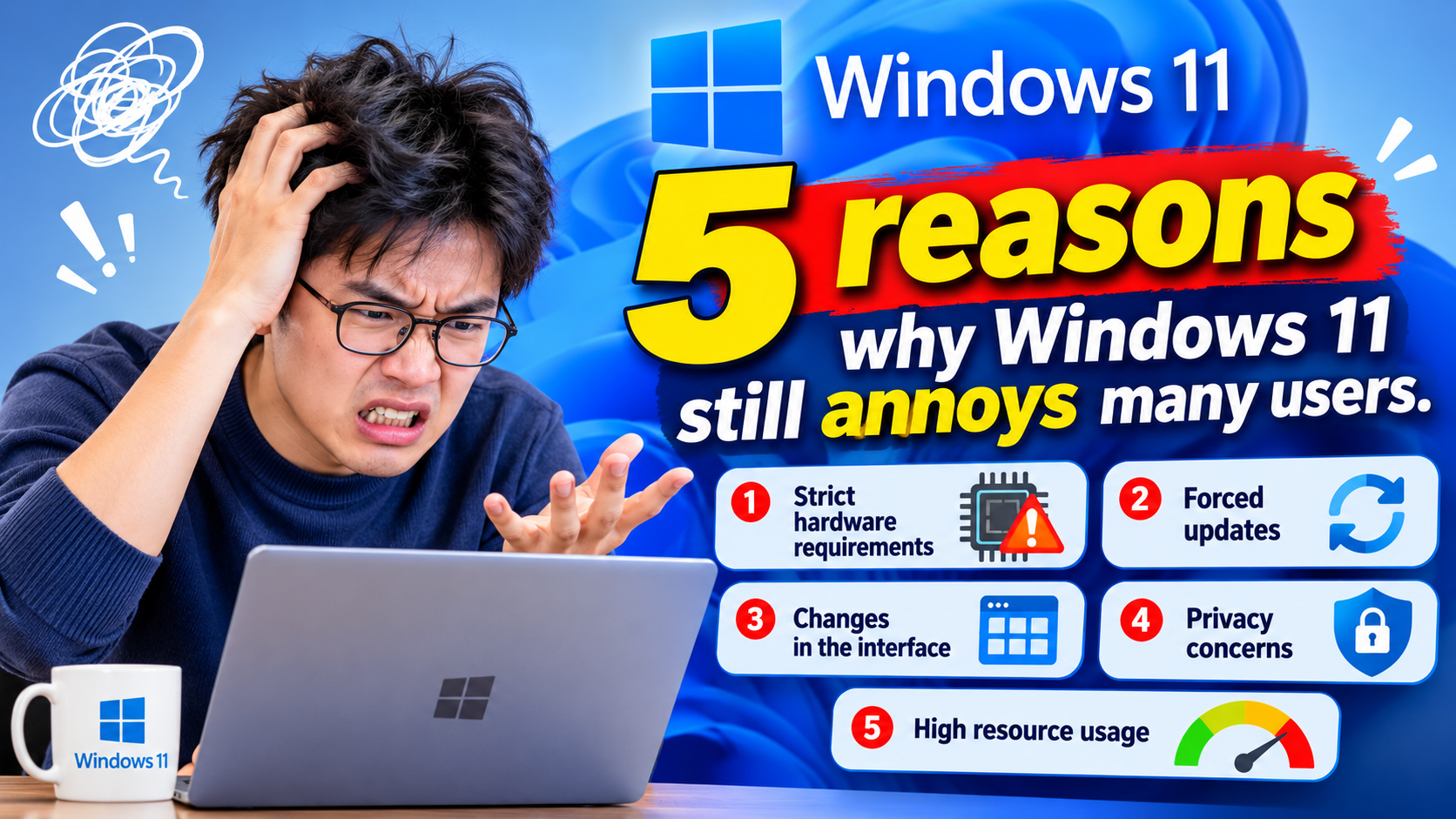
1. Strict hardware requirements
One of the most controversial issues with Windows 11 since its launch has been its relatively demanding hardware requirements.
Unlike Windows 10, which can run on many older computers, Windows 11 requires devices to meet certain security and hardware standards. Most notably, these include TPM 2.0, Secure Boot, and a list of officially supported processors by Microsoft.
TPM 2.0, or Trusted Platform Module, is a security technology that stores encryption keys, login credentials, and sensitive data in a separate, secure environment. Secure Boot also helps prevent malware from interfering with the computer's boot process.
From a security standpoint, these requirements are positive. However, they also create a significant barrier for users who own computers that are still in good working condition.
A computer with 8 GB of RAM, an SSD, and a processor powerful enough to handle office work, image editing, or running multiple applications simultaneously may still be ineligible for the official Windows 11 upgrade simply because the CPU is not on the supported list or the motherboard does not have TPM 2.0 enabled.
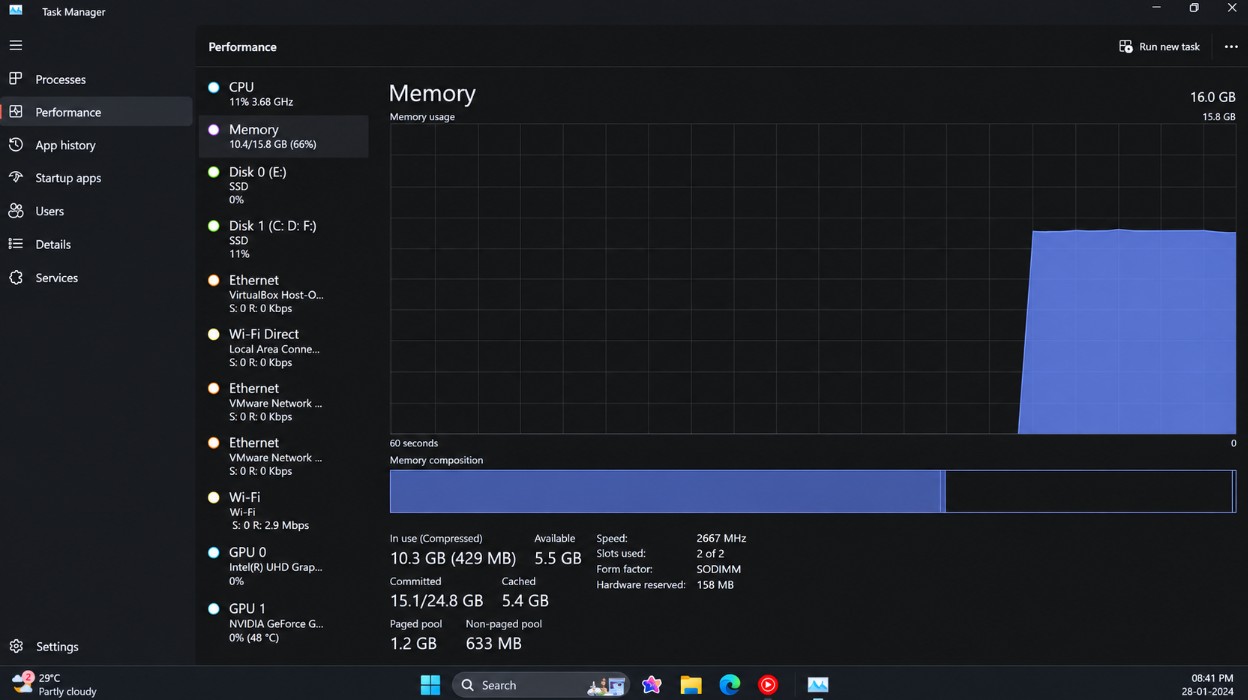
This has led many users to feel that their hardware is being wasted. Instead of continuing to use their current computer, they may have to upgrade their motherboard, processor, or even buy a new machine if they want to use Windows 11 according to Microsoft's standards.
Additionally, while there are many methods for installing Windows 11 on unsupported machines, this isn't a suitable option for everyone. These devices may experience issues with updates, drivers, or stability in the future.
Therefore, for those using older computers that still meet their daily needs well, Windows 11's hardware requirements remain one of the biggest reasons they hesitate to upgrade.
2. Performance on older machines isn't really that good.
Windows 11 is well-optimized for relatively new hardware systems, especially computers with SSDs, modern multi-core processors, and sufficient RAM. However, on older devices, the experience may be completely different.
Some users who switched from Windows 10 to Windows 11 noticed longer application startup times, less smooth interface animations, or slight lag when opening multiple windows simultaneously.
The cause doesn't necessarily stem from a specific error. Windows 11 integrates quite a few background services for security, data synchronization, search, content recommendations, widgets, and other additional features. When many services run simultaneously, the amount of RAM and CPU consumed increases.
On a modern computer with 16 GB or 32 GB of RAM, this difference might be difficult to notice. But with older laptops that only have 4 GB or 8 GB of RAM, the increased resource consumption can directly impact the user experience.
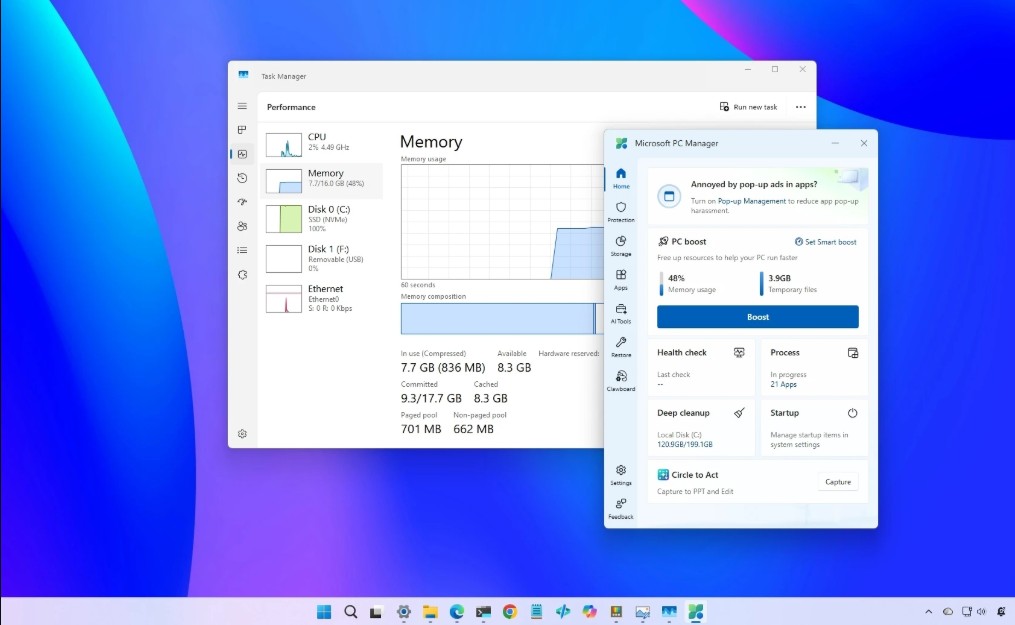
Another issue is that AI features are increasingly integrated into Microsoft's operating systems and applications. This trend is likely to continue expanding in the future. Low-end devices may not be able to fully utilize these new features or may have to handle additional background processes.
In addition, Windows 11 uses many transparency effects, animations, and modern graphics elements. These elements make the operating system more visually appealing but also put more strain on the integrated GPUs in older computers.
Users can disable certain effects, applications that start with Windows, or unnecessary services to improve speed. However, having to perform so many optimization steps just to make the operating system run as smoothly as the previous version is still a significant drawback.
Therefore, before upgrading, users of older laptops or PCs should carefully check their configuration and compatibility. Windows 11 doesn't always deliver better performance than Windows 10 on the same device.
3. Numerous pre-installed software programs and suggested content.
Another drawback that frequently annoys Windows 11 users is the sheer number of pre-installed apps, suggested content, and promotional notifications that appear in the operating system.
Immediately after the installation process is complete, users may see many applications or icons that they never requested. Some of these are Microsoft applications, while others may be third-party applications or services.
Many applications are simply download links and not fully installed. However, their appearance in the Start menu still makes the interface cluttered.
Besides bloatware, Windows 11 also frequently displays suggested content related to Microsoft services. Users may encounter prompts to use OneDrive, Microsoft Edge, Microsoft 365, or other features in various areas of the operating system.
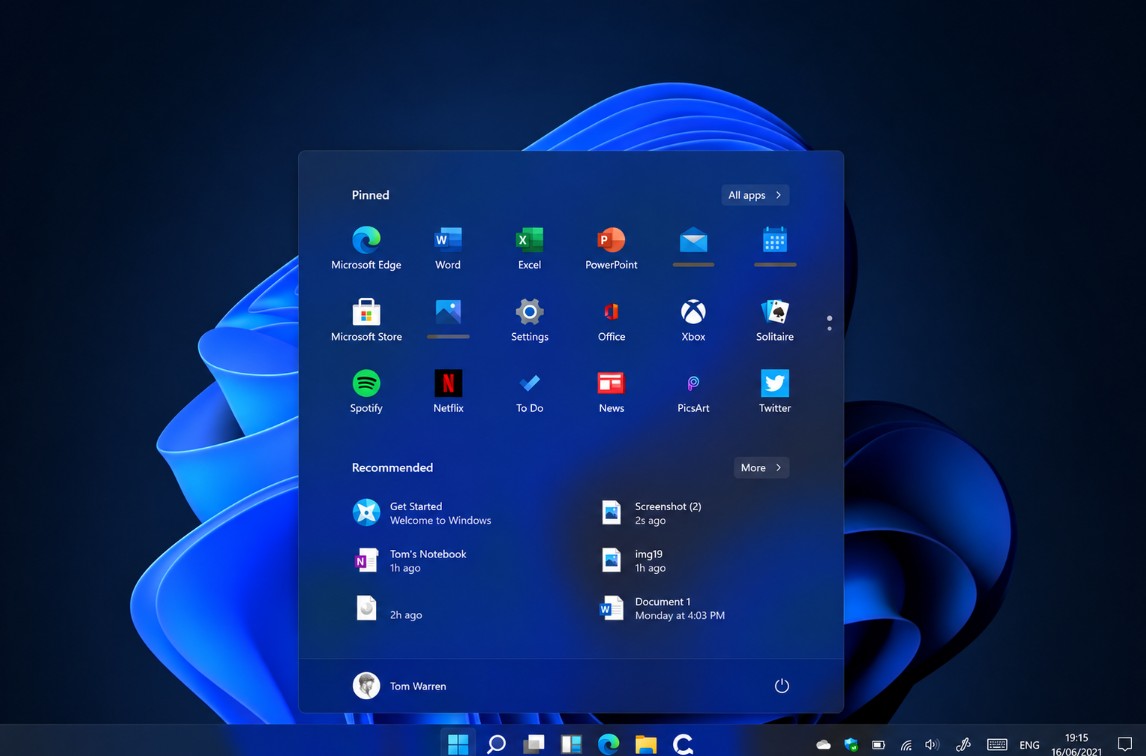
The Start Menu also has a Recommended area, which displays recent files or applications. In theory, this feature allows for faster access to content. However, for users who prefer a simple, private, and less distracting interface, this area is sometimes unnecessary.
Additionally, some notifications may appear in Settings or the notification system introducing new features, suggesting that device setup be completed, or encouraging the use of additional Microsoft services.
Most of these suggestions can be turned off in the settings. However, users must actively find and disable each option.
4. Some operations have become more cumbersome.
Windows 11 aims for a minimalist design style. However, the extreme minimalism in some areas makes familiar operations seem to involve more steps.
The most obvious example is the right-click menu. On Windows 10, right-clicking on a file or folder immediately gives users access to a wide range of options such as compressing data, sending the file, opening it with another application, or using features of third-party software.
In Windows 11, Microsoft redesigned the context menu to be more concise. Common commands like Copy, Paste, Rename, and Delete are prioritized with icons or easily accessible locations.
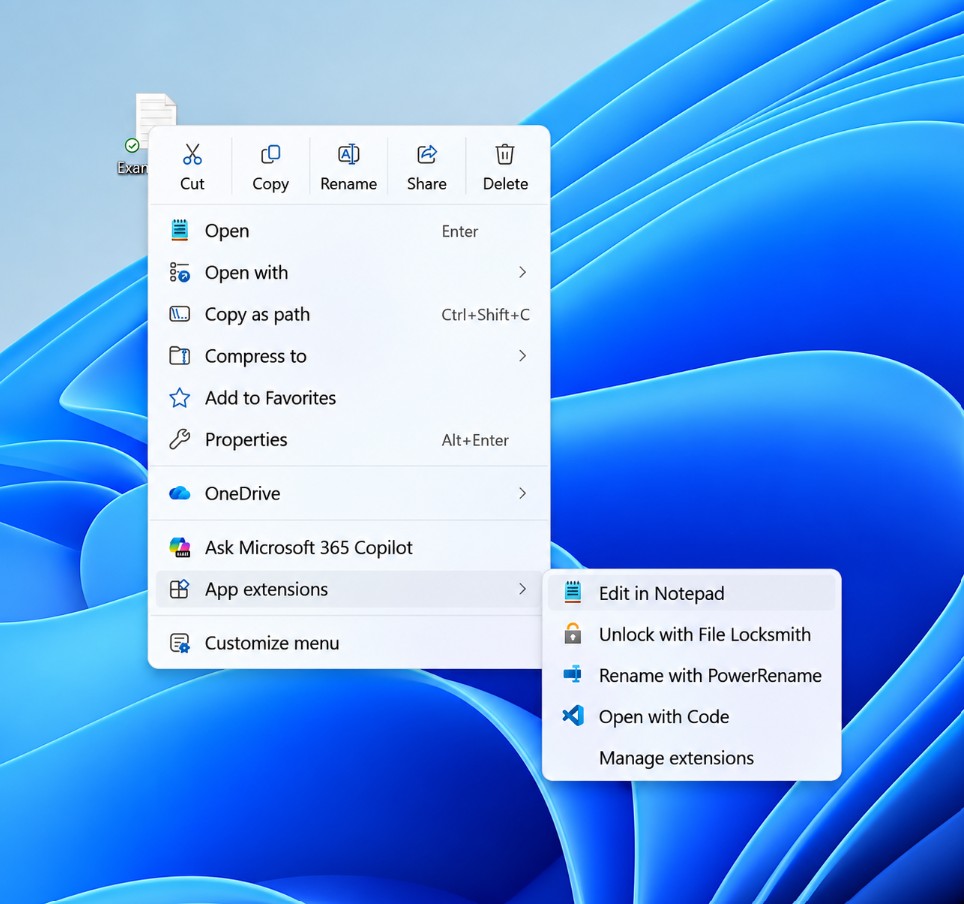
However, many other options are hidden. To access the full traditional menu, users must click "Show more options." This means that an action that previously only required a single right-click may now require an additional step.
The difference may seem small, but for someone who works constantly with File Explorer, hundreds of additional tasks each day can feel noticeably inconvenient.
Not only the context menu, but the Windows 11 Taskbar also had significantly fewer customization options compared to Windows 10 in some stages. Professional users who are used to changing the Taskbar's position, arranging tools, or deeply customizing the interface may find the new operating system less flexible.
5. Settings and Control Panel are not fully synchronized.
Windows 11 has a Settings app that is significantly more modernly designed than the one in Windows 10. The interface is clearly organized, with a fixed navigation bar and a search tool for quick access to options.
However, one long-standing problem on Windows remains unresolved: the coexistence of Settings and Control Panel.
Microsoft has been moving more and more options from the Control Panel to Settings. Common settings related to display, sound, Bluetooth, networking, accounts, and Windows updates can now be managed directly in Settings.
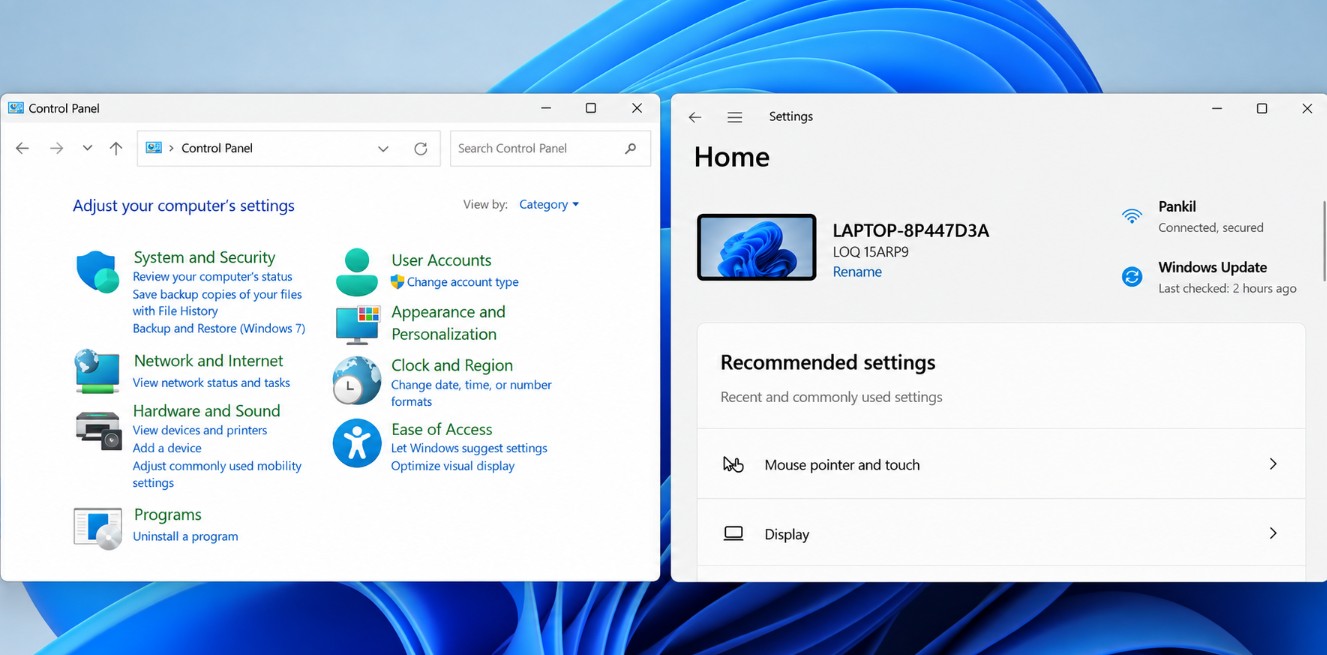
However, for some advanced customizations, users still have to go back to the Control Panel or open the old-style Windows administration windows.
There are times when users start configuring a function in Settings, but after a few clicks, they are redirected to a window with an interface reminiscent of previous Windows versions. The differences in design, layout, and terminology can easily confuse new users.
Professional users usually don't have too much difficulty because they are already familiar with the Control Panel. However, for new computer users, remembering a setting located in Settings or the Control Panel is a different matter.
6. Conclusion
Windows 11 isn't a bad operating system. Microsoft has significantly improved the interface, security, multitasking capabilities, and many features to serve the modern work environment. On newer computers, Windows 11 can provide a fast, beautiful, and stable experience. If your device meets the hardware requirements and you want to take advantage of Microsoft's new features, Windows 11 is still a suitable choice. Conversely, for older computers or work environments heavily reliant on traditional software, peripherals, and processes, carefully checking compatibility before switching will help avoid unnecessary problems.





















VIP Products








Best Selling Products
Plugin Retouch4me
69 USD
Genuine Cheap Canva Pro
39 USD
Upgrade Duolingo Super
29 USD
Autodesk All App Account Copyright
120 USD
Windows 10 & 11 Pro Key
36 USD
Adobe Premiere Pro Account
99 USD
Freepik Premium Account
59 USD
Upgrade genuine Capture One account
120 USD
Adobe Photoshop Copyright - Full App
120 USD
MidJourney Account
29 USD
Copyright Adobe Lightroom Account
59 USD
Capcut Pro 1 Year
39 USD
ChatGPT Plus Account (GPT-4)
16 USD
Genuine Adobe Illustrator account
99 USD
Upgrade Genuine Office 365
49 USD