Best Selling Products

Adobe Photoshop Copyright - Full App
120 USD

Autodesk All App Account Copyright
120 USD

Copyright Adobe Lightroom Account
59 USD

Adobe Premiere Pro Account
99 USD

Plugin Retouch4me
69 USD

Upgrade Genuine Office 365
49 USD

ChatGPT Plus Account (GPT-4)
16 USD

Windows 10 & 11 Pro Key
36 USD

Freepik Premium Account
59 USD

Genuine Adobe Illustrator account
99 USD

Genuine Cheap Canva Pro
39 USD

MidJourney Account
29 USD

Upgrade genuine Capture One account
120 USD

Upgrade Duolingo Super
29 USD

Capcut Pro 1 Year
39 USD
5 things you need to know before upgrading to a new CPU.
Nội dung
Are you planning to upgrade your CPU to improve your computer''s performance? Discover 5 key factors to check, from motherboard compatibility and usage needs to cooling, RAM, power supply, and upgrade costs.
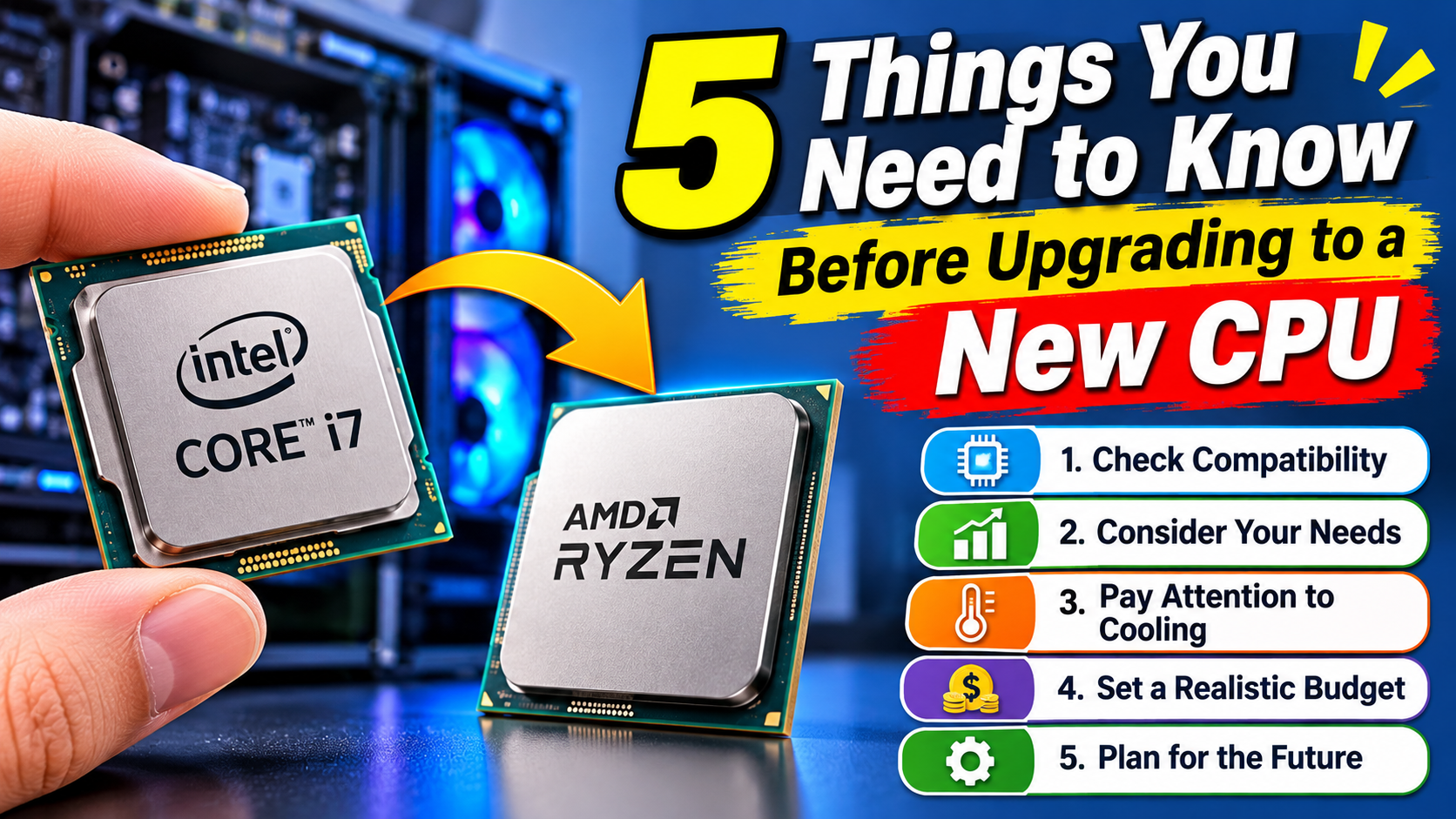
1. Check compatibility with the motherboard.
The first thing to do before upgrading your CPU is to check its compatibility with your motherboard. This is the component that connects the CPU to the RAM, graphics card, storage, and other components. Not all processors will work on the same motherboard, even if they come from the same manufacturer.
The first factor to consider is the socket, or the type of CPU socket. Each processor platform typically uses a specific socket type. For example, AMD Ryzen processors on the AM4 and AM5 platforms use two different socket types. Meanwhile, Intel Core 12th, 13th, and 14th generation desktop processors use the LGA1700 socket.
However, having the same socket doesn't mean all CPUs are compatible. Motherboard compatibility also depends on the chipset, hardware design, and BIOS/UEFI version. Some newer CPUs may work on older motherboards after a BIOS update, but there are also cases where the hardware doesn't support that processor.
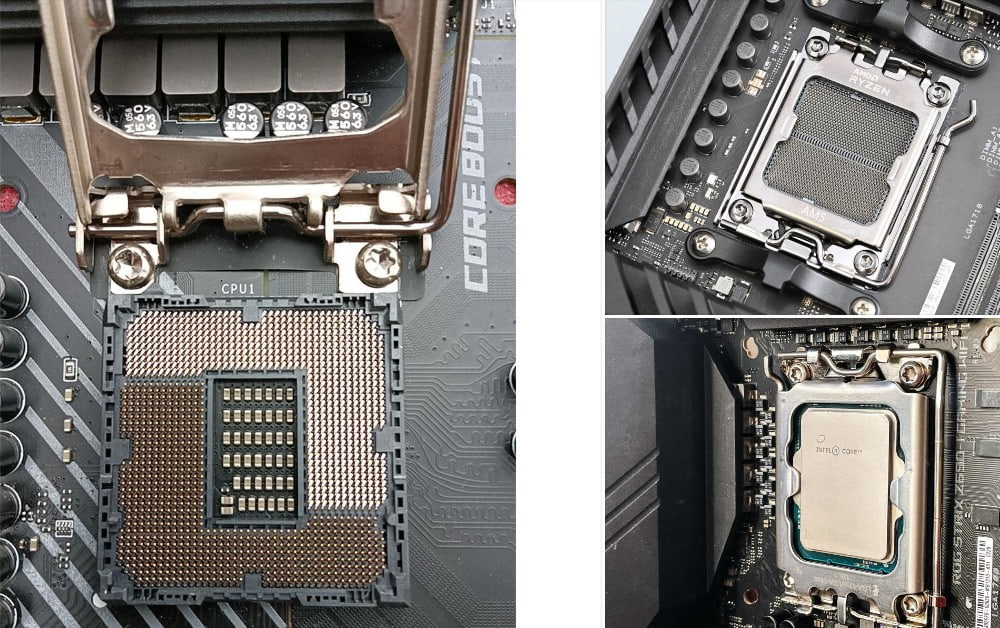
To check accurately, you should identify the name and model of your motherboard, then visit the manufacturer's official website. Under CPU support, find a list of compatible processors and the minimum BIOS version required.
If you're using a pre-built computer, you should also note that some models have their own BIOS or motherboard designs that limit upgrade possibilities. Therefore, you shouldn't buy a CPU based solely on socket information.
Checking compatibility thoroughly from the start will help you avoid buying the wrong components, incurring extra costs, or encountering errors that prevent your computer from booting.
2. Determine your usage needs to choose the right CPU.
CPUs come in many different segments, serving everything from basic office tasks to professional work. Therefore, before choosing, you need to clearly define your computer's purpose instead of just chasing the newest or most expensive CPU models.
For typical office work, studying, and entertainment, a mid-range processor or older CPU can still adequately meet needs such as web browsing, word processing, spreadsheet work, and online meetings. In cases where a computer is slow due to insufficient RAM or the use of an HDD, upgrading to an SSD or adding more RAM can sometimes provide a more noticeable improvement than replacing the CPU.
If you play games frequently, you need to pay attention to the balance between your CPU and graphics card (GPU). The CPU handles game logic, physics, artificial intelligence, and prepares data for the GPU. When the processor is too weak, it can become a bottleneck, preventing the graphics card from performing at its full potential.
However, not every game relies heavily on the CPU. At high resolutions with demanding graphics settings, the GPU usually handles the majority of the workload. Therefore, refer to average FPS tests, 1% FPS tests, and performance tests in the games you actually use.

For content creation tasks, such as 4K video editing, 3D graphic design, image processing, or software compilation, CPUs with multiple cores and threads can offer advantages in tasks that utilize multi-threading. However, efficiency depends on the software, GPU, RAM, and the type of project being processed.
The most sensible approach is to identify the task causing your computer to slow down, then find a CPU that can directly improve that problem. A processor that suits your actual needs is more valuable than buying a high-end model that you rarely use to its full potential.
3. Evaluate the cooling system and power consumption.
When upgrading a CPU, many people often focus on processing speed and forget about the amount of heat generated during operation. In reality, a more powerful CPU can consume more power under heavy load and requires a suitable cooling system.
If the heatsink isn't capable of dissipating enough heat, the CPU may automatically reduce its clock speed to protect the components. This phenomenon is called thermal throttling, and it can result in lower-than-expected actual performance.
Before buying a new CPU, check the type of cooler you're currently using and its capabilities. Mainstream processors can work well with a suitable air cooler, while some high-end CPUs require a larger cooler or an AIO liquid cooling system.
Besides cooling performance, you also need to check the compatibility of the heatsink mounting bracket, heatsink height, internal case clearance, and RAM stick placement. If reusing an old heatsink, confirm that it can fit on the new socket.
Power consumption is also a crucial factor. You shouldn't rely solely on the TDP number to assess the CPU's overall power requirements. Actual power consumption depends on power limits, operating modes, and workloads. Some processors may consume significantly more power when operating in boost mode.
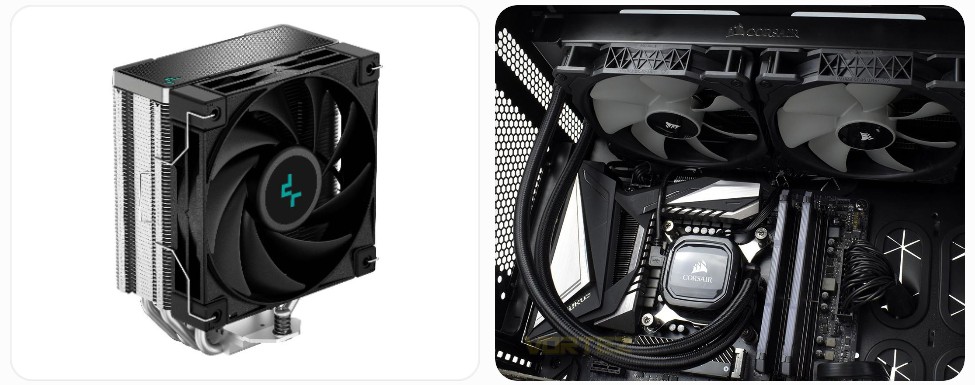
When replacing the CPU, clean off the old thermal paste, apply new, compatible paste, and ensure the heatsink is properly installed. After the upgrade, you should monitor the temperature, clock speed, and stability when the computer is running demanding tasks.
Choosing the right cooling system not only helps maintain performance but also contributes to reducing noise and ensuring the computer operates stably for a long time.
4. Check the RAM, power supply, and related components.
The CPU doesn't operate independently but depends on many other components. Therefore, before upgrading, you should assess the overall system to determine which components can continue to be used and which need replacing.
First, there's RAM. Different CPU and motherboard platforms may support either DDR4 or DDR5. These two types of memory are not directly interchangeable in the same slot. If a new CPU requires DDR5 while your current system only supports DDR4, you may have to buy both a new motherboard and new RAM.
RAM capacity also significantly impacts the user experience. When frequently opening multiple applications, working with high-resolution video, or handling large projects, insufficient RAM can slow down the computer even with a powerful CPU. Therefore, check your memory usage before deciding to upgrade.
Next is the power supply unit (PSU). New CPUs with higher power consumption can increase the overall system's power requirements, especially when paired with a powerful graphics card. You should check the actual wattage, the quality of the power supply, the necessary power connectors, and its ability to operate stably under heavy load. A good quality power supply with the appropriate wattage is generally more reliable than a product with only a high nominal wattage.
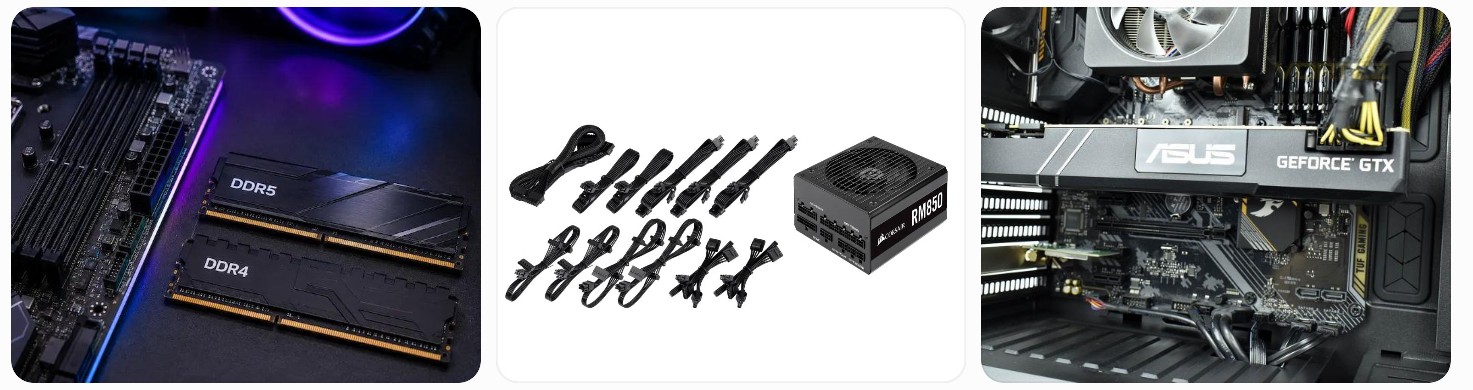
Graphics cards and storage also need to be considered. If the computer is primarily for gaming, upgrading the CPU needs to be balanced with upgrading the GPU. If the problem lies in boot speed or application opening times, switching from HDD to SSD may provide a more noticeable improvement.
Additionally, check the image output capabilities of the new CPU. Some processors don't have integrated graphics, so without a suitable dedicated graphics card, the computer might not be able to output images.
Finally, calculate the total cost if multiple components need replacing. In some cases, upgrading the CPU may require replacing the motherboard, RAM, heatsink, and even the power supply. Understanding these requirements will help you avoid unexpected budget overruns.
5. Consider the actual cost and performance.
The final factor is determining whether upgrading the CPU is truly worth the money. A new CPU model might be significantly more powerful in terms of specifications, but the improvement in everyday tasks may not necessarily justify the extra cost.
Before buying, look for independent reviews and compare the performance of your current CPU with the model you intend to upgrade to. Key metrics to consider include single-core performance, multi-core performance, processing speed in specialized software, FPS in gaming, and power consumption.
You should also compare the total cost instead of just looking at the CPU price. For example, a processor that costs 3 million VND might require additional components like a motherboard, RAM, and cooler, which could significantly increase the total budget. In that case, choosing a different CPU that is compatible with your current system might be more economical.
Besides cost, consider the long-term value. For those who frequently edit videos, design 3D models, or compile software, a more powerful CPU can significantly reduce task completion times. If the improvement results in substantial daily time savings, the investment may be entirely worthwhile.
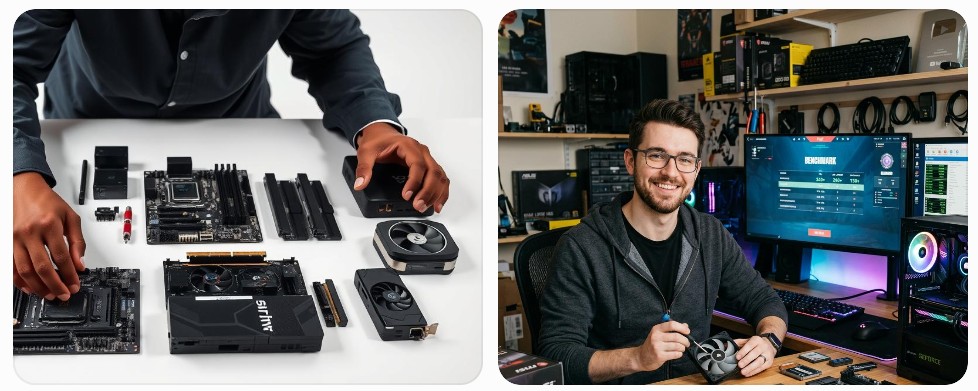
Conversely, if your computer only handles basic tasks, upgrading to a higher-end CPU may not make a significant difference. You should prioritize upgrading the components that are actually limiting your system's performance.
Don't forget to consider the warranty period, power consumption, future upgrade potential, and the value of your existing components. The goal isn't to own the most powerful CPU, but to achieve performance that's appropriate for the price.
6. Conclusion
Remember these three key principles: check compatibility before buying, choose based on your actual needs, and consider the total cost before upgrading . By following these steps, you'll easily find the right processor without chasing expensive configurations that exceed your needs.





















VIP Products








Best Selling Products
Adobe Photoshop Copyright - Full App
120 USD
Autodesk All App Account Copyright
120 USD
Copyright Adobe Lightroom Account
59 USD
Adobe Premiere Pro Account
99 USD
Plugin Retouch4me
69 USD
Upgrade Genuine Office 365
49 USD
ChatGPT Plus Account (GPT-4)
16 USD
Windows 10 & 11 Pro Key
36 USD
Freepik Premium Account
59 USD
Genuine Adobe Illustrator account
99 USD
Genuine Cheap Canva Pro
39 USD
MidJourney Account
29 USD
Upgrade genuine Capture One account
120 USD
Upgrade Duolingo Super
29 USD
Capcut Pro 1 Year
39 USD