Best Selling Products

Genuine Adobe Illustrator account
99 USD

Plugin Retouch4me
69 USD

Upgrade Duolingo Super
29 USD

Adobe Photoshop Copyright - Full App
120 USD

Upgrade Genuine Office 365
49 USD

MidJourney Account
29 USD

Adobe Premiere Pro Account
99 USD

Capcut Pro 1 Year
39 USD

Copyright Adobe Lightroom Account
59 USD

Autodesk All App Account Copyright
120 USD

ChatGPT Plus Account (GPT-4)
16 USD

Freepik Premium Account
59 USD

Upgrade genuine Capture One account
120 USD

Windows 10 & 11 Pro Key
36 USD

Genuine Cheap Canva Pro
39 USD
90% of users make this mistake as soon as they switch to a new phone.
Nội dung
Copying all your old data and settings might seem convenient, but it can have many negative consequences. The new device may become slow, the battery drains quickly, and it will be full of junk files right from the start. This is a common mistake, but few people realize it.
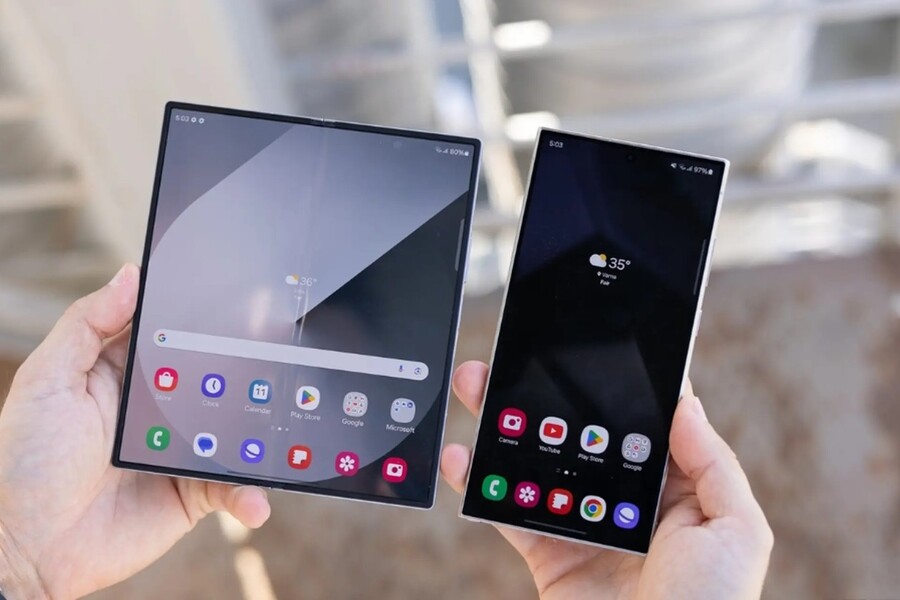
90% of users make this mistake as soon as they switch to a new phone.
Copying all your old data and settings might seem convenient, but it can have many negative consequences. The new device may become slow, the battery drains quickly, and it will be full of junk files right from the start. This is a common mistake, but few people realize it.
The feeling of unboxing a new phone is always very exciting. It's the moment you hold in your hand a sleek device with more powerful hardware, a camera touted as a "breakthrough," a smooth screen, and a longer-lasting battery than its predecessor. For the first few minutes, everything feels fresh and promising, as if you're about to embark on a completely different technological experience.
Unfortunately, for most users, that feeling quickly disappears after only a few days of use. The new phone, despite costing tens of millions of dong, offers an experience not much different from the old device: the phone starts to slow down, notifications become overwhelming and tiring, the interface is cluttered, and it doesn't inspire long-term use. Many even exclaim, "It's a new phone, but it feels no different!"
The problem isn't with the hardware, nor is it due to manufacturer hype in advertising. The issue lies in how we set up our new phones from the very beginning. The eagerness to experience the device immediately, combined with the laziness of reinstalling the software, has led most users to make a serious mistake: uncontrolled cloning of all their old data to the new device.
According to technology experts and user experience analysts, if you truly want your new phone to feel "worth the money" and distinctly different, the first thing you need to do is break old habits. Instead of viewing the initial setup process as a tedious step to be completed quickly, consider it the foundation that determines 80% of your long-term user experience. Below are three golden rules you should strictly apply when switching to a new phone.
Buy Genuine Licensed Software at Affordable Prices
1. The trap called "copy all data"
Before delving into specific principles, it's important to understand why cloning data from an old device to a new one is such a common mistake.
Today, phone manufacturers and operating system platform providers are striving to optimize the device migration process. With just a few simple steps using tools like Smart Switch, Move to iOS, or Google Restore, almost all the data from your old phone can be copied to your new one.
In terms of convenience, this is a huge step forward. But in terms of user experience, it has many potential drawbacks.
.jpg)
First, your old phone is already "tired." After a few years of use, it's often full of apps you installed for fun and then forgot about, junk data, excess cache memory, and outdated settings. When you transfer everything to a new phone, you're not only transferring data, but also "outdated usage habits" to a completely different hardware platform.
Secondly, this copying process means the new phone doesn't have a chance to truly "start from scratch." Instead of beginning as a streamlined device optimized for your current needs, it immediately becomes a copy of the old one, differing only in its exterior and specifications.
Therefore, if you want a truly groundbreaking experience, you need the courage to do what many people are most afraid of: starting over, selectively.
2. Break the habit of "hoarding" old apps on your new phone.
One of the biggest mistakes users make when switching phones is transferring hundreds of apps from their old phone to the new one. Just look at the app list of a smartphone that's been used for two or three years, and you'll see a very familiar picture: a multitude of apps that were installed out of curiosity, because of a promotional offer, or because of a very short-term need.
It could be a home appliance control app you sold a long time ago. It could be photo editing software you used once and then forgot about. It could even be a shopping app you can't remember the last time you opened it. But because of the habit of "if it's available, just leave it there," all of these things still remain on your device.
When using the quick toggle tool, you inadvertently turn your new phone into a "digital junk dump" from the very first moment it boots up. This has three distinct consequences.
.jpg)
First and foremost, it wastes memory and system resources. Every application, even when not open, still occupies storage space and sometimes runs background processes. With new devices, this may not cause immediate problems, but in the long run, it reduces performance and battery life.
Secondly, it disrupts the user experience. A screen full of icons and many unused apps makes it harder to find what you really need. You have to perform more steps just to open a familiar app, and this subtly erodes your satisfaction with using the device.
Third, and most importantly, you're missing the opportunity to refresh your digital habits. A new phone should be a chance to ask yourself: "What apps do I really need in my life right now?"
The solution here isn't to transfer data and then delete it, but to perform a clean install from the start. Log in to your account, sync essential data like contacts, photos, and important notes, and then only reinstall the apps you're sure to use frequently.
A simple but very effective principle is: if you can't remember the name of an app on your old device, it's not important. Don't waste time searching for and reinstalling it. This not only helps your device run more smoothly and efficiently, but also gives you a sense of control and ownership over your device.
3. Set up notifications from the start.
Notifications are one of the biggest factors impacting the smartphone user experience, yet they are often overlooked during new device setup. A common habit among many is to indiscriminately tap "Allow" whenever an app asks for permission to send notifications, simply to quickly complete the setup process.
.jpg)
As a result, after a few days, the new phone constantly vibrates, rings, and lights up with all sorts of notifications: from social media, shopping apps, games, news, to disguised advertisements. This is not only annoying but also creates invisible psychological pressure, making you feel constantly pulled away from work or real life.
When you get a new phone, you're presented with a golden opportunity to redefine your digital boundaries. Instead of letting apps decide when they can bother you, be proactive.
The correct approach is: install an app, grant permissions to that app, and only grant permissions that are truly necessary. A messaging app might need instant notifications. But a shopping or news app doesn't necessarily need to send constant notifications.
A tech editor from Android Police shared his firsthand experience setting up his Motorola G Play 2026. He stated that manually configuring and limiting notification permissions from the start not only reduced his distractions but also completely changed his perception of notifications. Instead of feeling overwhelmed, he began to appreciate each notification he received, knowing that they contained truly important information, not spam.
Buy Genuine Licensed Software at Affordable Prices
4. Don't live forever in the 2007 interface.
A common "digital aesthetic" mistake is copying the home screen layout from an old phone to a new one. The result is that even with a modern device featuring a large screen, high refresh rate, and extensive customization options, your interface still looks like an early 2007 iPhone: icons crammed together, no breathing space, no focal points.
This habit makes the user experience boring. You don't feel the difference with the new device because every time you unlock the screen, what you see is still the same old, cluttered, and uninspired layout.
Meanwhile, today's mobile operating systems have advanced significantly. Widgets are no longer just dry blocks of information, but are beautifully designed, flexible, and highly personalized. From weather and schedules to reminders and quick notes, widgets transform the home screen into a vibrant space where important information is always readily available.
Additionally, using smart folders, organizing apps by usage context, or even experimenting with new launchers can provide a completely different experience. It's not about showing off, but about optimizing how you interact with your device every day.
.jpg)
Interface design isn't just about aesthetics; it directly impacts emotions and performance. A clean, eye-catching home screen, personalized to your current needs, will make you feel like your new phone is truly "yours," not a soulless copy of your old device.
Buying a new phone isn't just about upgrading the hardware. It's an opportunity to refresh your digital experience, readjust your usage habits, and enjoy the technologies you've paid for.
Don't save a few minutes on setup and turn a modern smartphone into an outdated copy of an old device. Take the time to do a clean install, select apps, control notifications, and redesign the interface to suit your current lifestyle.
The difference might not be immediate, but after a few weeks of use, you'll realize that the new phone not only runs smoother, but also provides a more positive and inspiring user experience every day. And that's the real value of an upgrade.





















VIP Products








Best Selling Products
Genuine Adobe Illustrator account
99 USD
Plugin Retouch4me
69 USD
Upgrade Duolingo Super
29 USD
Adobe Photoshop Copyright - Full App
120 USD
Upgrade Genuine Office 365
49 USD
MidJourney Account
29 USD
Adobe Premiere Pro Account
99 USD
Capcut Pro 1 Year
39 USD
Copyright Adobe Lightroom Account
59 USD
Autodesk All App Account Copyright
120 USD
ChatGPT Plus Account (GPT-4)
16 USD
Freepik Premium Account
59 USD
Upgrade genuine Capture One account
120 USD
Windows 10 & 11 Pro Key
36 USD
Genuine Cheap Canva Pro
39 USD