Best Selling Products

Upgrade genuine Capture One account
120 USD

MidJourney Account
29 USD

ChatGPT Plus Account (GPT-4)
16 USD

Upgrade Genuine Office 365
49 USD

Genuine Adobe Illustrator account
99 USD

Freepik Premium Account
59 USD

Genuine Cheap Canva Pro
39 USD

Plugin Retouch4me
69 USD

Autodesk All App Account Copyright
120 USD

Upgrade Duolingo Super
29 USD

Adobe Photoshop Copyright - Full App
120 USD

Copyright Adobe Lightroom Account
59 USD

Windows 10 & 11 Pro Key
36 USD

Capcut Pro 1 Year
39 USD

Adobe Premiere Pro Account
99 USD
Adobe Dreamweaver Account
Nội dung
- 1. What is Dreamweaver?
- 2. What are the benefits of using Dreamweaver?
- 3. Features of Adobe Dreamweaver
- 4. How Dreamweaver works
- 5. Who should use Adobe Dreamweaver?
- 6. Where should I upgrade Adobe Dreamweaver?
- 6.1 Software Warehouse – A reliable address for upgrading Adobe Dreamweaver
- 6.2 Dedicated Support Service – The Customer is Our Number One Priority
- 6.3 Competitive pricing – Value for quality
- 7. Conclusion
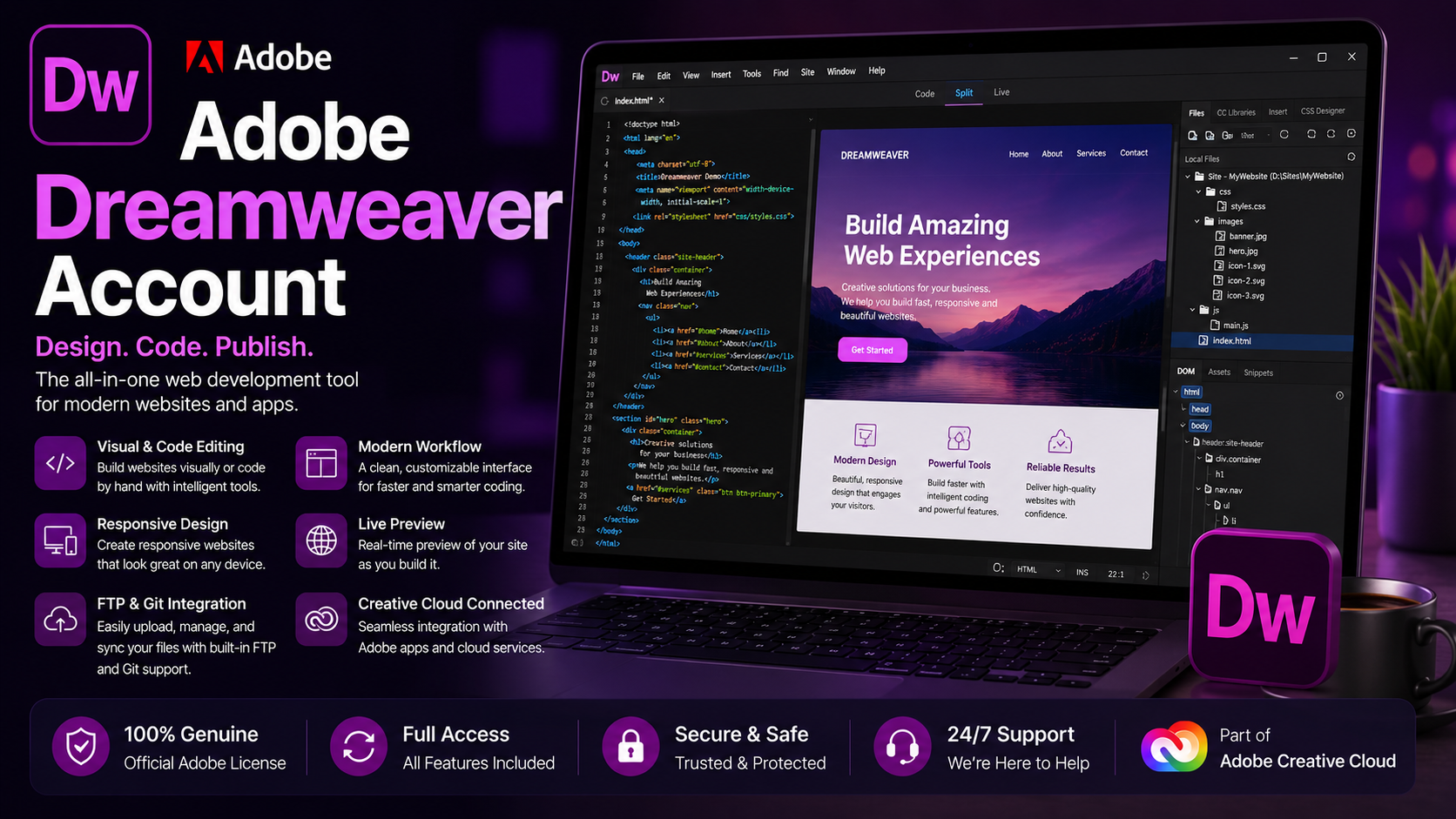
An Adobe Dreamweaver account is a professional web design and development tool that helps users create modern, cross-platform websites without requiring extensive programming knowledge. With its intuitive interface and powerful features, Dreamweaver is an ideal choice for web designers and programmers.
1. What is Dreamweaver?
Adobe Dreamweaver is a professional web design and development tool, notable for its ability to combine code editing and visual design. Originally developed by Macromedia, the software was acquired by Adobe and has been continuously improved, providing users with a modern, powerful, and easy-to-use working environment. Dreamweaver allows you to design web interfaces visually while still being able to deeply customize the source code, making it suitable for both beginners and professional programmers.
Not only does Dreamweaver support HTML, CSS, and JavaScript, it's also compatible with many other programming languages, making website building faster and more flexible than ever. In particular, this software offers a multilingual interface, making it easily accessible to users in many different countries. With Dreamweaver, you can create modern, SEO-optimized websites that are compatible with multiple devices, expanding your opportunities for growth and reaching a global audience.
2. What are the benefits of using Dreamweaver?
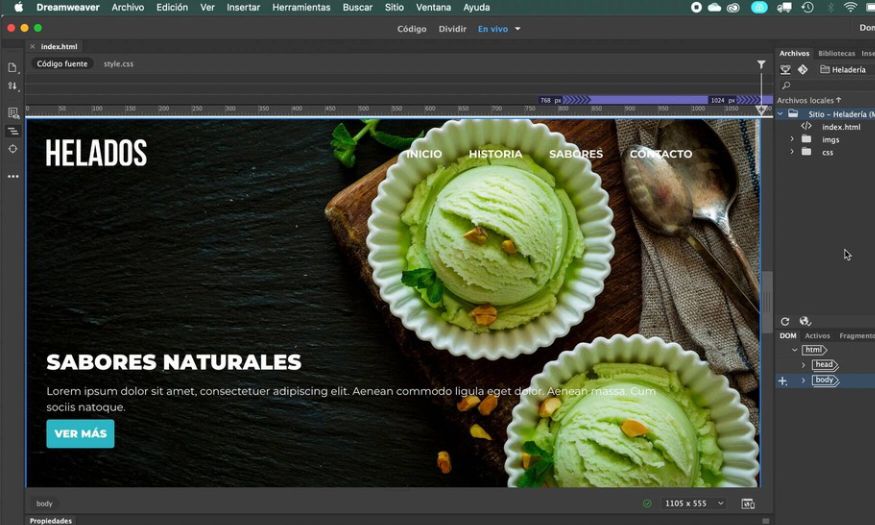
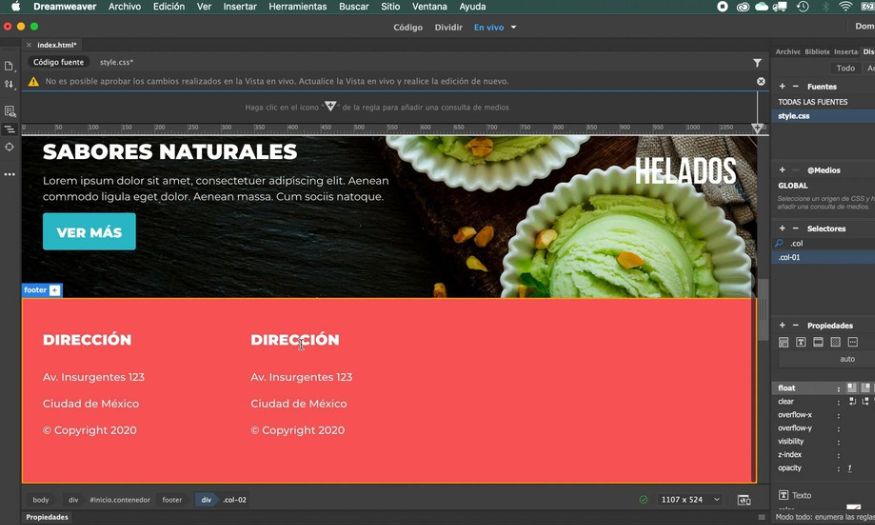
The first strength of Adobe Dreamweaver lies in its user-friendly and intuitive interface. Users can view the source code and monitor the website interface on the same screen, making editing easier and saving time. The software also includes many essential support packages, eliminating the need to install additional external tools to operate the website.
Furthermore, Dreamweaver is compatible with many popular operating systems such as Windows, macOS, and Linux, offering flexibility in the work environment. The mobile interface emulation feature is also a major plus, allowing you to preview the product on various screen sizes without using the actual device. In particular, the tagging tool and syntax error detection support help users easily review and correct errors during the programming process.
3. Features of Adobe Dreamweaver
Adobe Dreamweaver provides users with a comprehensive set of tools, making website building and management simpler than ever. Not only suitable for beginners, this software is also powerful enough to meet the needs of professional programmers.
- Intuitive interface design : With WYSIWYG drag - and - drop functionality , you can easily create website layouts without writing a single line of code , significantly reducing design time .
- Powerful code editor : Supports many popular programming languages such as HTML , CSS , JavaScript , PHP , etc. , along with syntax highlighting and suggestion features , making writing and editing code faster and more accurate .
- Create a responsive website across multiple devices : Dreamweaver allows you to design websites that are compatible with various screen sizes , from desktops to mobile phones , optimizing the user experience .
- Convenient project management : Provides a scientific file organization system , direct data synchronization with the server , and easy backup , helping to manage websites effectively .
- Real - time preview : Allows you to instantly see changes across multiple browsers and devices , ensuring the website displays correctly before publishing .
- Adobe ecosystem integration : Seamless connection with Photoshop , Illustrator , and other tools , enabling convenient and quick import and editing of design resources .
- Debugging and testing tools : Support for detecting and fixing errors in programming code , ensuring the website runs stably and without technical problems .
4. How Dreamweaver works
To fully utilize the power of Adobe Dreamweaver, you need to understand how the software works. Dreamweaver is designed with various working modes, making it easy for both beginners and professional programmers to create websites in a way that suits them.
- Code Mode : This mode is specifically for those who want to work directly with the source code . The interface only displays the project 's code , allowing users to control every detail and easily customize it according to their programming needs .
- Split Mode : In this mode , you can write code while simultaneously observing changes on the interface . This mode is favored by many developers because it saves time and reduces errors .
- Design Mode : For those unfamiliar with programming or wanting quick edits , this mode allows you to drag and drop elements and adjust the layout directly on the interface . You only need simple operations without having to write too much code .
5. Who should use Adobe Dreamweaver?
With its combination of intuitive design and powerful code editing capabilities, this software is suitable for a wide range of users, from beginners to experts in the field of web development.
- For beginners in web design and development : The intuitive , easy-to - use interface helps beginners quickly get started without being overwhelmed by too much programming code .
- UI / UX Designer : Supports intuitive design , drag - and - drop functionality , and live previews , saving time and optimizing user experience .
- For programmers and web developers : Provides professional coding tools , support for multiple programming languages , and fast debugging features , suitable for complex projects .
- Freelancers and independent workers : Dreamweaver allows you to manage the entire project , from design and programming to publishing a complete website , meeting the need for flexible work .
- Web content manager and editor : No in - depth programming knowledge is required , but they can still easily edit and update content quickly .
6. Where should I upgrade Adobe Dreamweaver?
6.1 Software Warehouse – A reliable address for upgrading Adobe Dreamweaver
If you're looking for a reliable and high-quality source for licensed Adobe Dreamweaver, Tong Kho Phan Mem (Software Warehouse) is the top choice. With years of experience in distributing genuine software, they offer not only Dreamweaver but also other solutions like Photoshop, Illustrator, Canva Pro, and Zoom Pro. Each product comes with a clear VAT invoice, ensuring legal protection for both individual and business customers, giving you complete peace of mind.
6.2 Dedicated Support Service – The Customer is Our Number One Priority
When you purchase Adobe Dreamweaver from Tong Kho Phan Mem (Software Warehouse), you will receive comprehensive support from our enthusiastic and experienced team of professionals. From installation and activation to usage instructions, all your questions will be answered quickly and in detail. This is a major advantage that gives customers peace of mind, especially those new to web design and programming software.
6.3 Competitive pricing – Value for quality
Total Software Warehouse is committed to offering the most reasonable and competitive prices on the market while ensuring that all products are genuine, fully functional licenses. This helps you save costs while owning professional tools to improve your work efficiency. Don't miss the opportunity to upgrade your Dreamweaver with a reputable and dedicated company like Total Software Warehouse.
7. Conclusion
Investing in this software not only gives you a professional tool but also saves time and costs during the website development process. If you are looking for a solution to improve the quality and efficiency of your web programming work, owning an Adobe Dreamweaver account is the right step to take, helping you succeed in the digital field.





















VIP Products








Best Selling Products
Upgrade genuine Capture One account
120 USD
MidJourney Account
29 USD
ChatGPT Plus Account (GPT-4)
16 USD
Upgrade Genuine Office 365
49 USD
Genuine Adobe Illustrator account
99 USD
Freepik Premium Account
59 USD
Genuine Cheap Canva Pro
39 USD
Plugin Retouch4me
69 USD
Autodesk All App Account Copyright
120 USD
Upgrade Duolingo Super
29 USD
Adobe Photoshop Copyright - Full App
120 USD
Copyright Adobe Lightroom Account
59 USD
Windows 10 & 11 Pro Key
36 USD
Capcut Pro 1 Year
39 USD
Adobe Premiere Pro Account
99 USD