Best Selling Products

Windows 10 & 11 Pro Key
36 USD

Adobe Photoshop Copyright - Full App
120 USD

Upgrade Genuine Office 365
49 USD

Copyright Adobe Lightroom Account
59 USD

ChatGPT Plus Account (GPT-4)
16 USD

Capcut Pro 1 Year
39 USD

Genuine Adobe Illustrator account
99 USD

Upgrade genuine Capture One account
120 USD

MidJourney Account
29 USD

Freepik Premium Account
59 USD

Plugin Retouch4me
69 USD

Upgrade Duolingo Super
29 USD

Autodesk All App Account Copyright
120 USD

Adobe Premiere Pro Account
99 USD

Genuine Cheap Canva Pro
39 USD
Adobe Firefly: Transforming text into vivid images with AI.
Nội dung
- 1. Discover the magic of AI-powered image creation with Firefly.
- 1.1. Never run out of photos
- 1.2. Add more generation options for custom results.
- 1.3. Create content quickly when you need it.
- 1.4. Easily recreate your favorite photo style.
- 1.5. Designed for safe commercial use.
- 2. How to create images using AI
- 3. Tips for using online AI image creation tools
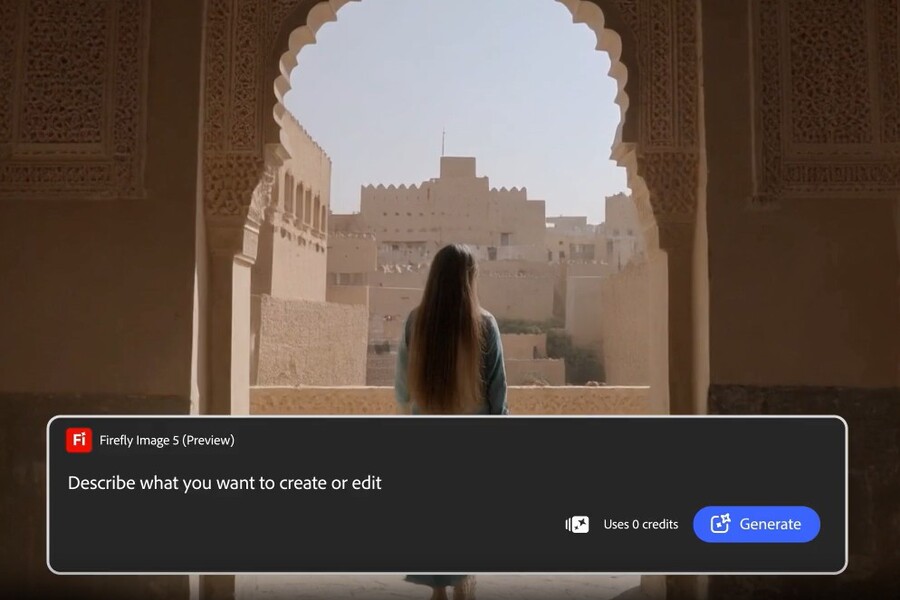
With just a few lines of description, Firefly helps you create detailed, sharp, and emotionally rich images. Intelligent AI generation technology brings your imagination to the screen instantly. Suitable for content creation, design, and digital marketing.
Adobe Firefly: Transforming text into vivid images with AI.
With just a few lines of description, Firefly helps you create detailed, sharp, and emotionally rich images. Intelligent AI generation technology brings your imagination to the screen instantly. Suitable for content creation, design, and digital marketing.
At its core, Firefly's Image Creation feature bridges imagination and visual imagery. Instead of searching for the right image library, sketching, or editing multiple layers in graphic design software, you can start with your own thoughts. A vague idea, an indescribable emotion, or an abstract concept can all be transformed into an image with just a few lines of description.
Notably, the image quality produced by Firefly goes beyond mere "usable" quality. Adobe's new AI models focus heavily on detail, natural lighting, spatial depth, and color harmony. This results in more realistic images while maintaining the artistic style desired by the user.
Firefly is particularly useful in the modern creative landscape, where speed and adaptability are key. You can quickly generate images for a social media post, experiment with different styles for a branding campaign, or sketch visual ideas for a larger project without investing too many resources upfront.
Buy Genuine Licensed Software at Affordable Prices
1. Discover the magic of AI-powered image creation with Firefly.
When used as an AI imaging tool, Adobe Firefly opens up a whole new approach to image creation. Instead of starting from the technical aspects, you start from the idea. This is especially important in the concept development phase, where the freedom to experiment is key.
Firefly makes discovering and expressing ideas easier for everyone, regardless of design skill level. Beginners can quickly create eye-catching images, while experts can use this tool to speed up their workflow and experiment with various creative approaches before moving on to the final details.
Firefly's ability to create images from text serves more than just the purpose of "making an image." It's also a tool to stimulate creative thinking, helping you see new possibilities you may never have considered before.
1.1. Never run out of photos
One of the biggest challenges in content creation is always finding the right image. The available image library is sometimes too familiar, lacks personality, or doesn't quite match your vision. Firefly solves this problem by allowing you to create entirely new images, custom-designed for your specific needs.
.jpg)
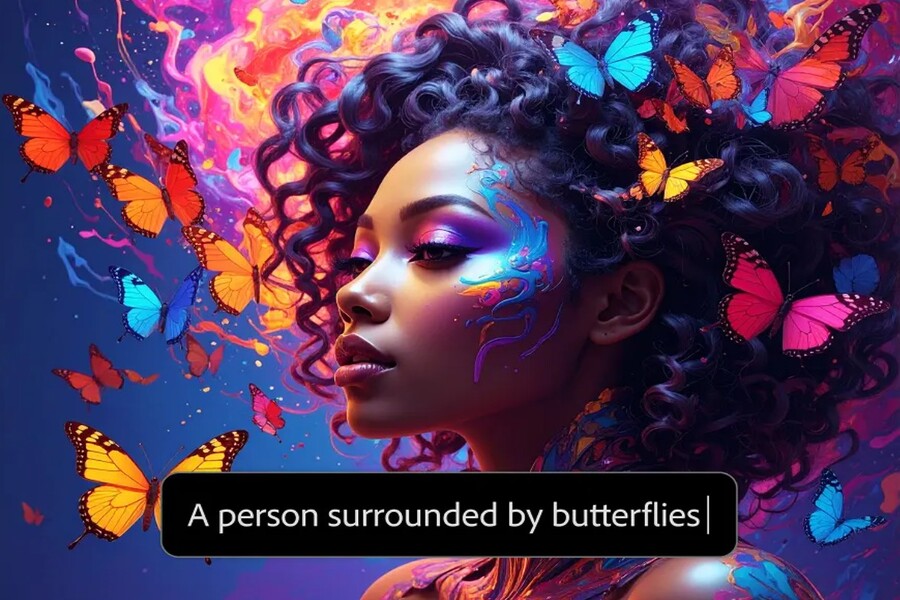
With the Image Creator tool, you can instantly create unique photos, illustrations, or drawings in a myriad of styles. From realistic images like photographs, flat illustration styles, 3D graphics to paintings with a painterly feel, Firefly can handle it all.
Each command generates four different results, making it easy to compare and choose the most suitable option. If you're still not satisfied, you can continue loading more to explore even more possibilities. This is especially useful when you need images for social media, advertising banners, short videos, or cross-platform content, where variety and novelty are always prioritized.
1.2. Add more generation options for custom results.
Firefly goes beyond simply creating images from text. This image-to-image tool allows you to use an existing image as a starting point, then change the layout, colors, and mood of the picture.
.jpg)
This opens up possibilities for deeper customization, especially useful when you want to retain some core elements but still need to refresh the image. You can crop to focus on the main subject, adjust transparency to create a layering effect, or apply filters to change the overall atmosphere.
The ability to combine generation and editing makes Firefly a versatile tool, suitable for both the ideation and final product development phases.
1.3. Create content quickly when you need it.
In the modern workplace, time is always a critical factor. Marketing campaigns, social media posts, and communication content often require a quick response time. Firefly is designed to meet this very need.
.jpg)
The Text-to-Image feature allows you to create content almost instantly. Each command generates four image suggestions, helping you quickly choose the right option. Once you have a satisfactory image, you can use the "Display Similar" feature to create variations with similar styles or layouts, thereby building a consistent set of images for your campaign.
Additionally, switching to the Image Generation workspace allows you to further refine, add, or remove elements to perfect the image according to your initial vision.
1.4. Easily recreate your favorite photo style.
Visual style is a crucial element in building brand identity and creative individuality. Firefly allows you to choose from familiar art styles such as Surrealism, Cubism, Impressionism, and many others to transform text into images with a unique touch.
.jpg)
You can adjust the colors, lighting, and add special effects like neon or cinematic lighting to create images with a strong personality. This ability to recreate different styles is especially useful for designers who want to experiment with various artistic approaches without investing too much time.
1.5. Designed for safe commercial use.
One of the biggest concerns when using AI generation is copyright. Adobe Firefly is built with a focus on user safety and transparency.
.jpg)
Firefly's Text-to-Image models are trained using copyrighted images from Adobe Stock and out-of-copy public content. This provides peace of mind for individuals and businesses when using the generated images for commercial purposes, from advertising and packaging to brand communication.
2. How to create images using AI
Easily create your own photos by following these quick steps in this AI-powered online photo maker tool.
Step 1: Open the AI image creation tool in Firefly.
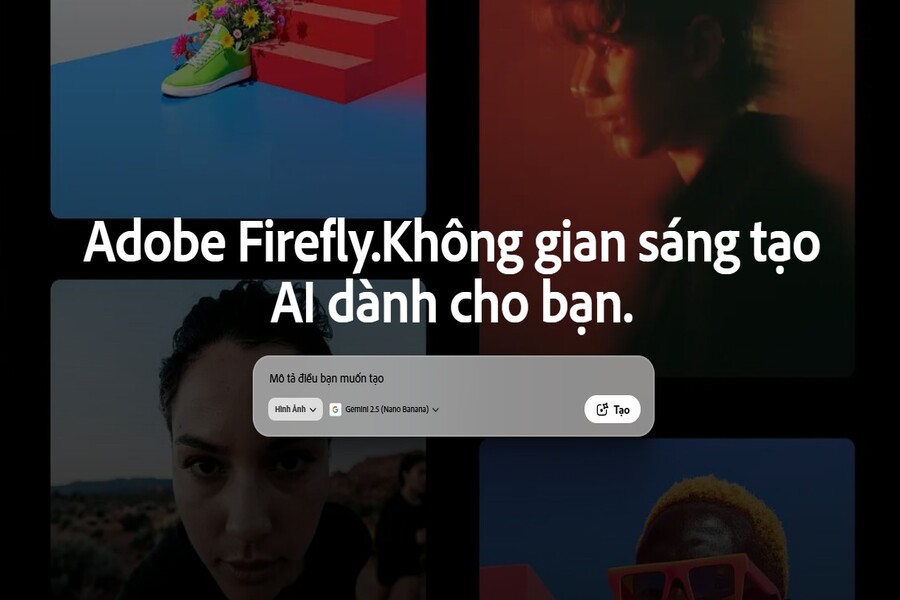
To get started, sign in to Adobe Firefly with your Adobe ID or create a free account if you don't already have one. To begin using the free online AI image creation tool, select the Text-to-Image tool on the homepage.
Step 2: Write the text command.
Enter a detailed description of what you want to create in the statement input field. Start with at least five words, for example: "product photo of an underwater sushi roll." You can add keywords about lighting, angle, or emotion to shape the result.
Step 3: Create the AI image.
Press Create and Firefly will generate four unique image selections in seconds. If you want a more specific style or layout, upload a reference photo or sketch and create a different set of images.
Step 4: Refine, edit, and recreate.
Refine your images by adjusting commands or changing settings for new results. Transform the AI-generated images into eye-catching social media posts, videos, flyers, and more. Once you're happy with your creation, download it, save it to your clipboard, or share it directly with others.
.jpg)
3. Tips for using online AI image creation tools
The best tattoo designs always start with a strong idea. Whether designing for yourself or working with an artist, clearly defining your vision will make the process much smoother. Apply the following tips to spark ideas, guide AI tattoo design tools, and get the tattoo design you want.
Start with a simple statement.
Start with a simple phrase of about 4-5 words, such as "a soccer ball raining down in the desert." Then try changing the wording to see what else the Text-to-Image feature can create for you. For best results, describe it as detailed as possible. Use simple text statements and repeat them to refine.
Buy Genuine Licensed Software at Affordable Prices
Upload an image with the style you want to replicate, for example, create a white 3D sphere on a blue background. Then, build upon that structure to create similar shapes like basketballs, soccer balls, or any other round object you can imagine.
Staged image creation
Use AI generation whenever you're inspired to create images, then use those images as style references later. For example, create an underwater macro photograph of vibrant streaks of color, and then use that same image to create another piece of work.
Adobe Firefly is more than just an AI-powered image creation tool. It's a creative platform where ideas come first and technology plays a supporting role. With its ability to transform text into high-quality, flexible, and commercially secure images, Firefly opens up a new approach to visual creativity in the AI age.





















VIP Products








Best Selling Products
Windows 10 & 11 Pro Key
36 USD
Adobe Photoshop Copyright - Full App
120 USD
Upgrade Genuine Office 365
49 USD
Copyright Adobe Lightroom Account
59 USD
ChatGPT Plus Account (GPT-4)
16 USD
Capcut Pro 1 Year
39 USD
Genuine Adobe Illustrator account
99 USD
Upgrade genuine Capture One account
120 USD
MidJourney Account
29 USD
Freepik Premium Account
59 USD
Plugin Retouch4me
69 USD
Upgrade Duolingo Super
29 USD
Autodesk All App Account Copyright
120 USD
Adobe Premiere Pro Account
99 USD
Genuine Cheap Canva Pro
39 USD