Best Selling Products

ChatGPT Plus Account (GPT-4)
16 USD

Autodesk All App Account Copyright
120 USD

Upgrade genuine Capture One account
120 USD

Upgrade Duolingo Super
29 USD

Upgrade Genuine Office 365
49 USD

Capcut Pro 1 Year
39 USD

Genuine Adobe Illustrator account
99 USD

Copyright Adobe Lightroom Account
59 USD

Adobe Premiere Pro Account
99 USD

MidJourney Account
29 USD

Genuine Cheap Canva Pro
39 USD

Freepik Premium Account
59 USD

Adobe Photoshop Copyright - Full App
120 USD

Plugin Retouch4me
69 USD

Windows 10 & 11 Pro Key
36 USD
Blindly Following ChatGPT: Mistakes That Could Cost You dearly
Nội dung
AI is powerful, but it's not always right. When you rely on it completely without verification, risks can arise, ranging from data loss to misinformation. This article points out common mistakes and how to avoid them to prevent paying the price for AI mistakes.
Blindly Following ChatGPT: Mistakes That Could Cost You dearly
AI is powerful, but it's not always right. When you rely on it completely without verification, risks can arise, ranging from data loss to misinformation. This article points out common mistakes and how to avoid them to prevent paying the price for AI mistakes.
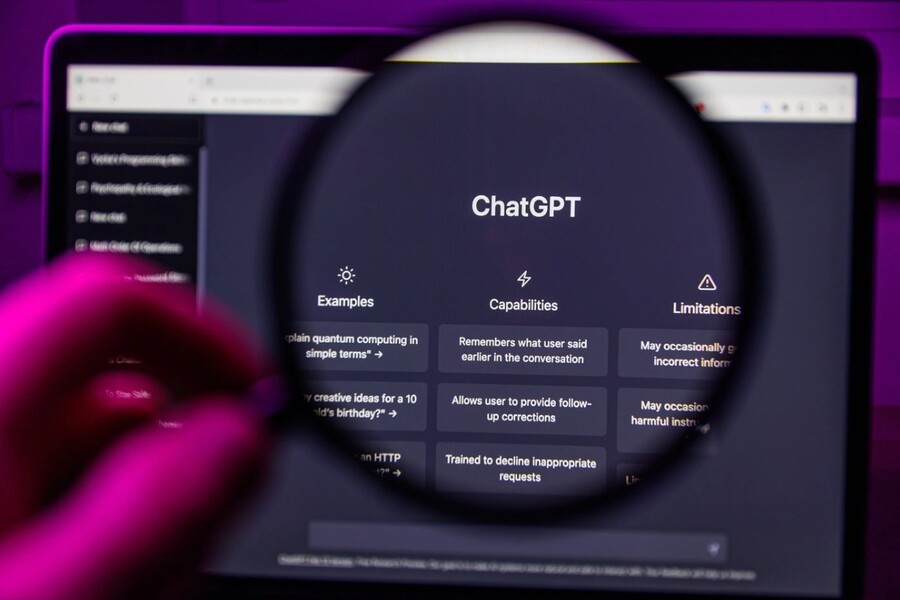
With its fast response times, natural language, and wide range of applications, ChatGPT is seen by many as an "all-powerful assistant" that can change the way people work.
However, behind that convenience lies a little-discussed reality. Some studies suggest that improper use of AI can even lead to decreased work performance. According to analyses cited by tech media, in some cases, the overuse of AI can significantly slow down work completion. This doesn't mean AI is useless, but rather demonstrates that blindly trusting AI without verification can lead to unforeseen consequences.
Several technology articles have also emphasized that, despite being hailed as the future, AI systems still have limitations. From the risk of data loss and the lack of depth in AI-generated content to incomplete automation features, all of these indicate that ChatGPT is not a "miracle" tool. When users place too much trust in it without proper oversight, risks can arise in unpredictable ways.
1. The risks of placing too much trust in ChatGPT.
1.1. Don't treat ChatGPT as a storage "hard drive".
One of the most common misconceptions is viewing ChatGPT's chat history as a permanent storage location. Many people make it a habit to save important drafts directly within the chat, from research papers and creative content to design sketches and programming code. This poses a significant risk.
Unlike dedicated storage platforms, conversational systems are not designed as permanent data repositories. When users delete history, change settings, or experience account issues, data can disappear. In many digital services, once a user confirms deletion, the data is often unrecoverable. This reflects the principle of privacy protection: once data is deleted, the system does not retain a copy.
.jpg)
From a creative and design perspective, data loss isn't just about losing text. It can mean losing concepts, idea development processes, logical thinking, and strategic structures. These things often cannot be fully recreated from memory alone. Therefore, relying on chat history as a "hard drive" is a risky habit.
The solution lies in work discipline. Even when using AI, you should still back up important data on dedicated storage platforms such as cloud, document management systems, or version control software. ChatGPT should be viewed as a thinking support tool, not a storage system.
1.2. Application Integration
One of AI's biggest promises is job automation. Integrated features such as third-party applications, automated assistants, and intelligent tasks are expected to replace humans in handling many processes, from scheduling and task management to supporting creativity. However, reality shows that this technology is still in its developmental stage.
In many cases, users notice that the system reports a task as completed, but the actual results are not as expected. This doesn't necessarily reflect a serious error, but rather shows that the integration process between AI and other platforms depends on many technical factors such as access rights, APIs, data synchronization, and system state.
.jpg)
From a design and creative perspective, this offers an important lesson: automation doesn't mean perfect automation. When AI is involved in a process, human oversight remains necessary. Absolute reliance on automated systems can lead to errors, especially when dealing with critical data, content, or decisions.
In the current phase, AI should be viewed as an acceleration assistant, not a complete replacement system. Effective users are those who know how to combine automation and manual control.
1.3. Trusting ChatGPT and AI "junk"
One of the issues frequently discussed in the tech community is the phenomenon of AI-generated content appearing professional but lacking depth. Some researchers call this a "workslop," meaning products that look complete on the surface but require significant editing before practical use.
In creative work, this is easily noticeable. AI can write quickly, but it doesn't always capture the brand voice, customer insights, or strategy. When users rely entirely on AI-generated content, they may spend extra time editing, restructuring, and refining it.
Some studies in the technology field also show that, in certain contexts, the overuse of AI can slow down the workflow instead of speeding it up. The reason is not the AI itself, but how it is used. When AI creates unsuitable content, the editing time can be greater than the time it would take to create it from scratch.
.jpg)
From a professional perspective, AI should be viewed as a first draft. The real value emerges when humans add strategic thinking, emotions, experience, and creativity. AI accelerates the process, but the final quality still depends on humans.
1.4. The AI bubble and the prospect of living with advertising.
AI is attracting massive investment from technology companies. However, in any technological wave, there is always a cycle of high expectations, adjustment, and maturation. In the early stages, many technologies are hyped about their potential before finding a sustainable business model.
Some technology economists argue that the AI industry is still in the process of finding stable profitability. This doesn't mean AI is failing, but rather reflects a familiar pattern of technological innovation. When development costs are high, companies often need to find revenue streams, and advertising is a common model in the digital technology industry.
If AI platforms adopt advertising in the future, the user experience could change. This raises questions about the balance between business models and product experience. However, this is still a possibility being discussed within the industry, not yet a widespread reality.
.jpg)
From a user's perspective, the key lesson is that no technology should be viewed as an absolute perfect solution. AI is a powerful tool, but it remains part of a developing technology ecosystem.
2. How to use ChatGPT more intelligently and effectively
To maximize the power of ChatGPT, the first crucial step is to ask clear, specific, and contextually relevant questions . The more information you provide about your goals, target audience, style, desired length, and format, the more relevant the answer will be. For example, instead of asking "write a marketing copy," ask: "write a 400-word advertising copy for a skincare product, in a friendly tone, targeting women aged 25-35, with a title and call to action." Such detailed requests help ChatGPT understand and respond more accurately.
Secondly, engage in a multi-step process instead of just asking once . You can ask ChatGPT to edit, expand, shorten, change the tone, add examples, or rewrite in a different style. Think of this as a collaborative process: ask → receive feedback → refine → finalize. When you provide clear feedback on areas of dissatisfaction, the quality of the content will improve significantly.
.jpg)
Another important principle is to verify information when necessary . ChatGPT is very powerful at summarizing, explaining, and suggesting, but it can still be inaccurate or outdated in some cases. For content related to data, legal, medical, financial, or important decisions, you should cross-reference with reliable sources to ensure accuracy and safety.
Additionally, you should leverage ChatGPT as a tool to support your thinking and increase productivity . Use it to create outlines, summarize long documents, plan your studies or work, generate creative ideas, compose emails, write content, learn new skills, or explain complex problems in an easy-to-understand way. By knowing how to formulate your requests correctly and exploit the tool's strengths, you can save a lot of time, reduce mental stress, and improve your daily work efficiency.
Finally, keep experimenting with different ways to phrase your prompts . Each different wording can yield different results. The more you use it, the better you'll understand how to communicate effectively with ChatGPT and turn it into a truly useful "digital assistant" for your studies, work, and creativity.





















VIP Products








Best Selling Products
ChatGPT Plus Account (GPT-4)
16 USD
Autodesk All App Account Copyright
120 USD
Upgrade genuine Capture One account
120 USD
Upgrade Duolingo Super
29 USD
Upgrade Genuine Office 365
49 USD
Capcut Pro 1 Year
39 USD
Genuine Adobe Illustrator account
99 USD
Copyright Adobe Lightroom Account
59 USD
Adobe Premiere Pro Account
99 USD
MidJourney Account
29 USD
Genuine Cheap Canva Pro
39 USD
Freepik Premium Account
59 USD
Adobe Photoshop Copyright - Full App
120 USD
Plugin Retouch4me
69 USD
Windows 10 & 11 Pro Key
36 USD