Best Selling Products

Copyright Adobe Lightroom Account
59 USD

Adobe Photoshop Copyright - Full App
120 USD

ChatGPT Plus Account (GPT-4)
16 USD

Upgrade Duolingo Super
29 USD

Genuine Cheap Canva Pro
39 USD

Windows 10 & 11 Pro Key
36 USD

Adobe Premiere Pro Account
99 USD

Upgrade genuine Capture One account
120 USD

Freepik Premium Account
59 USD

Plugin Retouch4me
69 USD

Upgrade Genuine Office 365
49 USD

Autodesk All App Account Copyright
120 USD

MidJourney Account
29 USD

Genuine Adobe Illustrator account
99 USD

Capcut Pro 1 Year
39 USD
CapCut: The ultimate video editing app for all creators.
Nội dung
- 1. Learn a little about the CapCut platform.
- 2. The popularity of CapCut in video editing
- 3. How to download CapCut to your phone and computer easily.
- 3.1 Download CapCut to your iPhone and Android phone.
- 3.2 Download CapCut to your computer
- 4. Key advantages of the CapCut application
- 4.1 Intuitive and user-friendly interface
- 4.2 Diverse editing features
- 4.3 Available video template library and updated trends
- 4.4 Social media sharing integration
- 4.5 Free and multi-platform
- 4.6 Supporting the creation of trending content
Discover CapCut and its outstanding features that help you create impressive, trending videos on TikTok, Instagram, or Facebook without needing advanced skills.
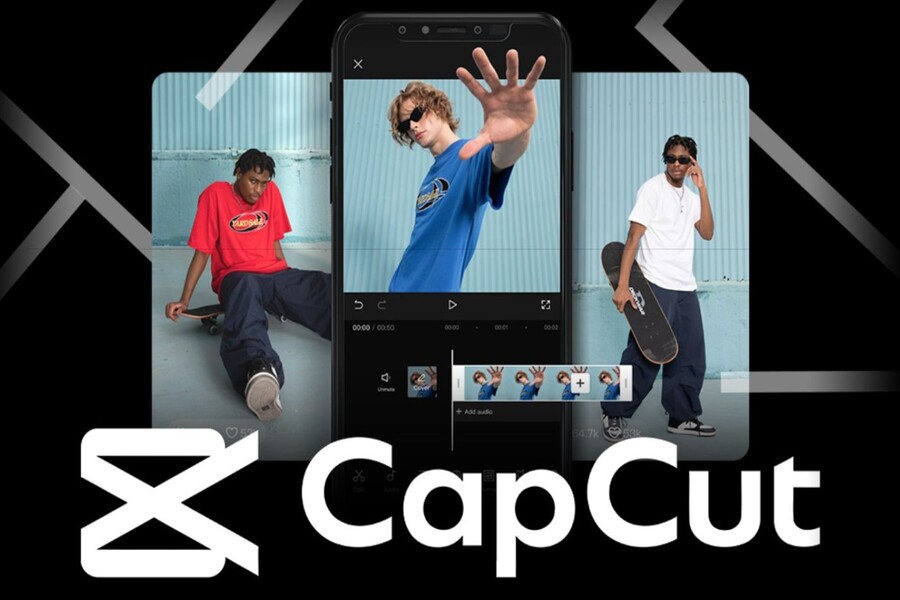
Video has become one of the most powerful media for connecting, entertaining, and promoting products. With the growth of social media platforms like TikTok, Instagram, and Facebook, the need to create creative, unique, and engaging videos has become increasingly important. Users not only want visually appealing videos but also videos that are easy to edit, time-saving, and on-trend. Therefore, video editing applications like CapCut have become indispensable tools, offering both convenience and power, helping users quickly transform ideas into finished products.
CapCut is more than just a simple video editing software; it's a comprehensive creative platform. It offers a wide range of tools, from basic to advanced, allowing users of all levels, from beginners to professional content creators, to produce impressive videos in just minutes. In this article, we'll explore what CapCut is, why it's so popular, how to download it to your phone and computer, and the outstanding advantages that make it a top choice in the world of video editing today.
1. Learn a little about the CapCut platform.
CapCut is a free video editing app developed by ByteDance – the company that owns TikTok. Launched in 2019, CapCut quickly became one of the most downloaded video editing tools in the world, especially within the TikTok community and other social media platforms.
What makes CapCut so appealing is its combination of an intuitive, user-friendly interface and powerful features, suitable for both beginners and professional content creators. The application allows users to perform basic operations such as cutting and merging videos, adding background music, inserting text, stickers, filters, transition effects, adjusting video speed, and many other advanced features. Among these, popular effects like creating videos that jerk to the rhythm of the music, flashing effects, or combining multiple photos into a slideshow make videos more lively and eye-catching.
.jpg)
CapCut's library of ready-made video templates is constantly updated to reflect TikTok trends. This allows users to create trending videos that attract views and engagement without spending a lot of time designing from scratch. CapCut's interface is intuitive, with easy-to-use drag-and-drop editing tools, enabling even inexperienced users to create professional-looking videos without needing to learn complex software like Premiere or Final Cut Pro.
Furthermore, CapCut supports high-quality video export and integrates directly with TikTok, Instagram, Facebook, and many other platforms, allowing users to share videos quickly and conveniently. Thanks to its diverse features, flexibility, and ease of use, CapCut is not only a personal entertainment tool but also a powerful assistant for content creators and businesses looking to build their brand through video.
2. The popularity of CapCut in video editing
CapCut's popularity can be explained by many factors, but most importantly its ability to meet the need for quick and efficient video content creation. In the age of booming social media, creating short, engaging videos to attract viewers has become extremely important.
CapCut allows users to combine photos and videos, add background music and effects in just minutes, something that previously took hours with professional computer software. Its intuitive and easy-to-use interface makes it accessible to everyone from students and office workers to professional influencers and content creators.
.jpg)
The app also stands out for its ability to quickly catch trends. Effects like music-synced, flashing, slow motion, speed boost, and music-synchronization with transitions make videos lively and suitable for TikTok trends, where short, eye-catching videos are always prioritized. This is why CapCut has become one of the most downloaded apps on the App Store and Google Play and consistently ranks among the most popular video editing apps.
Another advantage of CapCut is its ability to directly share videos to social media without converting formats or using middleware. This saves users time and effort, while increasing the chances of their videos reaching a wider audience. Because of its convenience, flexibility, and almost limitless creative possibilities, CapCut has become the top choice for those who want to create high-quality videos right on their phones.
3. How to download CapCut to your phone and computer easily.
CapCut is a multi-platform application available on both mobile phones and computers. Downloading and installing CapCut is extremely simple, taking only a few minutes to start editing videos and creating content. Below are detailed step-by-step instructions for both phones and computers.
3.1 Download CapCut to your iPhone and Android phone.
CapCut is available on the App Store (iPhone) and Google Play Store (Android). To download the app to your phone, simply follow these steps:
Access the App Store or Google Play Store and search for the keyword "CapCut". Select the official CapCut app from the search results, noting the icon and developer as Bytedance Pte. Ltd to avoid downloading a fake app.
.jpg)
Tap the "Install" (Android) or "Get" (iPhone) button to download the app to your phone. This process may take a few minutes depending on your network speed. Once the download and installation are complete, open the app and log in with your Google, Apple, or TikTok account to start using it. From here, you're ready to create impressive videos right on your phone.
.jpg)
3.2 Download CapCut to your computer
CapCut now has an official desktop version, supporting both Windows and macOS. The desktop version offers a more extensive editing experience, suitable for content creators who want to work precisely on a large screen.
3.2.1 Download CapCut from the official website
Visit the official Capcut website.
Click the "Download for Windows" or macOS button, depending on your operating system. Open the downloaded installer file and follow the instructions to install CapCut. Once installed, you can open the application and start editing videos on your computer.
.jpg)
3.2.2 Download CapCut from the Microsoft Store (for Windows)
Open the Microsoft Store on your computer and search for "CapCut". Select the CapCut app from the results and click "Get" to download and install the app.
.jpg)
Note that a computer with sufficient specifications is required for CapCut to run smoothly. The computer version offers more advanced features than the phone version, making it suitable for professional video projects or those requiring precise operation.
(1).jpg)
4. Key advantages of the CapCut application
CapCut stands out not only for its popularity but also for its outstanding advantages that help users create videos easily and quickly. Here are some of its notable strengths:
4.1 Intuitive and user-friendly interface
CapCut's interface is designed to be simple and easy to understand. The editing tools are arranged logically, allowing users to quickly manipulate them without needing professional video editing experience. From uploading videos, combining images, adding music, text, and effects to exporting videos, every step is intuitive and easy to use.
4.2 Diverse editing features
CapCut offers a variety of features such as cutting and merging videos, changing speed, adding overlays, blinking effects, slow motion, fast motion, creating music-synchronized videos, inserting stickers and text, adjusting colors, and applying filters. This makes it easy for users to create professional, trendy videos without needing to use multiple different software programs.
4.3 Available video template library and updated trends
CapCut constantly updates its video templates to match current trends on TikTok and other social media platforms. Users simply choose a template, add their own videos or photos, and edit to their liking to create a finished product. This saves time and allows users to quickly keep up with trends.
.jpg)
4.4 Social media sharing integration
CapCut allows direct sharing of videos to TikTok, Instagram, Facebook, and many other platforms. This feature saves users time, eliminating the need for format conversion or middleware, while also increasing the video's reach to a wider audience.
4.5 Free and multi-platform
CapCut is a free application available on phones and computers, suitable for all users. Whether you're a beginner or a professional content creator, CapCut provides all the tools you need to create high-quality videos.
4.6 Supporting the creation of trending content
With effects like music-synced stuttering, flashing lights, slow motion, and fast motion, CapCut helps users quickly catch trends. This is a crucial element for increasing engagement, views, and making videos stand out on social media.
CapCut has become one of the most popular video editing applications today. It boasts an intuitive interface, diverse features, a constantly updated library of video templates, and direct integration with social media platforms.





















VIP Products








Best Selling Products
Copyright Adobe Lightroom Account
59 USD
Adobe Photoshop Copyright - Full App
120 USD
ChatGPT Plus Account (GPT-4)
16 USD
Upgrade Duolingo Super
29 USD
Genuine Cheap Canva Pro
39 USD
Windows 10 & 11 Pro Key
36 USD
Adobe Premiere Pro Account
99 USD
Upgrade genuine Capture One account
120 USD
Freepik Premium Account
59 USD
Plugin Retouch4me
69 USD
Upgrade Genuine Office 365
49 USD
Autodesk All App Account Copyright
120 USD
MidJourney Account
29 USD
Genuine Adobe Illustrator account
99 USD
Capcut Pro 1 Year
39 USD