Best Selling Products

Windows 10 & 11 Pro Key
36 USD

Adobe Premiere Pro Account
99 USD

MidJourney Account
29 USD

Upgrade Duolingo Super
29 USD

Capcut Pro 1 Year
39 USD

Plugin Retouch4me
69 USD

Upgrade Genuine Office 365
49 USD

Autodesk All App Account Copyright
120 USD

Genuine Adobe Illustrator account
99 USD

Genuine Cheap Canva Pro
39 USD

Adobe Photoshop Copyright - Full App
120 USD

Freepik Premium Account
59 USD

Copyright Adobe Lightroom Account
59 USD

ChatGPT Plus Account (GPT-4)
16 USD

Upgrade genuine Capture One account
120 USD
Capture One 2025: Is it powerful enough to surpass Lightroom?
Nội dung
Capture One is currently considered Adobe Lightroom's strongest competitor in RAW image processing.
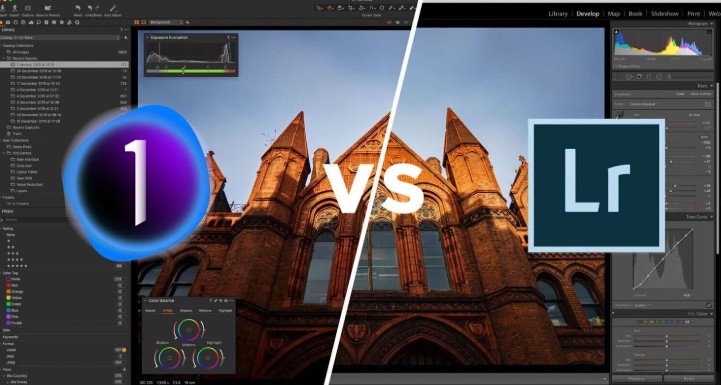
Adobe Lightroom has long been a household name, almost a default choice in the creative community. However, with the rapid development of imaging technology and the need for advanced processing, more and more photographers are switching to another option: Capture One – a renowned software from Phase One, a Danish brand associated with high-end medium-format cameras.
Capture One is known not only for its superior RAW file processing quality but also for its color management system, tethering capabilities, and detailed editing tools designed for perfectionists. While mainstream software often prioritizes ease of use, Capture One focuses on professional-level precision and flexibility.
This review delves into Capture One from multiple perspectives: interface, performance, editing tools, color, organization and connectivity, as well as its limitations and ideal user base. The article aims not only to introduce the software but also to help you understand whether Capture One is truly a worthwhile investment in an era where AI-powered photography is increasingly dominating post-production.
1. Basic information about Capture One
Capture One is professional image processing and management software developed by Phase One, a renowned manufacturer of medium-format cameras. This software is primarily designed for photographers who require the highest image quality and absolute control over color, light, and detail.
Unlike many consumer-oriented post-production tools, Capture One focuses heavily on accurate color reproduction, optimal RAW file processing performance, and direct integration with studio workflows. Therefore, it is widely used in fields such as fashion, advertising, and product photography, where image fidelity is a crucial factor.
From its earliest versions, Capture One was considered a formidable competitor to Lightroom. However, instead of trying to copy it, Capture One chose its own path: specialized and superior. This is evident in the software's ability to fine-tune every pixel with absolute precision, its powerful layering system, and its multi-dimensional color adjustment capabilities, which few other software programs can achieve.
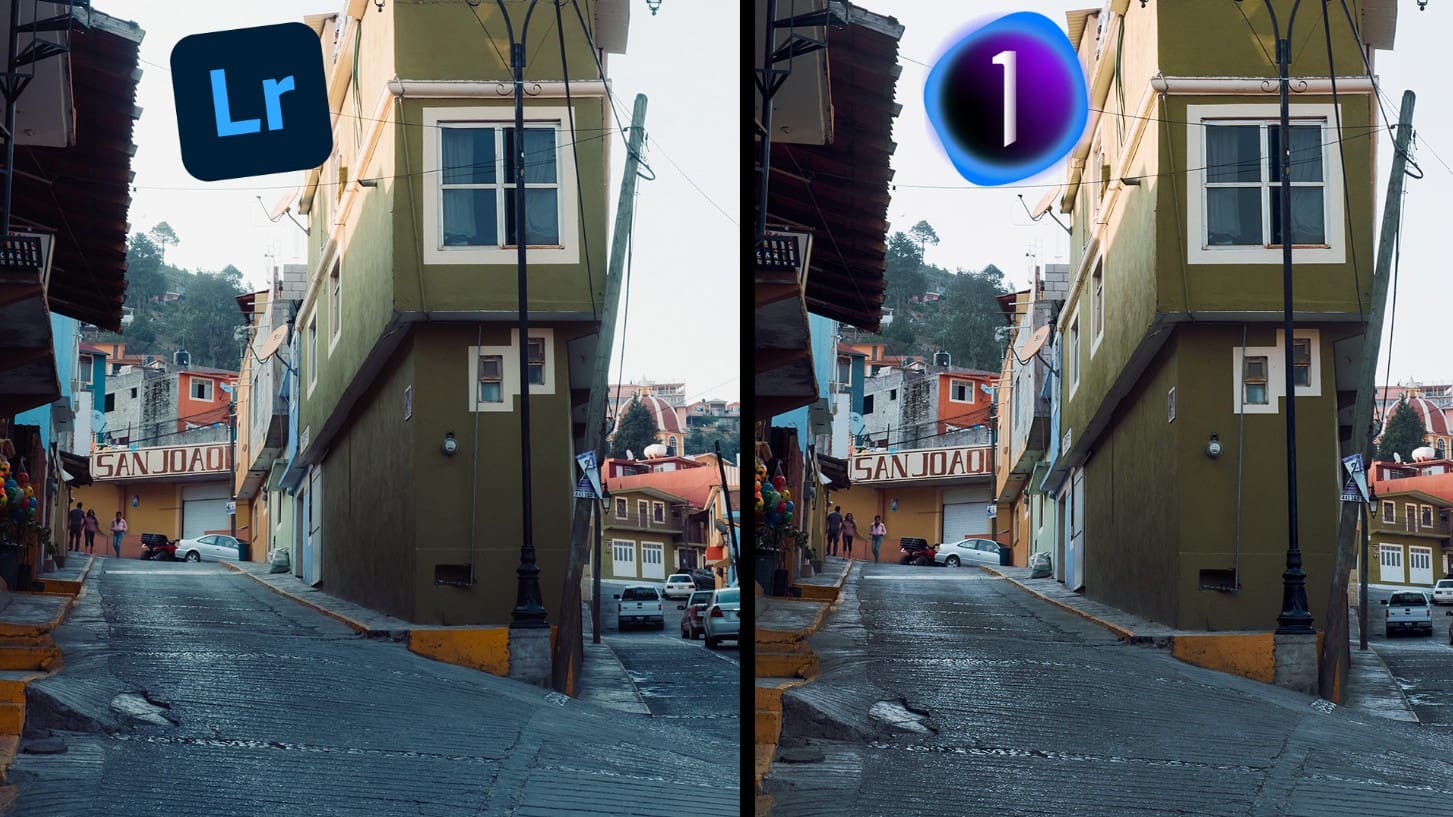
The latest version, Capture One Pro 23, has further expanded its features with intelligent AI tools, support for automatic selection and masking, and numerous improvements in speed and interface. However, what makes Capture One stand out most is its respect for the original image. Instead of instantly transforming RAW images into a flattering copy, it retains the original lighting, color, and tone characteristics, creating a faithful canvas for photographers to freely express themselves.
2. User interface and experience
When you first open Capture One, many people will notice that its interface is somewhat more "professional," meaning it's not as simple as Lightroom, but it's extremely logical once you understand how it works. The tool panels are arranged into tabs following the natural workflow of photography: importing images, adjusting exposure, color, detail, and exporting files.
A commendable aspect of Capture One is its near-complete interface customization. You can move, hide, or rearrange control panels to suit your personal workflow. For studio photographers, placing the tethering tool and histogram panel side-by-side saves a significant amount of time. Meanwhile, post-processors can optimize the display area to focus on masks, layers, and tone adjustments.
Another highlight is its extremely accurate color reproduction. Capture One uses a proprietary color engine developed based on Phase One's sensor technology, resulting in a wider and smoother tonal range compared to many other software programs. If you've ever found photos in Lightroom to be too "blue" or "yellow," Capture One will provide a more balanced and neutral feel, especially in human skin tones.
Furthermore, the software's responsiveness is also very impressive. Even when working with hundreds of large RAW files, Capture One maintains remarkable smoothness, especially on machines with powerful GPUs. The interface is optimized for high performance, with no lag when zooming in or switching between images.
3. Image editing tools and processing capabilities
What makes Capture One so revered among professionals is the precision of its editing tools. The software offers almost every feature you could need: from exposure balancing, highlight/darkness adjustment, contrast, clarity, to advanced tools like auto-masking, dodge & burn, and color correction for selected areas.
The layer system in Capture One works similarly to Photoshop, allowing you to apply local adjustments without affecting the entire image. This is a huge advantage over Lightroom, which is still quite limited in this respect.
Masking tools have also been greatly improved in recent versions, with AI able to automatically recognize people, skies, or backgrounds. This saves hours for photographers processing hundreds of portraits or product photos.
The software is also famous for its Color Editor, considered the "heart" of Capture One. You can select a specific color area in an image (e.g., skin tone, clothing color, sky) and change hue, saturation, and lightness with pixel-perfect precision. The Color Editor even allows you to save presets to ensure consistency across the entire set of photos, something that lookbook or e-commerce photographers absolutely love.
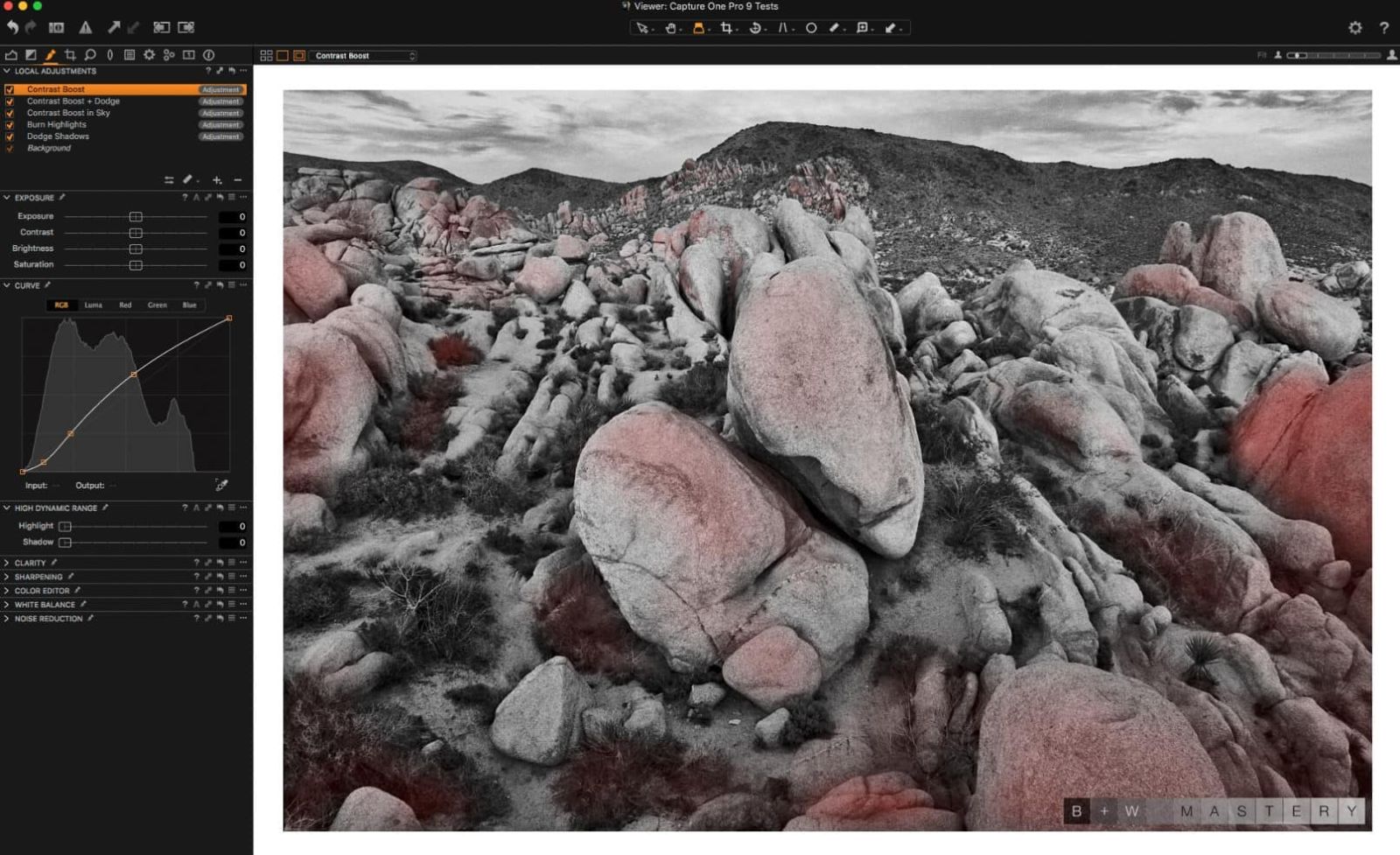
But that's not all; Capture One also features Luma Curve, which allows you to adjust contrast without affecting color. This is the perfect tool for those who want to preserve natural skin tones but still want their photos to have more depth.
The Clone and Heal features also work smoothly, especially in the latest updates, where the software automatically calculates the reference area to remove skin blemishes or dirt without leaving a trace.
4. Performance and ability to work with RAW files
When it comes to performance, Capture One is a true "beast." The software leverages the full power of the GPU to process heavy RAW files, especially medium-sized files. Whether you're working with 50MP images from a Sony A7R V or 150MP images from a Phase One IQ4, Capture One maintains near-instantaneous preview speeds.
Another advantage is how the software processes RAW files according to each camera brand. Phase One has spent years researching the color and sensor characteristics of each manufacturer (Canon, Nikon, Sony, Fujifilm, Leica...), thereby creating proprietary color profiles for each camera line. This helps images look more natural and realistic right from the start, minimizing the need for extensive retouching.
When exporting files, Capture One supports many professional formats and pipelines. You can export multiple versions simultaneously (JPG, TIFF, PNG) with custom presets, automatically rename files, add watermarks, or send them directly to Photoshop for more detailed retouching.
In particular, Capture One's Session feature differs from Lightroom's Catalog system in that it allows project management by shooting session. This is extremely convenient for studios or freelancers who need to clearly separate work by client. Each session saves all information, from original photos, edits, presets to folder structure, making it easy to back up or share between different computers.
5. Managing color in Capture One
If there's one reason why Capture One has become the "color benchmark" in commercial photography, it's its ability to reproduce and control color with extreme accuracy.
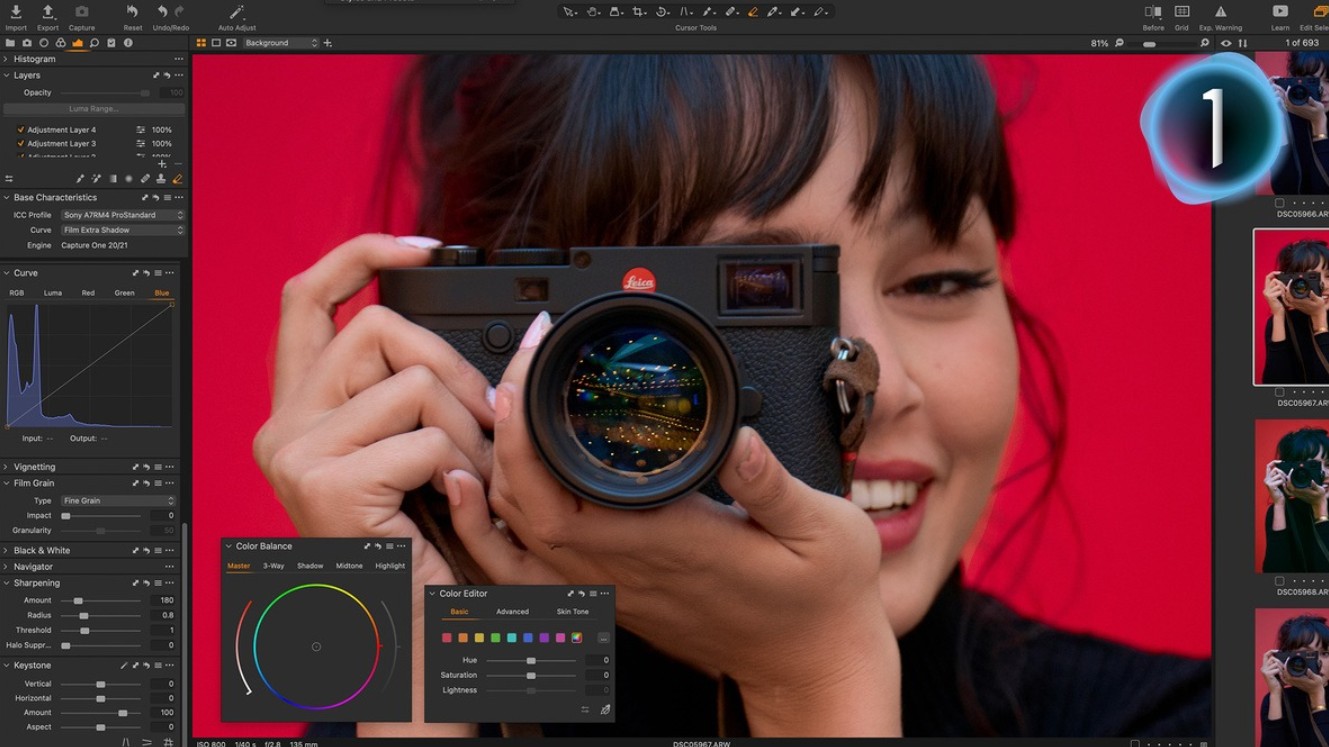
Beyond relying solely on camera profiles, Capture One allows users to create custom ICC profiles, ensuring that the colors you see on screen match the actual product as closely as possible. This is crucial in fashion, advertising, and e-commerce: even a 2–3% color discrepancy can impact an entire campaign.
Tools like Skin Tone Editor allow you to balance skin tones across multiple subjects in the same frame, maintaining subtle consistency without complex manipulation. With this feature, Capture One almost surpasses Lightroom, especially when handling professional portrait photography.
In addition, Capture One supports a 3-way Color Balance system, similar to the tool in video editing software DaVinci Resolve. This allows for individual adjustments to midtones, shadows, and highlights, creating an extremely natural cinematic effect.
6. Tethering capability in Capture One
One of the main reasons fashion, advertising, and e-commerce studios love Capture One is its tethering capability (shooting directly from the camera to the computer). This feature is almost unrivaled in the industry.
As soon as you press the shutter button, the RAW image is transferred directly to the computer, displaying almost instantly on a large screen for the entire team to view. You can adjust brightness, color, crop, or add presets directly to the newly captured image, allowing for on-the-spot quality control.
Capture One supports most major camera brands, including Canon, Nikon, Sony, Fujifilm, Leica, and Phase One. Advanced options such as Live View, Focus Control, and Overlay Composition help photographers work more efficiently, especially when shooting lookbooks or products with repetitive compositions.
7. Pricing and Licensing Model
In terms of price, Capture One isn't cheap software. You can choose between a lifetime license or a monthly/annual subscription. The Capture One Pro package currently costs around $299 for a lifetime license or $18 per month for a subscription. Additionally, the company offers simplified packages such as Capture One for Fujifilm or for Sony, at a lower price for users who only use a specific camera model.
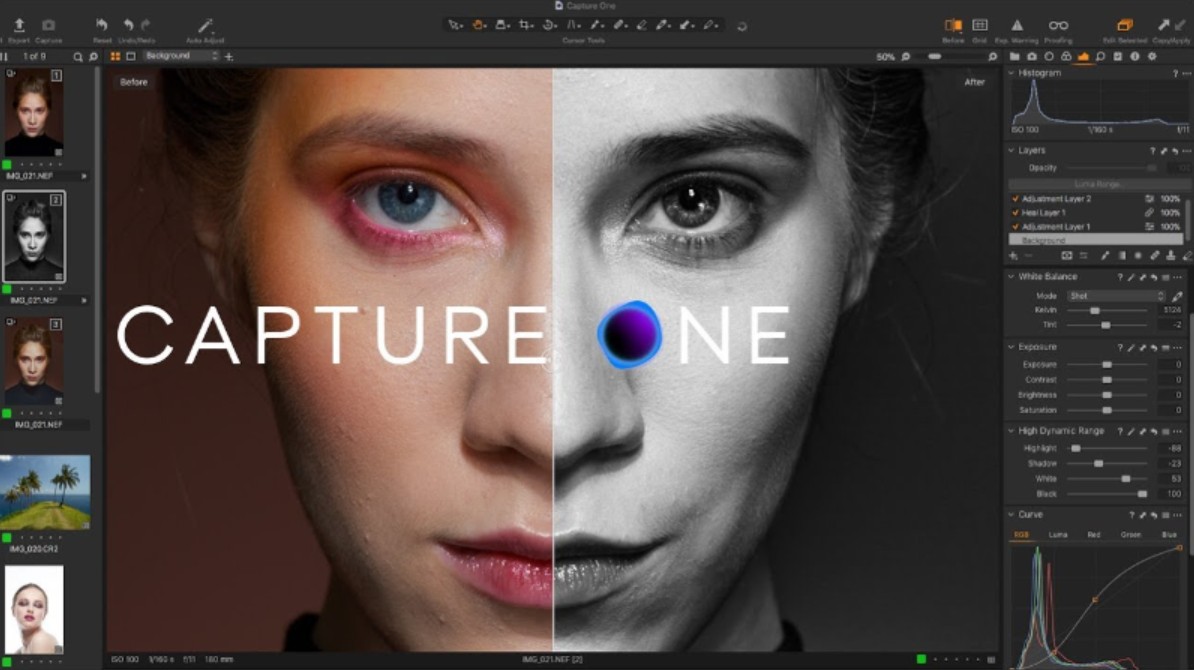
Despite the higher cost compared to Lightroom, many professional photographers still believe that investing in Capture One is worthwhile, especially if your work demands absolute precision and control over color.
However, for casual users or those doing basic post-production, Lightroom remains the more economical and user-friendly option. The difference between the two software programs isn't about "which one is better," but rather what you need and what your workflow is like.
8. Capture One in the AI Era and New Post-Production Trends
While AI is infiltrating every aspect of creativity, from automatic photo editing to composite image creation, Capture One maintains its philosophy: AI is merely a supporting tool; humans are the ultimate decision-makers.
The latest version has added features such as AI Select Subject, Auto Mask, and Smart Adjustments, allowing for automatic light and color balancing based on reference images. However, unlike many fully AI-powered software, Capture One still prioritizes manual control, ensuring creators understand and master all changes.
This makes Capture One the perfect choice for those who appreciate precision and respect the "handcrafted" value in photography.
Capture One is more than just post-processing software; it's a creative tool designed specifically for serious photographers. It requires patience to learn, a powerful computer to run, and a clear workflow to unleash its full potential. But once you understand and master it, the reward is images with depth, sharpness, and true-to-life detail.
If you're a photography enthusiast who loves complete control and wants to take your images to the next level, Capture One is a worthwhile long-term investment.





















VIP Products








Best Selling Products
Windows 10 & 11 Pro Key
36 USD
Adobe Premiere Pro Account
99 USD
MidJourney Account
29 USD
Upgrade Duolingo Super
29 USD
Capcut Pro 1 Year
39 USD
Plugin Retouch4me
69 USD
Upgrade Genuine Office 365
49 USD
Autodesk All App Account Copyright
120 USD
Genuine Adobe Illustrator account
99 USD
Genuine Cheap Canva Pro
39 USD
Adobe Photoshop Copyright - Full App
120 USD
Freepik Premium Account
59 USD
Copyright Adobe Lightroom Account
59 USD
ChatGPT Plus Account (GPT-4)
16 USD
Upgrade genuine Capture One account
120 USD