Best Selling Products

Freepik Premium Account
59 USD

ChatGPT Plus Account (GPT-4)
16 USD

Windows 10 & 11 Pro Key
36 USD

MidJourney Account
29 USD

Upgrade Duolingo Super
29 USD

Adobe Photoshop Copyright - Full App
120 USD

Genuine Adobe Illustrator account
99 USD

Genuine Cheap Canva Pro
39 USD

Copyright Adobe Lightroom Account
59 USD

Upgrade Genuine Office 365
49 USD

Adobe Premiere Pro Account
99 USD

Autodesk All App Account Copyright
120 USD

Plugin Retouch4me
69 USD

Upgrade genuine Capture One account
120 USD

Capcut Pro 1 Year
39 USD
Discover How to Communicate with ChatGPT via Zalo: A Convenient Feature Few People Know About
Nội dung
- 3. Detailed Guide to Using ChatGPT via Zalo
- 3.1. Search for ChatGPT on the Zalo App
- 3.2. Access CHATKAR to Send Messages
- 3.3. Chat with CHATKAR
- 4. Some Notes on Using ChatGPT on Zalo
- 4.1. Understand the Limitations of ChatGPT on Zalo
- 4.2. Know How to Filter and Evaluate Information
- 4.3. Be Aware of Free Usage Limits
- 4.4. Ask Clear Questions to Receive Quality Responses
- 4.5. Keep Your Information Safe When Chatting with ChatGPT
- 6. When Should You Consider Using Other ChatGPT Platforms?
- 7. Frequently Asked Questions About ChatGPT on Zalo
- 8. Conclusion
Artificial intelligence is no longer something distant or science-fiction-like; it is now present in our everyday activities. ChatGPT is one of the most powerful AI tools available today and has become an important assistant for millions of users worldwide.

1. What is ChatGPT?
ChatGPT is an advanced language processing system capable of generating natural and coherent responses as if it were having a conversation with a human. Instead of simply replying with predefined templates, ChatGPT understands context, analyzes intent, and delivers content that matches the user's needs. Trained on a massive dataset, this tool can respond to a wide variety of requests, from Q&A, content creation, and learning support to in-depth information synthesis.
Beyond generating text, ChatGPT also provides the feeling of having a smart assistant that listens and adapts to different situations. Whether you need to write emails, draft scripts, solve homework problems, analyze data, or simply chat to relieve stress, ChatGPT can handle it quickly and accurately. This is exactly why it has become a trusted tool for users around the globe.
Some of ChatGPT’s outstanding capabilities include:
-Creating coherent, clear, and easy-to-read content.
-Answering questions at various levels, from basic to advanced.
-Translating or simplifying complex information into easy-to-understand content.
- Supporting work, study, and creativity across many different fields.
(2).jpg)
2. Why Should You Use ChatGPT via Zalo?
Integrating ChatGPT into Zalo provides a much more convenient experience for Vietnamese users. You do not need to open an additional browser or install any extra applications, yet you can still chat with a virtual assistant directly within the familiar interface you use every day. While discussing work or messaging friends, you can quickly switch to ChatGPT to ask for information or generate content instantly, making the experience seamless and time-saving.
Not only is it convenient, but ChatGPT on Zalo also makes artificial intelligence more accessible to people who may not have deep technological knowledge. If you know how to use Zalo, you can take advantage of one of the world's leading language tools. This is especially suitable for students, office workers, online shop owners, older adults, or anyone looking to optimize their daily tasks.
Reasons to try ChatGPT via Zalo:
- Convenient in every situation, with no need to switch platforms.
- Familiar interface suitable for all types of users.
- Fast responses and instant support like a knowledgeable friend.
- Easy integration into work, study, and everyday activities.
3. Detailed Guide to Using ChatGPT via Zalo
3.1. Search for ChatGPT on the Zalo App
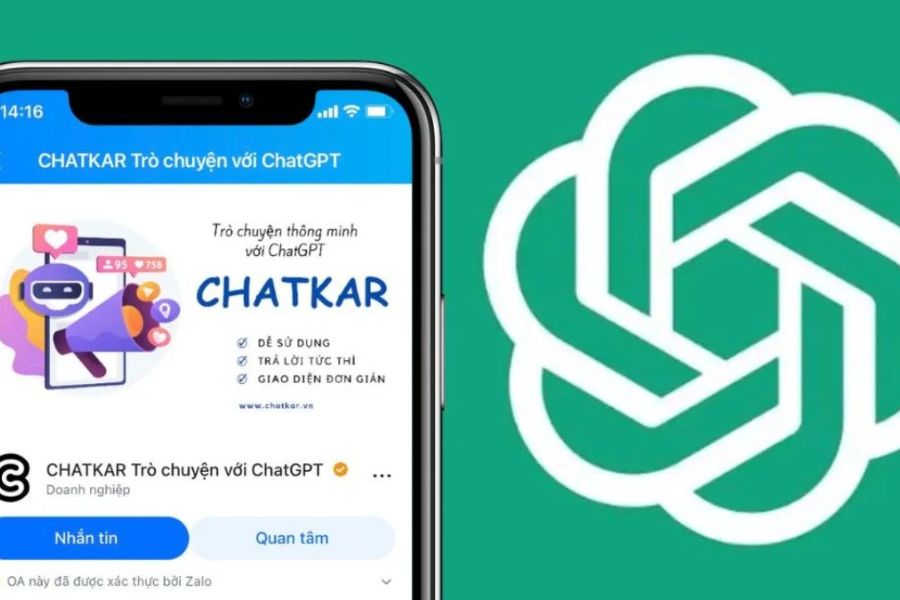
First, open the Zalo application on your phone and use the search bar at the top of the interface. Type the keyword "ChatGPT" or "CHATKAR" to narrow down the results, then locate the channel with the corresponding name. This is usually the channel most users choose to communicate with ChatGPT via Zalo. Finding the correct channel allows you to connect quickly without wasting time sorting through unrelated results.
When you see the CHATKAR channel in the results list, tap on the channel name to view its introduction page and any brief instructions provided. On the channel page, you can check the number of followers, view the latest posts, or read the description to confirm that it is indeed the correct ChatGPT support channel. This verification helps ensure that you are connecting with an official source and not a fake channel.
.jpg)
3.2. Access CHATKAR to Send Messages
Once you are on the CHATKAR channel page, find the "Message" or "Chat" button displayed on the screen and tap it to begin. Zalo will automatically open a private conversation window between you and the channel. The interface looks just like chatting with a regular contact, making it familiar and intuitive for all users. The advantage is that you do not need to install another application or switch platforms—everything is done directly within Zalo.
Before sending a message, you can read the description or quick instructions provided by the channel to learn how to ask questions effectively. If the channel requests certain permissions, such as notifications, you may allow them to receive timely responses. Once ready, tap the message box and start typing your question. With just a few simple actions, you are ready to receive assistance instantly.
.jpg)
3.3. Chat with CHATKAR
When the chat window appears, you can enter questions, request content creation, or submit information-processing tasks in any way you like. Try to state your request clearly, provide context when necessary, and break complex questions into smaller parts to receive more detailed answers. This approach helps the system respond more accurately and quickly, while also making it easier for you to refine or follow up on the responses.
After sending your request, you will receive a response in a short amount of time, often accompanied by suggestions or specific steps if the question requires action. If the answer is not satisfactory, do not hesitate to provide additional information or ask for clarification. Multi-turn conversations often produce the most accurate results. Finally, take advantage of message-saving or copy features to preserve useful content for future use, helping you optimize your workflow and save time on future queries.
.jpg)
4. Some Notes on Using ChatGPT on Zalo
4.1. Understand the Limitations of ChatGPT on Zalo
Although ChatGPT on Zalo can provide information quickly and handle questions flexibly, you should remember that it is a virtual assistant operating based on trained data. This means that some answers may not always be completely accurate or updated with the latest events. Therefore, verifying important information remains essential to avoid misunderstandings and ensure reliability.
Additionally, ChatGPT cannot replace human analytical thinking when dealing with issues that require expert evaluation. It can provide guidance or suggestions, but final decisions should always be made after careful consideration. The best way to use it effectively is to combine ChatGPT's answers with your own experience and judgment.
4.2. Know How to Filter and Evaluate Information
During use, you may receive knowledge covering a wide range of fields, from education and business to everyday life. However, not all information is suitable for every situation. Therefore, you should develop the ability to filter, compare, and verify information to ensure that the content you receive matches your actual needs.
If you are dealing with important matters related to legal, financial, or health issues, treat ChatGPT’s answers as a reference source rather than a final conclusion. This helps you avoid risks and make wiser decisions in both work and life.
4.3. Be Aware of Free Usage Limits
ChatGPT on Zalo often allows users to experience the service for free with a limited number of interactions, commonly around five uses per session. This means you should use your messages wisely and avoid wasting them on unimportant questions. Managing how you ask questions also helps you receive more concise and accurate responses.
If you are a frequent user or need continuous support for work, upgrading to a Premium package may be a sensible option. Paid plans allow unlimited usage, prevent interruptions, and provide access to advanced features that help optimize productivity.
4.4. Ask Clear Questions to Receive Quality Responses
The way you ask questions directly affects the quality of the answers you receive. Vague or incomplete questions often lead to generic responses that miss the point. On the other hand, when you provide specific context, goals, or detailed requirements, ChatGPT has a stronger foundation for delivering accurate and useful answers.
One useful tip is to divide complex questions into smaller sections. This not only helps ChatGPT better understand the issue but also makes it easier for you to follow the information. Effective prompting techniques significantly improve the overall experience and save considerable time.
4.5. Keep Your Information Safe When Chatting with ChatGPT
When chatting through Zalo, you should never share sensitive information such as passwords, bank account numbers, detailed personal data, or any other important information. This is a critical principle for protecting your security in the digital environment. Think of ChatGPT as a support tool, not a place to store or process private information.
Maintaining careful habits while messaging helps you avoid unwanted security risks. In addition, regularly review your Zalo account security settings to ensure that you are operating in the safest possible environment. A little attention can make your ChatGPT experience far more secure and worry-free.
5. Criteria for Choosing a Reliable Zalo Chatbot
With so many AI chatbots appearing on Zalo, choosing a trustworthy tool will help you receive accurate answers, protect your data, and enjoy a smoother experience. A quality chatbot is not defined solely by its name; it must also meet clear criteria to ensure that you are interacting with a reliable source.
Important criteria to consider include:
- Official Account authenticity: Always choose an Official Account with a blue verification badge to ensure it is a legitimate channel verified by Zalo. This helps you avoid fake or unofficial channels that may not guarantee quality or security.
- GPT version used by the chatbot: Check whether the OA publicly discloses the model version it uses. Newer versions such as GPT-4 or GPT-4 Turbo provide more intelligent and natural responses, while most free OAs typically use GPT-3.5. Knowing this helps you choose the right tool for your needs.
- Community reviews and feedback: Before committing to long-term use, read reviews from other users. Real experiences can help you understand how stable the chatbot is and whether it has any limitations.
- Clear usage policies: Each chatbot may apply free usage limits or offer premium plans. Read these terms carefully to avoid interruptions or unexpected costs.
- Additional support features: Some chatbots include extra capabilities such as quick translation, basic image generation, or content analysis. These features can enhance your experience and improve productivity, especially if you frequently use AI for study or business purposes.
6. When Should You Consider Using Other ChatGPT Platforms?
- Accessing the official OpenAI website: This allows you to use the latest models such as GPT-4 and GPT-4 Turbo, manage chat history, and handle personal data directly through OpenAI while ensuring compliance with official service terms.
- Using the official desktop application: Offers a more focused experience, faster response times, and standalone operation suitable for professional computer-based workflows.
- Services providing paid account access: Some reputable providers offer ChatGPT access at lower costs, allowing you to enjoy advanced features without subscribing directly through OpenAI.
- Tasks requiring stronger and more accurate models: When drafting long documents, analyzing data, or handling specialized content, official platforms generally deliver more reliable results than Zalo-based solutions.
When higher personal data security is required: Official platforms or trusted paid accounts provide better data controls and reduce the risk of exposing sensitive information
.jpg)
7. Frequently Asked Questions About ChatGPT on Zalo
Is ChatGPT on Zalo completely free?
Most ChatGPT OAs on Zalo offer a limited number of free interactions, typically powered by GPT-3.5. Some OAs may display advertisements or restrict the number of queries per day or week. To access advanced features or more powerful GPT versions, you may need to pay the OA developer.
Is using ChatGPT on Zalo really safe?
Using ChatGPT on Zalo is generally safe when you interact only with verified and reputable OAs. Never share sensitive information such as passwords, bank account numbers, or critical personal data. Remember that these are third-party services, not official OpenAI platforms.
How does the quality of ChatGPT on Zalo compare to the official web or app versions?
Free OAs on Zalo typically use older models such as GPT-3.5. Therefore, their reasoning ability, accuracy, and creativity may not match newer versions such as GPT-4 or GPT-4 Turbo available through official platforms or paid plans.
How can I find a trustworthy ChatGPT chatbot on Zalo?
Prioritize OAs with blue verification badges, large follower counts, and detailed descriptions. Reading reviews from other users can also help identify reliable and stable options.
How do I create effective prompts for ChatGPT on Zalo?
Your questions should be clear and specific. For example, instead of asking, "Tell a story," you could ask, "Tell a short funny story about a cat." If necessary, provide detailed context, such as, "I need to write a one-day leave request email. Please help me draft it." If the answer is not satisfactory, try rephrasing your request to obtain a more accurate response.
8. Conclusion
Communicating with ChatGPT through Zalo not only introduces a new way to access artificial intelligence but also provides opportunities to optimize work, save time, and improve productivity in every situation. From quickly finding information and generating content to supporting learning and handling work-related tasks, everything can be done easily within the application you already use every day. The most important factor is knowing how to use the features correctly, protect your personal information, and apply smart usage techniques to ensure a safe and effective experience. As AI technology continues to evolve rapidly, mastering how to interact with ChatGPT directly on Zalo will help you become more flexible, proactive, and ready to adapt to every change in the digital era.





















VIP Products








Best Selling Products
Freepik Premium Account
59 USD
ChatGPT Plus Account (GPT-4)
16 USD
Windows 10 & 11 Pro Key
36 USD
MidJourney Account
29 USD
Upgrade Duolingo Super
29 USD
Adobe Photoshop Copyright - Full App
120 USD
Genuine Adobe Illustrator account
99 USD
Genuine Cheap Canva Pro
39 USD
Copyright Adobe Lightroom Account
59 USD
Upgrade Genuine Office 365
49 USD
Adobe Premiere Pro Account
99 USD
Autodesk All App Account Copyright
120 USD
Plugin Retouch4me
69 USD
Upgrade genuine Capture One account
120 USD
Capcut Pro 1 Year
39 USD