Best Selling Products

Plugin Retouch4me
69 USD

Adobe Premiere Pro Account
99 USD

Freepik Premium Account
59 USD

Genuine Adobe Illustrator account
99 USD

Copyright Adobe Lightroom Account
59 USD

Windows 10 & 11 Pro Key
36 USD

Adobe Photoshop Copyright - Full App
120 USD

Genuine Cheap Canva Pro
39 USD

Autodesk All App Account Copyright
120 USD

Upgrade genuine Capture One account
120 USD

Upgrade Genuine Office 365
49 USD

Upgrade Duolingo Super
29 USD

MidJourney Account
29 USD

ChatGPT Plus Account (GPT-4)
16 USD

Capcut Pro 1 Year
39 USD
Genuine Adobe Illustrator accounts at incredibly low prices.
Nội dung
- 1. What is Adobe Illustrator?
- 2. Key features of Adobe Illustrator
- 2.1. Professional vector graphic design
- 2.2. Powerful drawing toolset
- 2.3. Managing Colors and Effects
- 2.4. Flexible text editing
- 2.5. Integration with the Adobe ecosystem
- 3. Who should use Adobe Illustrator?
- 3.1. Graphic Designer
- 3.2. Illustrator
- 3.3. UI/UX Designer
- 3.4. Marketing and Communications Professionals
- 3.5. Design students
- 4. Why should you choose a genuine Adobe Illustrator account?
- 4.1. Continuous updates
- 4.2. Data Synchronization
- 4.3. Safety and stability
- 4.4. Long-term support
- 5. Besides Adobe Illustrator, what other Adobe applications does SaDesign offer?
- 6. Why should you upgrade your Adobe Illustrator account at SaDesign?
- 6.1. Genuine account, stable usage.
- 6.2. Cost savings compared to buying directly.
- 6.3. Supports quick activation and use.
- 6.4. Fully updated with all the new features from Adobe.
- 7. Conclusion
Adobe Illustrator is one of the world''s leading vector graphic design software programs, trusted by millions of designers, illustrators, and creative professionals. From logo design and brand identity to advertising banners, illustrations, and product packaging, Illustrator excels at handling vector graphics with precision and flexibility. If you''re looking for a genuine Adobe Illustrator account at an affordable price while still ensuring full functionality, this is the optimal solution to enhance your work and study efficiency. Owning a licensed Adobe Illustrator account not only provides a stable and secure experience but also allows you to continuously update new tools from Adobe, synchronize data on Creative Cloud, and optimize your professional creative process. Let''s explore it with Sadesign!
1. What is Adobe Illustrator?
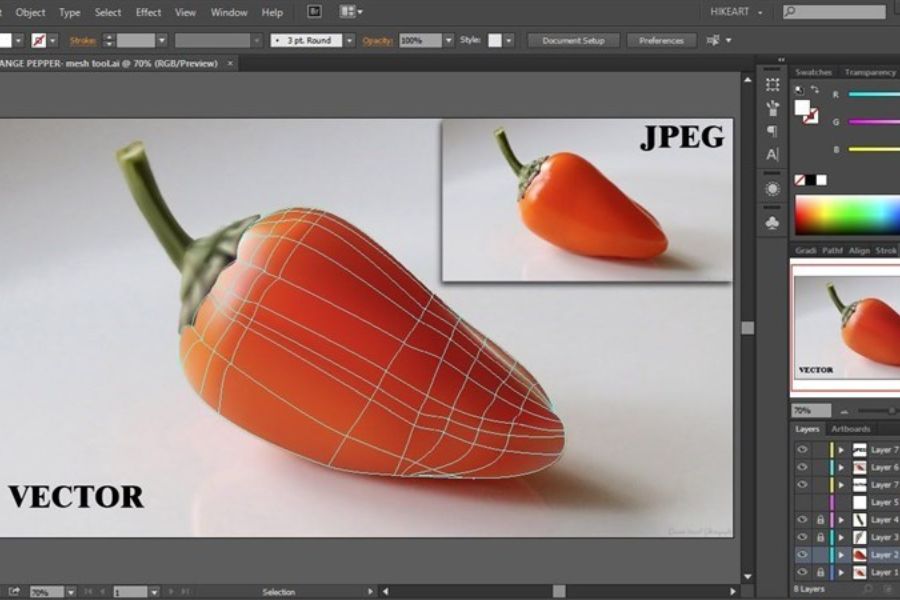
Adobe Illustrator is vector graphics design software developed by Adobe and first released in 1987. Unlike bitmap images, vector graphics are made up of points, lines, and mathematical shapes, so they can be enlarged or reduced without losing image quality.
Illustrator is a widely used tool in many fields such as logo design, brand identity, book and magazine illustration, fashion design, application interfaces, infographics, and professional printing. Thanks to its ability to create sharp images with high accuracy, Illustrator has become an almost indispensable choice for those working in the creative industry.
In addition, a genuine Adobe Illustrator account allows users to fully utilize the Adobe Creative Cloud ecosystem, making project storage, sharing, and management much more convenient.
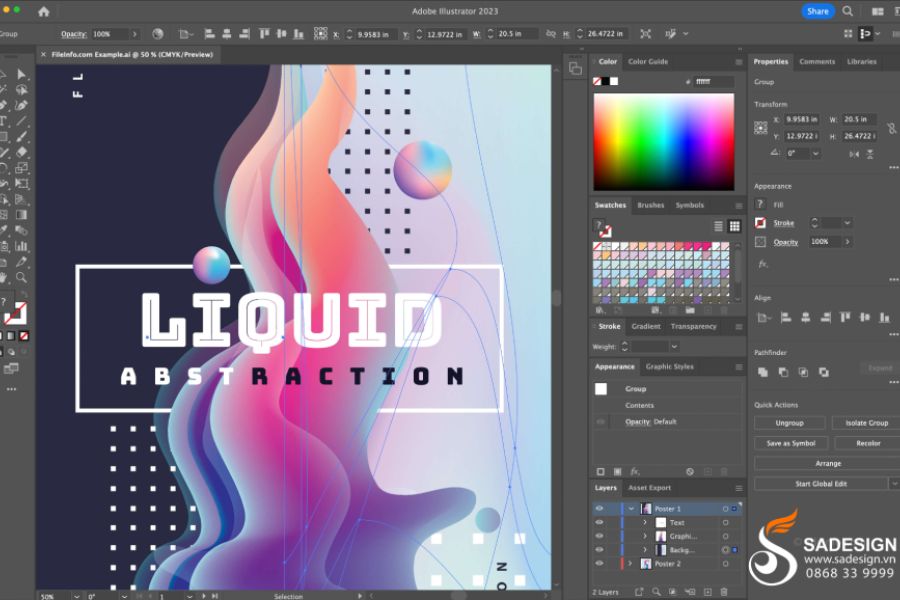
2. Key features of Adobe Illustrator
Adobe Illustrator accounts are highly regarded by designers because of their powerful and flexible toolset, suitable for many creative fields.
2.1. Professional vector graphic design
Illustrator allows you to create and edit vector objects with high precision. Whether you're printing on business cards or large billboards, the image quality remains consistent without any loss of detail.
2.2. Powerful drawing toolset
The software provides a full range of tools such as the Pen Tool, Shape Tool, Pencil, Brush, and many options to support freehand drawing and professional shaping. This is a great advantage for illustrators and designers.
2.3. Managing Colors and Effects
Illustrator supports RGB, CMYK, Pantone color systems, gradients, transparency, shadows, blur, and many other effects. This helps create designs with depth and meets the needs of both print and digital applications.
2.4. Flexible text editing
Users can professionally format, align, style fonts, and combine typography with vector graphics. This is a crucial feature in poster, brochure, packaging, and brand identity design.
2.5. Integration with the Adobe ecosystem
A licensed Adobe Illustrator account can connect directly to Photoshop, InDesign, Premiere Pro, After Effects, and other applications in the Adobe Creative Cloud. Sharing resources and synchronizing projects becomes much faster and more convenient.
3. Who should use Adobe Illustrator?
Illustrator is not only for professional designers but is also suitable for many different user groups.
3.1. Graphic Designer
This group uses Illustrator the most for designing logos, posters, brochures, banners, catalogs, and brand identity packages.
3.2. Illustrator
Illustrator supports drawing characters, comics, book illustrations, media images, and highly detailed digital artwork.
3.3. UI/UX Designer
Designing icons, interfaces, wireframes, and graphic elements for websites or applications becomes easier thanks to the flexible vector system.
3.4. Marketing and Communications Professionals
Advertising campaigns requiring high-quality images, visually appealing infographics, or professional social media content can all be effectively created using Illustrator.
3.5. Design students
If you're studying graphic design, multimedia, or applied arts, an Adobe Illustrator account is an almost mandatory tool for learning and building your portfolio.
4. Why should you choose a genuine Adobe Illustrator account?
Many people choose unlicensed software to save money, but this carries many risks such as software errors, data loss, lack of feature updates, and malware infection. Using a genuine Adobe Illustrator account offers numerous superior benefits.
4.1. Continuous updates
Adobe regularly adds AI tools, improves performance, and optimizes the user experience. Licensed accounts are always updated as soon as new versions are released.
4.2. Data Synchronization
Creative Cloud allows you to store projects, fonts, presets, and resource libraries in the cloud, making it more convenient to work across multiple devices.
4.3. Safety and stability
You don't need to worry about activation errors, software conflicts, or the security risks commonly found in unofficial versions.
4.4. Long-term support
Users can fully utilize the features, receive regular updates, and ensure their copyright rights are protected during the work process.
5. Besides Adobe Illustrator, what other Adobe applications does SaDesign offer?
Besides Adobe Illustrator accounts , SaDesign also offers many other licensed software programs within the Adobe ecosystem to serve diverse creative needs.
-
Adobe Photoshop: photo editing and graphic design.
-
Adobe InDesign: layout design for books, magazines, and brochures.
-
Adobe Premiere Pro: Professional video editing.
-
Adobe After Effects: creating effects and motion graphics.
-
Adobe Lightroom: color correction and photo management.
-
Adobe Acrobat: PDF document processing.
-
Adobe XD: User interface and experience design.
Having multiple Adobe applications simultaneously will help make the creative process more synchronized and efficient.
6. Why should you upgrade your Adobe Illustrator account at SaDesign?
Choosing a reputable Adobe Illustrator account provider is crucial for stable, legitimate software usage and prompt support when needed. SaDesign is one of the trusted addresses for many designers, freelancers, students, and businesses when upgrading to genuine Adobe products at reasonable prices.
6.1. Genuine account, stable usage.
SaDesign provides genuine Adobe Illustrator accounts , guaranteeing official activation and full access to all Adobe features. Users can work confidently for the long term without encountering licensing errors, software interruptions, or loss of access.
6.2. Cost savings compared to buying directly.
One of the biggest advantages of upgrading at SaDesign is the competitive pricing, suitable for students, freelancers, and creative individuals. You still get to experience licensed Illustrator at an optimal cost, significantly saving your budget while ensuring work efficiency.
6.3. Supports quick activation and use.
The SaDesign team supports customers throughout the process of activating, installing, and using their Adobe Illustrator accounts . If users encounter any account or software-related issues, they will receive prompt assistance, minimizing any impact on their work progress.
6.4. Fully updated with all the new features from Adobe.
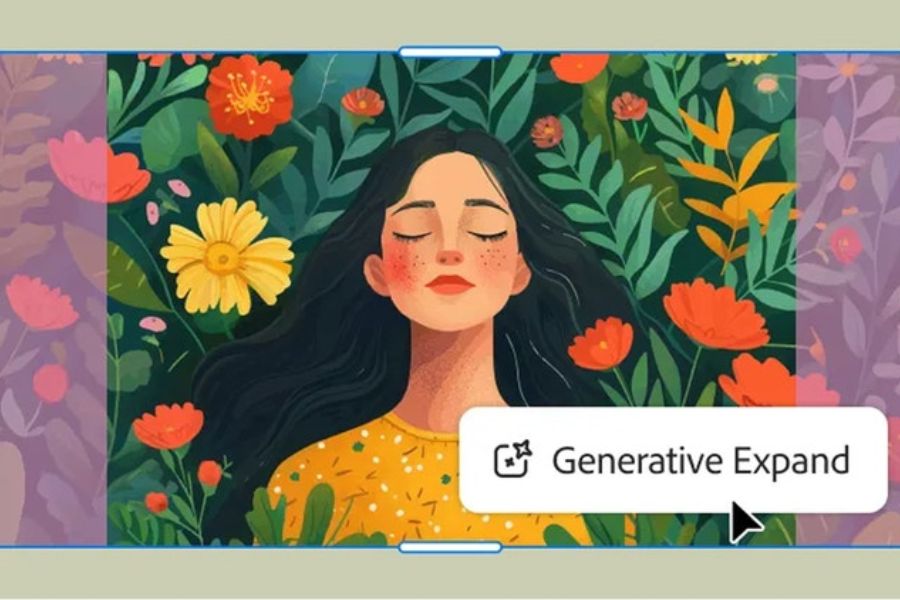
When using a genuine Adobe Illustrator account provided by SaDesign, you will always receive updates to the latest versions of Adobe. This allows you to leverage AI tools, improve performance, and access new creative features, thereby enhancing design quality and optimizing your workflow.
7. Conclusion
Adobe Illustrator is not just design software, but a powerful creative platform for all designers, artists, and media professionals. Owning a genuine Adobe Illustrator account ensures stable and secure work, while maximizing the use of Adobe's advanced tools to create high-quality graphic products. If you're looking to save money while still enjoying a full licensed experience, an Adobe Illustrator account at SaDesign is a worthwhile option. With reasonable pricing, fast support, and a commitment to genuine accounts, SaDesign will help you confidently create and develop your work in the long term.





















VIP Products








Best Selling Products
Plugin Retouch4me
69 USD
Adobe Premiere Pro Account
99 USD
Freepik Premium Account
59 USD
Genuine Adobe Illustrator account
99 USD
Copyright Adobe Lightroom Account
59 USD
Windows 10 & 11 Pro Key
36 USD
Adobe Photoshop Copyright - Full App
120 USD
Genuine Cheap Canva Pro
39 USD
Autodesk All App Account Copyright
120 USD
Upgrade genuine Capture One account
120 USD
Upgrade Genuine Office 365
49 USD
Upgrade Duolingo Super
29 USD
MidJourney Account
29 USD
ChatGPT Plus Account (GPT-4)
16 USD
Capcut Pro 1 Year
39 USD