Best Selling Products

Upgrade Duolingo Super
29 USD

MidJourney Account
29 USD

Upgrade Genuine Office 365
49 USD

Genuine Cheap Canva Pro
39 USD

Adobe Photoshop Copyright - Full App
120 USD

Genuine Adobe Illustrator account
99 USD

Plugin Retouch4me
69 USD

Capcut Pro 1 Year
39 USD

Copyright Adobe Lightroom Account
59 USD

Freepik Premium Account
59 USD

ChatGPT Plus Account (GPT-4)
16 USD

Adobe Premiere Pro Account
99 USD

Windows 10 & 11 Pro Key
36 USD

Upgrade genuine Capture One account
120 USD

Autodesk All App Account Copyright
120 USD
Genuine Adobe Illustrator Accounts at Super Low Prices
Nội dung
Adobe Illustrator is a vector graphics design software currently used by millions of people worldwide, especially popular with designers, artists, and media professionals. With its ability to create precise vector images and graphics, Illustrator allows users to easily design logos, charts, illustrations, and more. Discover the software''s powerful tools and versatile features, and learn how to get an Adobe Illustrator account in the content below.
1. What is Adobe Illustrator?
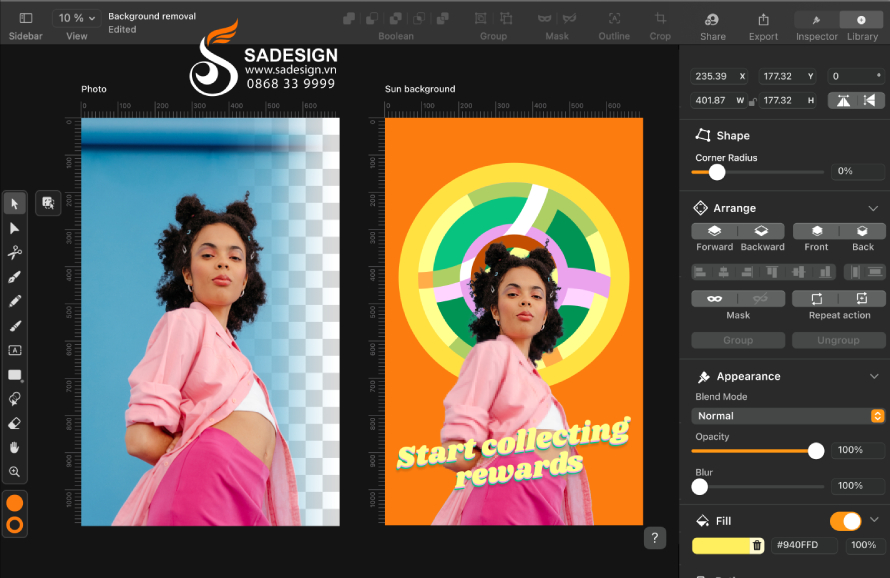
Adobe Illustrator, first launched in 1987, was developed by Adobe Systems to help users create and edit vector images from points, lines, and shapes, regardless of resolution. To this day, Illustrator remains a powerful, versatile, and easy-to-use graphic design tool for designers, artists, and media professionals to create projects ranging from simple to complex, optimizing every creative idea.
2. Adobe Illustrator Features
Adobe Illustrator is consistently considered one of the leading software programs for creating and editing vector images and supporting graphic design due to its outstanding features:
-
Vector design: Illustrator allows you to create and edit vector images, helping to maintain quality when zooming in or out without image distortion.
-
Offers a wide range of drawing and formatting tools: The software provides many freehand drawing tools, tools for drawing basic shapes (rectangles, circles, polygons, etc.), and a Pen tool for creating precise lines.
-
Color mixing and gradients: Users can apply a variety of colors, create smooth gradients, and rich color effects to their designs.
-
Text editing: Illustrator supports powerful text processing features, allowing for unique formatting, alignment, and typography styles.
-
Add effects and filters: Users can insert effects such as shadows, blur, distortion, etc., to enrich the design.
-
Save templates and icons: Users can create and save templates and icons for reuse in other projects, saving time and effort.
-
Integration with Creative Cloud: Illustrator can connect with other applications in the Adobe Creative Cloud suite, such as Photoshop and InDesign, allowing for easy document sharing and synchronization.
-
Customize views and layouts: Allows for adjustment of views with various layout options, making it easier for users to work on complex projects.
-
Flexible file export in multiple formats: Illustrator supports exporting files in various formats such as SVG, PDF, EPS, and PNG, meeting the needs of both print and digital projects.
-
Chart and infographic creation tools: Provides tools to help create charts, infographics, and other visual elements to convey messages clearly and intuitively.
3. Who should use Adobe Illustrator?
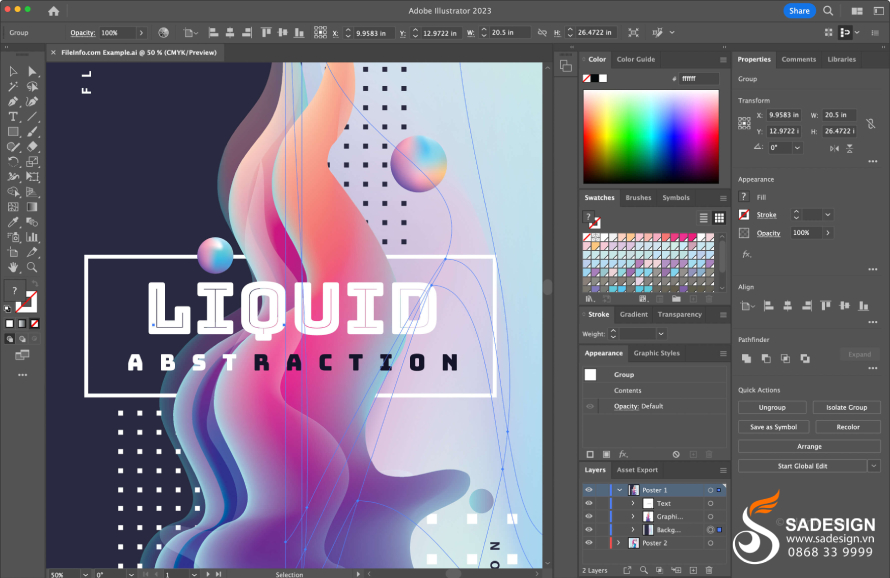
Adobe Illustrator has become a powerful and versatile tool for graphic designers, artists, and media professionals. Here are some user groups who should consider choosing this software:
-
Professional graphic designers use Illustrator to create logos, banners, flyers, and other graphic products.
-
Illustrator professionals can use Illustrator to draw and design detailed images, including illustrations for books, newspapers, and media.
-
A designer, sketcher, and concept developer in the fashion industry.
-
User interface (UI) and user experience (UX) designers create icons, interfaces, and prototypes for applications and websites.
-
People working in media and marketing use Illustrator to create advertising images and graphics for marketing campaigns.
-
Students studying graphic design or art can use Illustrator as a learning and practice tool.
-
Digital artists can leverage Illustrator's drawing and vector image creation capabilities to develop their own style or increase their income on various platforms.
-
People who work in product packaging and label design.
4. Besides Adobe Illustrator, what other applications from the Adobe suite does SaDesign offer?
In addition to Adobe Illustrator, SaDesign also offers many other applications from the Adobe suite to serve various user needs, including:
-
Adobe Photoshop : Image editing, retouching, and graphic design software.
-
Adobe InDesign : A design and publishing tool for documents such as magazines, books, brochures, and professional text.
-
Adobe After Effects : Software for creating visual effects and motion graphics.
-
Adobe Premiere Pro : A professional video editing application that allows for flexible video editing, arrangement, and processing.
-
Adobe XD : A design and prototyping tool for user experience (UX) and user interface (UI) in application and website design.
-
Adobe Lightroom : Software for editing and managing RAW images and organizing your photo library.
-
Adobe Acrobat : A tool for processing, creating, editing, etc., PDF documents.
5. Instructions for upgrading Adobe Illustrator at SaDesign
Adobe Illustrator is a comprehensive toolset for designers, artists, and creative professionals to optimally realize their personal creative ideas. To purchase or upgrade Adobe Illustrator at SaDesign, follow the steps below:
-
Step 1: Access the website: https://Sadesign.vn using a web browser on your device.
-
Step 2: Search for the product name "Adobe Illustrator Upgrade" in the search bar.
-
Step 3. Choose the service package that suits your needs (999,000 VND/ 1 Year/ 1 Machine or 1,499,000 VND/ 1 Year/ 2 Machines) and click “Add to cart” or “Buy now”.
-
Step 4: Select "Checkout" and enter your full personal information to proceed with payment for your order.
-
Step 5: Receive your account information from SaDesign via email. Log in, activate your account, and begin installing and setting up the application on your device.
Conclusion
Adobe Illustrator is not just a design tool, but also a powerful creative platform, allowing artists and designers to express their ideas vividly and uniquely. Contact SaDesign to get your Adobe Illustrator account and create high-quality graphic products today.
---------------------------------------------------
🏡 Sadesign Co., Ltd. provides top-quality, affordable licensed software in Vietnam: Panel Retouch, Adobe Photoshop Full App, Capcut Pro, Canva Pro, Google Drive, Office 365, Retouch4me, Windows 10/11, YouTube Premium, Spotify Premium, Zoom Pro, Netflix, ELSA Speak...
🎯 Genuine products, full warranty, free installation, dedicated and attentive support!





















VIP Products








Best Selling Products
Upgrade Duolingo Super
29 USD
MidJourney Account
29 USD
Upgrade Genuine Office 365
49 USD
Genuine Cheap Canva Pro
39 USD
Adobe Photoshop Copyright - Full App
120 USD
Genuine Adobe Illustrator account
99 USD
Plugin Retouch4me
69 USD
Capcut Pro 1 Year
39 USD
Copyright Adobe Lightroom Account
59 USD
Freepik Premium Account
59 USD
ChatGPT Plus Account (GPT-4)
16 USD
Adobe Premiere Pro Account
99 USD
Windows 10 & 11 Pro Key
36 USD
Upgrade genuine Capture One account
120 USD
Autodesk All App Account Copyright
120 USD