Best Selling Products

Genuine Adobe Illustrator account
99 USD

Windows 10 & 11 Pro Key
36 USD

Capcut Pro 1 Year
39 USD

Freepik Premium Account
59 USD

Adobe Premiere Pro Account
99 USD

ChatGPT Plus Account (GPT-4)
16 USD

Plugin Retouch4me
69 USD

Upgrade Duolingo Super
29 USD

Autodesk All App Account Copyright
120 USD

MidJourney Account
29 USD

Genuine Cheap Canva Pro
39 USD

Upgrade Genuine Office 365
49 USD

Upgrade genuine Capture One account
120 USD

Copyright Adobe Lightroom Account
59 USD

Adobe Photoshop Copyright - Full App
120 USD
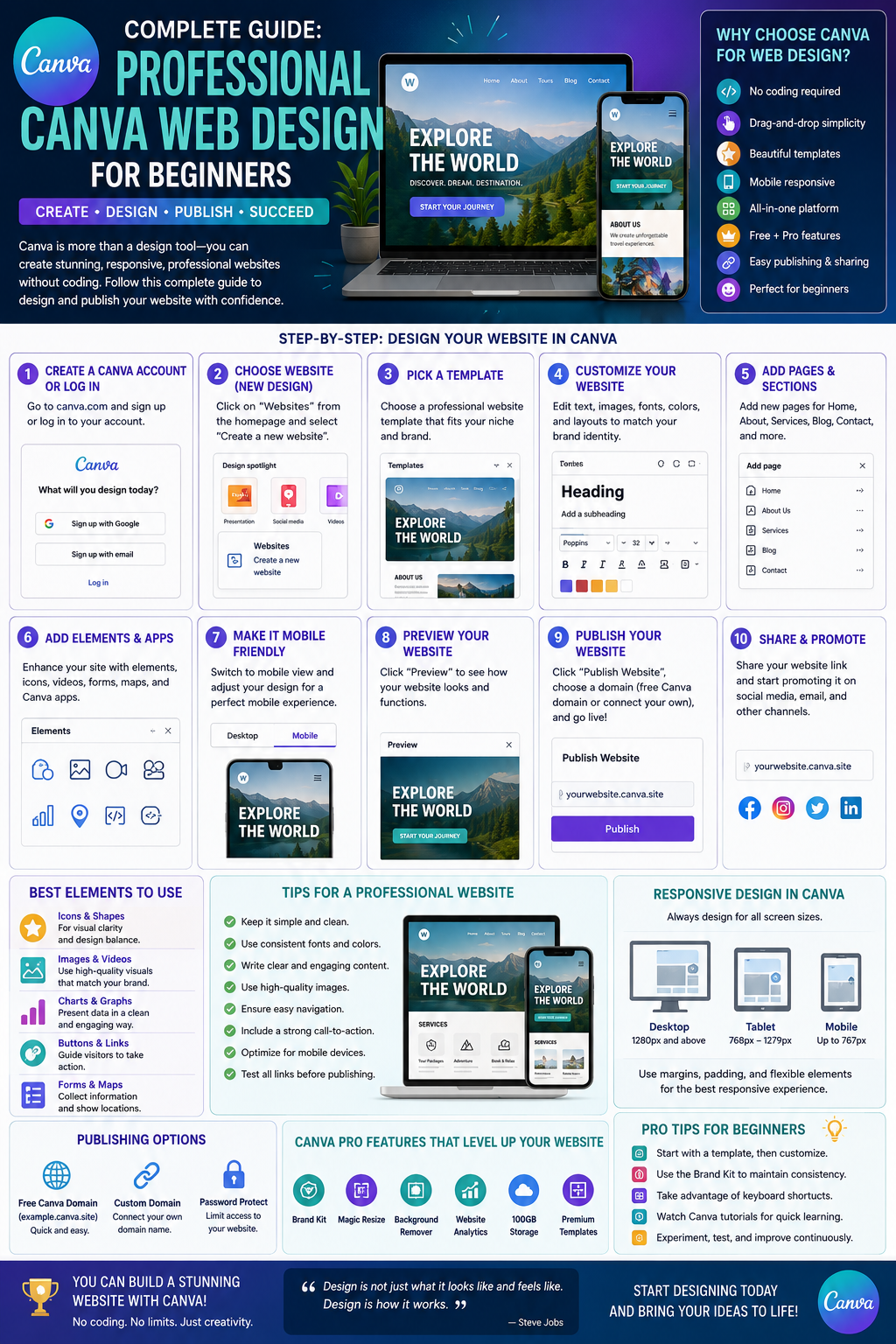
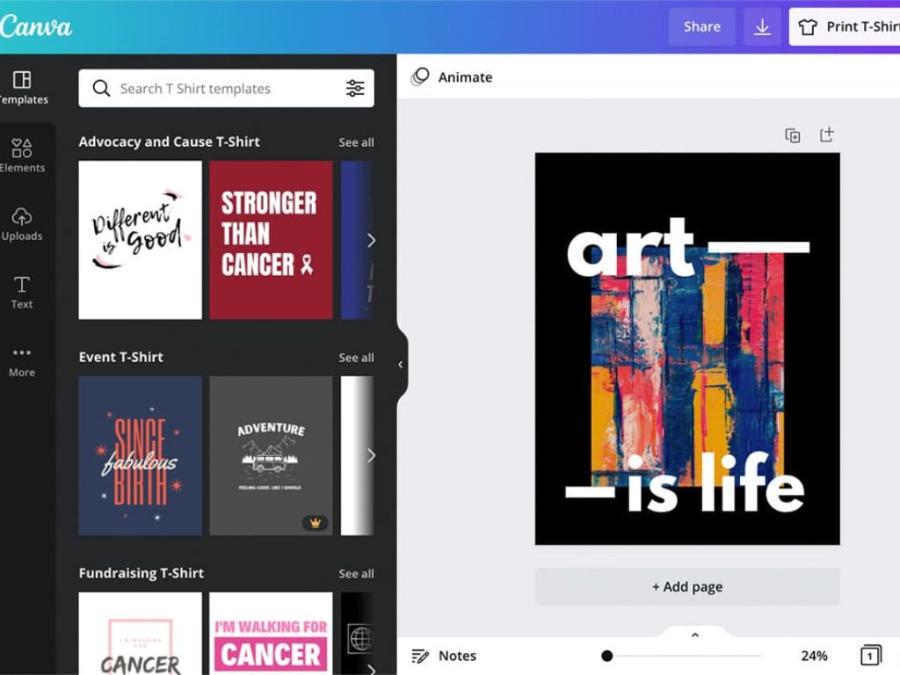
How to design your own unique t-shirts at home using Canva.
Nội dung
- 1. Reasons why the trend of designing your own clothes online has become a strong wave.
- 1.1 Maximum personalization possibilities for individual fashion style.
- 1.2 The remarkable development of the on-demand printing business model
- 1.3 Reduce intermediary costs and take a proactive approach in the production process.
- 2. Outstanding advantages of choosing canvas for T-shirt design.
- 2.1 Extensive library of copyrighted fonts and graphics
- 2.2 The intuitive drag-and-drop operation process eliminates all technical barriers.
- 2.3 Ability to export high-quality files that meet industrial printing standards.
- 3. A step-by-step guide to designing a perfect canvas t-shirt from scratch.
- 3.1 Step 1: Create a workspace with standard print dimensions.
- 3.2 Step 2: Developing ideas and coordinating graphic elements
- 3.3 Step 3: Publish and package the files for delivery to the printing factory.
- 4. Golden principles for creating aesthetically pleasing t-shirt designs.
- 4.1 Precisely positioning the optimal display area on the fabric surface
- 4.2 Limit the number of colors to optimize screen printing costs.
- 5. Introducing a superior automated design optimization solution at appvip.ai
- 6. Conclusion
This guide shows you how to design t-shirts using Canvas in a simple, intuitive, and professional way. Discover a step-by-step process to create your own unique t-shirt design and optimize your print files here.
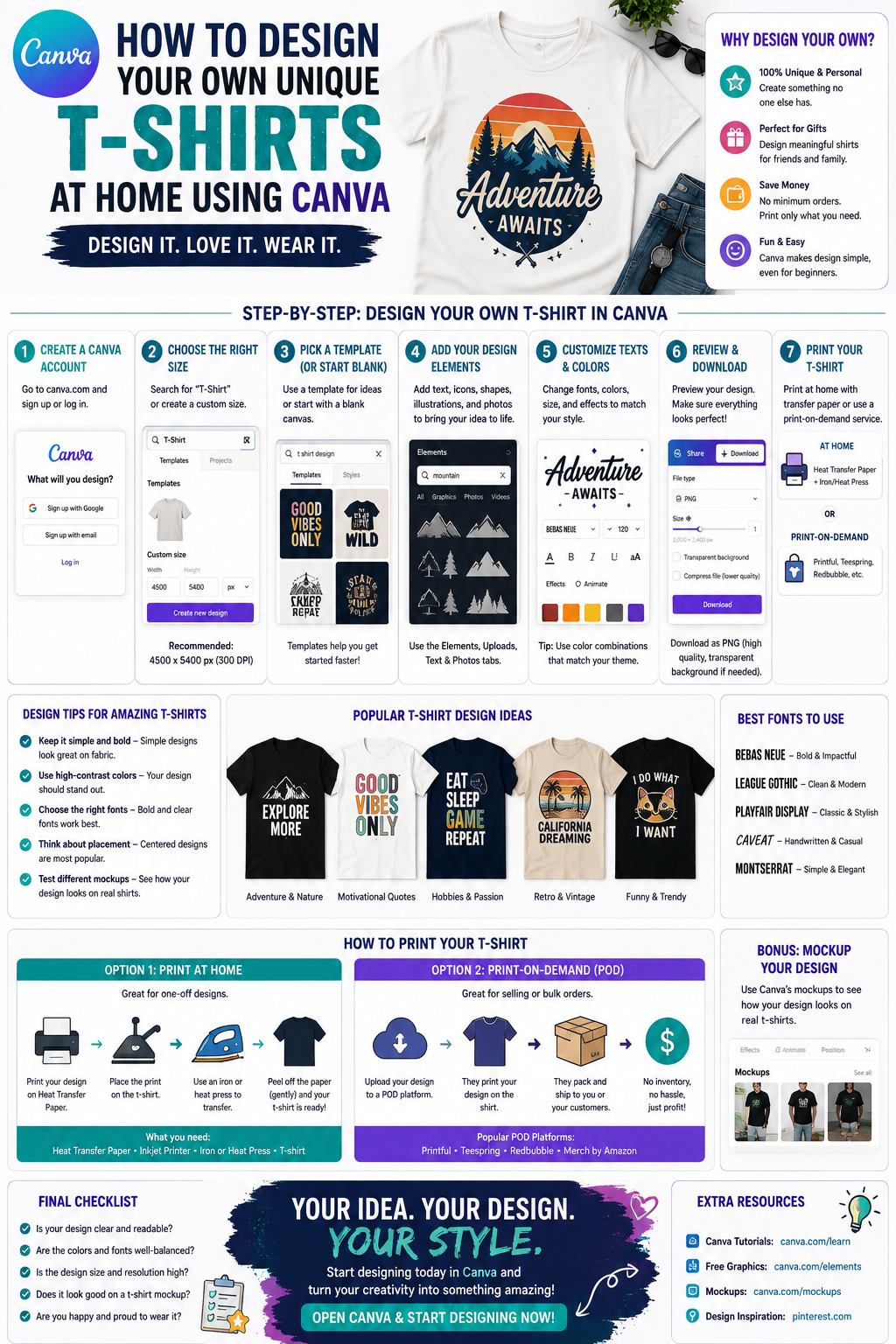
1. Reasons why the trend of designing your own clothes online has become a strong wave.
1.1 Maximum personalization possibilities for individual fashion style.
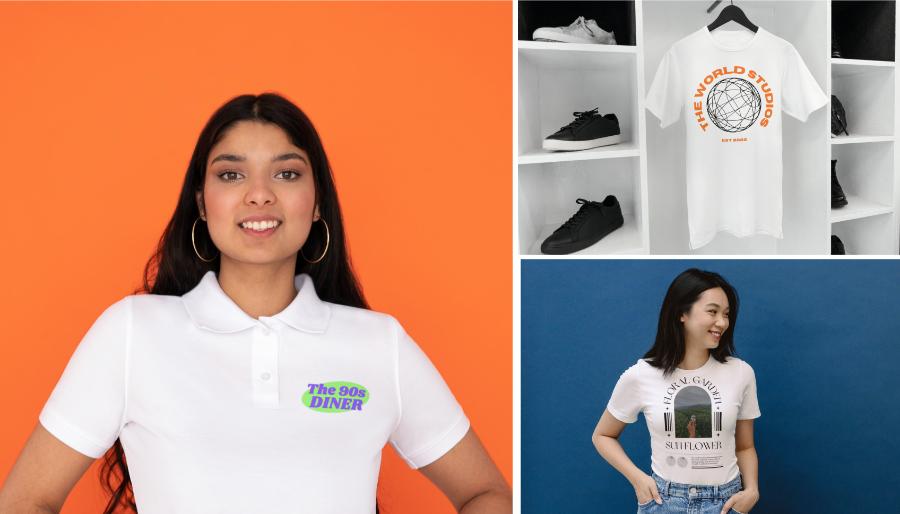
Modern consumer tastes, especially among younger generations, are moving away from mass-produced, stereotypical clothing. Individuals now desire products that tell a story, reflect their interests, or express their personal values. Online platforms provide a free space for users to experiment with even the wildest ideas, combining art and writing in their own unique way to create one-of-a-kind products.
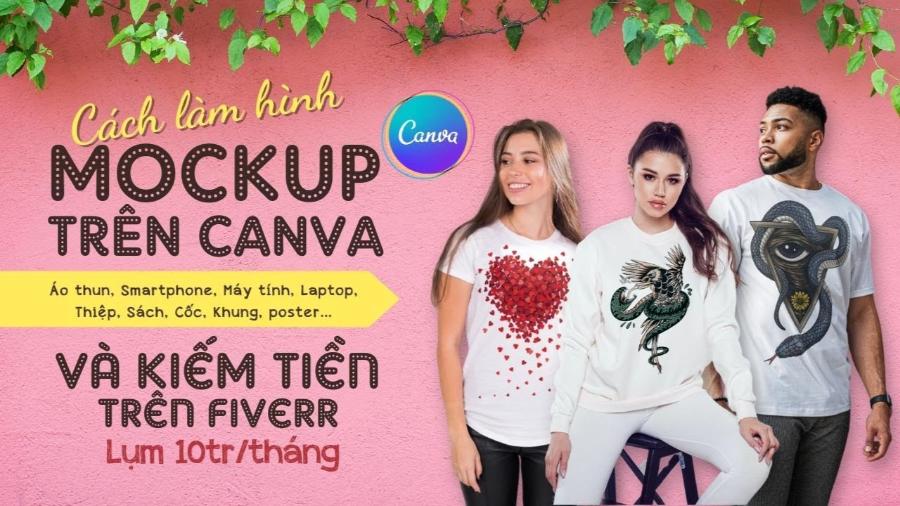
1.2 The remarkable development of the on-demand printing business model
The print-on-demand (POD) industry has opened up a low-capital, inventory-free, and risk-free startup method for young entrepreneurs. The key to a POD business's success lies in its ability to create designs that keep up with market trends. Mastering visual design platforms allows shop owners to produce dozens of new designs daily, quickly testing market reaction and optimizing revenue effectively.
1.3 Reduce intermediary costs and take a proactive approach in the production process.
Previously, groups, classes, or small businesses often faced difficulties ordering uniforms in small quantities due to the high cost of custom design. Having the ability to edit print designs in-house allows these organizations to completely save on outsourcing costs while maintaining 100% control over the design concept on the shirts. You can freely adjust colors and dimensions until you are completely satisfied before sending the file to the printing company.
2. Outstanding advantages of choosing canvas for T-shirt design.
2.1 Extensive library of copyrighted fonts and graphics
The biggest advantage of designing t-shirts using Canva lies in its vast resource library, constantly updated by professional artists worldwide. Users can easily access millions of icons and vector art designs in various styles, from vintage and retro to minimalist and modern. The diverse font system, with perfect Vietnamese language support, makes creating slogans on t-shirts incredibly artistic and appealing.
2.2 The intuitive drag-and-drop operation process eliminates all technical barriers.
The platform is built on the philosophy of simplifying complex processes, making design work as easy as assembling a jigsaw puzzle. Users don't need to understand complex mathematical concepts like Bezier curves or the cumbersome layer management systems of traditional graphic design software. Every action, from zooming in and out, rotating images, to changing colors, is performed with intuitive mouse clicks, making it easy for beginners to get started.
2.3 Ability to export high-quality files that meet industrial printing standards.
No matter how beautiful a design looks on a computer screen, it will become worthless if the output file is blurry when printed on actual fabric. The canvas t-shirt design method allows users to choose between high-quality PDF output or high-resolution PNG output with a transparent background. This ensures that the printed lines achieve maximum sharpness, without smudging or jagged edges, whether through digital printing, heat transfer printing, or screen printing.
3. A step-by-step guide to designing a perfect canvas t-shirt from scratch.
3.1 Step 1: Create a workspace with standard print dimensions.
Establishing a frame with the correct resolution from the outset is a crucial factor in determining the display quality of the final product.
-
Instructions: After logging into their account, users click on the "create new design" option, enter the keyword "T-shirt" into the search bar, or customize the size with the recommended dimensions of 4500 x 5400 pixels.
-
Technical reason: This is the gold standard size recommended by major printing companies worldwide, ensuring a beautiful print coverage across the entire garment surface without quality degradation when enlarged.
3.2 Step 2: Developing ideas and coordinating graphic elements
This stage requires a harmonious combination of aesthetic thinking and message arrangement to create a balanced composition on the chest or back of the shirt.
-
Typography creation: Enter the text you want to convey, choose a font that matches the design's theme, and use curves and shadows to create visual emphasis.
-
Element Integration (Graphics): Find illustrations related to the theme, arranging them above, below, or interwoven with the text to create a unified whole.
-
Smart color matching: Choose colors for the print based on the background color of the t-shirt you plan to produce, ensuring high contrast so the print always stands out when worn.
3.3 Step 3: Publish and package the files for delivery to the printing factory.
The final stage requires rigorous checking to ensure the design file does not contain any basic technical errors before being introduced into the production line.
-
Remove transparent background: When downloading in PNG format, users must check the "Transparent background" box to completely remove the white background surrounding the printed image.
-
Check the resolution: Ensure the file quality slider is always pushed to the maximum level to maintain sharpness for fine details or color gradients.
-
Original file storage: Keep the project in the cloud for easy resizing or editing of information when ordering additional batches of shirts.
4. Golden principles for creating aesthetically pleasing t-shirt designs.
4.1 Precisely positioning the optimal display area on the fabric surface
A common mistake beginners make is placing the print too high up near the neckline or too low down towards the stomach, resulting in an unbalanced look when worn. Fashion design guidelines stipulate that the ideal print area is approximately two to three fingers' width from the neckline. The size of the entire graphic cluster should also not exceed the width of the chest to prevent the print from spilling into the armpits when moving.
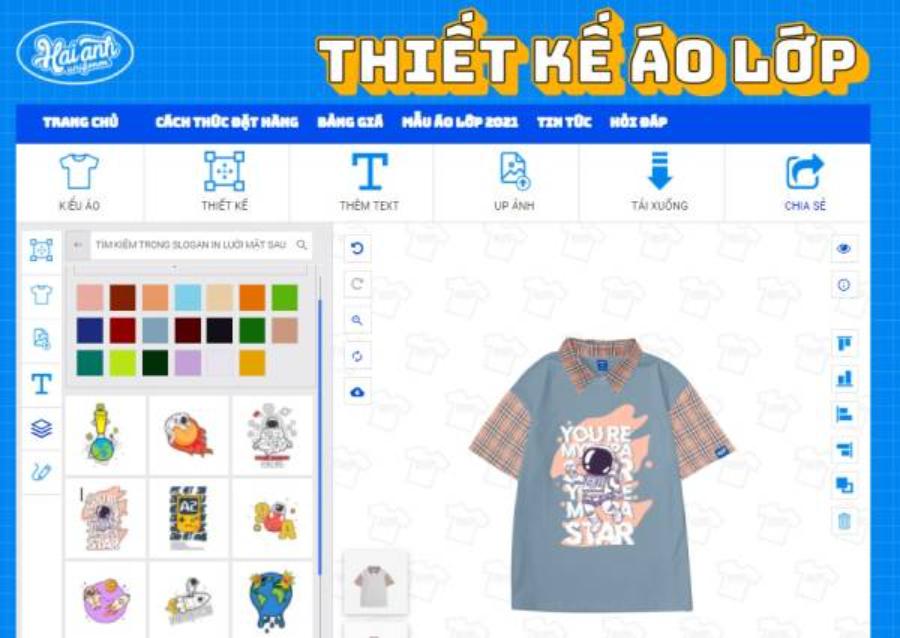
4.2 Limit the number of colors to optimize screen printing costs.
If your business chooses traditional screen printing technology to produce shirts in large quantities, the cost will be calculated based on the number of color stencils in the design. Using too many overlapping colors will drive up production costs significantly. Try to limit the color palette to 2 to 3 main colors that contrast well with the fabric color. This will help create a modern and sophisticated design while optimizing the cost for your business.
5. Introducing a superior automated design optimization solution at appvip.ai
The breakthrough of digital technology is opening up new avenues, simplifying the entire process of creating fashion images and interfaces for modern users. The website appvip.ai is a pioneering ecosystem, providing the creative community with the ability to automate the entire graphic content editing process based on the power of advanced artificial intelligence. Without requiring users to possess complex skills or spend years researching cumbersome tools, the intelligent system automatically analyzes structure, identifies market trends, and suggests optimal image optimization solutions with just one click. This is a groundbreaking solution that helps t-shirt designers, marketers, and POD business owners optimize 90% of their working time while still creating unique designs that keep up with the latest technological trends and fashion tastes.
6. Conclusion
The journey of realizing fashion ideas and mastering the t-shirt design process using canvas is a strategic step, opening up unlimited creative space for individuals and businesses in the era of visual media dominance. The seamless combination of keen human layout thinking and the convenience and speed of intuitive drag-and-drop tools will help you create impressive fashion products that meet industrial production quality standards. Start building your first fashion collection today, constantly updating with new artistic trends to confidently assert your unique brand identity in the global garment market.





















VIP Products








Best Selling Products
Genuine Adobe Illustrator account
99 USD
Windows 10 & 11 Pro Key
36 USD
Capcut Pro 1 Year
39 USD
Freepik Premium Account
59 USD
Adobe Premiere Pro Account
99 USD
ChatGPT Plus Account (GPT-4)
16 USD
Plugin Retouch4me
69 USD
Upgrade Duolingo Super
29 USD
Autodesk All App Account Copyright
120 USD
MidJourney Account
29 USD
Genuine Cheap Canva Pro
39 USD
Upgrade Genuine Office 365
49 USD
Upgrade genuine Capture One account
120 USD
Copyright Adobe Lightroom Account
59 USD
Adobe Photoshop Copyright - Full App
120 USD