1. The art of transforming the appearance of photos through professional sky color editing apps.
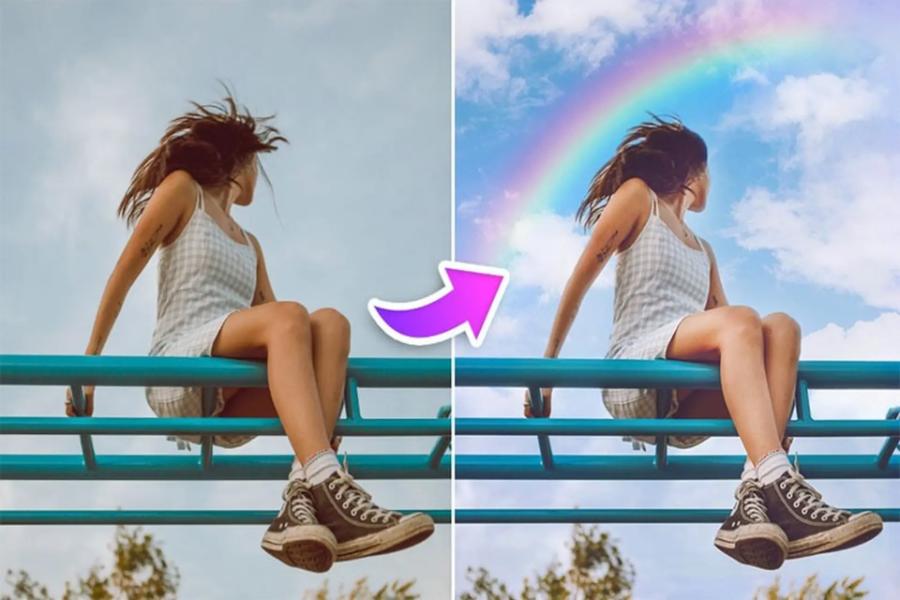
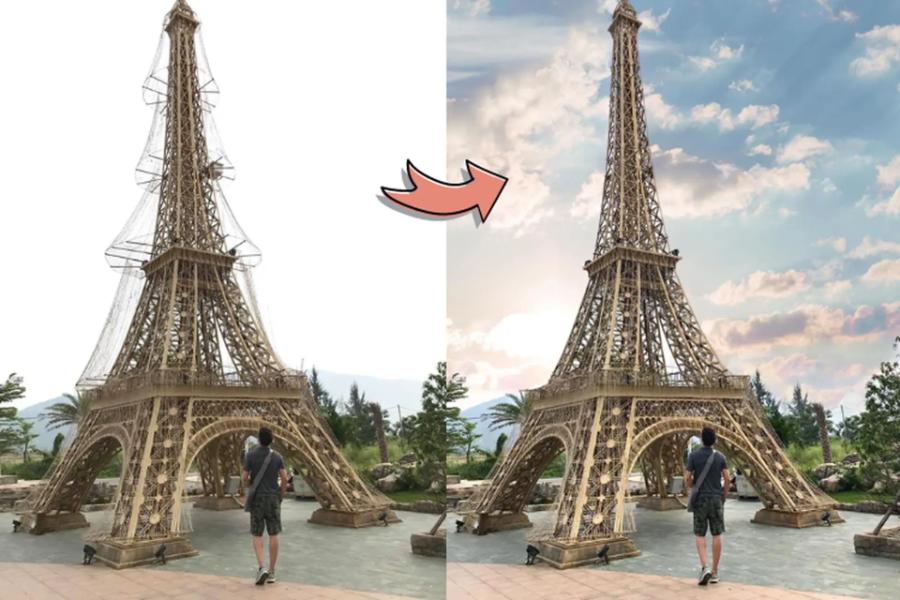
The sky always plays the role of the "soul" of a landscape photograph, directly determining the emotion and dominant color tone of the entire frame. However, the weather doesn't always cooperate, leading to photos with overexposed, gray, or lifeless skies. The advent of sky color editing apps has revolutionized mobile image post-processing, allowing anyone to become a professional photographer. These applications don't simply apply color filters; they also use artificial intelligence to identify and replace entire areas of the sky with incredible subtlety.
2. Why is sky color correction important in modern photography?
A beautiful photograph requires harmony in composition and lighting, but it is the color of the sky that creates spatial depth. Mastering the tools for altering the sky allows users to be more proactive in conveying their artistic message.
2.1. Enhancing the emotional impact of the frame.
The blue of the sky evokes a sense of peace, while the orange-yellow hues of the sunset stir romance and nostalgia. Using a sky color editing app allows you to manipulate the viewer's emotions according to your own vision, transforming an ordinary travel photo into a captivating work of art.
2.2. Troubleshooting technical errors when taking photos in poor lighting conditions
Shooting against the light or on cloudy days often results in a washed-out sky, losing detail. Modern applications can restore these details by merging high-resolution sky areas into the original image, ensuring the smoothest possible transition between the ground and the sky!
3. Breakthrough features of the AI-integrated sky color editing app.
Artificial intelligence (AI) technology has transformed complex computer-based editing into simple tasks requiring just a few taps on a smartphone screen.
3.1. Sky Detection
This is the most important feature of next-generation sky color editing apps. AI analyzes the image structure to separate the sky from objects such as houses, trees, or people. The accuracy of this feature ensures that small details like leaf crevices or strands of hair are not blurred when you replace the sky with a new area.
3.2. Relighting
When you change a sky from bright sunshine to sunset, the light falling on objects below must also change to create uniformity. Advanced applications today can automatically adjust the color and brightness of the entire image to match the new sky color, avoiding the "mismatched" effect.
4. Top apps for editing sky colors currently available.
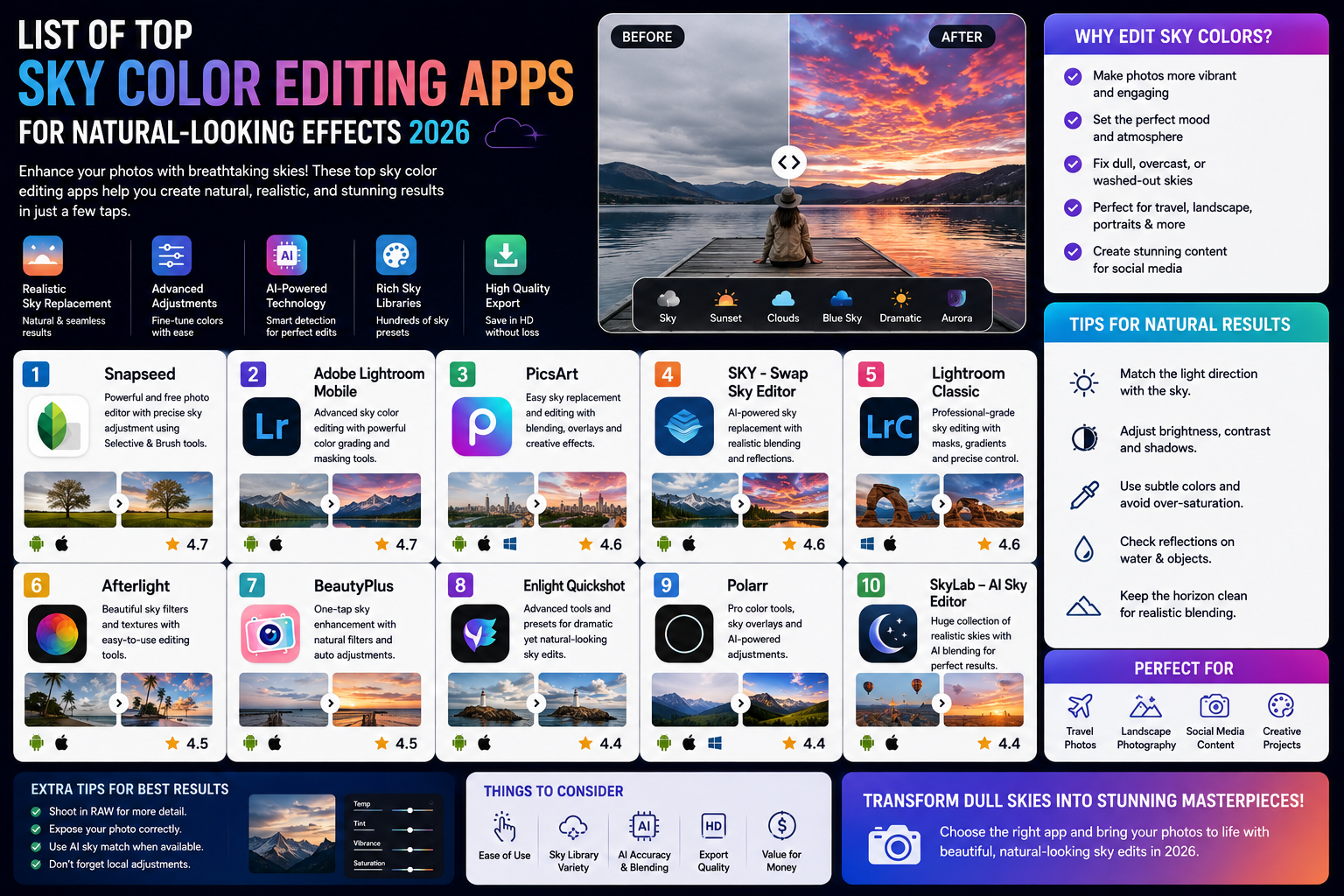
The market for photo editing apps is incredibly diverse, but to find those specializing in sky manipulation, you should refer to the list below.
4.1. Lightleap (formerly Quickshot) - The Wizard of the Clouds
Lightleap is renowned for its vast collection of sky images and incredibly intelligent processing capabilities. Users can choose from clear blue skies and fluffy white clouds to fantastical scenes with auroras or crescent moons over the ocean. Lightleap's strengths include its fast processing speed and user-friendly interface.
4.2. PicsArt - Diversifying Art Styles
PicsArt offers a "Sky" tool with many unique options. Besides replacing the natural sky, the app also allows you to incorporate graphic elements, transforming the sky into a surreal space. This is a top choice for those who love unlimited creativity.
4.3. Adobe Lightroom - Refinement in Every Shade
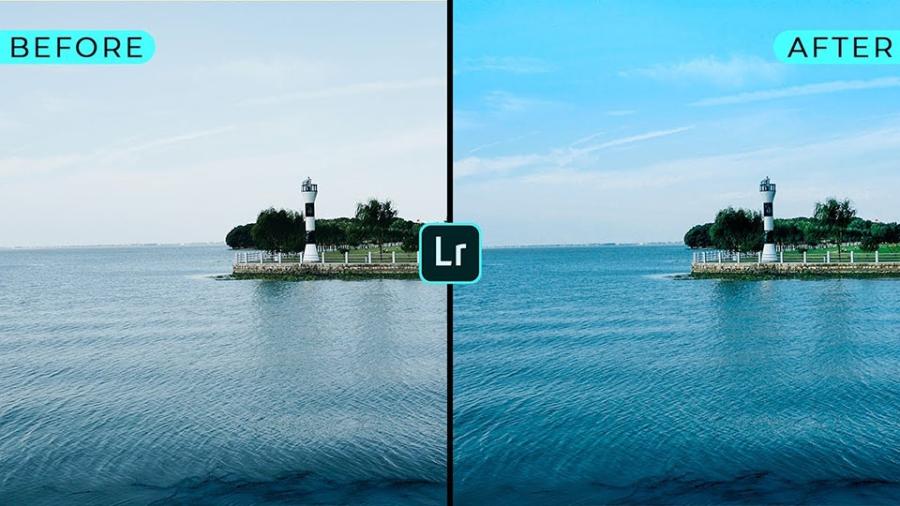
Unlike applications that directly replace the sky, Lightroom focuses on adjusting the color range and contrast of the existing sky. Its powerful "Masking" tool allows users to select specific areas of the sky to increase saturation and change the hue without affecting other parts of the image.
4.4. Mixtive and SkyLab - Experts in Astronomical Color
These two apps focus heavily on stunning night sky and sunset effects. If you want your photos to have a fantastical feel with sharp, galactic streaks, these are tools you can't miss.
5. Appvip.ai - A comprehensive collection of top photo editing solutions.
Finding and installing the right high-quality editing tools is the first step to getting millions of likes on your photos. The website appvip.ai proudly offers in-depth reviews, user guides, and updates on the latest image editing technology trends. Here, you can easily find information about the most advanced AI-powered sky color editing apps, optimizing your post-processing workflow and saving you considerable time. This is considered a treasure trove of useful knowledge for both beginners and professional image editors.
6. Steps to adjust sky color for maximum realism
Although modern tools are very intelligent, human intervention and aesthetic sense remain the deciding factors in the "authenticity" of a photograph.
6.1. Choosing the right sky based on the direction of sunlight.
The biggest mistake when using sky color editing apps is choosing a sky where the sunlight is directed in the opposite direction to the shadows in the original photo. Carefully observe the light on the ground to select a sky area with similar light sources; this will create visual logic for the photo.
6.2. Adjusting the Faathering Effect
When merging skies, the boundary between the sky and the ground often shows signs of being cut and spliced. You should slightly increase the "Feather" or "Edge Shift" parameter to soften the horizon line, helping the new sky blend more naturally with objects like mountains or buildings.
6.3. Rebalancing Color Temperature (White Balance)
After changing the sky, take some time to adjust the "Temperature" and "Tint" settings for the entire image. For example, if you chose a purple sunset sky, apply a light purple tint to the foreground to create the feeling that the entire space is bathed in twilight.
7. Important notes to avoid over-editing
The line between a beautiful photo and a "fake" one is often very thin. Overusing the sky color editing features of photo editing apps can backfire.
7.1. Maintain uniform grain density.
Each alternate sky will typically have different sharpness and noise levels compared to your original image. Ensure that the smoothness of the new sky matches the noise level of the foreground. If needed, you can add a touch of "Grain" effect to the entire image to create a cohesive visual texture.
7.2. Avoid unusually bright skies.
Overly vibrant skies often reveal the use of photo editing software. Prioritize pastel tones or colors with moderate saturation to create a more harmonious and pleasing image for the viewer.
8. The impact of sky editing technology on visual marketing.
In the tourism and real estate sectors, having photos with clear blue skies is a huge competitive advantage.
8.1. Attracting customers through a radiant image.
A hotel or resort becomes infinitely more appealing if its promotional images feature a sunny sky instead of a cloudy one. Using sky color editing apps helps businesses maintain consistent image quality across all their marketing campaigns, regardless of the weather conditions at the time of shooting.
8.2. Building a personal brand in the digital space
For influencers or travel bloggers, a profile page with a consistent sky color scheme creates a professional and aesthetically pleasing image. This technology allows them to maintain a distinct "vibe" for their entire photo album, helping to increase brand recognition among their fans.
9. Conclusion
Mastering and skillfully using sky color editing apps not only helps you overcome the limitations of the external environment but also allows you to express your unique artistic vision. Technology is created to serve humanity, and in photography, it helps us capture the most beautiful moments in the way we desire. However, don't forget that the most genuine emotions still stem from meticulous observation and a passion for the beauty of nature. Let these apps be the wings that help your creativity soar higher in the colorful world of images