Best Selling Products

Genuine Adobe Illustrator account
99 USD

Freepik Premium Account
59 USD

Genuine Cheap Canva Pro
39 USD

Windows 10 & 11 Pro Key
36 USD

MidJourney Account
29 USD

Upgrade genuine Capture One account
120 USD

Upgrade Duolingo Super
29 USD

Copyright Adobe Lightroom Account
59 USD

Autodesk All App Account Copyright
120 USD

Capcut Pro 1 Year
39 USD

Adobe Premiere Pro Account
99 USD

ChatGPT Plus Account (GPT-4)
16 USD

Adobe Photoshop Copyright - Full App
120 USD

Plugin Retouch4me
69 USD

Upgrade Genuine Office 365
49 USD
Canva for Windows: Installation and Optimization Guide 2026
Nội dung
- 1. The outstanding advantages of the Windows version of Canva
- 1.1. Stable processing performance and superior rendering speed
- 1.2. Intelligent notification and quick access system
- 1.3. Ability to multitask with multiple windows
- 2. Detailed instructions on the initial installation and setup process.
- 2.1. Download and install from official sources.
- 2.2. Setting up system access and caching permissions
- 2.3. Integration with the Windows folder ecosystem
- 3. Harnessing the power of artificial intelligence (AI) on Windows computers
- 3.1. Magic Studio and its instant image processing capabilities
- 3.2. Converting text to professional video
- 3.3. Optimizing the Video Background Remover Feature
- 3.4. Automatic audio and subtitle editing using AI
- 4. AppVip.ai - The optimal solution for upgrading design licenses.
- 5. Optimize keyboard shortcuts and mouse operations on Windows
- 5.1. Keyboard shortcuts specific to the Windows operating system
- 5.2. Seamless interaction with mouse and drawing tablet
- 6. Project management and data security on personal computers.
- 6.1. Offline storage and cloud synchronization
- 6.2. Secure your account with Windows two-factor authentication.
- 7. Common errors and solutions when using the desktop version.
- 7.1. Graphics driver conflict errors and how to resolve them.
- 7.2. Optimizing hard drive space for applications
- 8. Conclusion
Discover the benefits of using Canva for Windows. This article provides detailed instructions on how to install, use AI features, and optimize design performance on your PC/Laptop.
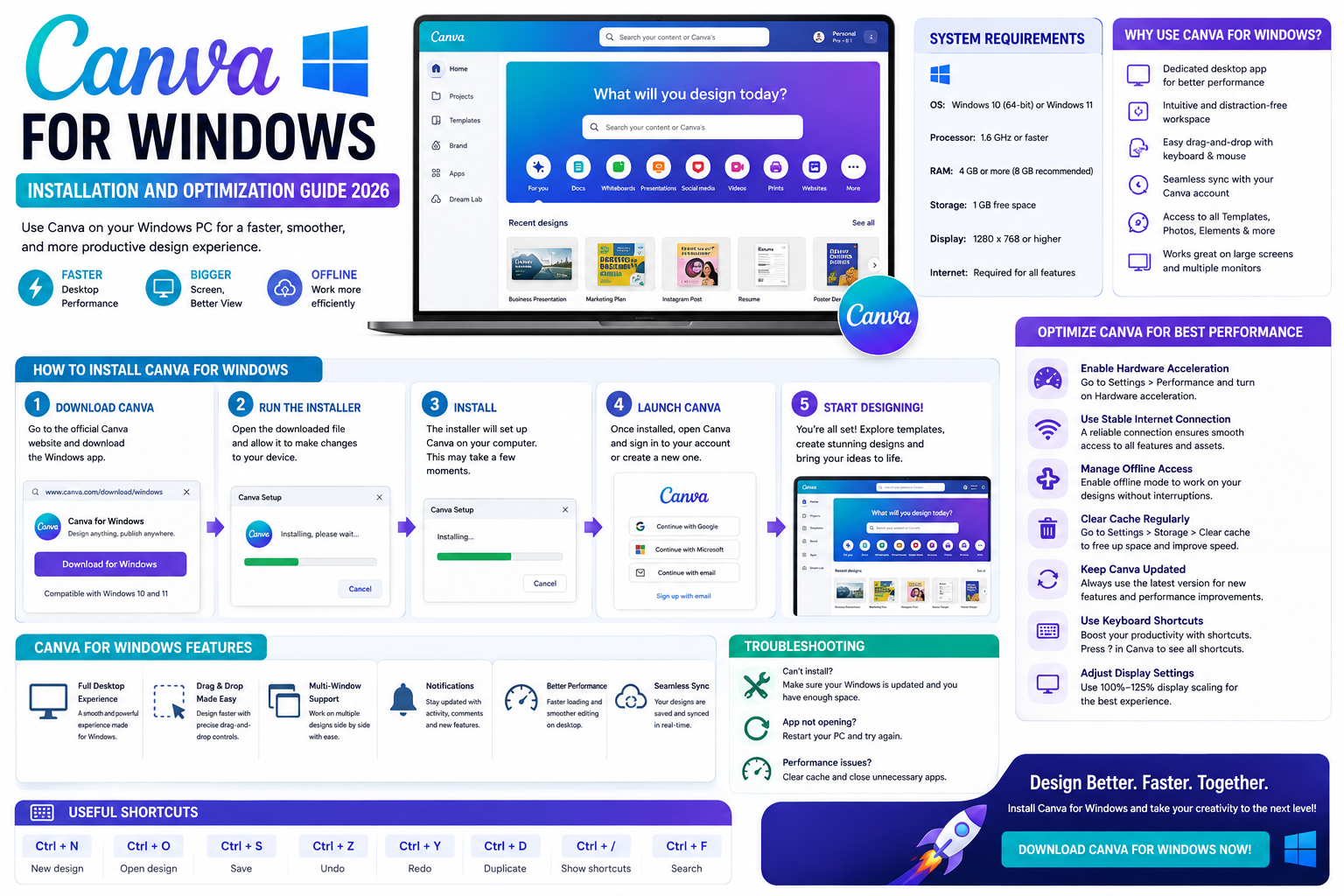
1. The outstanding advantages of the Windows version of Canva
Installing applications directly onto the operating system offers privileged user experiences that web browser versions can hardly match.

1.1. Stable processing performance and superior rendering speed
The application is optimized to interact directly with the computer's CPU and graphics card, making dragging and dropping complex components more responsive. Lag when editing 4K video or files containing hundreds of layers will be significantly reduced, providing a professional workflow similar to that of expensive graphics software.
1.2. Intelligent notification and quick access system
Using the Windows version allows you to receive notifications directly from the system tray about project updates or feedback from colleagues even when the application is not open. The ability to pin applications to the Taskbar lets you launch your creative space in a second, facilitating spontaneous bursts of inspiration.
1.3. Ability to multitask with multiple windows
Unlike typical browsers which are limited to a single tab, the desktop version allows users to open multiple projects in separate windows. You can easily copy elements from one design to another flexibly, helping to maintain consistency across the entire brand identity.
2. Detailed instructions on the initial installation and setup process.
To begin their creative journey, users need to ensure the application is properly installed and optimized for their existing computer configuration.
2.1. Download and install from official sources.
Users should directly access the homepage or Microsoft Store to download the latest installation file to ensure security and receive timely security patches. The installation process on Windows is very simple, taking only a few minutes for the system to automatically set up and create a startup icon on the Desktop.
2.2. Setting up system access and caching permissions
After installation, you should grant access to image and video folders on your computer to facilitate data uploads. Additionally, customizing the cache size in the application settings will help speed up the display of sample images and available resources in the library.
2.3. Integration with the Windows folder ecosystem
One of the most valuable features of this version is the ability to directly drag and drop from File Explorer into the design space. You don't need to go through cumbersome intermediate upload steps. Organizing image and video resources into separate folders on your computer and dragging them into Canva makes the workflow extremely streamlined. Excellent compatibility with Windows file management systems allows you to control your input resources in the most efficient and organized way.
3. Harnessing the power of artificial intelligence (AI) on Windows computers
By 2026, AI features deeply integrated into software will have transformed design into an exciting, automated process.
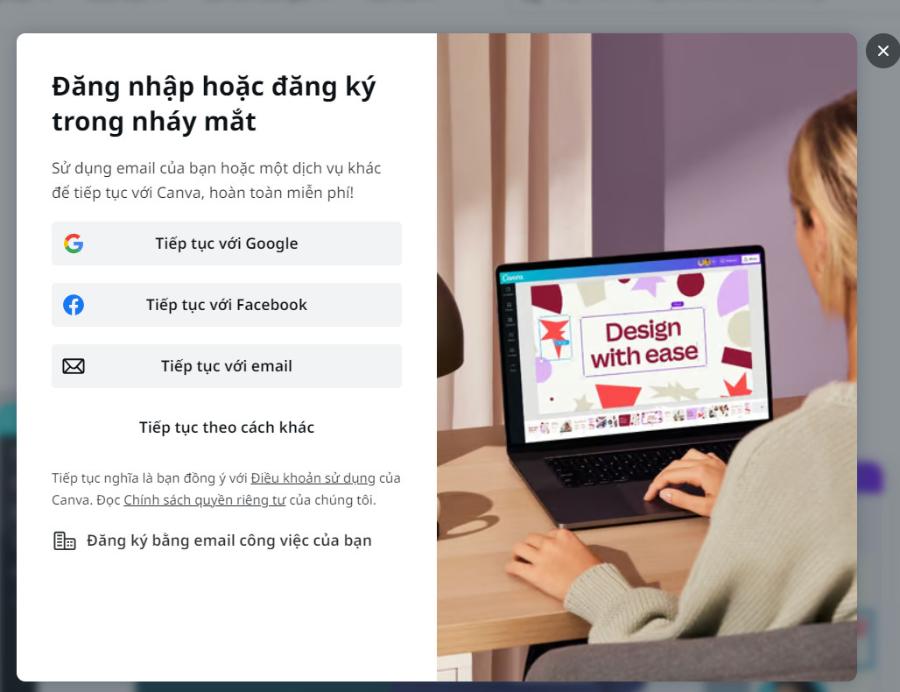
3.1. Magic Studio and its instant image processing capabilities
Leveraging the power of the graphics card in Windows, features like removing unwanted objects or expanding the frame using AI happen at lightning speed. You can change the background of a product photo with just a few descriptive commands, saving hours of actual studio setup time.
3.2. Converting text to professional video
With a powerful computer processor, creating text-to-video on Windows produces sharper and smoother results. The system automatically analyzes your script to select suitable illustrative footage from its vast library, then combines them using intelligent transition effects.
3.3. Optimizing the Video Background Remover Feature
On the Windows version, the subject recognition algorithm is optimized to track even the smallest movements, professionally separating the subject from the background. This processing on the desktop application reduces the load on the internet connection, as most of the complex calculations are performed directly by the on-premises processor. This is a powerful tool for YouTubers or content creators who want to integrate themselves into vibrant virtual spaces without needing expensive filming equipment.
3.4. Automatic audio and subtitle editing using AI
The automatic subtitle generation feature, based on speech recognition, supports multiple languages, helping your presentations or advertisements reach a larger audience. Performing these operations on a personal computer ensures accurate audio editing, eliminating lag and guaranteeing perfect synchronization between video and dialogue in the final product.
4. AppVip.ai - The optimal solution for upgrading design licenses.
In the process of professional work, the need for advanced features and exclusive resources is essential to elevate your brand. Appvip.ai proudly offers reputable upgrade packages for designer accounts at highly competitive prices for users in Vietnam. Here, you will find optimal solutions to unlock the full power of leading creative tools, from a diverse font library to the latest AI features. Choosing our services ensures account stability, dedicated technical support, and staying ahead of modern graphic design trends.
5. Optimize keyboard shortcuts and mouse operations on Windows
One of the reasons professionals love the desktop version is the ability to use powerful keyboard shortcuts to speed up their workflow.
5.1. Keyboard shortcuts specific to the Windows operating system
Instead of using the mouse to search for each command button, you can use keyboard shortcuts like 'T' to insert text, 'R' for a rectangle, or 'Ctrl + /' to quickly open the command panel. Mastering these key combinations helps your hands work together smoothly, creating a more professional and less tiring workflow.
5.2. Seamless interaction with mouse and drawing tablet
Canva for Windows offers excellent support for multi-button mice and graphic tablets. Its pressure sensitivity and pen sensitivity allow for pixel-perfect precision in drawing or cutting and pasting objects, a feature often limited by traditional mouse cursor control in web browsers.
6. Project management and data security on personal computers.
Information security and a well-organized system are key to maintaining the sustainability of long-term creative projects.
6.1. Offline storage and cloud synchronization
Despite operating on an internet-based platform, the Windows application allows you to temporarily save some working states in case of a sudden disconnection. As soon as the network is restored, the system will automatically synchronize all changes to the cloud, ensuring your data remains consistent across different devices such as phones or tablets.
6.2. Secure your account with Windows two-factor authentication.
Using the official application allows you to leverage Windows' biometric security features such as fingerprint or facial recognition for login. This minimizes the risk of having your account, which contains confidential business secrets and unreleased projects, stolen.
7. Common errors and solutions when using the desktop version.
Despite its stability, users sometimes encounter technical issues that need to be addressed promptly to avoid disrupting work progress.
7.1. Graphics driver conflict errors and how to resolve them.
Some older computer models may experience black screens or applications crashing due to outdated graphics card drivers. Users should regularly check for and download the latest driver updates from the hardware manufacturer's website to ensure full compatibility with demanding graphics applications.
7.2. Optimizing hard drive space for applications
After prolonged use, temporary files can occupy a significant amount of disk space. Regularly clearing the cache in Canva's Windows settings will help keep your computer running smoothly and responsively.
8. Conclusion
Choosing to use the dedicated desktop version of the application demonstrates the designer's professionalism and desire to optimize productivity. With its intuitive interface, the power of artificial intelligence, and the ability to leverage powerful hardware, it truly is a miniature graphics studio right on your taskbar.





















VIP Products








Best Selling Products
Genuine Adobe Illustrator account
99 USD
Freepik Premium Account
59 USD
Genuine Cheap Canva Pro
39 USD
Windows 10 & 11 Pro Key
36 USD
MidJourney Account
29 USD
Upgrade genuine Capture One account
120 USD
Upgrade Duolingo Super
29 USD
Copyright Adobe Lightroom Account
59 USD
Autodesk All App Account Copyright
120 USD
Capcut Pro 1 Year
39 USD
Adobe Premiere Pro Account
99 USD
ChatGPT Plus Account (GPT-4)
16 USD
Adobe Photoshop Copyright - Full App
120 USD
Plugin Retouch4me
69 USD
Upgrade Genuine Office 365
49 USD