Best Selling Products

Upgrade genuine Capture One account
120 USD

Autodesk All App Account Copyright
120 USD

Upgrade Genuine Office 365
49 USD

Copyright Adobe Lightroom Account
59 USD

Genuine Adobe Illustrator account
99 USD

Adobe Premiere Pro Account
99 USD

Adobe Photoshop Copyright - Full App
120 USD

Windows 10 & 11 Pro Key
36 USD

MidJourney Account
29 USD

ChatGPT Plus Account (GPT-4)
16 USD

Upgrade Duolingo Super
29 USD

Capcut Pro 1 Year
39 USD

Plugin Retouch4me
69 USD

Genuine Cheap Canva Pro
39 USD

Freepik Premium Account
59 USD
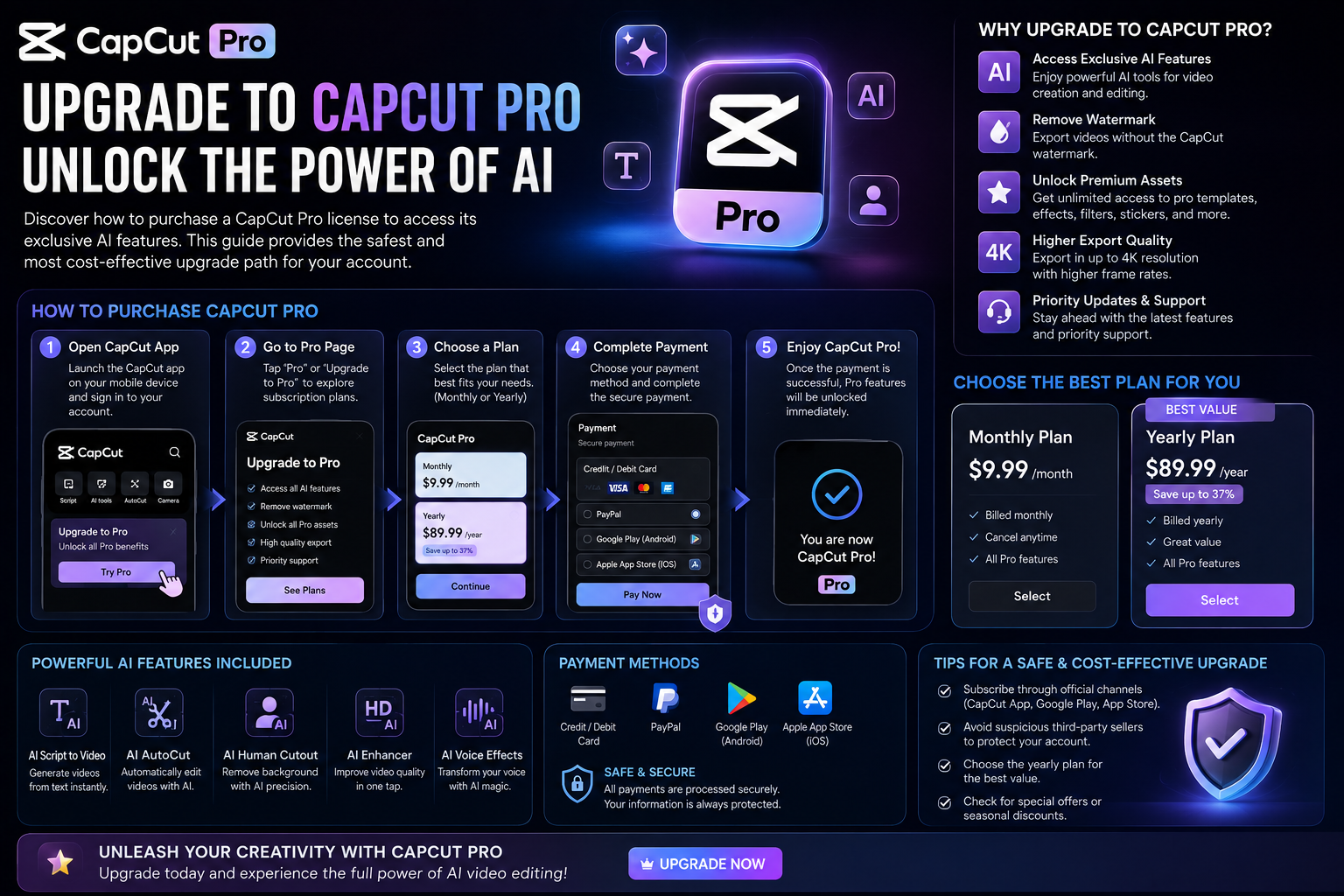
Upgrade to Official CapCut Pro: The Ultimate Video Creation Solution for 2026
Nội dung
- 1. Why should you prioritize upgrading to the official CapCut Pro version instead of a pirated one?
- 1.1. Absolute protection of personal data.
- 1.2. Superior stability and performance
- 2. Technological privileges exclusive to CapCut Pro accounts
- 2.1. AI features for intelligent object removal and background separation.
- 2.2. Exclusive commercial music and font library
- 2.3. Facial and body reshaping using AI
- 3. The simplest official CapCut Pro upgrade path
- 3.1. Upgrade through the App Store or Google Play
- 3.2. Register directly on the PC/Mac version.
- 4. AppVip.ai - A reliable address for upgrading to genuine CapCut Pro at a good price.
- 5. How to optimize work efficiency after the upgrade
- 5.1. Using the multi-device synchronization feature
- 5.2. Utilizing the Template Pro system for businesses
- 6. Important notes after purchasing the license
- 6.1. Check expiration date and automatic renewal
- 6.2. Personal Account Security
- 6.3. Make the most of filters and copyrighted music.
- 6.4. Data synchronization across cloud space
- 6.5. Regularly update to the latest software version.
- 6.6. Loyalty Program for Customers
- 7. Addressing common misconceptions about CapCut Pro upgrades
- 7.1. Is CapCut Pro really more difficult to use than the regular version?
- 7.2. Can CapCut Pro be used without an internet connection?
- 8. Long-term vision: AI video and the role of CapCut Pro
- 9. Conclusion
A detailed guide on how to upgrade to the official CapCut Pro to unlock exclusive AI features. Discover the most professional and secure video optimization roadmap available today.
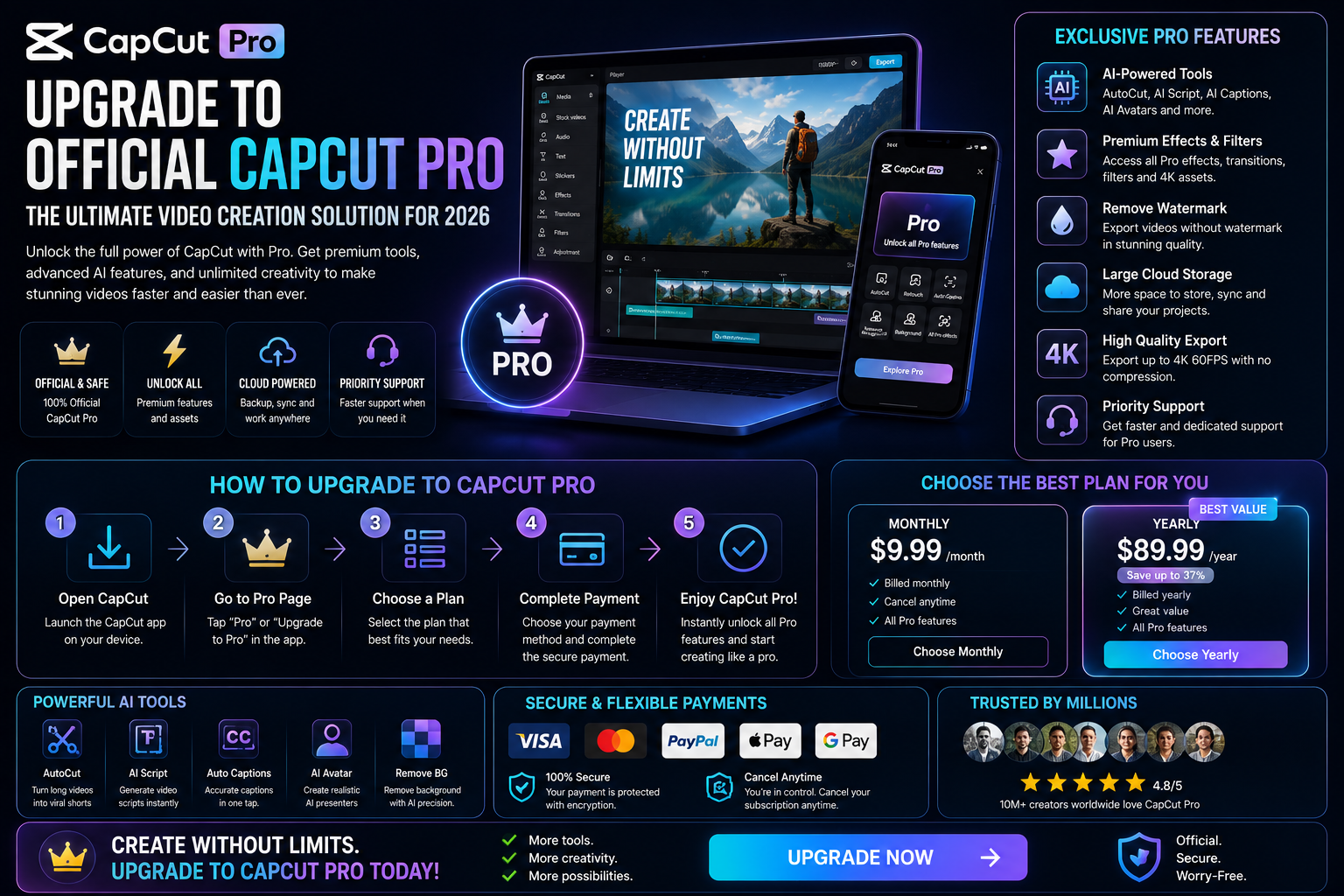
1. Why should you prioritize upgrading to the official CapCut Pro version instead of a pirated one?
Using unofficial modified versions (mods or cracks) always carries significant risks to security and stability. By choosing the official upgrade, users benefit from direct protection from the publisher Bytedance, ensuring that all movie and video projects are stored securely.
1.1. Absolute protection of personal data.
Unauthorized installations found online often contain malware capable of stealing banking information or social media passwords. Upgrading to the official version helps protect your online identity and prevents viruses from infecting your device's hardware.
1.2. Superior stability and performance
The official version is perfectly optimized for iOS, Android, and Windows operating systems. Lag and application crashes while rendering heavy videos will be minimized, ensuring a smooth workflow.
2. Technological privileges exclusive to CapCut Pro accounts
The paid version isn't just about removing the "Pro" label from the effects; it's a complete creative ecosystem powered by AI.
2.1. AI features for intelligent object removal and background separation.
CapCut Pro's subject isolation technology achieves astonishing accuracy, handling even the most difficult details like strands of hair or dust. This allows creators to easily integrate themselves into any virtual space without the need for a traditional green screen.
2.2. Exclusive commercial music and font library
Music copyright issues are always a major concern for TikTokers and YouTubers. Upgrading to an official account gives you access to a vast library of copyrighted music, allowing you to use it commercially without fear of your videos being muted or removed.
2.3. Facial and body reshaping using AI
CapCut Pro's beauty enhancement capabilities go beyond just color filters. It allows for detailed adjustments to facial structure, teeth whitening, skin smoothing, and even body shaping in videos, all as naturally as expensive computer-aided editing software.
3. The simplest official CapCut Pro upgrade path
The process of switching from a regular account to a Pro account can be done through various methods depending on the device you are using.
3.1. Upgrade through the App Store or Google Play
Users simply need to link their international payment card or e-wallet to the app store. After selecting a plan (monthly or annually), the system will automatically activate the Pro feature immediately on your personal account.
3.2. Register directly on the PC/Mac version.
For those who specialize in computer-based video editing, direct upgrades within the software interface speed up the cloud synchronization process. You can also easily make payments through reputable international payment gateways.
4. AppVip.ai - A reliable address for upgrading to genuine CapCut Pro at a good price.
If you're looking for a more cost-effective way to acquire a paid account while still ensuring legitimacy, appvip.ai is the perfect solution. This website specializes in providing software upgrade services with a transparent verification process and 24/7 technical support. Here, users can choose flexible packages to suit their budget while still enjoying all the top-tier features of CapCut Pro. Using a reputable service provider helps you avoid the risks of account suspension or scams commonly encountered on social media.
5. How to optimize work efficiency after the upgrade
Having the right tools is a necessary condition; knowing how to utilize those tools is the sufficient condition for achieving success.
5.1. Using the multi-device synchronization feature
You can shoot and edit raw footage on your phone while on the go, then open it up on your computer to perform more complex color grading and effects. All data will be updated in real time thanks to the cloud storage space of the Pro plan.
5.2. Utilizing the Template Pro system for businesses
The video templates available in the Pro version often feature a more elegant design and modern rhythm. Utilizing these templates allows shop owners or marketers to create eye-catching product advertising videos in just minutes instead of hours.
6. Important notes after purchasing the license
After completing the payment, managing your account is equally important to ensure your benefits are continuously maintained.
6.1. Check expiration date and automatic renewal
Most Pro packages have an automatic renewal option. You should check your settings to decide if you want to continue using the service, avoiding unexpected charges if you don't need it the following month.
6.2. Personal Account Security
You shouldn't share your Pro account with too many users if your subscription plan doesn't allow it. Logging in on too many unfamiliar devices can trigger system violations and permanently lock your account. Use a strong password and two-factor authentication to protect your hard work.
6.3. Make the most of filters and copyrighted music.
Once you have a Pro license, you can fully utilize commercial music libraries without worrying about copyright infringement on social media platforms. This is a huge advantage that helps your videos easily trend without being muted or removed.
6.4. Data synchronization across cloud space
Using the Pro license provides extensive storage privileges on Bytedance's cloud system. Users should take advantage of this feature to upload important projects, helping to avoid the risk of data loss in case of technical problems with their device. The ability to work seamlessly between phone and computer thanks to this synchronization will ensure that the creative flow is never interrupted.
6.5. Regularly update to the latest software version.
The publisher regularly releases bug fixes and adds new AI features exclusively for paid users. You need to ensure the application is always up-to-date to avoid missing out on modern image processing tools. Maintaining software updates also helps optimize hardware performance, allowing the device to run more smoothly when processing large video files.
6.6. Loyalty Program for Customers
CapCut 's account management system frequently sends notifications about discounts or free months of usage for long-term subscriptions. Customers should regularly check their email inbox or in-app notifications to avoid missing out on these economic benefits. This is a smart way to optimize the cost of investing in work tools in the long term.
7. Addressing common misconceptions about CapCut Pro upgrades
Many users are still hesitant to upgrade due to inaccurate information on forums.
7.1. Is CapCut Pro really more difficult to use than the regular version?
In fact, the interfaces of both versions are completely identical. The only difference is that you have access to advanced function buttons that were previously locked. The AI features even make editing easier and more "automated" for beginners.
7.2. Can CapCut Pro be used without an internet connection?
Basic editing features still work normally in offline mode. However, to use AI effects, new filters, or paid music, your device needs an internet connection to download data from the server and verify ownership of the Pro account.
8. Long-term vision: AI video and the role of CapCut Pro
In the future, artificial intelligence will replace humans in repetitive tasks. CapCut Pro is leading this revolution by integrating tools such as AI-powered scriptwriting, text-to-speech conversion, and automatic rhythmic editing. Owning the official license early on allows you to familiarize yourself with this technological advancement, creating a significant competitive advantage in the digital job market.
9. Conclusion
Overall, upgrading to the official CapCut Pro version is more than just a simple software purchase. It's a testament to a serious investment in image quality and audience experience. With reasonable costs, superior features, and high security, the Pro version is truly a powerful tool for anyone wanting to advance in professional video production.





















VIP Products








Best Selling Products
Upgrade genuine Capture One account
120 USD
Autodesk All App Account Copyright
120 USD
Upgrade Genuine Office 365
49 USD
Copyright Adobe Lightroom Account
59 USD
Genuine Adobe Illustrator account
99 USD
Adobe Premiere Pro Account
99 USD
Adobe Photoshop Copyright - Full App
120 USD
Windows 10 & 11 Pro Key
36 USD
MidJourney Account
29 USD
ChatGPT Plus Account (GPT-4)
16 USD
Upgrade Duolingo Super
29 USD
Capcut Pro 1 Year
39 USD
Plugin Retouch4me
69 USD
Genuine Cheap Canva Pro
39 USD
Freepik Premium Account
59 USD