Best Selling Products

Upgrade genuine Capture One account
120 USD

Copyright Adobe Lightroom Account
59 USD

Upgrade Genuine Office 365
49 USD

Autodesk All App Account Copyright
120 USD

Upgrade Duolingo Super
29 USD

Genuine Adobe Illustrator account
99 USD

Genuine Cheap Canva Pro
39 USD

Plugin Retouch4me
69 USD

Adobe Premiere Pro Account
99 USD

Windows 10 & 11 Pro Key
36 USD

Capcut Pro 1 Year
39 USD

Freepik Premium Account
59 USD

Adobe Photoshop Copyright - Full App
120 USD

ChatGPT Plus Account (GPT-4)
16 USD

MidJourney Account
29 USD
Photoshop Simple: An Optimized Design Process Solution for Beginners
Nội dung
- 1. Intelligent image processing mechanism in a simple Photoshop environment.
- 1.1. Surface reconstruction algorithm based on real data
- 1.2. Automatic Subject Recognition and Optimization
- 1.3. Layering Systems and Minimalist Design Thinking
- 2. Simple Photoshop tools for beginners
- 2.1. Quick and intelligent area selection tools
- 2.2. Quickly adjust lighting with Curves and Levels
- 2.3. The Power of Crop and Content-Aware Fill Tools
- 3. The process of editing portrait photos in a minimalist style.
- 3.1. Cleanses skin and removes blemishes quickly and effectively.
- 3.2. Basic Color Grading
- 3.3. Enhance sharpness and highlight the eyes.
- 4. Simple Photoshop applications for designing social media content.
- 4.1. Create an attractive banner and cover image.
- 4.2. Optimizing the size and file size of published images
- 5. Access a wealth of licensed resources and tools at Appvip.ai
- 6. Tips for maintaining professionalism when creating minimalist Photoshop designs.
- 6.1. Always preserve original data (Non-destructive editing)
- 6.2. Control color saturation appropriately.
- 6.3. Emphasize composition and visual balance.
- 7. Future trends in simplified graphics and the power of AI.
- 7.1. Natural Language Editing (Generative AI)
- 7.2. Automating mass workflows
- 8. Conclusion
A detailed guide to using Photoshop simply for beginners in 2026. Discover fast photo editing tools, minimalist post-processing techniques, and the power of AI to optimize your professional design workflow.
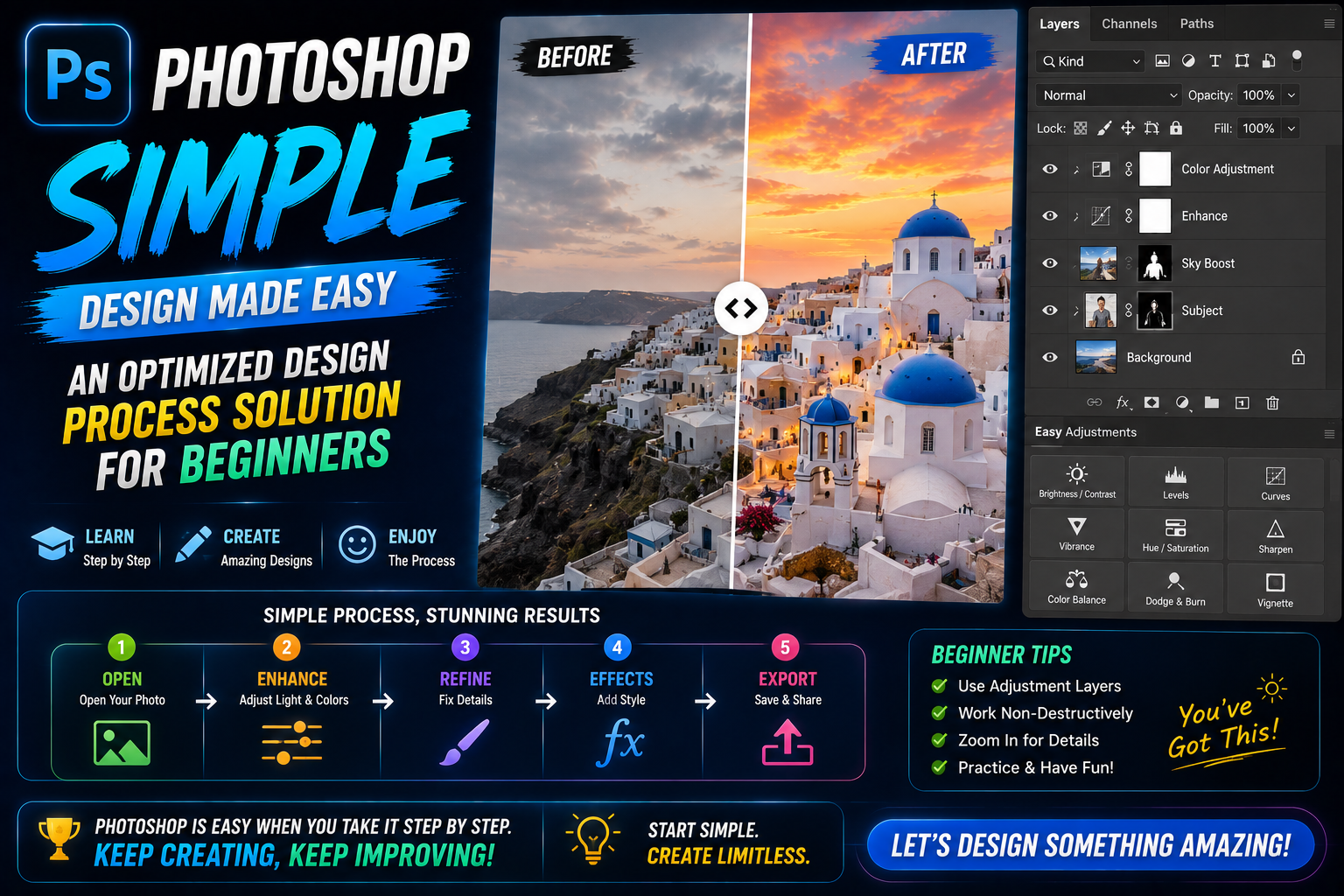
1. Intelligent image processing mechanism in a simple Photoshop environment.
Advances in artificial intelligence have completely redefined the concept of photo editing. Nowadays, users no longer need to perform many manual tasks thanks to the automation capabilities of software.
1.1. Surface reconstruction algorithm based on real data
Modern AI-integrated graphics applications are capable of deeply analyzing image textures. Instead of applying a flat layer of color to the area needing correction, the system performs frequency separation to classify information about color and surface details separately. This allows for simple Photoshop editing on skin or objects while maintaining absolute realism, without blurring or loss of detail.
1.2. Automatic Subject Recognition and Optimization
Artificial intelligence can analyze millions of pixels to determine the boundary between the subject and the background. After recognition, the system will suggest optimal editing options such as highlighting the face, adjusting local brightness, or skillfully removing unwanted details. This automated processing helps users obtain clean and professional-looking photos with just a few basic clicks.
1.3. Layering Systems and Minimalist Design Thinking
In graphic design, managing layers is key to maintaining a streamlined workflow. A simple Photoshop approach encourages users to use as few layers as possible, but with each layer serving a clear purpose. Understanding blending modes allows for the creation of complex lighting effects without manual drawing.
2. Simple Photoshop tools for beginners
To get started off right, you need to focus on the toolset that delivers immediate results with the lowest complexity.
2.1. Quick and intelligent area selection tools
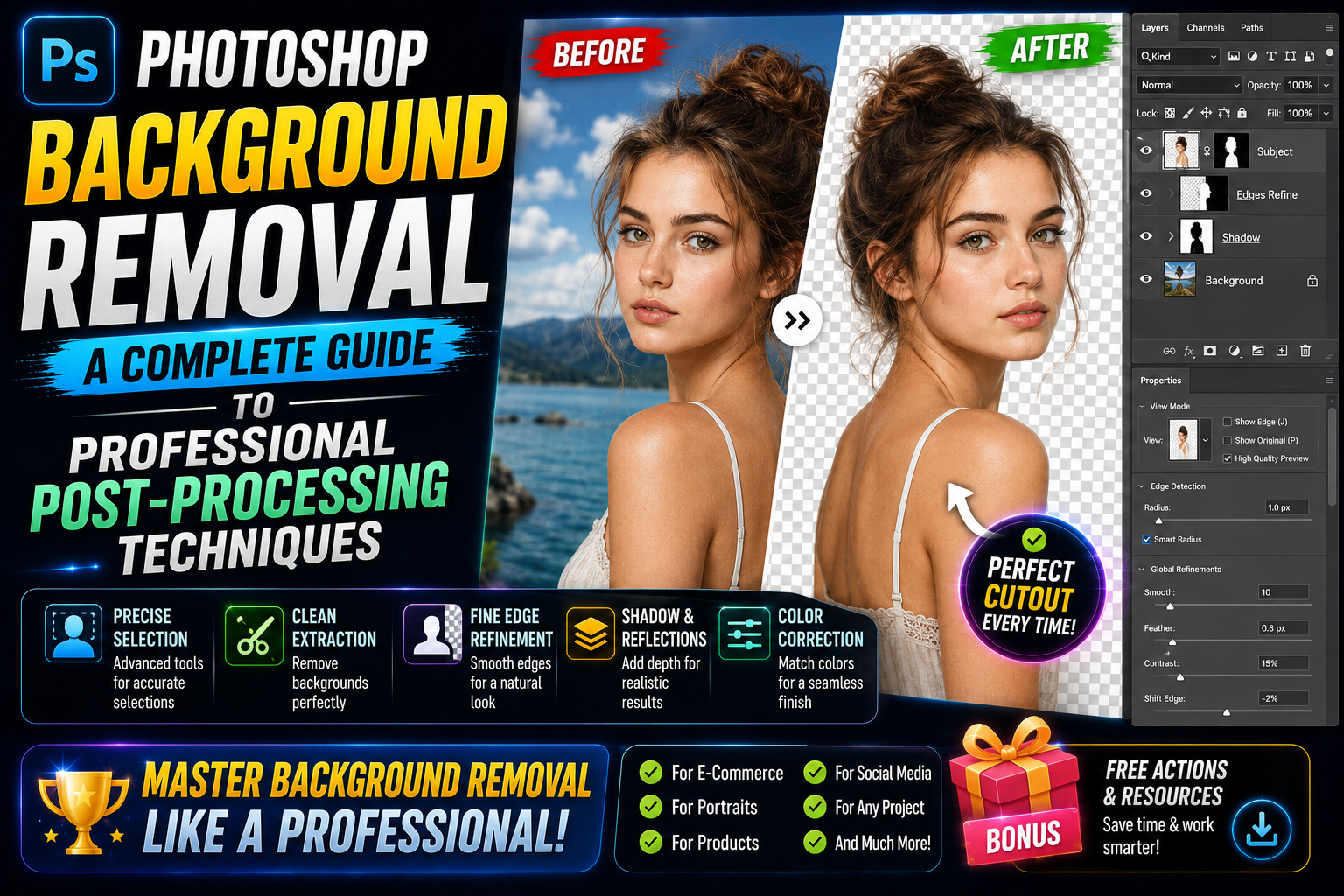
Instead of using the Pen Tool, which requires high dexterity, you can use the Object Selection Tool or the Quick Selection Tool. These tools are supported by object recognition algorithms, allowing you to select the object you want to edit in an instant. This is the first and most important step to easily perform operations such as background removal or subject color change.
2.2. Quickly adjust lighting with Curves and Levels
Instead of adjusting brightness and contrast intuitively, using the histogram via Curves gives you complete control over the contrast range of your image. Photoshop simply requires you to understand how to drag the control points to make the image clearer, remove dull dark areas, or scientifically eliminate overexposed bright areas.

2.3. The Power of Crop and Content-Aware Fill Tools
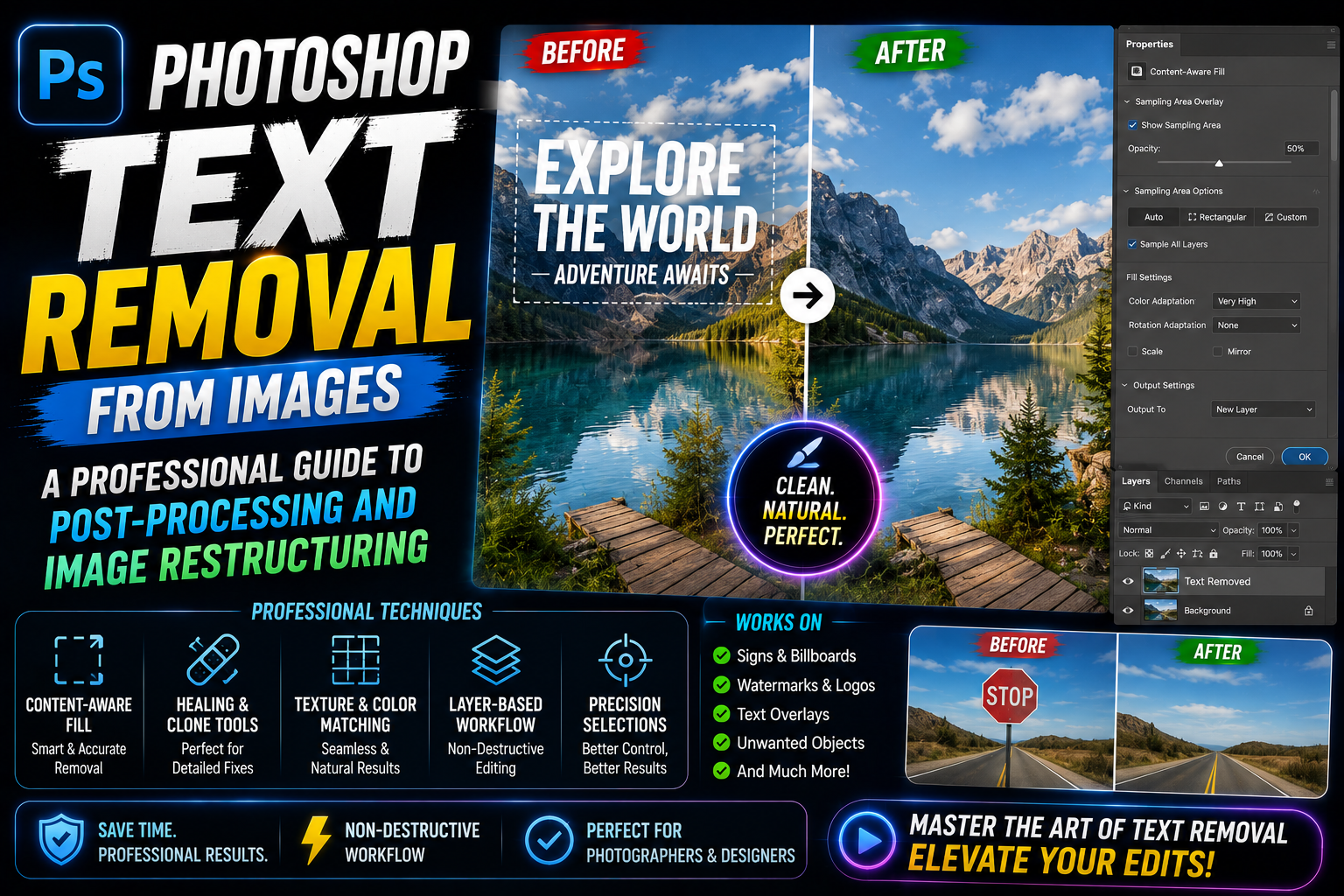
Sometimes a beautiful photograph just needs a new perspective. The Crop tool helps you quickly restructure the composition according to the rule of thirds or the golden ratio. Combined with the Content-Aware Fill feature, you can expand the frame or remove distracting objects at the edges of the image without distorting the original scene.
3. The process of editing portrait photos in a minimalist style.
Facial retouching is always a top priority, and keeping it looking natural is the number one priority in simple Photoshop.
3.1. Cleanses skin and removes blemishes quickly and effectively.
Using the Spot Healing Brush Tool allows you to remove blemishes or dark spots with just one click. The AI automatically calculates the surrounding skin area to fill in imperfections, creating a uniform complexion. This is the most effective method to keep skin looking smooth while preserving the natural pore structure.
3.2. Basic Color Grading
A photograph's soul often lies in its dominant color tone. Using Photo Filters or Color Lookup is a simple Photoshop technique to create different color styles, such as cinematic, vintage, or modern. Applying pre-set color palettes helps maintain consistency throughout the entire photo series without spending time fine-tuning each small parameter.
3.3. Enhance sharpness and highlight the eyes.
The eyes are the windows to the soul in a portrait photograph. Using the Sharpen Tool with a light intensity or the High Pass filter will help to make the eyes and key features clearer. This is a subtle technique that helps to capture the viewer's attention from the very first second without making the photo look too stiff.
4. Simple Photoshop applications for designing social media content.
Social media demands extremely fast image production while maintaining an eye-catching and professional appearance.
4.1. Create an attractive banner and cover image.
With pre-made frames, simple Photoshop allows you to insert text, logos, and graphic elements harmoniously. Understanding white space helps your design look more elegant and easier to understand. Simple drop shadow or stroke effects will help messages stand out against a complex background.
4.2. Optimizing the size and file size of published images
A common mistake is exporting images that are too large, causing slow page loading, or images that are too small, resulting in blurry images. Photoshop offers an Export for Web feature, which helps you balance display quality and file size. Choosing the right format—PNG for transparent images or JPEG for still images—is an essential part of an efficient workflow.
5. Access a wealth of licensed resources and tools at Appvip.ai
In the journey of mastering graphic design, owning genuine tools and high-quality resources is a leverage that helps you go further. Appvip.ai is currently one of the leading systems providing graphic design account solutions, design software, and advanced AI support tools. Here, those looking for simple Photoshop tools can easily access licensed Adobe Creative Cloud service packages, a vast library of plugins for automatic image processing, and a huge resource library. Using tools from this platform not only ensures stability during work but also helps you stay up-to-date with the latest AI features, transforming complex tasks into smooth, creative experiences while saving maximum time.
6. Tips for maintaining professionalism when creating minimalist Photoshop designs.
Simplicity does not equate to sloppiness; on the contrary, it demands meticulous attention to every small detail.
6.1. Always preserve original data (Non-destructive editing)
A professional's advice is never to edit directly on the original image layer. Using Adjustment Layers and Smart Objects allows you to go back and adjust parameters at any time without compromising image quality. This is the core principle for maintaining image quality throughout a simple Photoshop process.
6.2. Control color saturation appropriately.
A common mistake beginners make is pushing the saturation too high, making colors look too vibrant and losing detail. Use the Vibrance tool to enhance muted colors without affecting skin tones. Subtlety in color is a measure of a designer's skill.
6.3. Emphasize composition and visual balance.
No matter how simple your Photoshop techniques are, a poorly composed image will fail. Always check the balance between primary and secondary elements, ensuring the viewer's eye is naturally guided through the focal points of the photograph.
7. Future trends in simplified graphics and the power of AI.
The design industry is shifting towards optimizing the user experience through powerful generation tools.
7.1. Natural Language Editing (Generative AI)
The Generative Fill feature has opened a new chapter for simple Photoshop. Now, you just need to describe your desired effect in text, and the AI will perfectly add, remove, or change the background. This removes technical barriers, allowing everyone to focus entirely on their creative ideas.
7.2. Automating mass workflows
The application of Actions (automated tasks) allows you to process hundreds of photos simultaneously with the same color filter or size. This trend helps businesses and individuals increase productivity many times over, meeting the enormous demand for images in the digital age.
8. Conclusion
The journey of learning Photoshop is essentially about learning to observe and remove unnecessary details to highlight the core beauty of the subject. This streamlined technique not only saves time but also sharpens your creative thinking. Always start with the simplest steps, practice regularly, and continuously explore the limitless possibilities that graphic design tools offer.





















VIP Products








Best Selling Products
Upgrade genuine Capture One account
120 USD
Copyright Adobe Lightroom Account
59 USD
Upgrade Genuine Office 365
49 USD
Autodesk All App Account Copyright
120 USD
Upgrade Duolingo Super
29 USD
Genuine Adobe Illustrator account
99 USD
Genuine Cheap Canva Pro
39 USD
Plugin Retouch4me
69 USD
Adobe Premiere Pro Account
99 USD
Windows 10 & 11 Pro Key
36 USD
Capcut Pro 1 Year
39 USD
Freepik Premium Account
59 USD
Adobe Photoshop Copyright - Full App
120 USD
ChatGPT Plus Account (GPT-4)
16 USD
MidJourney Account
29 USD