Best Selling Products

Capcut Pro 1 Year
39 USD

MidJourney Account
29 USD

Upgrade Genuine Office 365
49 USD

Adobe Premiere Pro Account
99 USD

Genuine Cheap Canva Pro
39 USD

ChatGPT Plus Account (GPT-4)
16 USD

Adobe Photoshop Copyright - Full App
120 USD

Genuine Adobe Illustrator account
99 USD

Copyright Adobe Lightroom Account
59 USD

Upgrade genuine Capture One account
120 USD

Autodesk All App Account Copyright
120 USD

Plugin Retouch4me
69 USD

Windows 10 & 11 Pro Key
36 USD

Freepik Premium Account
59 USD

Upgrade Duolingo Super
29 USD
Photoshop Background Removal: A Complete Guide to Professional Post-Processing Techniques
Nội dung
- 1. The skin surface treatment mechanism and the subject of smart beauty applications.
- 1.1. Smoothing algorithm based on real skin texture
- 1.2. Automatic defect identification and removal
- 1.3. Layered structures and grid systems in design
- 1.4. Pixel display mechanism and state
- 2. The most popular Photoshop background removal tools currently available.
- 2.1. Quick Selection and Magic Wand
- 2.2. Pen Tool Technique for Absolute Precision
- 2.3. The Power of the Select Subject and Object Selection Tool (AI)
- 3. Advanced Photoshop background removal process for complex objects.
- 3.1. Using Refine Edge and Select and Mask
- 3.2 . Background Separation Technique Using Channels (Color Channels)
- 3.3. Decontaminate Colors at Edges
- 4. The Importance of Photoshop Background Removal in Commercial Use
- 4.1. Optimizing product images for e-commerce platforms
- 4.2. Building design resources for marketing campaigns
- 5. Introducing professional graphics support solutions at Appvip.ai
- 6. Tips for taking flawless photos with background removal in Photoshop.
- 6.1. Controlling the softness of the edges (Feathering)
- 6.2. Synchronizing light and color after merging
- 6.3. Preserve the natural shadows of the object.
- 7. Conclusion
A detailed guide to Photoshop background removal techniques, from basic to advanced. Explore the Select Subject, Pen Tool, and the power of AI in professional image post-processing in 2026.
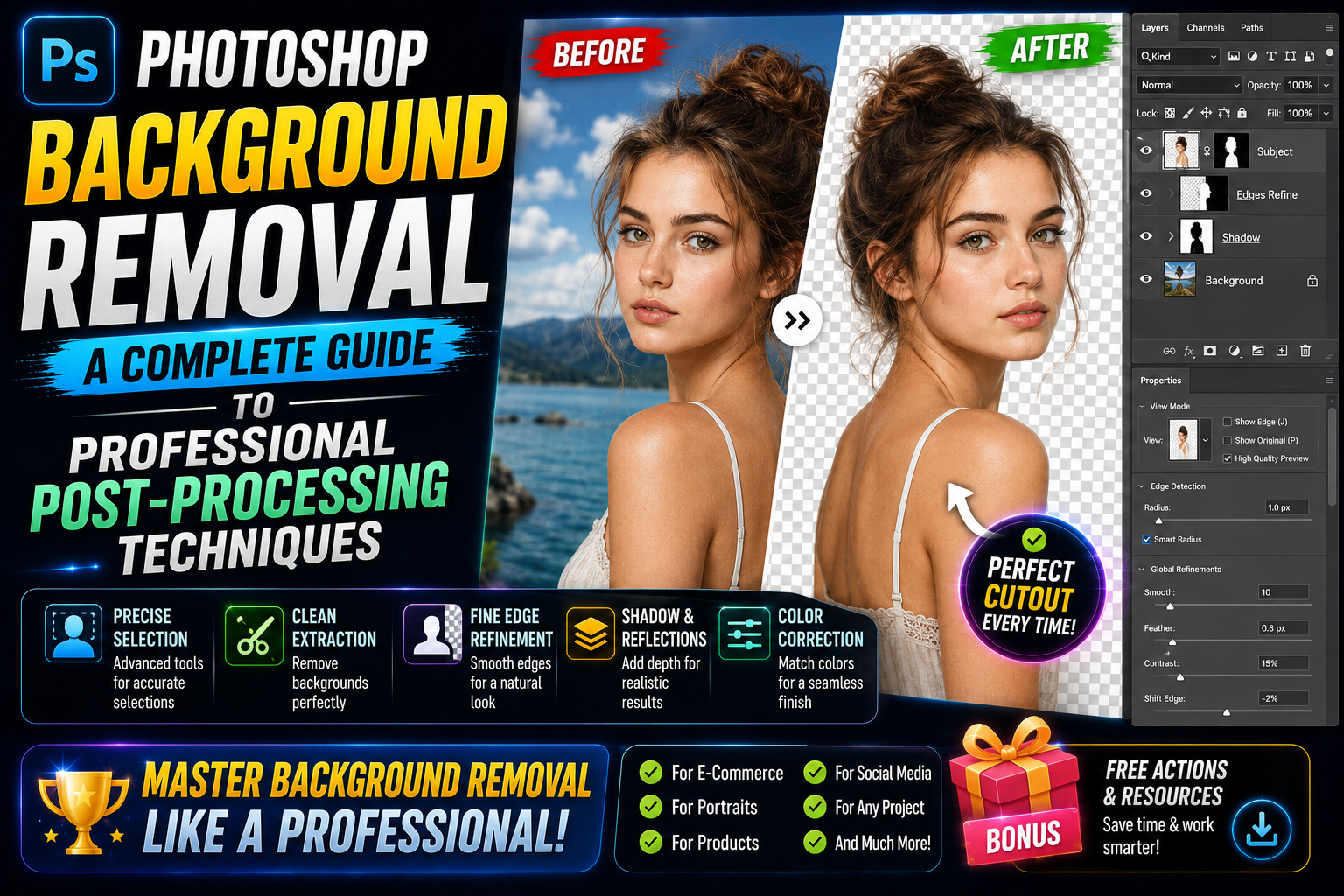
1. The skin surface treatment mechanism and the subject of smart beauty applications.
Advances in artificial intelligence (AI) have made image processing tools more sophisticated than ever before. They no longer simply apply a blurring layer to faces, but rather involve complex image data restructuring processes to separate the subject from the background.
1.1. Smoothing algorithm based on real skin texture
Leading applications today often integrate frequency separation technology. This system separates the image into distinct layers of information regarding color and texture. This allows Photoshop to remove the background while preserving minute details such as pores or fine hairs in the texture layer, resulting in a smooth, realistic appearance for the subject.
1.2. Automatic defect identification and removal
AI is capable of analyzing millions of pixels to determine which areas should be retained and which should be removed. After accurately identifying the subject's boundaries, the application processes the surrounding skin or objects to skillfully fill in any imperfections. This process allows users to obtain clean photos, completely separated from the original background, with just a few simple steps.
1.3. Layered structures and grid systems in design
In professional graphic design, background removal always adheres to a strict grid system to ensure balance. When performing background removal in Photoshop, understanding the spacing and proportions helps prevent the subject from becoming distorted after transitioning to a new background. Layers are carefully managed to ensure that the edges of the object do not exhibit jagged edges or color bleeding from the old background.
1.4. Pixel display mechanism and state
One key factor in the success of background removal is how pixel states at the edges are handled. Modern algorithms allow for the calculation of the opacity of each pixel at the edge of an object, creating a smooth transition between the subject and the new background. This is key to avoiding the harsh, "cut-and-paste" look of the image.
2. The most popular Photoshop background removal tools currently available.
Depending on the complexity of the image, the designer will choose different tools to achieve the best possible result.
2.1. Quick Selection and Magic Wand
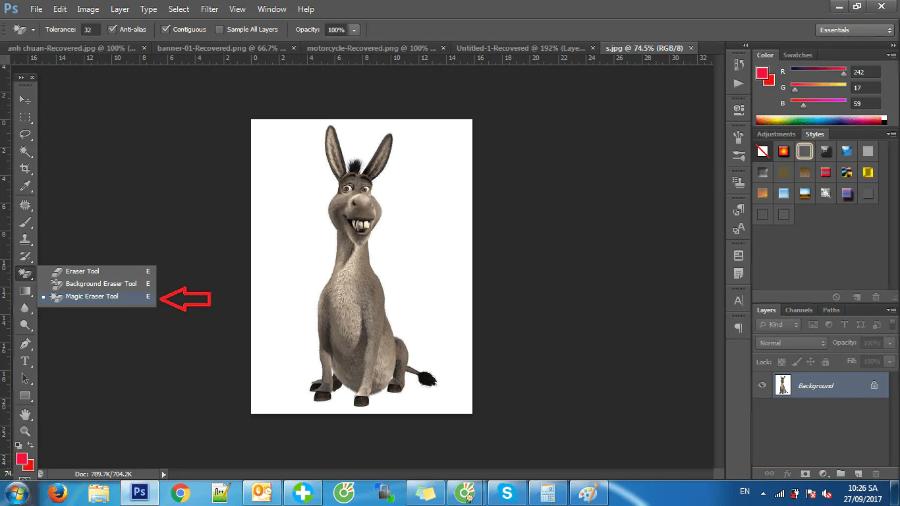
For images with high contrast between the subject and background, this set of tools offers superior processing speed. The Magic Wand Tool works based on color similarity, extremely effective when you want to Photoshop background separation for objects on a plain white or blue background. Meanwhile, the Quick Selection Tool uses edge detection algorithms to automatically expand the selection area as the mouse moves.
2.2. Pen Tool Technique for Absolute Precision
The Pen Tool remains the "king" of background removal in Photoshop for professional designers. Unlike automatic tools, the Pen Tool creates vector-based paths, allowing for perfect control over every curve and angle of the object. This is a mandatory method when removing backgrounds from products with clear shapes such as bottles, jewelry, or industrial products.
2.3. The Power of the Select Subject and Object Selection Tool (AI)
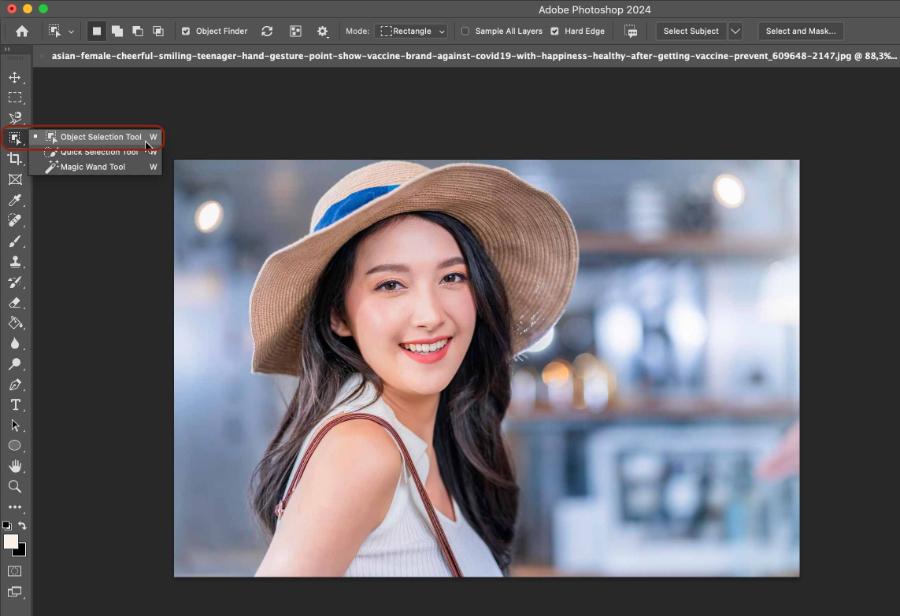
The Object Selection Tool allows users to relatively select a specific object, enabling AI to automatically refine the boundaries, saving up to 90% of the time compared to traditional methods.
3. Advanced Photoshop background removal process for complex objects.
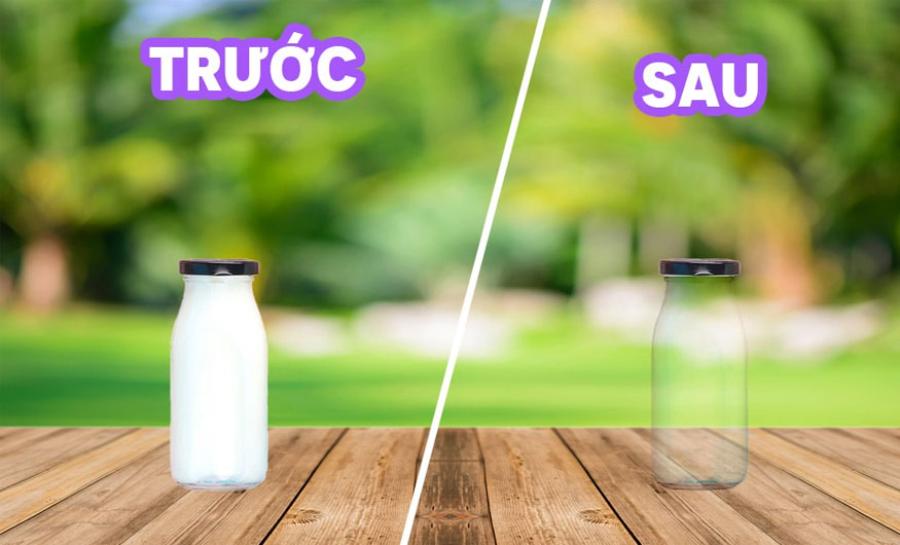
Background separation for objects such as hair, fur, or transparent glass requires advanced processing techniques to preserve ultra-fine details.
3.1. Using Refine Edge and Select and Mask
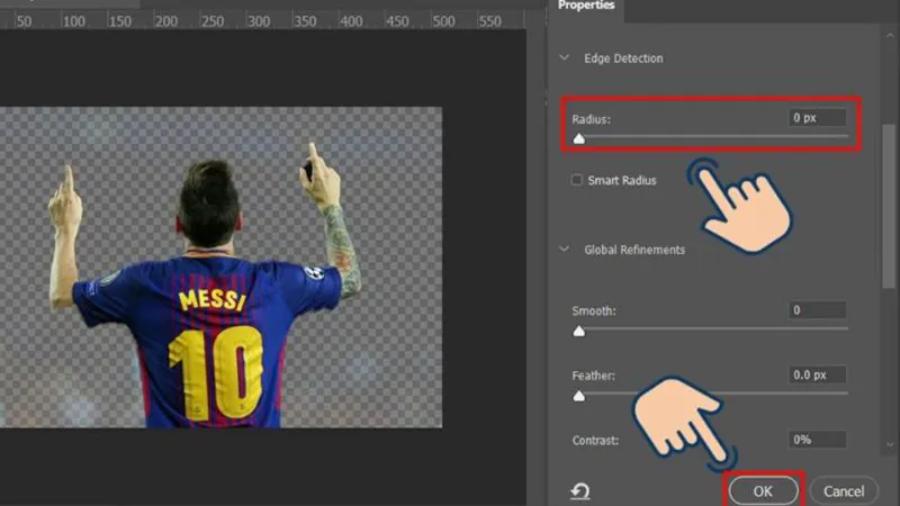
After creating the basic selection area, the Select and Mask panel is where the magic happens. The Refine Edge Brush tool is specifically designed to "sweep" through difficult areas like hair strands. The AI automatically distinguishes between the color of the hair strands and the background color to retain even the smallest details, resulting in a highly refined image after separation.
3.2 . Background Separation Technique Using Channels (Color Channels)
For situations with very low contrast, using color channels (Red, Green, Blue) is a smart solution. By selecting the color channel with the highest contrast and using the Levels tool to enhance the difference between black and white, designers can create a perfect mask for even the most complex objects without losing surface detail.
3.3. Decontaminate Colors at Edges
A common problem when using Photoshop to remove the background is that the color of the old background remains at the edges of the subject. Photoshop's Decontaminate Colors feature will replace those background color pixels with the pure color of the subject, making the object look completely natural when placed in a new lighting environment.
4. The Importance of Photoshop Background Removal in Commercial Use
In the digital age, visuals play a crucial role in persuading customers and building trust.
4.1. Optimizing product images for e-commerce platforms
Platforms like Amazon and Shopee often require product images to have a completely white background. Photoshop background removal helps eliminate distracting elements, focusing the customer's attention entirely on the product. This not only makes the store look more professional but also directly improves conversion rates.
4.2. Building design resources for marketing campaigns
Background removal creates a flexible resource pool. A subject, once its background is removed, can be reused across various publications, from website banners and Facebook posts to advertising flyers. Consistency in subject matter across platforms helps shape a strong brand identity in the minds of consumers.
5. Introducing professional graphics support solutions at Appvip.ai
To optimize workflows and achieve outstanding results in graphic design, owning licensed tools and quality resources is essential. Appvip.ai is currently one of the leading and most trusted sources for professional graphic design account packages and intelligent AI solutions. Here, you can easily access tools for quick background removal in Photoshop, advanced plugins, and a vast library of creative resources. With a commitment to quality and dedicated support, this platform helps designers, from amateurs to professionals, save maximum time on post-processing, allowing them to focus on developing ideas and enhancing the aesthetic value of each work.
6. Tips for taking flawless photos with background removal in Photoshop.
Below are some hard-won tips from experts to avoid common mistakes that make your photos look artificial.
6.1. Controlling the softness of the edges (Feathering)
An overly sharp cut will create a feeling of being completely separated from the space. Adjusting the Feather parameter (usually from 0.5 to 2 pixels) helps to soften the edges, creating a natural blend with the new environment. This is a small step, but it determines the "realism" of a Photoshop background-separated image.
6.2. Synchronizing light and color after merging
After removing the background and placing the subject in a new setting, adjusting the color balance and curves is crucial. If the new background has warm tones but the subject has cool tones, the photo will immediately reveal signs of editing. Always pay attention to the direction of light and the intensity of shadows to create a unified whole.
6.3. Preserve the natural shadows of the object.
Many people tend to completely erase the original shadows when Photoshopping to remove the background. However, retaining or redrawing a subtle shadow layer will give the subject "weight" and the feeling of standing on a real surface instead of floating in mid-air.
7. Conclusion
Even with the strong support of AI, Photoshop background removal techniques still require a keen eye for aesthetics and meticulous attention to detail. Technology can help us work faster, but it is the understanding of composition and lighting that gives a photograph its soul. Consider background removal as the starting point for a creative journey, where you freely combine disparate elements to create a complete work of art.





















VIP Products








Best Selling Products
Capcut Pro 1 Year
39 USD
MidJourney Account
29 USD
Upgrade Genuine Office 365
49 USD
Adobe Premiere Pro Account
99 USD
Genuine Cheap Canva Pro
39 USD
ChatGPT Plus Account (GPT-4)
16 USD
Adobe Photoshop Copyright - Full App
120 USD
Genuine Adobe Illustrator account
99 USD
Copyright Adobe Lightroom Account
59 USD
Upgrade genuine Capture One account
120 USD
Autodesk All App Account Copyright
120 USD
Plugin Retouch4me
69 USD
Windows 10 & 11 Pro Key
36 USD
Freepik Premium Account
59 USD
Upgrade Duolingo Super
29 USD