Best Selling Products

Windows 10 & 11 Pro Key
36 USD

Upgrade Genuine Office 365
49 USD

Autodesk All App Account Copyright
120 USD

Capcut Pro 1 Year
39 USD

Genuine Adobe Illustrator account
99 USD

Freepik Premium Account
59 USD

Upgrade Duolingo Super
29 USD

Upgrade genuine Capture One account
120 USD

Copyright Adobe Lightroom Account
59 USD

Plugin Retouch4me
69 USD

Adobe Photoshop Copyright - Full App
120 USD

MidJourney Account
29 USD

ChatGPT Plus Account (GPT-4)
16 USD

Genuine Cheap Canva Pro
39 USD

Adobe Premiere Pro Account
99 USD
Natural Skin Smoothing App 2026: The Secret to Flawless Skin
Nội dung
- 1. The skin surface treatment mechanism of smart beauty applications
- 1.1. Smoothing algorithm based on real skin texture
- 1.2. Automatic defect identification and removal
- 1.3. Tone analysis and multi-dimensional light adjustment
- 2. Essential features of a top-tier skin smoothing app.
- 2.1. Customize Skin Tone
- 2.2. Controlling shine and oiliness on the face
- 2.3. Sharpen important details
- 3. Website address appvip.ai – A comprehensive beauty technology platform
- 4. Classification of popular skin smoothing apps on the market.
- 4.1. Instant editing application suite for social media
- 4.2. Advanced Portrait Editing Tools (Portrait Editor)
- 4.3. Application stream integrating artificial intelligence (AI) technology
- 5. Secrets to achieving smooth skin while maintaining a natural look.
- 5.1. Rule for reducing filter intensity by 30%
- 5.2. Pay attention to the area where the face and hair meet.
- 5.3. Combining skin smoothing with a grain effect
- 6. The importance of original image quality for smoothing effectiveness.
- 7. Future Trend: Skin smoothing using augmented reality (AR) AI
- 8. Conclusion
Discover the list of the best professional skin smoothing apps available today. Learn how to blur imperfections, maintain realistic skin texture, and optimize portrait photos using AI.
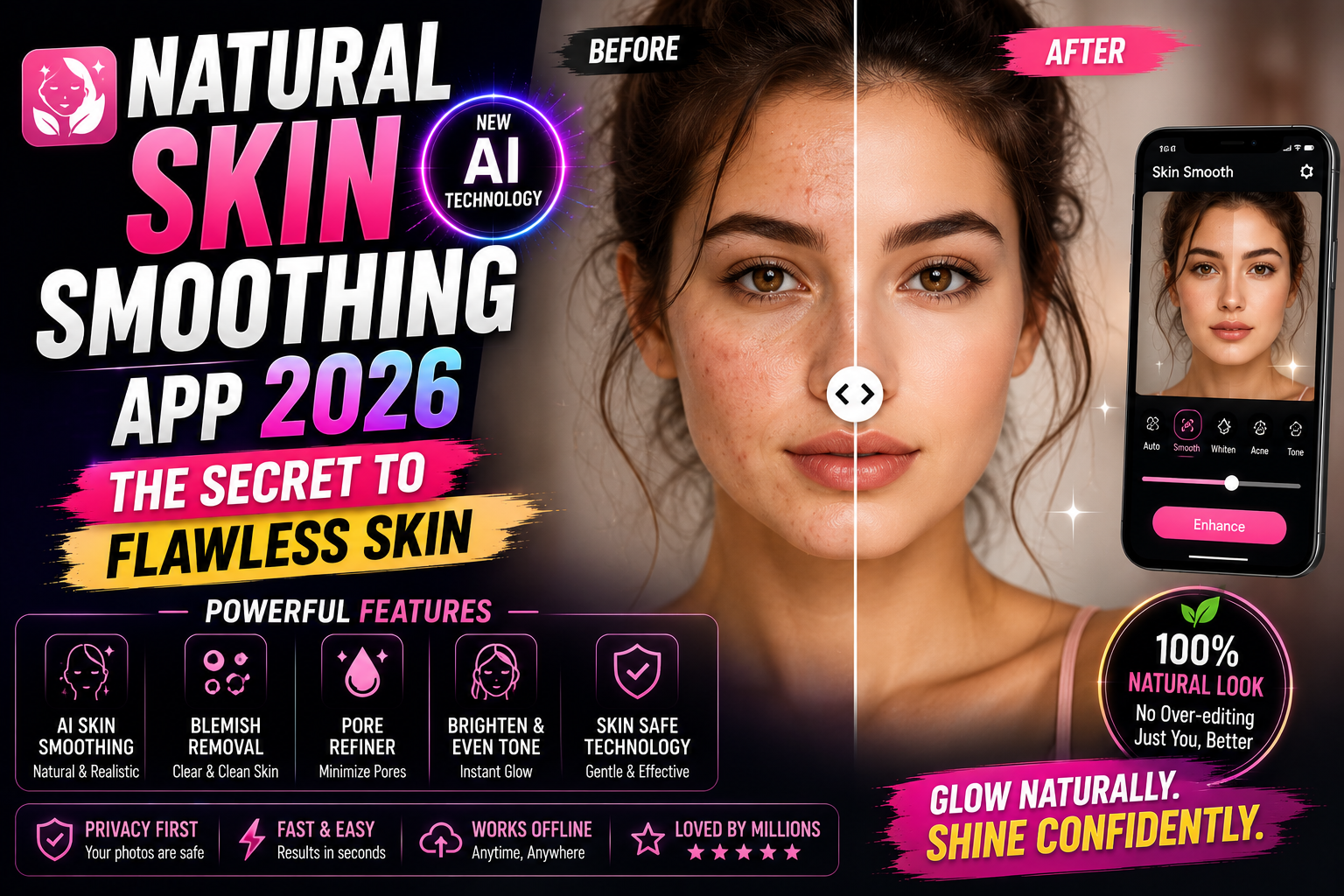
1. The skin surface treatment mechanism of smart beauty applications
Advances in artificial intelligence (AI) have made skin-smoothing apps more sophisticated than ever. They are no longer simply applying a blurring layer to the face, but rather a process of restructuring image data.
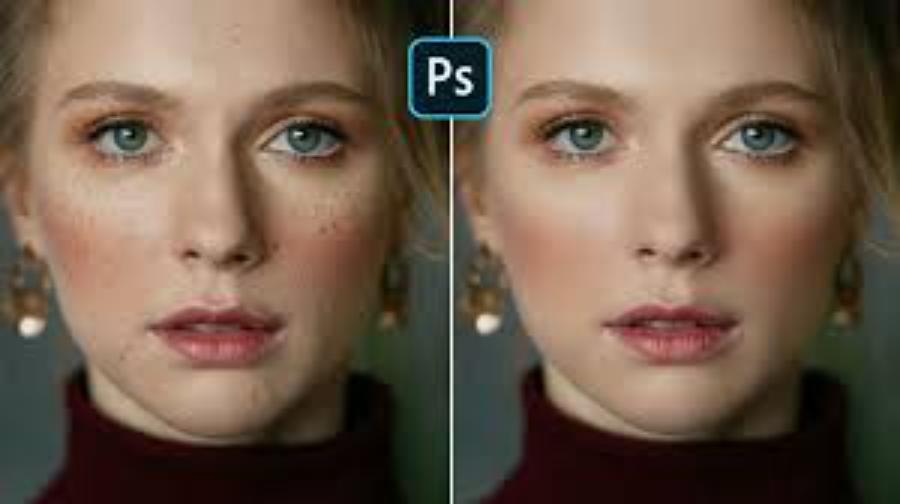
1.1. Smoothing algorithm based on real skin texture
Leading applications today utilize frequency separation technology. This system separates the image into two distinct layers: one containing color information and the other containing texture information. This allows the application to process blemishes and redness on the color layer while preserving the tiny pores on the texture layer, resulting in smoother skin without sacrificing realism.
1.2. Automatic defect identification and removal
AI is capable of analyzing millions of pixels to identify blemishes, freckles, or wrinkles. After identification, the application will use nearby healthy skin areas to subtly fill in the imperfections. This process is completely automated, allowing users to achieve clear skin with just a tap.
1.3. Tone analysis and multi-dimensional light adjustment
In addition to smoothing, these smart apps also integrate skin tone correction capabilities .
-
Adaptive white balance: AI recognizes the lighting environment (yellow sunlight, fluorescent white) to adjust skin tone to the most natural, rosy complexion.
-
Virtual Contouring: By calculating the contours of the face, the app automatically adds highlights and shadows to create the illusion of a more radiant and firm complexion.
2. Essential features of a top-tier skin smoothing app.
To assess whether a skin editing app is professional, users need to consider the customization capabilities and depth of its supporting tools.
2.1. Customize Skin Tone
Everyone has a different skin tone, ranging from fair and rosy, warm yellow to healthy brown. A good app should offer a diverse color palette, allowing users to adjust the brightness and tone of their skin to harmonize with the surrounding context and lighting, avoiding the situation where the face appears unnaturally pale compared to the neck.
2.2. Controlling shine and oiliness on the face
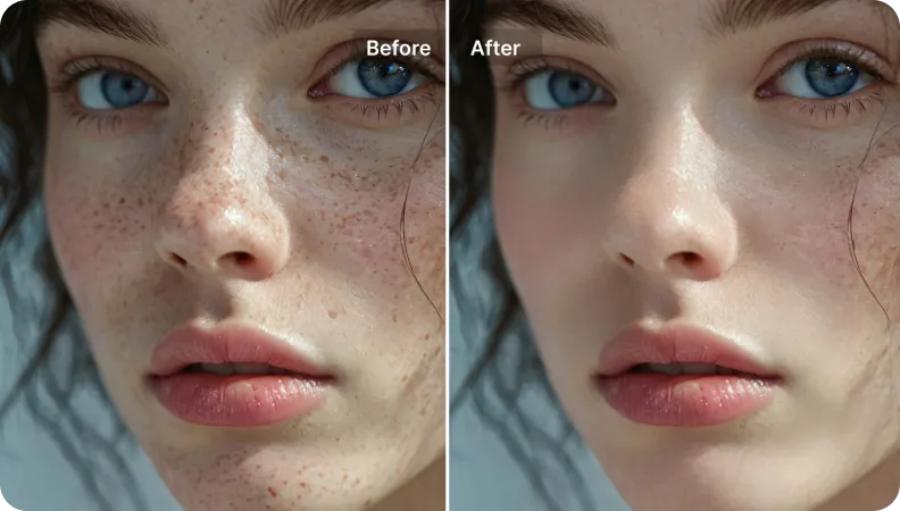
Flashlights or sweat often cause unsightly oily patches on the forehead and nose. The matte feature helps eliminate these excessive reflections, creating a smooth, matte skin effect as if covered with a high-quality powder, making the photo look more refined and elegant.
2.3. Sharpen important details
While the primary goal is to smooth the skin, areas like eyebrows, eyelashes, and pupils need to maintain maximum sharpness. Professional apps will automatically exclude these areas from the smoothing filter, ensuring the eyes remain bright and expressive against a flawless complexion.
3. Website address appvip.ai – A comprehensive beauty technology platform
In its quest for tools to support image content creation, appvip.ai has proven its superior value by providing cutting-edge AI solutions. This website acts as a portal and application ecosystem, where users can access the most advanced skin smoothing technologies available today. At appvip.ai , algorithms focus not only on surface beautification but also on preserving the artistic value of the original image. The combination of a user-friendly interface and powerful data processing allows users to quickly achieve satisfactory results without needing complex graphic design courses. This is the ideal destination for those who want to professionally and securely optimize their personal images.
4. Classification of popular skin smoothing apps on the market.
Users now have many options depending on their preferences and social media usage habits.
4.1. Instant editing application suite for social media
These are apps that have built-in beauty filters. Their advantage is speed; users can see smoother skin as soon as they look through the lens. However, their disadvantage is limited customization and sometimes a loss of sharpness in the photo.
4.2. Advanced Portrait Editing Tools (Portrait Editor)
This app is for meticulous users who want to precisely control every pore. You can manually select the areas of skin to smooth, adjust the coverage of the virtual makeup layer, or even change the lighting structure on your face to create contouring for firmer skin.
4.3. Application stream integrating artificial intelligence (AI) technology
These apps utilize advanced AI technology to automatically recognize and optimize facial details. They can analyze facial structure, skin tone, and lighting to provide the most suitable editing suggestions, resulting in natural and harmonious photos. A key advantage of this type of app is its intelligence and convenience, making it suitable even for non-professional users. However, sometimes the editing results may not be as desired if users don't properly control the options provided by the app.
5. Secrets to achieving smooth skin while maintaining a natural look.
The art of photo editing lies in maintaining a balance between perfect beauty and reality. An over-edited photo will make viewers feel alienated and distrustful.
5.1. Rule for reducing filter intensity by 30%
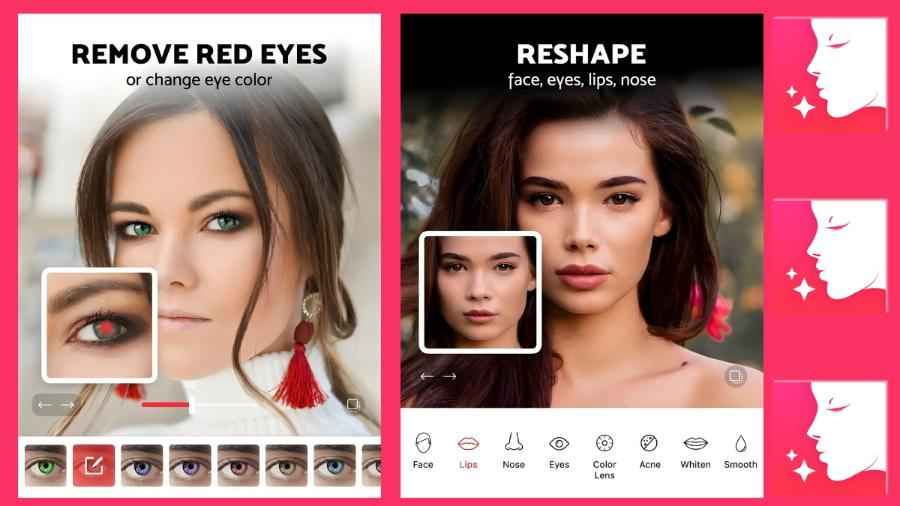
Most apps will default the smoothing level to 100% or 80%. For the most natural-looking skin, you should actively move the slider to 50% or 60%. At this level, major imperfections are covered, but natural skin textures are still subtly visible, creating the illusion of truly healthy skin.
5.2. Pay attention to the area where the face and hair meet.
A common mistake is smoothing out even the finer hairs around the forehead, making the photo look like it's been digitally altered. Use the eraser or mask tool to remove the smoothing effect from the hairline and eyebrows; this will give the photo a much more realistic look.
5.3. Combining skin smoothing with a grain effect
One technique commonly used by photographers is to add a layer of fine film grain after smoothing the skin. This grain mimics the texture of traditional photographic film, helping to conceal digital manipulation and giving the skin an artistic, classic look.
6. The importance of original image quality for smoothing effectiveness.
The quality of the input image plays a crucial role in determining the effectiveness of the skin smoothing process, regardless of how advanced the application or tool you use is. A photo with good brightness and detail not only helps the AI identify skin areas more accurately but also supports the suggestion of appropriate and natural-looking adjustments.
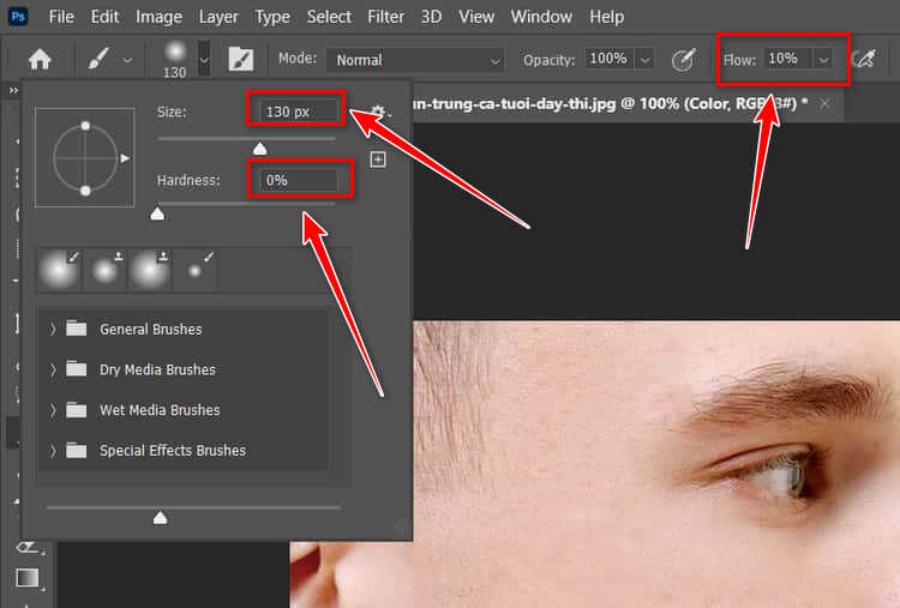
To optimize image quality, you should prioritize using natural or soft lighting to minimize shadows and maintain color balance. At the same time, avoid harsh light sources or direct overhead lighting, as this can create strong shadows on faces, making processing difficult and easily leading to inconsistent colors. A good original photo is the foundation for achieving perfect and professional editing results.
7. Future Trend: Skin smoothing using augmented reality (AR) AI
We are moving towards an era where skin retouching is no longer limited to static images. Current AR technologies allow users to maintain flawless skin during live video calls or livestreams. AI continuously tracks facial movements and applies smoothing layers in real time, helping users maintain their confidence in public without worrying about temporary dermatological issues.
8. Conclusion
Using skin-smoothing apps is a great way to enhance the aesthetic value of personal images in the digital age. It reflects everyone's legitimate need to improve themselves and create a positive impression on the community. However, the most sustainable value lies in the balance between artificial beauty and personal identity. Consider these tools as powerful aids to celebrate your existing beauty, while continuously caring for your natural skin to always radiate from within. The best photo isn't one without flaws, but one that conveys your confidence and positive energy to the viewer.





















VIP Products








Best Selling Products
Windows 10 & 11 Pro Key
36 USD
Upgrade Genuine Office 365
49 USD
Autodesk All App Account Copyright
120 USD
Capcut Pro 1 Year
39 USD
Genuine Adobe Illustrator account
99 USD
Freepik Premium Account
59 USD
Upgrade Duolingo Super
29 USD
Upgrade genuine Capture One account
120 USD
Copyright Adobe Lightroom Account
59 USD
Plugin Retouch4me
69 USD
Adobe Photoshop Copyright - Full App
120 USD
MidJourney Account
29 USD
ChatGPT Plus Account (GPT-4)
16 USD
Genuine Cheap Canva Pro
39 USD
Adobe Premiere Pro Account
99 USD