Best Selling Products

Adobe Photoshop Copyright - Full App
120 USD

ChatGPT Plus Account (GPT-4)
16 USD

Windows 10 & 11 Pro Key
36 USD

Capcut Pro 1 Year
39 USD

Genuine Cheap Canva Pro
39 USD

Upgrade Duolingo Super
29 USD

Upgrade Genuine Office 365
49 USD

Upgrade genuine Capture One account
120 USD

Copyright Adobe Lightroom Account
59 USD

MidJourney Account
29 USD

Freepik Premium Account
59 USD

Genuine Adobe Illustrator account
99 USD

Autodesk All App Account Copyright
120 USD

Adobe Premiere Pro Account
99 USD

Plugin Retouch4me
69 USD
The demand for photo editing apps that add stickers is increasing, especially among young people who love posting on social media platforms like Facebook, Instagram, TikTok, and Threads.
Nội dung
- 1. Why are photo editing apps that add stickers becoming increasingly popular?
- 2. The outstanding benefits of using stickers in photos
- 3. Criteria for choosing a good photo editing app with stickers
- 3.1 A rich and frequently updated sticker library.
- 3.2 User-friendly interface
- 3.3 High image output quality
- 4. Top photo editing apps with the best sticker insertion currently available.
- 4.1 PicsArt
- 4.2 Snapseed
- 4.3 BeautyPlus
- 4.4 B612
- 4.5 Snow
- 4.6 Canva
- 5. The most popular sticker styles
- 5.1 Cute Stickers
- 5.2 Vintage Stickers
- 5.3 Anime Stickers
- 5.4 Minimalist Stickers
- 6. Tips for adding stickers to make your photos look better.
- 7. Future trends in photo editing with sticker insertion.
- 8. Conclusion
The demand for photo editing apps that add stickers is increasing, especially among young people who love posting on social media platforms like Facebook, Instagram, TikTok, and Threads.
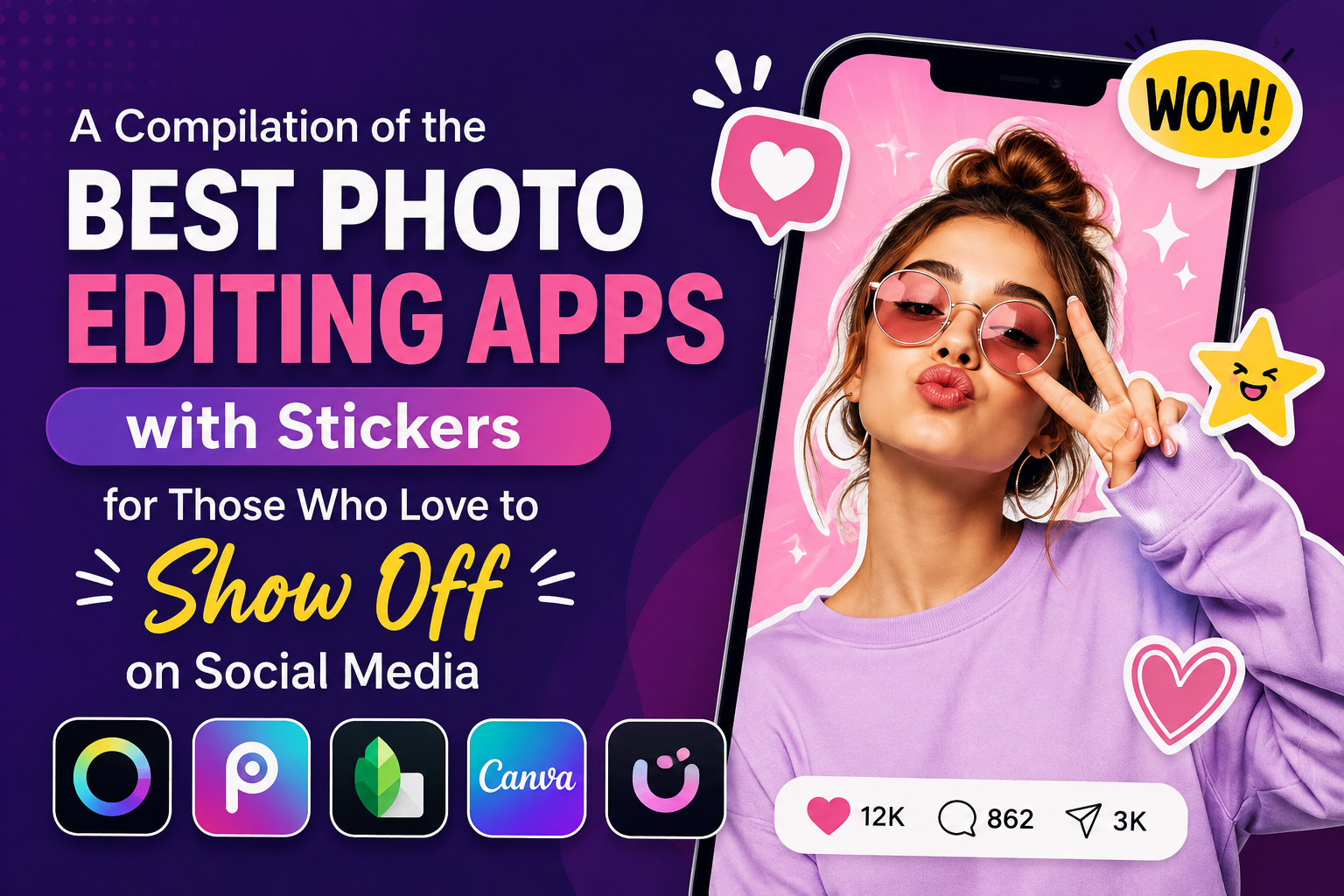
1. Why are photo editing apps that add stickers becoming increasingly popular?
Stickers have become an indispensable part of modern photo editing trends. They help users express emotions visually without needing a lot of text. With just a few simple steps, a plain photo can become much more fun, cute, or artistic.
In addition, photo editing apps are constantly updated with the latest sticker sets, such as those for holidays, travel, fashion, idols, or trending emojis. This gives users many creative options to refresh their images.
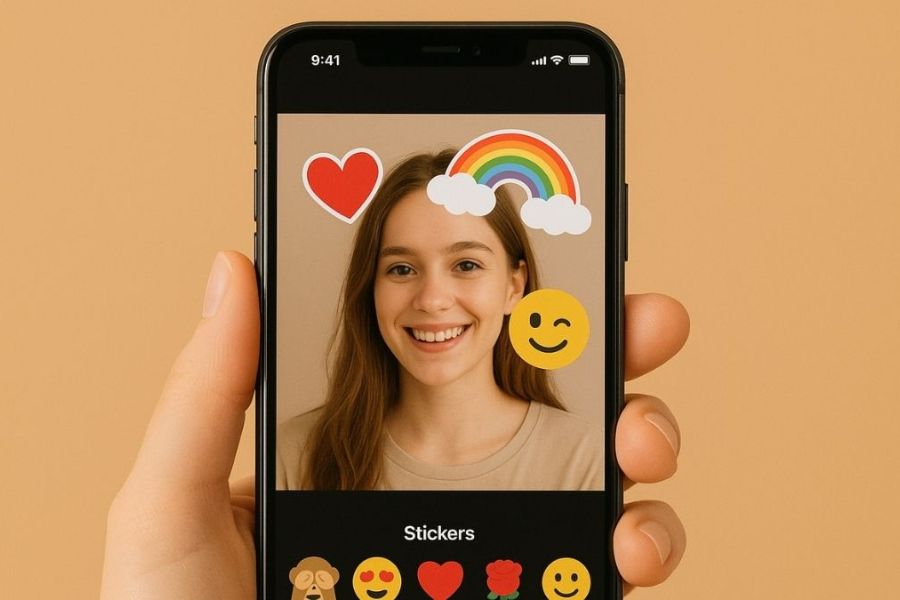
2. The outstanding benefits of using stickers in photos
Adding stickers is not just for decoration; it also brings many other benefits to the content creation process.
-
Highlight the subject in the photo.
-
Enhances aesthetics and vibrancy.
-
Expressing emotions easily.
-
Create your own unique personal style.
-
This helps photos attract more engagement on social media.
-
Suitable for various purposes such as sales, product reviews, travel, or personal journaling.
No professional design skills are required; anyone can create stunning photos thanks to modern sticker-adding apps.
3. Criteria for choosing a good photo editing app with stickers
There are hundreds of different photo editing apps on the market today. However, not all apps provide a good user experience. When choosing a photo editing app that adds stickers , you should consider several important factors to ensure long-term effectiveness.
3.1 A rich and frequently updated sticker library.
This is the primary criterion that determines the quality of an application. A diverse sticker library will give you more creative ideas when editing images.
Good apps usually update stickers according to seasons, events, or new social media trends. This helps users avoid boredom and always have fresh options.
3.2 User-friendly interface
Whether you're a beginner or an experienced photo editor, an intuitive interface is always a highly valued feature.
A good app should allow users to quickly search for stickers, easily drag and drop them, and flexibly customize their size with just a few taps.
3.3 High image output quality
Many free apps often reduce image quality after editing. This results in blurry or pixelated images when posted on social media.
Therefore, prioritize apps that support exporting high-resolution images to ensure the final product is always sharp and professional.
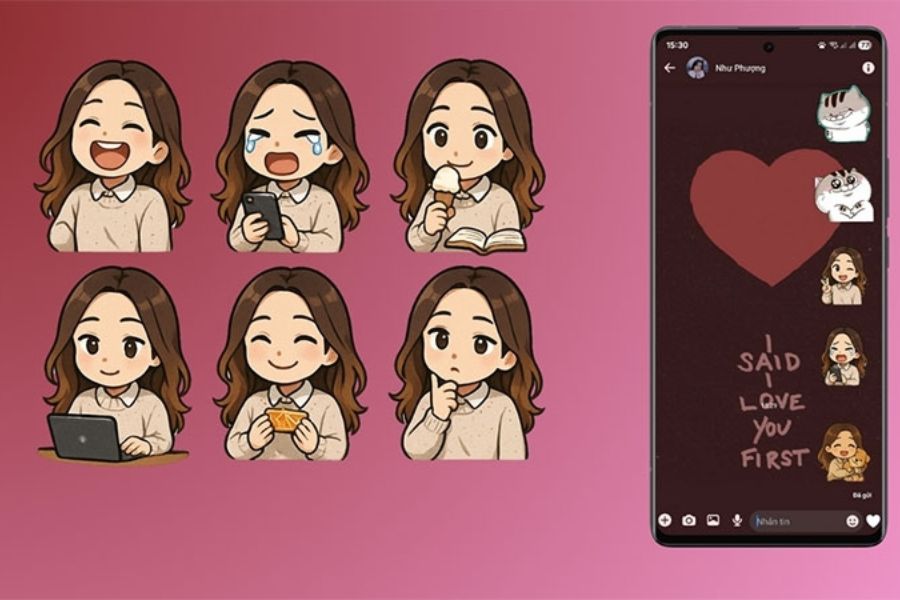
4. Top photo editing apps with the best sticker insertion currently available.
4.1 PicsArt
PicsArt is a familiar name to the community of photo editing enthusiasts on mobile phones. This application boasts a huge sticker library with millions of diverse designs, ranging from cute to artistic.
Users can easily add stickers, resize, rotate, change transparency, or create unique effects in just seconds. Additionally, PicsArt allows users to create stickers from their own photos, offering virtually limitless creative possibilities.
The outstanding advantages of PicsArt
-
Huge sticker collection.
-
Supports creating personalized stickers.
-
Many professional filters.
-
Easily shareable on social media.
-
A large user community.
Thanks to these powerful features, PicsArt consistently ranks among the world's most popular photo editing apps.
4.2 Snapseed
Snapseed is developed by Google and is known for its professional photo editing capabilities. Although it doesn't have a massive sticker library like PicsArt, the app still supports many creative tools that help users add interesting decorative details.
Snapseed's greatest strength lies in its incredibly impressive ability to handle color, light, and image detail. When combined with the right stickers, you can create captivating and artistic photos.
4.3 BeautyPlus
BeautyPlus is a top choice for selfie lovers. Besides its natural beauty enhancement capabilities, the app also offers hundreds of cute stickers specifically for portrait photos.
The stickers in BeautyPlus usually have a youthful, sweet style and are very suitable for the current trend of taking selfies. With just a few simple steps, you can transform an ordinary photo into a stunning image as if it were taken in a studio.
4.4 B612
B612 once created a sensation among young people thanks to its unique color filters and vivid AR effects. To this day, the app remains a favorite choice for many thanks to its constantly updated sticker library.
The standout feature of B612 is its ability to recognize faces and automatically add stickers in real time. This makes taking photos or videos much more fun and engaging.
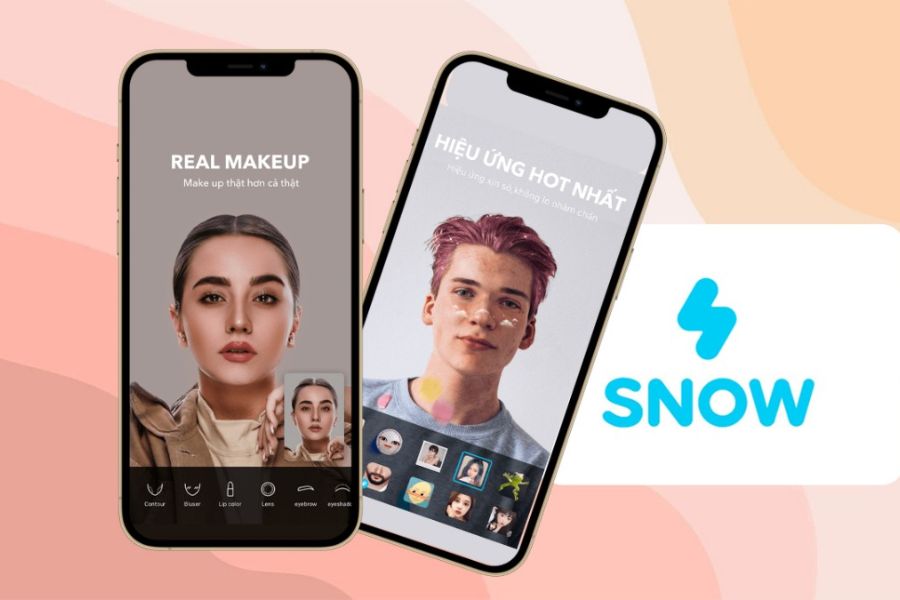
4.5 Snow
Snow is considered one of the apps with the cutest stickers currently available. The Korean-style sticker sets make photos look youthful, adorable, and extremely appealing.
In addition to photo editing, Snow also supports video recording with unique animated effects. This is the perfect choice for those who frequently upload content to TikTok or Instagram Reels.
4.6 Canva
Canva is not only a graphic design tool but also a powerful photo editing app with stickers . The application offers thousands of free stickers along with many ready-made design templates.
Users can combine stickers with artistic text, symbols, shapes, and other effects to create professional images for work or online business.
5. The most popular sticker styles
The trend in using stickers is constantly changing over time. Choosing the right style will help make your photos more eye-catching and fashionable.
5.1 Cute Stickers
This is the most popular style, especially loved by young people. Hearts, teddy bears, cats, rabbits, and emojis are always appearing frequently on social media. These stickers make images more relatable, adorable, and create a positive feeling for viewers.
5.2 Vintage Stickers
Vintage style evokes a sense of nostalgia and artistry. Film camera stickers, postage stamps, timestamps, or old paper effects are commonly used. This is a suitable choice for travel photos, coffee shop photos, or photos capturing memorable moments.
5.3 Anime Stickers
With the strong development of Japanese culture, anime stickers are becoming increasingly popular. These cute cartoon characters make photos stand out and clearly express the user's personal preferences.
5.4 Minimalist Stickers
Minimalism is becoming increasingly popular. Simple stickers with soft colors help create a sophisticated look without being visually overwhelming. This style is especially suitable for fashion, lifestyle, or professional-looking posts.
6. Tips for adding stickers to make your photos look better.
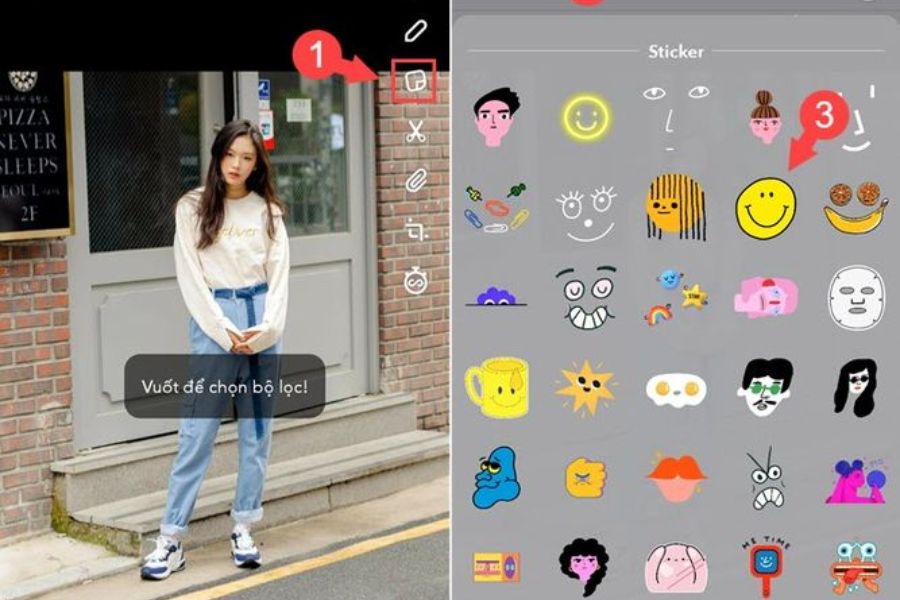
No matter how good the app is, if stickers are inserted inappropriately, the photo can still look cluttered and lose its aesthetic appeal.
-
Avoid overusing stickers: One of the most common mistakes is stuffing too many stickers into the same frame. This makes it difficult for viewers to focus on the main subject. Only use stickers that are truly necessary to highlight the content and add emphasis to the photo.
-
Choose stickers that match the photo's color scheme: Color consistency makes images look much more professional. If the photo has a soft color tone, prioritize stickers with pastel or neutral colors. Conversely, dynamic photos can be combined with eye-catching stickers to increase visual appeal.
-
Place stickers in a suitable location: The placement of stickers significantly impacts the overall composition. Avoid obscuring faces or important details in the photo. Generally, corners or empty spaces are ideal locations for stickers while maintaining balance.
7. Future trends in photo editing with sticker insertion.
The development of artificial intelligence is bringing about major advancements in the field of photo editing. Modern applications not only offer static stickers but also support animated stickers, 3D stickers, and augmented reality effects.
In the future, users will be able to automatically create stickers from personal photos with just a tap. This will make content creation faster and more unique than ever before.
In addition, social media platforms are increasingly integrating more direct editing tools, allowing users to insert stickers directly when posting content without needing to use external software.
8. Conclusion
Using photo editing apps to add stickers is a simple yet effective way to transform ordinary photos into more vibrant, impressive, and attractive ones. From PicsArt, B612, Snow to Canva, each app has its own advantages to suit different needs. If you love taking photos for social media, creating content, or simply want to capture beautiful moments in a more unique way, try the apps introduced in this article. With just a few simple steps, you can create outstanding photos that will attract everyone's attention on social media.





















VIP Products








Best Selling Products
Adobe Photoshop Copyright - Full App
120 USD
ChatGPT Plus Account (GPT-4)
16 USD
Windows 10 & 11 Pro Key
36 USD
Capcut Pro 1 Year
39 USD
Genuine Cheap Canva Pro
39 USD
Upgrade Duolingo Super
29 USD
Upgrade Genuine Office 365
49 USD
Upgrade genuine Capture One account
120 USD
Copyright Adobe Lightroom Account
59 USD
MidJourney Account
29 USD
Freepik Premium Account
59 USD
Genuine Adobe Illustrator account
99 USD
Autodesk All App Account Copyright
120 USD
Adobe Premiere Pro Account
99 USD
Plugin Retouch4me
69 USD