Best Selling Products

Upgrade genuine Capture One account
120 USD

Genuine Cheap Canva Pro
39 USD

MidJourney Account
29 USD

Plugin Retouch4me
69 USD

Freepik Premium Account
59 USD

Genuine Adobe Illustrator account
99 USD

ChatGPT Plus Account (GPT-4)
16 USD

Adobe Premiere Pro Account
99 USD

Upgrade Duolingo Super
29 USD

Autodesk All App Account Copyright
120 USD

Windows 10 & 11 Pro Key
36 USD

Copyright Adobe Lightroom Account
59 USD

Capcut Pro 1 Year
39 USD

Adobe Photoshop Copyright - Full App
120 USD

Upgrade Genuine Office 365
49 USD
The Most Widely Used Free Video Editing Apps Today
Nội dung
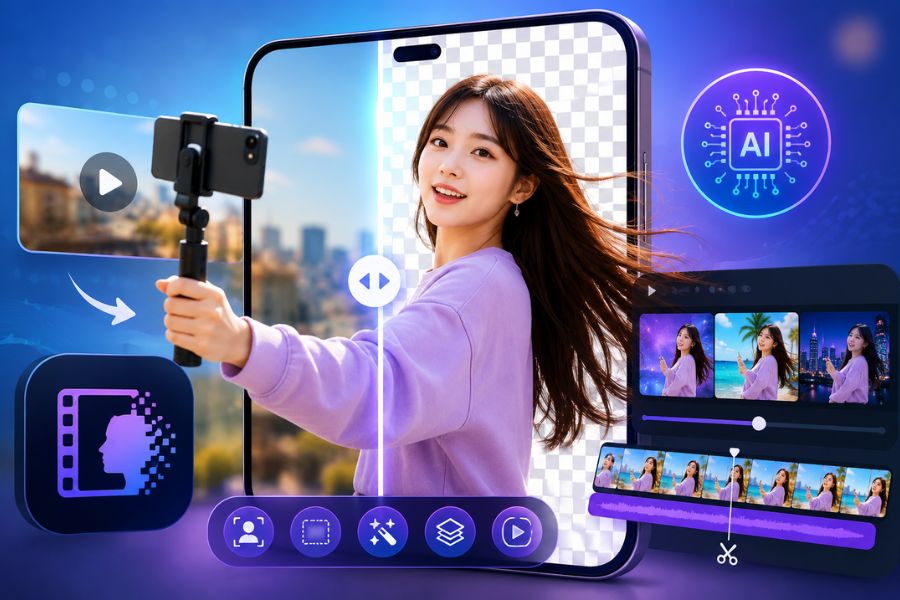
Nowadays there are many apps that support cutting and merging clips, adding music, adding effects, color grading, and exporting high-quality videos with just a few simple steps. In this article, let''''s explore with AppVip.ai the video editing apps loved by a large number of users thanks to their easy-to-use interface, diverse features, and ability to meet content creation needs on TikTok, Facebook, YouTube, or Instagram.
1. VivaVideo
If you're looking for a free video editing app that's easy to use but still has all the necessary features, VivaVideo is a very worthwhile choice. The app is designed with an intuitive, user-friendly interface, helping
even beginners quickly create beautiful videos in just a few steps. Not only does it support simple video cutting and merging, VivaVideo also provides many transition effects, color filters, and professional editing tools, helping to improve video quality before sharing on social media. This is one of the video editing apps chosen by many content creators thanks to its fast processing and rich resource library.
Notable features:
Cut, merge, and edit videos quickly on your phone.
Supports smooth, professional transition effects.
Integrates Slow Motion feature.
Diverse color filter library, making videos stand out more.
Allows easy insertion of text, stickers, and music.
Exports high-quality video, suitable for many social media platforms.
.jpg)
2. WeVideo
WeVideo is a standout video editing app thanks to its flexible editing capabilities combined with modern cloud storage technology. The app allows users to edit videos directly on their phone without needing a computer, while also easily syncing data across multiple devices. With a simple interface and a powerful editing toolset, WeVideo makes creating professional videos easier than ever. This is a suitable choice for students, content creators, or anyone who wants to edit videos anytime, anywhere.
Notable features:
Supports precise and fast video cutting and merging.
Easily add text, effects, and background music to videos.
Integrates convenient cloud storage technology.
Syncs data across different devices.
Supports exporting sharp, high-quality video.
Friendly interface, suitable even for beginners.
3. iMovie
For iPhone and iPad users, iMovie always ranks among the most beloved video editing apps today. Developed by Apple, the app has a minimalist yet extremely powerful interface, helping users easily create professional videos without much editing experience. iMovie supports video editing at resolutions up to 4K, while also providing many cinematic effects, color filters, and ready-made video templates. Thanks to its smooth operation within the iOS ecosystem, this app delivers a stable and effective video editing experience.
Notable features:
Supports editing and exporting 4K quality video.
Simple drag-and-drop interface, easy to use.
Many cinematic effects and professional filters.
Built-in sound and background music library.
Perfectly optimized for iPhone and iPad.
Allows creating impressive trailers and slideshow videos.
.jpg)
4. Splice
Splice is a free video editing app highly regarded for its combination of a friendly interface and a powerful editing toolset. The app allows users to easily cut and merge videos, add music, effects, and adjust playback speed in just a few minutes. The standout feature of Splice is its ability to optimize the editing workflow, helping users create professional videos without too many complicated steps. With high output quality along with many creative options, Splice is becoming a familiar tool for TikTokers, YouTubers, and content creators on social media.
Notable features:
Fast and precise video cutting and merging.
Easily add background music and sound effects.
Adjust video speed according to creative needs.
Supports many beautiful transition effects.
Intuitive interface, suitable for beginners.
Exports high-quality video for uploading to popular platforms.
5. Quik
Quik is a free video editing app developed by GoPro, notable for its ability to automatically create professional videos in just a few minutes. Instead of having to perform too many manual editing steps, Quik can automatically analyze photos and videos, selecting the standout moments to merge into a complete video. In addition, the app also integrates many transition effects, modern color filters, and a rich music library, helping users easily create engaging videos to share on TikTok, Facebook, Instagram, or YouTube. If you're looking for a simple video editing app that still delivers impressive results, Quik is a very worthwhile choice to try.
Notable features:
Automatically analyzes and creates video with just a few steps.
Library of modern, professional transition effects.
Integrates many beautiful color filters.
Supports adding background music and syncing to the rhythm.
Allows customizing video according to personal style.
Exports high-quality video for sharing on social media.
.jpg)
6. InShot
When it comes to the most popular video editing apps today, InShot cannot be left out. This is an app chosen by millions of users worldwide thanks to its intuitive interface, ease of use, and diverse editing toolset. InShot allows users to easily cut and merge videos, add music, insert text, stickers, and apply many unique effects in just a few minutes. In particular, the app supports changing the aspect ratio to suit each platform such as TikTok, YouTube Shorts, Facebook Reels, or Instagram. With fast processing capability and many useful features, InShot is a video editing app suitable for both beginners and professional content creators.
Notable features:
Cuts and edits videos quickly.
Supports flexible aspect ratio changes.
Easily insert background music, text, and stickers.
Rich library of effects and filters.
Customize video speed according to needs.
Exports sharp video with high quality.
7. KineMaster
KineMaster is considered one of the most powerful video editing apps on mobile platforms today. The app provides an in-depth editing toolset similar to computer-based video editing software, helping users create high-quality products right on their phone. With the ability to support multiple layers of video, images, audio, and effects simultaneously, KineMaster brings maximum flexibility to the content creation process. This is an ideal choice for YouTubers, TikTokers, content creators, or anyone who wants to professionally improve video quality. If you need a video editing app with full features from basic to advanced, KineMaster is definitely a name not to be missed.
Notable features:
Supports professional multi-layer video editing.
Cuts, splits, and merges video precisely.
Flexibly adjusts color, brightness, and sound.
Integrates many beautiful transition effects.
Supports recording and live dubbing.
Exports high-resolution video with sharp quality.
.jpg)
8. Adobe Premiere Rush
Adobe Premiere Rush is a video editing app developed by Adobe, offering a professional video editing experience right on your phone. The app has a modern, easy-to-use interface while still integrating all the necessary editing tools to create high-quality videos. Users can easily cut and merge, add effects, adjust color and sound, and create smooth transitions with just a few simple steps. Thanks to its ability to sync data across multiple devices, Adobe Premiere Rush is especially suitable for content creators who regularly work on both phone and computer. If you're looking for a video editing app that's both powerful and flexible, this is a very worthwhile choice.
Notable features:
Fast, professional video cutting and editing.
Supports detailed color and sound adjustment.
Integrates many beautiful effects and transitions.
Syncs projects between phone and computer.
Intuitive interface, easy to use for everyone.
Exports high-quality video suitable for many social media platforms.
9. FilmoraGo
FilmoraGo is a free video editing app loved by a large number of users thanks to its balance between simplicity and powerful editing capability. The app allows users to create engaging videos with tools such as cutting and merging, adding text, background music, transition effects, and adjusting playback speed. The friendly interface helps even beginners quickly get familiar and create complete products in a short time. With fast export capability and optimization for platforms like TikTok, Facebook, Instagram, or YouTube, FilmoraGo deserves to be one of the most widely used video editing apps today.
Notable features:
Simple and effective video cutting and merging.
Supports inserting text, stickers, and background music.
Diverse, beautiful library of transition effects.
Flexibly customize video playback speed.
Friendly interface for new users.
Easily share video to popular social media platforms.
(1).jpg)
10. Funimate
Funimate is a standout video editing app for those who love creating unique and eye-catching content. The app has a rich library of animated effects along with a host of modern filters that help videos become livelier and more attractive. Not only does it support basic editing operations, Funimate also allows combining effects, music, and transitions flexibly to create videos with a strong personal touch. Thanks to its intuitive and easy-to-operate interface, this is a video editing app suitable for both beginners and content creators who want to create artistic, impressive videos on TikTok, Instagram, or YouTube Shorts.
Notable features:
Diverse and creative library of animated effects.
Many color filters to help videos stand out more.
Supports adding background music and syncing to the rhythm.
Smooth, professional transitions.
Easily create short videos for TikTok and Reels.
Simple interface, suitable for all users.
11. Conclusion
Choosing a suitable video editing app will help you save time, improve content quality, and easily create impressive footage right on your phone. Each app has its own advantages, suited to different needs from basic to advanced. Hopefully the list above will help you find the right tool to unleash your creativity and produce professional, engaging videos across all social media platforms.





















VIP Products








Best Selling Products
Upgrade genuine Capture One account
120 USD
Genuine Cheap Canva Pro
39 USD
MidJourney Account
29 USD
Plugin Retouch4me
69 USD
Freepik Premium Account
59 USD
Genuine Adobe Illustrator account
99 USD
ChatGPT Plus Account (GPT-4)
16 USD
Adobe Premiere Pro Account
99 USD
Upgrade Duolingo Super
29 USD
Autodesk All App Account Copyright
120 USD
Windows 10 & 11 Pro Key
36 USD
Copyright Adobe Lightroom Account
59 USD
Capcut Pro 1 Year
39 USD
Adobe Photoshop Copyright - Full App
120 USD
Upgrade Genuine Office 365
49 USD