Best Selling Products

Plugin Retouch4me
69 USD

Copyright Adobe Lightroom Account
59 USD

Capcut Pro 1 Year
39 USD

Autodesk All App Account Copyright
120 USD

Adobe Premiere Pro Account
99 USD

Upgrade Genuine Office 365
49 USD

Adobe Photoshop Copyright - Full App
120 USD

Freepik Premium Account
59 USD

ChatGPT Plus Account (GPT-4)
16 USD

Upgrade Duolingo Super
29 USD

Genuine Adobe Illustrator account
99 USD

MidJourney Account
29 USD

Genuine Cheap Canva Pro
39 USD

Windows 10 & 11 Pro Key
36 USD

Upgrade genuine Capture One account
120 USD
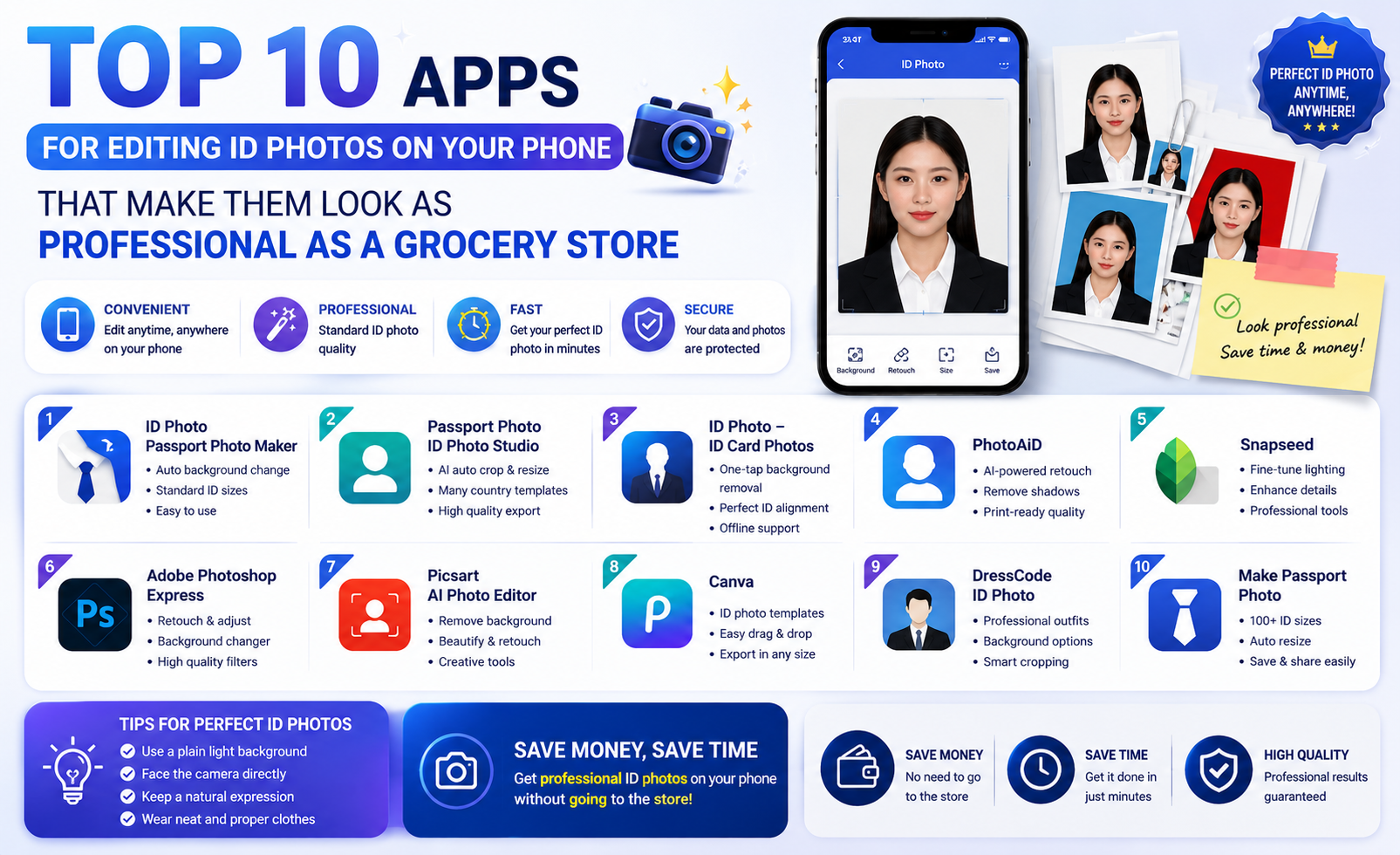
Top 10 apps for editing ID photos on your phone that make them look as professional as a grocery store.
Nội dung
- 1. Canva - AI-powered smart ID card design and creation tool.
- 2. Photoroom - A super-fast solution for removing and changing backgrounds.
- 3. ID Photo Application - Shapes facial proportions according to international standards.
- 4. ID Photo Creator - A versatile profile picture editor
- 5. Passport Photo Maker - Expert in creating passport and visa photos
- 6. Snapseed - Magically enhances detail and achieves perfect light balance.
- 7. VSCO - Refine the colors of your ID photos for a natural and modern look.
- 8. B612 / SODA - Light makeup for a radiant ID photo
- 9. Adobe Photoshop Mix - Professional background cutting and merging
- 10. PicShot - Quickly edit and create ID photo frames.
- 11. Conclusion
With just a smartphone, you can easily create international-standard profile pictures, passport photos, or national ID cards.
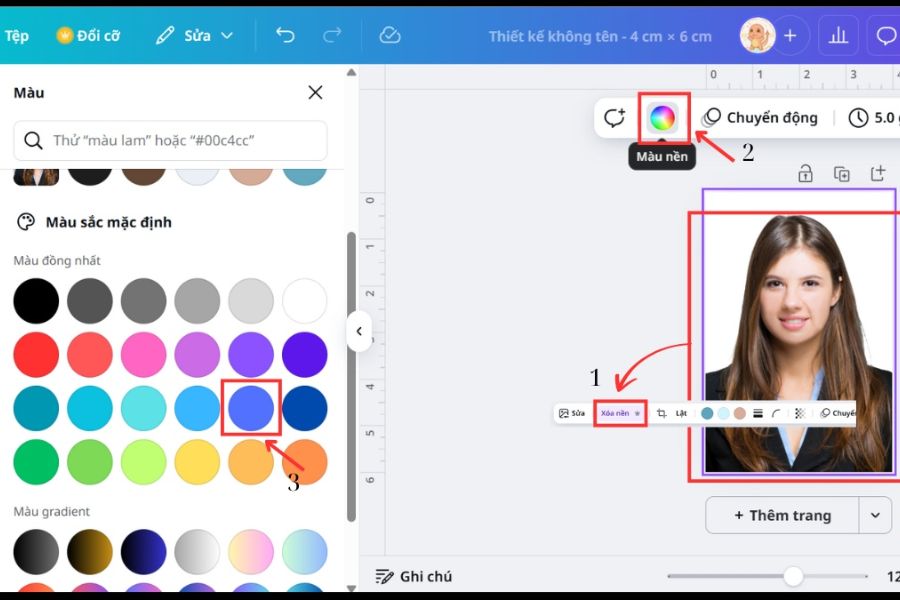
1. Canva - AI-powered smart ID card design and creation tool.
Canva has established itself as one of the most versatile design tools available today thanks to its powerful integration of artificial intelligence (AI) that simplifies complex graphic design processes. For ID photo needs, the application offers a range of automated solutions, from framing to detail adjustments, without requiring specialized skills. You can easily search for pre-made templates for personal documents, job applications, or foreign visas in just seconds.
-
Automatic background removal feature: The AI-powered background removal tool cleanly removes the background without smudging your hair.
-
Diverse template system: Provides standard sizes such as 3x4 cm and 4x6 cm suitable for all types of administrative documents.
-
Extensive graphic library: Allows users to easily add shirts and formal suits directly within the design interface.
-
Cross-platform synchronization: You can flexibly edit on your phone and easily download to your computer for high-quality printing.
2. Photoroom - A super-fast solution for removing and changing backgrounds.
If you're looking for an app that focuses heavily on background image processing, Photoroom is the perfect answer thanks to its extremely accurate subject recognition algorithm. Its outstanding feature is its ability to smoothly isolate subjects, even with difficult details like strands of hair or creases in clothing. The intuitive editor allows users to quickly replace the original background with standard colors for ID photos, such as pure blue or pristine white.
-
Intelligent AI edge cutting technology: The ability to precisely separate the subject from a complex background saves time on manual editing.
-
Change backgrounds with a single touch: Switch between white background (for passports) and blue background (for documents) with extreme flexibility.
-
Automatic light adjustment: This new feature synchronizes the lighting between the subject and the background to make the photo look harmonious and natural.
-
Batch image processing support: Allows users to edit multiple photos simultaneously to create different versions of ID photos.
3. ID Photo Application - Shapes facial proportions according to international standards.
The ID Photo Application is specifically designed to address the technical and geometric requirements of international passport photos. The software features an intelligent alignment grid system, allowing users to easily position their eyes, nose, chin, and head according to the specified percentages. This ensures your photo will never be rejected when submitted to administrative agencies or embassies.
-
Visual alignment guide: The positioning frame displayed directly on the camera helps you capture the correct frontal angle right from the start.
-
Automatic cropping: Supports exporting images in the correct format for specific purposes, from US passports and European visas to student ID cards.
-
File size optimization: Ensuring sharp display quality while keeping file sizes small for easy uploading to online platforms.
-
Smart storage and management: Supports saving created image templates so users can quickly reuse them later.
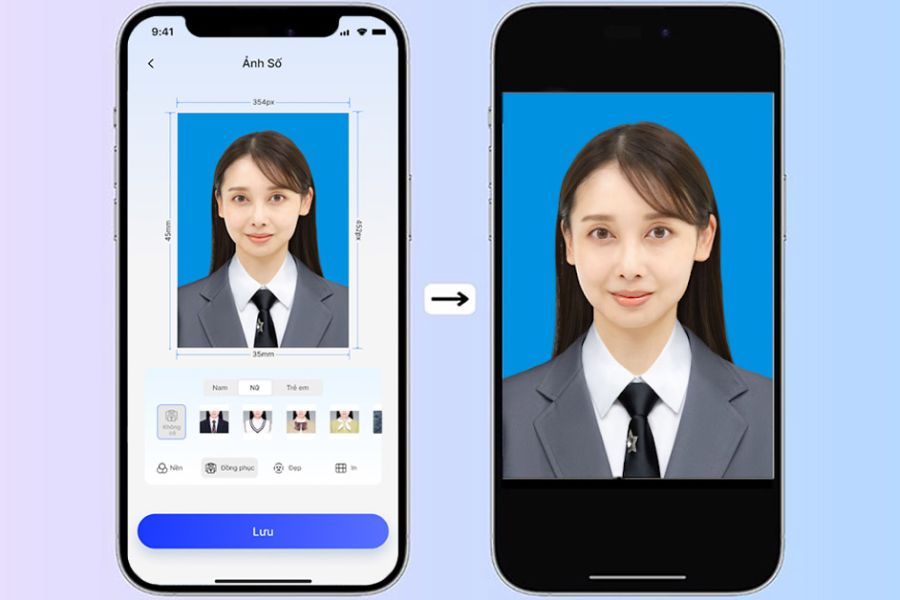
4. ID Photo Creator - A versatile profile picture editor
For those who appreciate neatness and organization, ID Photo Creator offers an incredibly efficient and convenient workflow. The application integrates everything from shooting and cropping to arranging multiple photos on a single sheet of paper ready for printing. You won't need to open any third-party software for post-processing your profile photos.
-
Smart photo cropping: Automatically recognizes facial features and suggests the best cropping options for the user.
-
Page layout arrangement: Allows you to arrange 4, 8, or 12 small photos on a standard sheet of paper, saving you money compared to buying from a print shop.
-
Adjusting basic parameters: Provides a full range of tools to increase or decrease contrast, brightness, and color saturation for sharper images.
-
Minimalist and user-friendly interface: The steps are designed as a linear process, suitable for even older adults.
5. Passport Photo Maker - Expert in creating passport and visa photos
As its name suggests, Passport Photo Maker is a powerful tool for travel, allowing you to prepare passport and visa photos from home. The software continuously updates with the latest regulations regarding photo size and distance from the eyes to the edges of the lens for over 100 countries worldwide. Therefore, users can rest assured that the resulting photos are legally accurate.
-
Global standardized database: Automatically applies the photo ID specifications of each specific country when the user selects them.
-
Automatic calibration: The integrated AI system will alert you if your shooting angle is tilted or the lighting is uneven.
-
Outfit change support: We provide a diverse collection of men's and women's vests in various styles to naturally incorporate into your photos.
-
High-resolution file output: Supports popular file formats with resolutions up to 300 DPI, meeting industrial printing standards.
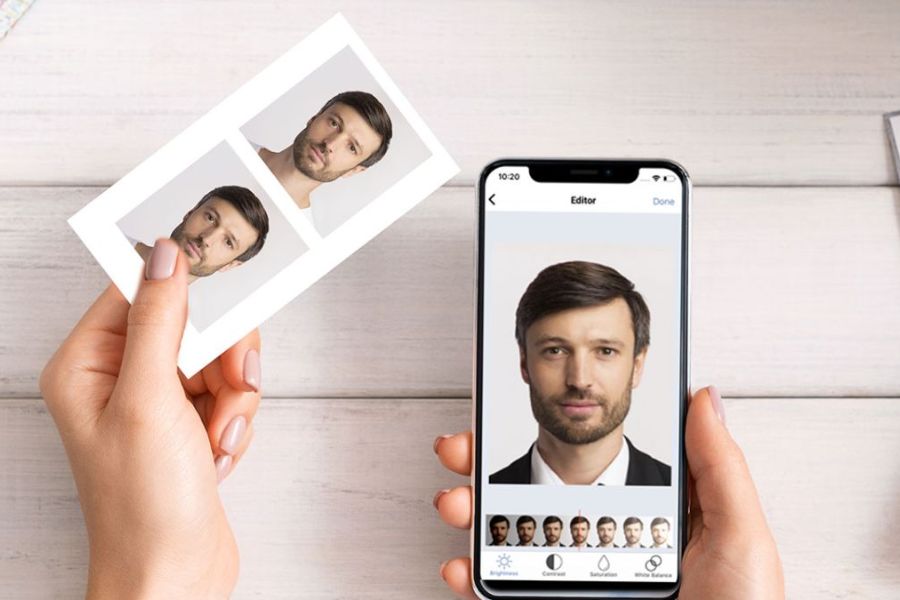
6. Snapseed - Magically enhances detail and achieves perfect light balance.
Snapseed is a completely free, in-depth photo editing app from Google, perfect for correcting minor facial imperfections in ID photos. With its exclusive selection editing tool, you can brighten only the face without affecting the background color. This is the ideal choice for those who want to manually control every pixel in their photos to achieve the highest level of perfection.
-
The Healing tool removes blemishes: Naturally eliminates acne, dark spots, and other skin imperfections without leaving any visible marks.
-
Selective editing: Allows you to increase brightness and saturation in specific areas such as the eye area or the shadow under the chin.
-
Glamour Glow feature: Creates a smooth, soft effect on the skin while preserving its natural texture.
-
Save editing history: Allows users to quickly copy all editing steps from one image to apply to another.
7. VSCO - Refine the colors of your ID photos for a natural and modern look.
Although famous for its artistic color filters for landscape and portrait photos, VSCO is also excellent for ID photo editing thanks to its skin tone checking and balancing capabilities. The app helps remove yellow or blue tints caused by indoor lighting, restoring a healthy, rosy complexion. Intuitive slider tools allow you to control color vibrancy to a moderate and elegant level.
-
Advanced neutral color filter: Helps optimize overall color, giving the impression that the photo was taken with a professional DSLR camera.
-
Accurate white balance: Completely eliminates color distortion caused by complex lighting environments.
-
Refine skin clarity: The Clarity tool helps to sharpen facial features without making them look harsh or unnatural.
-
Community-sharing formulas: Users can easily refer to portrait photo editing formulas from other photographers.
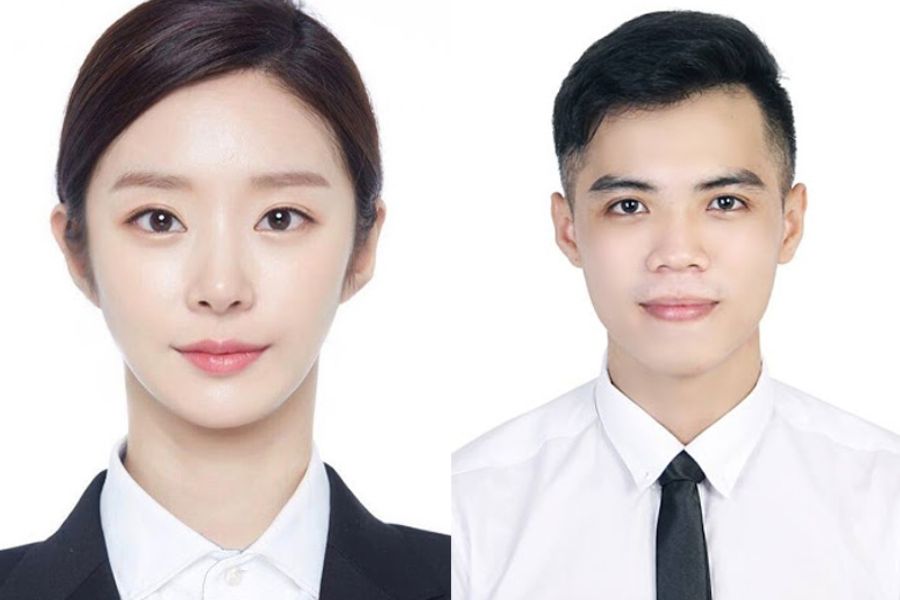
8. B612 / SODA - Light makeup for a radiant ID photo
If you're worried your selfies at home look tired or lifeless, beauty apps like B612 or SODA are a great solution. These apps integrate natural-looking virtual makeup filters, adding a touch of lipstick, subtle eyebrow pencil, or a moderate face slimming effect. The key is to only adjust the sliders between 10% and 20% to maintain authenticity and avoid altering your facial features.
-
Smart makeup feature: Automatically recognizes facial features to apply a light, elegant layer of makeup.
-
Automatic skin smoothing: Eliminates oily shine caused by flash photography and subtly blurs pores.
-
Adjusting facial proportions: This allows for subtle adjustments to the distance between the eyes and the height of the nose bridge, resulting in a more balanced facial appearance.
-
Dedicated ID photo mode: Includes several built-in green/white background filters that activate directly while taking the picture.
9. Adobe Photoshop Mix - Professional background cutting and merging
Part of Adobe's renowned graphics ecosystem, Photoshop Mix brings the professional editing power of a computer to a mobile interface. This application works using a layer management mechanism, allowing you to completely separate the portrait and background for independent processing. It's the perfect tool for those who want to create a high-definition, deep-set photo with sharp edges and details.
-
Powerful Layer Management Mechanism: Easily and precisely layer multiple images, costumes, and backgrounds together.
-
Advanced selection tool: Allows you to swipe your finger to flexibly select or remove detailed areas of an image.
-
Intelligent color blending: Automatically adjusts the tonal balance between image layers to create a seamless, unified whole.
-
Connect to Creative Cloud: Convenient for transferring projects to other Adobe professional software on your PC.
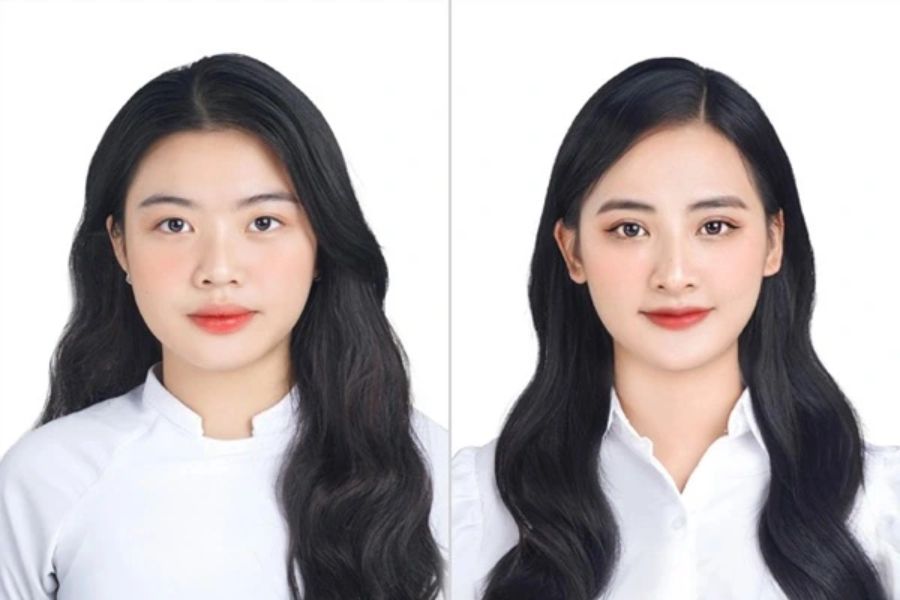
10. PicShot - Quickly edit and create ID photo frames.
PicShot is a lightweight yet feature-rich app that allows users to quickly produce a high-quality ID photo. The app offers quick, one-button editing solutions, from brightening faces and changing backgrounds to adding borders. It's an excellent choice for those who need an ID photo urgently for online applications within minutes.
-
Automatic portrait optimization: Intelligent algorithms automatically brighten dark areas on the face as soon as the photo is uploaded.
-
Background customization tool library: Provides standard gradient and solid color ranges for official ID photos.
-
Create flexible image borders: Supports adding thin borders around images, ensuring straight cuts with scissors after printing.
-
Quick sharing to social media: Supports direct image export to messaging or email applications while preserving the original file quality.
11. Conclusion
Having a beautiful and standard ID photo is no longer difficult when you have powerful tools right at your fingertips on your phone. Depending on your actual needs—whether you require precise technical specifications, super-fast background removal, or want to enhance your beauty—you can flexibly choose the most suitable application from the list above. However, an important note when creating ID photos at home is to always choose a location with ample natural light, keep your face straight, and avoid overusing beauty enhancement tools to ensure the authenticity of your documents. We wish you success in designing the most satisfying and professional ID photos!





















VIP Products








Best Selling Products
Plugin Retouch4me
69 USD
Copyright Adobe Lightroom Account
59 USD
Capcut Pro 1 Year
39 USD
Autodesk All App Account Copyright
120 USD
Adobe Premiere Pro Account
99 USD
Upgrade Genuine Office 365
49 USD
Adobe Photoshop Copyright - Full App
120 USD
Freepik Premium Account
59 USD
ChatGPT Plus Account (GPT-4)
16 USD
Upgrade Duolingo Super
29 USD
Genuine Adobe Illustrator account
99 USD
MidJourney Account
29 USD
Genuine Cheap Canva Pro
39 USD
Windows 10 & 11 Pro Key
36 USD
Upgrade genuine Capture One account
120 USD