Best Selling Products

Adobe Photoshop Copyright - Full App
120 USD

MidJourney Account
29 USD

Adobe Premiere Pro Account
99 USD

Upgrade genuine Capture One account
120 USD

Copyright Adobe Lightroom Account
59 USD

Autodesk All App Account Copyright
120 USD

Upgrade Duolingo Super
29 USD

Genuine Cheap Canva Pro
39 USD

Upgrade Genuine Office 365
49 USD

ChatGPT Plus Account (GPT-4)
16 USD

Freepik Premium Account
59 USD

Genuine Adobe Illustrator account
99 USD

Plugin Retouch4me
69 USD

Capcut Pro 1 Year
39 USD

Windows 10 & 11 Pro Key
36 USD
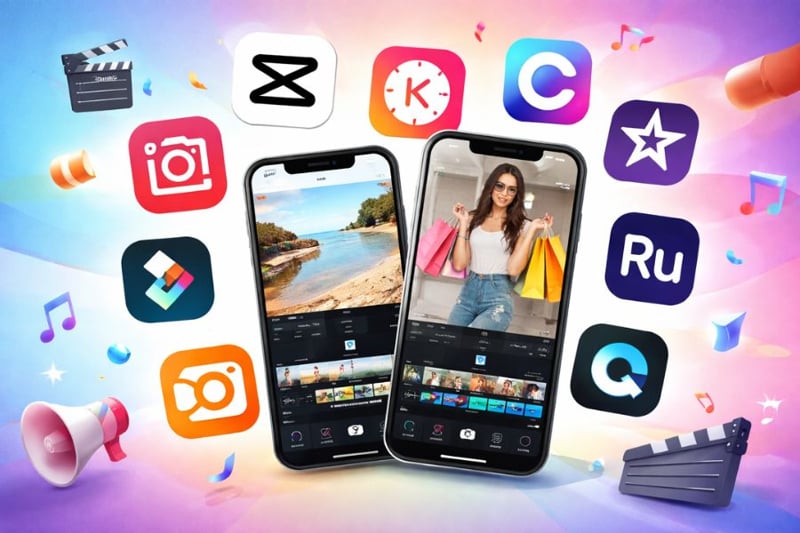
Top 10 Apps to Turn Photos into Videos Quickly on Your Phone
Nội dung
From simple photos, you can completely transform them into engaging content by adding music, inserting transition effects, or combining voiceovers to create meaningful videos with a strong personal touch.
1. VivaVideo
VivaVideo is one of the most popular photo-to-video apps today thanks to its user-friendly interface and fast processing right on mobile devices. This application allows you to turn separate photos into a vivid video story in just a few simple steps. Not limited to photo merging, VivaVideo also provides a wide range of effects to make videos more engaging, from artistic color filters to smooth transitions. In addition, the app supports direct video recording and instant editing, allowing users to flexibly create content without needing other software.
Key features:
Professional video editing with full tools such as cutting, merging, inserting images, and effects
A diverse free music library, reducing copyright concerns
Rich effects and filters to easily create eye-catching videos
Flexible combination of photos and videos in one project
Integrated slow motion and fast motion effects
Various unique stickers and emojis to enhance creativity
2. KineMaster
KineMaster is considered one of the most professional photo-to-video apps on mobile, suitable for both beginners and advanced content creators. It stands out with multi-layer editing capabilities, allowing you to insert multiple images, videos, text, and effects simultaneously to create a complete product. Beyond simple photo-to-video creation, KineMaster offers a studio-like experience with advanced editing tools and supports exporting high-quality videos up to 4K, meeting the needs of social media sharing or professional use.
Key features:
Multi-layer video editing for complex and professional content
Easy addition of voiceovers, background music, and sound effects
Full tools for cutting, merging, inserting images, stickers, and effects
Flexible speed adjustment with fast and slow motion effects
Support for multiple aspect ratios for different social platforms
Export high-quality videos up to 4K 2160p at 30fps
3. CapCut
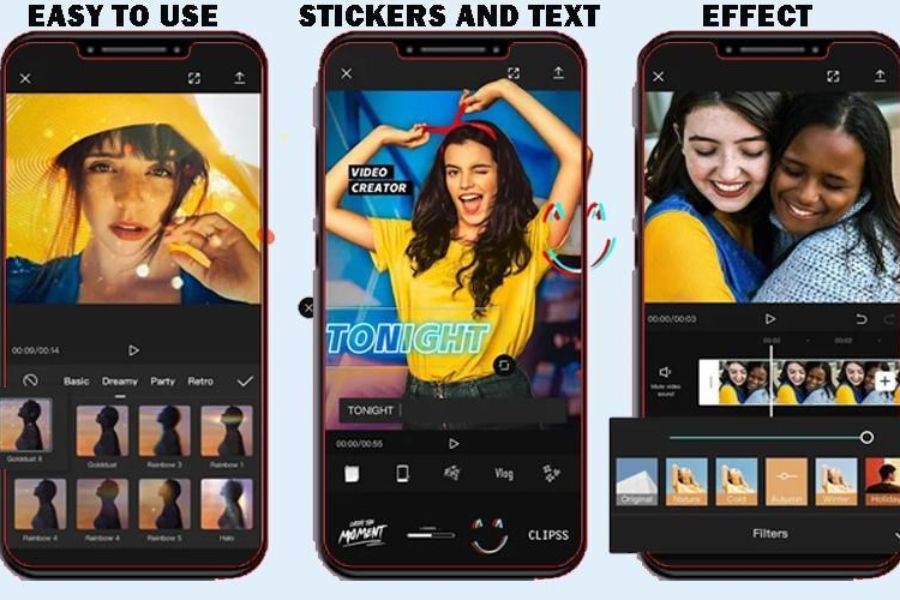
CapCut is an extremely popular photo-to-video app, especially for users who prefer simplicity but still want visually appealing and trendy videos. The app stands out by automating many editing steps, allowing users to easily merge photos, add music, and apply effects in just a few steps. CapCut also frequently updates trending templates, helping you quickly create eye-catching videos for TikTok or Reels without much editing. It is an ideal choice for those who want fast video creation with high aesthetics.
Key features:
Easy video speed customization
Diverse effects and filters, constantly updated with trends
Quick addition of stickers, music, and text
Easy color grading with various beautiful filters
User-friendly interface suitable for beginners
Optimized for creating short-form social media videos
4. FilmoraGo
FilmoraGo is a highly rated photo-to-video app thanks to its balance between professionalism and ease of use on mobile devices. It allows you to create videos without time limits, combining images, music, and effects flexibly to tell memorable stories in your own style. Its strength lies in built-in themes and a comprehensive editing toolkit, helping you quickly turn photos into engaging videos without complex operations, suitable for both beginners and experienced users.
Key features:
Create videos from images and videos stored on your device or social media
Support for multiple export ratios for different platforms
Full editing tools from basic to advanced
Easy theme selection, music insertion, titles, and filters
Dynamic effects to enhance video appeal
Intuitive interface, easy to use on mobile
5. Google Photos
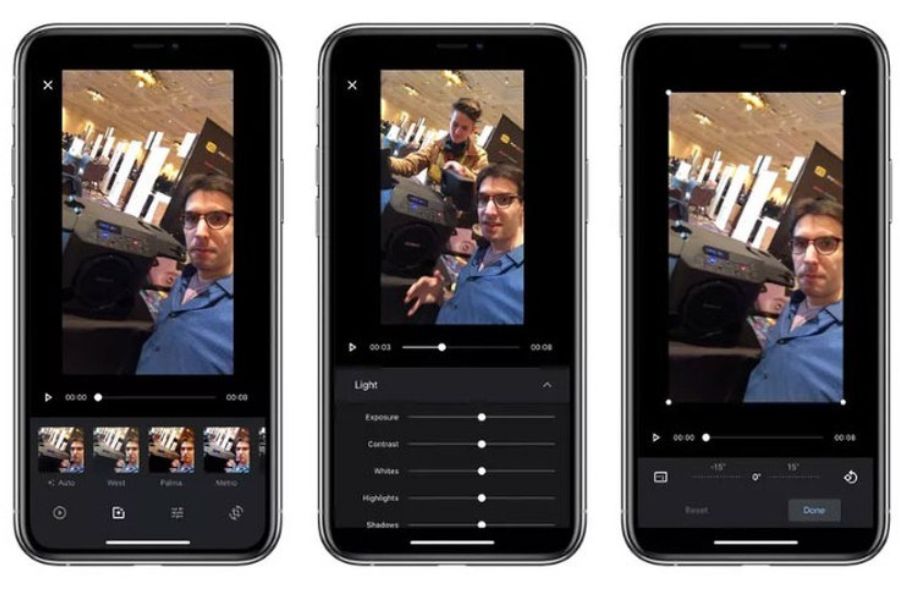
Google Photos is not only a storage app but also a convenient photo-to-video tool thanks to its smart technology. It helps you automatically create videos from stored photos, suggest memorable moments, and organize content efficiently. The highlight is its AI-powered image recognition, which generates memorable videos with minimal manual editing, perfect for users who prefer speed and simplicity while still achieving great results.
Key features:
Automatic album organization using AI
Easy video creation from photos in just a few steps
Built-in photo and video editing tools
Displays memories based on capture dates
Secure backup and access anytime
Real-time data organization for convenience
6. InShot
InShot is a very popular photo-to-video app thanks to its simplicity while still offering all essential features for creating high-quality videos. It allows you to easily cut and merge videos, add photos, insert music, and apply modern filters to enhance visual appeal. Its strength lies in its beginner-friendly interface, enabling users to quickly create videos within minutes. Despite its simplicity, InShot still meets both basic and advanced editing needs.
Key features:
Support for high-quality video export
Simple and easy-to-use interface
Flexible video cutting, merging, and music insertion
Subtitle and audio editing features
Diverse free music library
Ability to add backgrounds and overlays
7. VITA
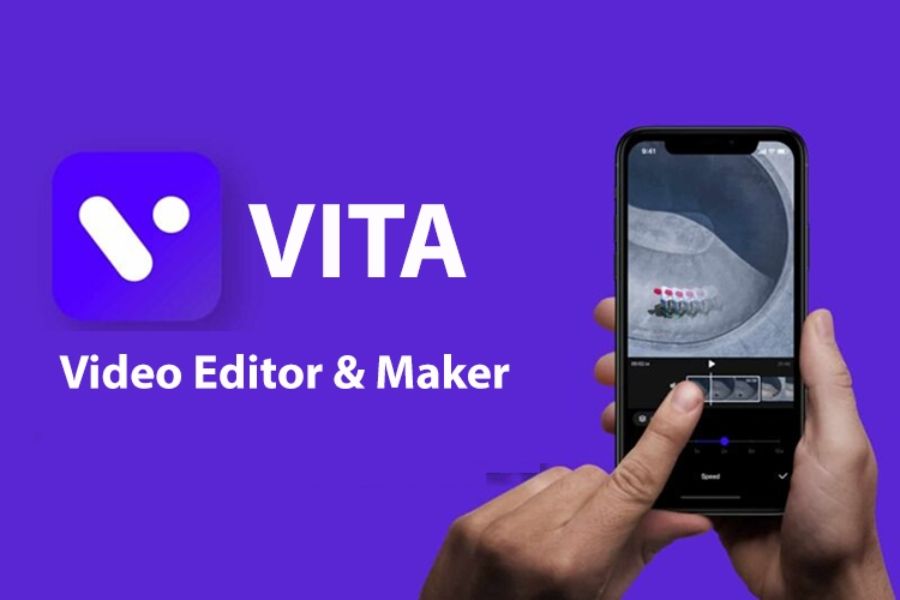
VITA is a photo-to-video app loved by many users thanks to its balance between simplicity and powerful editing capabilities. It offers easy-to-use tools for merging photos, adding music, and inserting effects and artistic text. Its highlight is a rich template library that allows users to create professional-style videos in just a few steps, ideal for those who want quick but trendy results.
Key features:
Simple and fast video editing
Various text effects for impressive titles
Rich music library for multiple styles
Attractive filters and video effects
Ready-made templates for quick use
Beginner-friendly interface
8. Quik
Quik, developed by GoPro, stands out for its ability to automatically create videos quickly from just a few photos or clips. It uses smart algorithms to select the best moments, sync with music, and apply smooth transitions. This allows users to create complete, professional videos with minimal effort, perfect for saving time.
Key features:
Automatic video creation in seconds
Smooth synchronization with background music
Multiple unique video themes
Manual editing options for advanced users
Simple and easy-to-use interface
Ideal for quick social media sharing
9. Pixgram
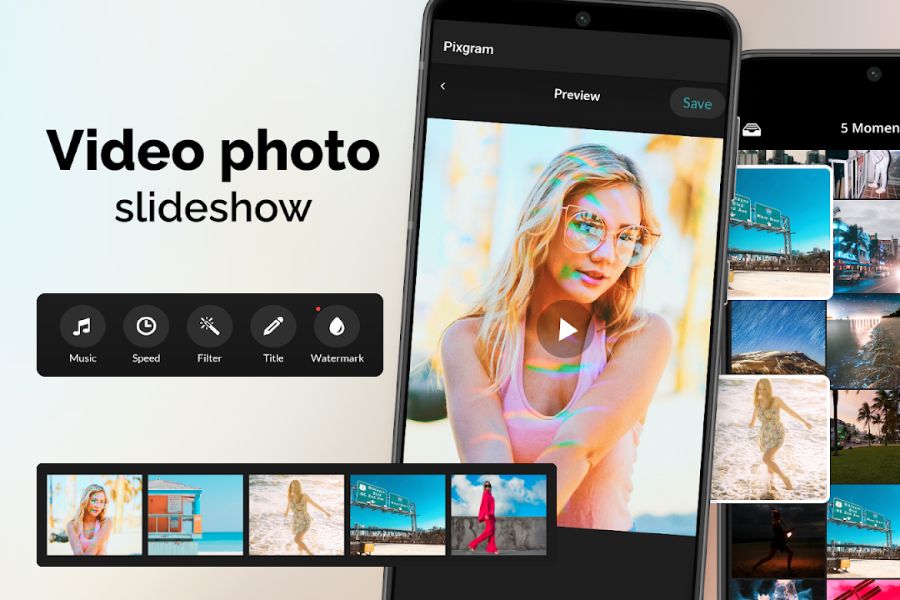
Pixgram is an ideal photo-to-video app for users who want to create slideshow videos quickly and easily. It allows you to select multiple photos, arrange them, add music, and apply transitions to create a complete video. While simple, Pixgram still offers all necessary features for casual users.
Key features:
Easy slideshow video creation
Add music from personal library
Simple but beautiful transitions
Customize display time for each image
Lightweight and easy-to-use interface
Suitable for beginners
10. VN Video Editor
VN Video Editor is a free photo-to-video app with powerful features comparable to professional tools. It supports multi-layer editing, allowing flexible combinations of images, videos, audio, and effects. A major advantage is no watermark on exported videos, making it ideal for both personal users and content creators.
Key features:
Professional multi-layer editing
No watermark on export
Supports photo-to-video creation with various effects
Flexible audio and music customization
High-quality video export for multiple platforms
Modern and user-friendly interface
11. Conclusion
Photo-to-video apps on mobile devices have become essential tools for content creation and preserving memories in a modern and convenient way. With features such as diverse effects, rich music libraries, and simple operations, anyone can quickly create professional videos without much editing experience. If you want to turn your static photos into emotional video stories, starting with a photo-to-video app is a simple yet highly effective choice.





















VIP Products








Best Selling Products
Adobe Photoshop Copyright - Full App
120 USD
MidJourney Account
29 USD
Adobe Premiere Pro Account
99 USD
Upgrade genuine Capture One account
120 USD
Copyright Adobe Lightroom Account
59 USD
Autodesk All App Account Copyright
120 USD
Upgrade Duolingo Super
29 USD
Genuine Cheap Canva Pro
39 USD
Upgrade Genuine Office 365
49 USD
ChatGPT Plus Account (GPT-4)
16 USD
Freepik Premium Account
59 USD
Genuine Adobe Illustrator account
99 USD
Plugin Retouch4me
69 USD
Capcut Pro 1 Year
39 USD
Windows 10 & 11 Pro Key
36 USD