Best Selling Products

Autodesk All App Account Copyright
120 USD

Genuine Cheap Canva Pro
39 USD

Genuine Adobe Illustrator account
99 USD

Upgrade Genuine Office 365
49 USD

Capcut Pro 1 Year
39 USD

Adobe Premiere Pro Account
99 USD

Upgrade genuine Capture One account
120 USD

MidJourney Account
29 USD

Windows 10 & 11 Pro Key
36 USD

Copyright Adobe Lightroom Account
59 USD

Upgrade Duolingo Super
29 USD

Plugin Retouch4me
69 USD

ChatGPT Plus Account (GPT-4)
16 USD

Freepik Premium Account
59 USD

Adobe Photoshop Copyright - Full App
120 USD
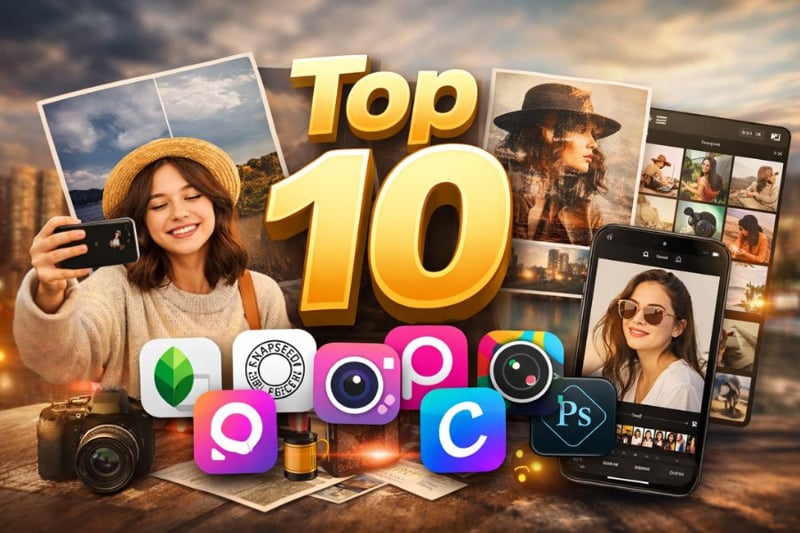
Top 10+ Free Photo Editing Apps on Mobile with Beautiful Filters
Nội dung
- 1. Snapseed
- Key features:
- Equipped with over 30 professional editing tools such as Tune Image, Curves, White Balance for full control of lighting and colors
- 2. Dazz Cam
- Key features:
- A wide range of vintage film filters simulating classic cameras like 135mm, 120mm with highly realistic colors
- 3. VSCO
- Key features:
- Over 200 premium film presets simulating professional analog photography styles
- 4. PicsArt
- Key features:
- Over 3 million stickers, effects, and resources updated continuously
- 5. Pixlr
- Key features:
- Multi-platform support: web and mobile usage
- 6. PhotoDirector
- Key features:
- Advanced color tools like HSL, RGB, Curves
- 7. YouCam Perfect
- Key features:
- AI skin smoothing, acne removal, face shaping
- 8. Canva
- Key features:
- Large template library for social platforms
- 9. Fotor
- Key features:
- AI Enhancer improves blurry or low-light images
- 10. Adobe Photoshop Express
- Key features:
- Auto Fix tool for automatic lighting and color correction
- 11. Conclusion
In the era of booming social media, having beautiful and impressive photos has become a common need for many people. Thanks to the remarkable development of AI technology and image processing algorithms, photo editing applications on mobile devices are becoming increasingly intelligent, easy to use, and capable of delivering professional results comparable to desktop software.
1. Snapseed
Snapseed is an extremely powerful free photo editing app from Google, highly rated for its advanced editing capabilities while still maintaining a simple user experience. Whether you only need quick color adjustments or want to fine-tune specific areas of an image, Snapseed delivers high precision results. It is an ideal choice for those who want to improve image quality without using complex desktop software.
Key features:
Equipped with over 30 professional editing tools such as Tune Image, Curves, White Balance for full control of lighting and colors
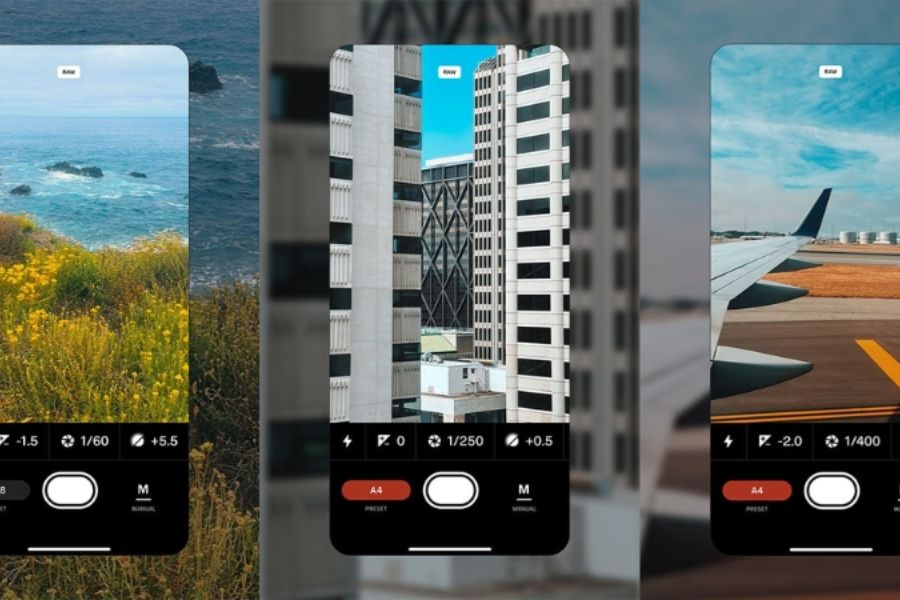
Supports RAW photo editing, preserving original quality and allowing detailed post-processing like professional cameras
Selective Adjustment tool enables editing specific areas (brightness, contrast, color) with great flexibility
Healing feature removes unwanted objects, dust, or imperfections in seconds
Diverse filters like HDR Scape, Vintage, Drama, Noir for quick effects while maintaining natural look
Save personal presets (Looks) for quick application across multiple photos
Minimalist interface, intuitive swipe controls, easy for beginners
Completely free, no ads, no watermark
(1).jpg)
2. Dazz Cam
Dazz Cam brings a classic film style, helping you easily create “stylish” photos as if taken with analog cameras. This app is especially suitable for those who love retro vibes, cinematic film tones, or want more artistic depth instead of basic editing.
Key features:
A wide range of vintage film filters simulating classic cameras like 135mm, 120mm with highly realistic colors
Unique Double Exposure effect for artistic layered photos like professional photography
Integrated light leak, film grain, and exposure effects for authentic film feel
Supports multiple modes such as Photo, Video, GIF, Pano, Live Photo for creative flexibility
Allows importing photos from the gallery to apply filters instantly
Some filters automatically enhance sharpness and contrast for better visual depth
Simple interface, quick operation for both beginners and fast editors
Free version available with Pro version unlocking premium filters
3. VSCO
VSCO is a globally popular photo editing app, especially favored by young users and content creators for its artistic and refined color grading. Beyond editing, VSCO is also a creative platform where users express personal style through unique color presets.
Key features:
Over 200 premium film presets simulating professional analog photography styles
Advanced editing tools like Exposure, Contrast, HSL, Grain, Fade for precise control
Grain and Fade effects create realistic film texture and depth
VSCO Grid – a sharing platform to explore millions of creative photos
Save and copy color recipes for consistent editing
Minimalist interface focused on editing experience
Video editing support with consistent color tones (premium version)
Free version is sufficient, Membership unlocks full features
4. PicsArt
PicsArt is an all-in-one photo editing app, often considered a mobile version of Photoshop due to its flexibility and unlimited creativity. Beyond filters, it offers a creative playground where users can design, collage, draw, and create unique content.
Key features:
Over 3 million stickers, effects, and resources updated continuously
Professional collage tool with flexible layouts
AI background removal with one tap
Drawing tools with brushes and layers
Add text with artistic fonts for posters or quotes
Unique effects like glitch, sketch, blur, cartoon
Creative challenges and global community sharing
Free version with basic features, Gold unlocks premium resources
5. Pixlr
Pixlr is a multi-platform photo editing app balancing simplicity and professionalism, suitable for both beginners and experienced users. With a modern interface and fast processing, it enables editing anytime without powerful hardware requirements.
Key features:
Multi-platform support: web and mobile usage
Pixlr X (basic) and Pixlr E (advanced) modes
AI background removal tool
Layer and blend mode support like Photoshop
Various filters and effects with one-tap application
Full color, lighting, and sharpness tools
Add text, stickers, overlays for creativity
Free version usable, Premium unlocks advanced AI and removes ads
(1).jpg)
6. PhotoDirector
PhotoDirector combines traditional editing tools with modern AI technology, delivering a powerful yet user-friendly experience. It is ideal for creating impactful photos with advanced effects.
Key features:
Advanced color tools like HSL, RGB, Curves
AI Remove Object for quick object removal
AI Sky Replacement in seconds
Professional bokeh and blur effects
Rich sticker and template library
Face retouching and skin smoothing tools
Layer-based editing support
Free version available, Premium unlocks full AI features
7. YouCam Perfect
YouCam Perfect is a popular choice for quick and natural selfie editing. With smart AI integration, it enhances skin, face, and body with simple steps.
Key features:
AI skin smoothing, acne removal, face shaping
Over 200 filters and real-time effects
Body editing tools for reshaping
Virtual makeup features
Basic tools: crop, rotate, brightness, contrast
User-friendly interface for beginners
.jpg)
8. Canva
Not just a design tool, Canva is also a convenient photo editing app for social media content creation. With thousands of templates, users can edit photos and design professional visuals easily.
Key features:
Large template library for social platforms
Simple filters and editing tools
Drag-and-drop text, icons, stickers
AI background remover (Pro version)
Cross-platform sync
Suitable for content creation and marketing
9. Fotor
Fotor is a versatile AI-powered photo editor that enables fast image processing while maintaining quality. It is suitable for both basic and advanced editing.
Key features:
AI Enhancer improves blurry or low-light images
Object removal, background replacement, sky editing
Diverse filters and effects
AI Image Generator (Pro version)
Poster and collage creation
Available on web, mobile, and desktop
.jpg)
10. Adobe Photoshop Express
Adobe Photoshop Express provides a lightweight yet professional editing experience, maintaining Adobe’s signature quality.
Key features:
Auto Fix tool for automatic lighting and color correction
RAW editing support
Red-eye removal, skin smoothing, blemish removal
Professional filters designed by experts
Basic editing tools like crop, rotate, color adjustment
Simple interface, easy to use
11. Conclusion
Choosing the right photo editing app helps you elevate image quality and express personal style in every photo. With the wide variety of apps available today, from professional color grading to selfie enhancement and artistic effects, users can easily find a suitable tool without spending money. The highlight of free photo editing apps is their convenience, ease of use, and increasingly intelligent AI integration. With just a smartphone, you can create photos as beautiful as those taken with professional cameras.





















VIP Products








Best Selling Products
Autodesk All App Account Copyright
120 USD
Genuine Cheap Canva Pro
39 USD
Genuine Adobe Illustrator account
99 USD
Upgrade Genuine Office 365
49 USD
Capcut Pro 1 Year
39 USD
Adobe Premiere Pro Account
99 USD
Upgrade genuine Capture One account
120 USD
MidJourney Account
29 USD
Windows 10 & 11 Pro Key
36 USD
Copyright Adobe Lightroom Account
59 USD
Upgrade Duolingo Super
29 USD
Plugin Retouch4me
69 USD
ChatGPT Plus Account (GPT-4)
16 USD
Freepik Premium Account
59 USD
Adobe Photoshop Copyright - Full App
120 USD