Best Selling Products

Freepik Premium Account
59 USD

Upgrade Duolingo Super
29 USD

Autodesk All App Account Copyright
120 USD

Upgrade Genuine Office 365
49 USD

Windows 10 & 11 Pro Key
36 USD

Upgrade genuine Capture One account
120 USD

Genuine Cheap Canva Pro
39 USD

Genuine Adobe Illustrator account
99 USD

ChatGPT Plus Account (GPT-4)
16 USD

Adobe Photoshop Copyright - Full App
120 USD

Plugin Retouch4me
69 USD

Adobe Premiere Pro Account
99 USD

MidJourney Account
29 USD

Copyright Adobe Lightroom Account
59 USD

Capcut Pro 1 Year
39 USD
Top 5 AI Poster Builders for Fast, Beautiful, and On-Trend Design in 2026
Join SaDesign in exploring the AI tools most widely used by designers and marketers today.
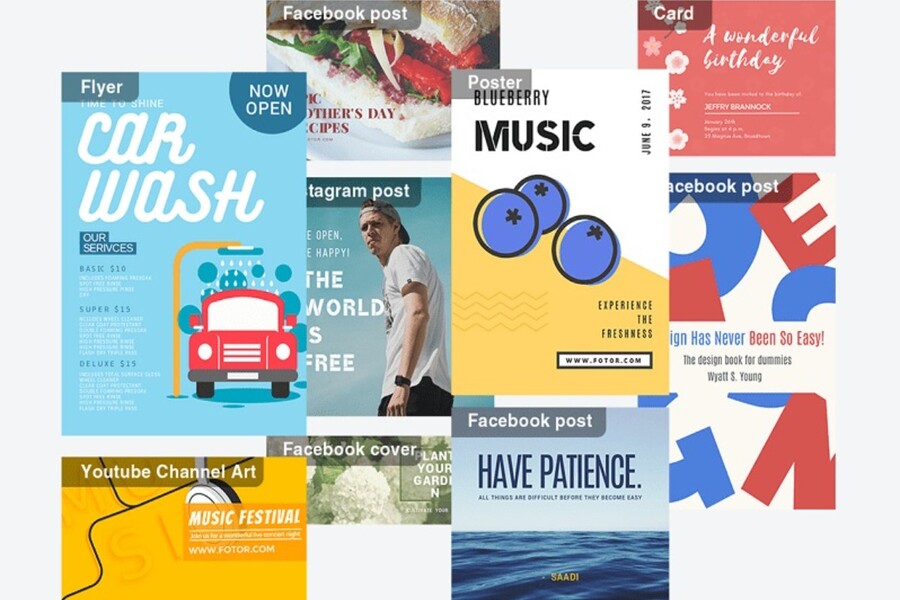
The demand for free and professional AI poster creation tools is increasing. Users are not only concerned with whether or not a poster can be created, but also question aesthetics, customization capabilities, flexibility, and suitability for specific purposes. A good tool should not only help you create beautiful products, but also help you better understand design thinking and effectively convey your message.
This article will summarize and analyze the Top 5 free and most professional AI poster creation tools of 2026 , based on criteria such as ease of use, design quality, practical applicability, and suitability for various user groups. These are all platforms widely used by the creative community and continuously updated to meet modern design trends.
1. Canva
Canva is considered one of the most popular AI-powered poster design platforms today, especially for non-professional users. Since its launch, Canva has pursued the philosophy of "anyone can design," and by 2026, this philosophy will be further strengthened by the deep integration of artificial intelligence.
Canva's greatest strength lies in its intuitive interface and user-friendly experience. Even if you've never taken any design courses, getting familiar with Canva only takes a few minutes. Drag-and-drop operations, text editing, color changes, and layout adjustments are all optimized for ease of use by the average user.
.jpg)
As a free AI poster creation tool , Canva not only offers thousands of ready-made design templates but also integrates AI features that suggest layouts, images, and content suitable for your needs. When you enter a short description of the poster you want to design, Canva's AI will analyze that content and suggest the most suitable templates, significantly saving you selection time.
With practical experience in numerous media design projects, I've found Canva particularly suitable for needs requiring fast design, flexible editing, and high usage frequency. Posters for social media, internal events, promotions, or educational purposes can all be completed quickly while maintaining aesthetic appeal.
Another advantage of Canva is its cross-platform compatibility. You can start designing on your computer and continue editing on your tablet or phone without any formatting issues. This is very much in line with today's trend of flexible work.
How to create a free poster using Canva
First, access Canva through your browser or app, then log in or create a new account. Canva is free to use and offers many basic features sufficient for creating a complete poster.
Next, in the search bar, type the keyword "Poster". Canva will display a list of available design templates, categorized by theme, style, and purpose. If you want complete control over the layout, you can also select a blank design template.
Next, go to the "Applications" section and select the "Use AI" tools group to activate AI-powered design features. Here, you can choose the AI tool that suits your needs, enter a description, and Canva will automatically suggest poster designs.
Once the poster is created, take some time to review the content, edit details if needed, then click "Share" and select "Download" in your desired format such as PNG, JPG, or PDF.
Buy Genuine Licensed Software at Affordable Prices
2. Hotpot AI
While Canva stands out for its convenience and user-friendliness, Hotpot AI impresses with its creative and artistic style. It's the perfect tool for those who want to create posters with strong visual impact, uniqueness, and a distinct personal touch.
Hotpot AI leverages the power of artificial intelligence to automatically process images, suggest layouts, and create impressive visual effects. Instead of focusing on "safe" design patterns, Hotpot AI encourages users to experiment with new, bolder styles.
As a free AI poster creation tool , Hotpot AI helps users turn their ideas into posters with just a few basic steps. You don't need to worry about complex layout adjustments or color schemes, as the AI will handle most of that work.
From the perspective of a seasoned designer, I believe Hotpot AI is suitable for highly creative posters such as those for art events, exhibitions, music events, or personal projects that want to showcase individuality. However, for corporate posters or those requiring strict brand identity, users will need to make further edits to ensure consistency.
.jpg)
Steps to create a free poster using Hotpot AI
First, access the Hotpot AI website using your computer's browser. The main interface of Hotpot AI is quite intuitive, focusing on AI tools related to images.
Next, on the main interface, select "AI Image," then click on the "Art Generator" tool. This is where you will begin the process of creating a poster using AI.
After selecting "Create Now," enter text, images, or a description of your idea into the "AI Image Generator" box. The more detailed your description, the closer the AI results will be to your expectations. When ready, click the blue arrow to have the AI process and display the result.
Once the poster is complete, simply press "Download" to download the file to your device and use it for personal or media purposes.
3. Adobe Express
Adobe Express is an online design platform developed by Adobe, a name already very familiar to professional designers. Unlike Photoshop or Illustrator, which require high skill levels, Adobe Express focuses on a simple, fast experience while still maintaining high design quality.
In the context of the ever-evolving AI landscape, Adobe Express has leveraged this technology to integrate AI features that support the creation of polished and professional posters. This tool is particularly suitable for those who want to control design details but don't want to work with complex graphic design software.
With Adobe Express, users can create posters for academic purposes, work, personal communication, or small businesses. From the overall layout to small elements like fonts, colors, and spacing, everything can be flexibly adjusted, giving a "real design" feel instead of just choosing a pre-made template.
.jpg)
Steps to create a free poster using Adobe Express
You start by accessing the Adobe Express website and selecting "Generate now" right on the main interface. This is the starting point for AI to help you create your poster.
In the "Generate template" section, enter a description of your poster content in Vietnamese or English, then click "Generate". Adobe Express's AI will analyze the content and suggest suitable design templates.
Once you've selected a poster template you like, it will open directly in the Adobe Express editor. Here, you can click on each element of the poster to edit the content, colors, or layout. The adjustment tools are clearly displayed in the left sidebar, making it easy to work with.
After completing the design, select "Download" to download the poster to your device or "Share" to share it directly to social media platforms.
4. Ideograms
Ideogram is an AI-powered design tool that focuses heavily on converting text into images. What makes Ideogram special is its ability to effectively process text within images using AI.
Simply input your idea or message, and Ideogram will automatically generate posters in your own unique style, harmoniously combining images and typography. This makes Ideogram an attractive option for those who want to experience free AI poster creation with a personalized and aesthetically pleasing approach.
With my experience in the design field, I've found Ideogram to be particularly well-suited for posters that convey ideas, slogans, quotes, or concise messages. Ideogram's AI is capable of generating unique typography layouts, making posters stand out at first glance.
.jpg)
Steps to create a free poster using Ideogram
You visit the Ideogram website and select the input field to describe your desired poster. This is a crucial step that determines the quality of the final result.
Next, you enter a detailed description, customize the aspect ratio in the "Aspect ratio" section, and choose the color palette in the "Color palette". Selecting the right aspect ratio and colors will help the poster better suit its intended purpose.
Next, you choose a suitable design style and then press "Generate" for the AI to start creating the poster. Ideogram will return several different options for you to choose from.
Once you have a design you like, select the poster, right-click, and choose "Copy image" to save it to your device.
5. Designs.ai
Designs.ai is a versatile design platform that integrates various AI tools within a single ecosystem, from posters and banners to logos and videos. Designs.ai's strength lies in its ability to automate the design process based on user-provided data.
With Designs.ai, users don't need to perform many manual operations. Simply provide basic information and select the appropriate field, and the system will suggest poster templates with clear layouts, consistent styles, and easy editing. This is especially useful for those who need to create many posters in a short amount of time.
From a professional standpoint, I consider Designs.ai suitable for systematic design needs, such as posters for event series, marketing campaigns, or small businesses wanting to build a consistent image.
.jpg)
Steps to create a poster using Designs.ai
Go to the Designs.ai website and select the "Poster Maker" tool. The system will guide you step-by-step.
Next, you enter the content you want to display on the poster and select your industry so that the AI can suggest suitable design templates. Based on this information, Designs.ai will automatically generate design options.
Then, you can customize the colors, fonts, and layout to your needs. The editing tools are optimized for quick user operation.
Finally, you preview the complete design and press "Download" to download the poster to your device.
Each tool on this list has its own strengths, suited to different needs and styles. The important thing isn't to choose the "best" tool, but to choose the one that best suits your goals and workflow. Knowing how to leverage AI effectively will not only save you time but also improve the quality of your design and your ability to communicate your message.





















VIP Products








Best Selling Products
Freepik Premium Account
59 USD
Upgrade Duolingo Super
29 USD
Autodesk All App Account Copyright
120 USD
Upgrade Genuine Office 365
49 USD
Windows 10 & 11 Pro Key
36 USD
Upgrade genuine Capture One account
120 USD
Genuine Cheap Canva Pro
39 USD
Genuine Adobe Illustrator account
99 USD
ChatGPT Plus Account (GPT-4)
16 USD
Adobe Photoshop Copyright - Full App
120 USD
Plugin Retouch4me
69 USD
Adobe Premiere Pro Account
99 USD
MidJourney Account
29 USD
Copyright Adobe Lightroom Account
59 USD
Capcut Pro 1 Year
39 USD