Best Selling Products

Freepik Premium Account
59 USD

Autodesk All App Account Copyright
120 USD

Upgrade Duolingo Super
29 USD

ChatGPT Plus Account (GPT-4)
16 USD

Adobe Premiere Pro Account
99 USD

Upgrade Genuine Office 365
49 USD

Genuine Adobe Illustrator account
99 USD

Upgrade genuine Capture One account
120 USD

Plugin Retouch4me
69 USD

Windows 10 & 11 Pro Key
36 USD

Copyright Adobe Lightroom Account
59 USD

Adobe Photoshop Copyright - Full App
120 USD

Capcut Pro 1 Year
39 USD

Genuine Cheap Canva Pro
39 USD

MidJourney Account
29 USD
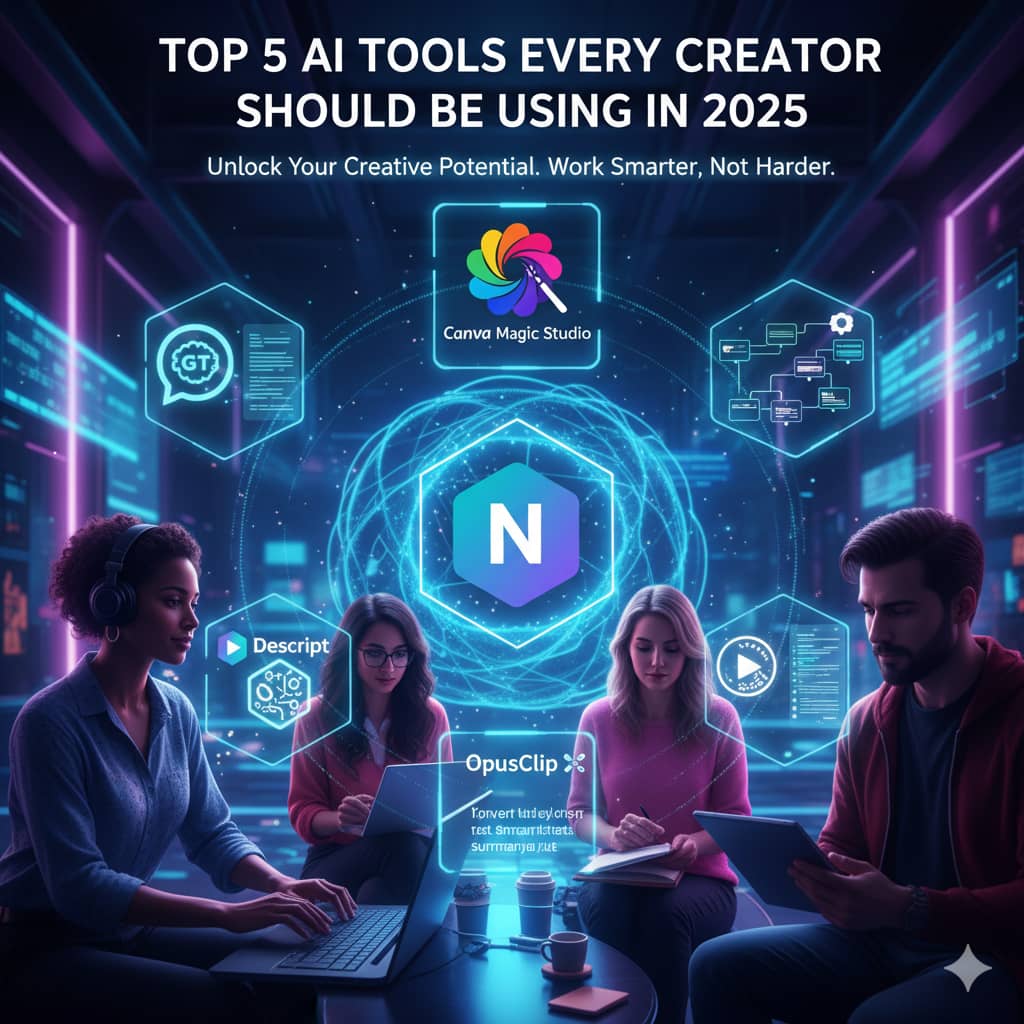
Top AI Tools Every Designer Can’t Afford to Miss in 2025
Nội dung
- 1. Figma AI: An intelligent design assistant for every workflow
- 2. Figr.design: An AI-powered design system automation platform
- 3. Canva Magic Studio: Accessible design solutions for everyone
- 4. MidJourney: A tool for visualizing creative ideas
- 5. Uizard: A tool for accelerating prototype creation
- 6. Pixyer.ai: Product image creation solutions for e-commerce
- 7. Khroma: An AI tool for personalized color palettes
- 8. Conclusion
The design industry is entering a period of major transformation as artificial intelligence (AI) increasingly becomes an essential tool.
1. Figma AI: An intelligent design assistant for every workflow
Figma AI is creating major progress in how Designers work on today’s most popular design platform. It goes beyond simply supporting basic actions by integrating smart automation features that reduce time and optimize workflows while still maintaining a natural and familiar experience for users. In particular, the First Draft feature allows Designers to create complete layouts from a simple text prompt, saving hours of manual sketching and layout testing. At the same time, auto-layout capabilities combined with AI-powered smart components eliminate repetitive editing tasks, increasing efficiency and precision in design.
Figma AI not only optimizes individual workflows but also improves team collaboration experiences, allowing multiple Designers to work simultaneously and synchronize changes in real time. The tool also supports automatic duplication of design elements and rapid text content generation, helping Designers quickly execute ideas without interruption. Some standout features include:
First Draft from text: Create complete layouts and structures with only a short description, reducing ideation and testing time.
Auto-layout and Smart Components: Automatically organize elements, align spacing, and balance proportions, making designs more consistent and professional.
Real-time collaboration: Allows design teams to edit, respond, and synchronize projects instantly, optimizing workflow.
Automatic duplication and content creation: Quickly generate repeated components and text content, saving manual editing effort.
Thanks to these intelligent features, Figma AI not only boosts productivity but also expands creative possibilities, helping Designers focus on ideas and user experience instead of time-consuming manual tasks. This is an essential AI tool for maintaining a competitive edge and achieving sustainable growth in modern design.
%20(1).jpg)
2. Figr.design: An AI-powered design system automation platform
Figr.design is emerging as a powerful assistant for UI/UX teams thanks to its comprehensive design system automation capabilities. This platform simplifies the process of building brand guidelines, wireframes, application flows, and interface layouts within a unified environment, helping Designers and teams save significant project implementation time. A key highlight is Figr Identity, a plugin for Figma capable of generating an entire design system in a single action. This tool automatically creates style tokens for color, typography, spacing, effects, and layout grids, ensuring every design element is consistent and production-ready.
Beyond automation, Figr.design also supports analysis and optimization based on existing Figma files, helping Designer teams intelligently cluster colors, typography, and spacing while saving manual editing effort. The platform also offers a library of more than 85 production-ready components (Pro package), allowing direct variable and style creation within Figma, while also publishing complete design system documentation for team sharing. Some standout features include:
Automatic design system generation: Create tokens, styles, and layout grids in just a few steps, reducing errors and increasing consistency.
Intelligent clustering: AI analyzes existing Figma files to automatically group colors, typography, and spacing, optimizing workflow.
Production-ready component library: More than 85 components ready for real-world projects, saving redesign time.
Direct variable and style creation in Figma: Helps Designers manage and edit design elements flexibly.
Complete documentation publishing: Automatically generate brand guidelines, style guides, and detailed design systems for team sharing.
Thanks to these features, Figr.design not only optimizes workflows but also enhances design quality, ensuring consistency and efficiency across entire UI/UX projects. It is an ideal AI tool for Designer teams aiming to build professional design systems quickly and maintain consistency across digital products.
%20(1).jpg)
3. Canva Magic Studio: Accessible design solutions for everyone
Canva Magic Studio continues strengthening Canva’s position in democratizing design by bringing AI-powered creative tools to a wide audience. The system focuses on accessibility, allowing anyone from beginners to professional creators to produce visual products quickly and effectively. In particular, Magic Design automatically suggests suitable design templates based on input content, helping users save time on layouts and style selection, while Magic Switch enables flexible conversion between formats and languages, expanding product usability.
Additionally, Magic Media allows users to generate both images and videos from simple text descriptions, helping Designers or marketers quickly bring ideas to life without requiring complex design or editing skills. Magic Edit also supports precise and intuitive image editing, improving final product quality. Key features include:
Magic Design: Quickly generate design templates and suggest layouts, colors, and styles based on input content.
Magic Switch: Flexibly convert between formats (banners, slides, social media) and languages for cross-platform optimization.
Magic Media: Generate images and videos from text descriptions, shortening digital content production time.
Magic Edit: Intuitively edit and refine images, ensuring polished and professional results.
Thanks to these intelligent and easy-to-use features, Canva Magic Studio becomes an ideal tool for anyone wanting to create fast, effective, and high-quality designs. It is a solution that expands creativity, optimizes time, and maintains consistency in individual or team projects.
%20(1).png)
4. MidJourney: A tool for visualizing creative ideas
MidJourney continues to assert its leading position in AI imaging thanks to its ability to transform text prompts into unique and artistic visual concepts. This tool helps Designers and creators quickly visualize ideas, build mood boards, and develop concepts that previously required hours of sketching or manual experimentation. Its signature visual quality has attracted more than 19 million users, making it an icon within the global creative community.
In addition to generating high-quality images, MidJourney offers many features that optimize user experience. Users can select multiple styles and aspect ratios suited to different projects, from concept art and posters to data illustrations. Anonymous mode for Pro users allows private creativity without risking idea exposure. At the same time, community features support learning, sharing, and inspiration from others’ creations, helping improve skills and broaden design perspectives. Some standout features include:
Advanced prompt processing: AI interprets text prompts artistically, generating uniquely styled visuals.
Diverse styles and aspect ratios: Supports various design styles and frame formats for concept art, posters, and illustrations.
Anonymous mode (Pro): Maintains privacy for important creative projects and protects ideas.
Creative community: Learn from and gain inspiration through works from other users, enhancing design skills and concepts.
Thanks to these features, MidJourney is not just an AI imaging tool but also a platform that expands creative possibilities for Designers and creators, helping them quickly realize ideas, explore new styles, and remain distinctive in a competitive design environment.
%20(1).jpg)
5. Uizard: A tool for accelerating prototype creation
Uizard is considered an effective bridge between initial ideas and fully developed prototypes, helping Designers and UI/UX teams significantly reduce project execution time. The tool uses AI to convert hand-drawn sketches, screenshots, or wireframes into editable digital designs, transforming rough ideas into professional visual products. Thanks to its ability to recognize and recreate interface structures, Uizard enables Designers to quickly test layout and interaction options without starting over.
Additionally, Uizard supports intelligent wireframe and prototype creation, helping simulate user experiences and test interfaces from the earliest idea stage. The tool also enables real-time collaboration, allowing team members to edit, respond, and synchronize projects instantly. Some standout features include:
Convert hand sketches into digital layouts: AI recognizes and recreates structures, quickly bringing ideas to life.
Turn screenshots into editable designs: Reuse existing products to create interactive prototypes without redesigning from scratch.
AI-generated wireframes and prototypes: Create complete layouts and user experiences for fast and effective testing.
Real-time collaboration: Supports simultaneous teamwork, synchronizing edits and feedback instantly for workflow optimization.
Thanks to these intelligent features, Uizard not only saves design time but also enhances creativity, allowing Designers and UI/UX teams to experiment, optimize user experiences, and build quality prototypes within minutes. This is an essential AI tool for modern digital product development.
%20(1)(1).jpg)
6. Pixyer.ai: Product image creation solutions for e-commerce
Pixyer.ai is a specialized AI tool that helps brands and Designers create professional e-commerce product images quickly and efficiently. The platform automatically removes backgrounds within seconds and replaces them with customized scenes, fully optimizing image production workflows. Instead of investing heavily in studios, equipment, or professional editing teams, users can create high-quality product images with just a few simple actions, saving both time and budget.
Pixyer.ai also supports image optimization across multiple e-commerce platforms, from websites and apps to social media. In addition, it integrates batch-processing APIs, enabling businesses or Designers to create and export multiple high-resolution files while maintaining quality. Key features include:
Automatic background removal: Remove backgrounds in seconds, saving manual editing time.
Diverse customizable background library: Select or create suitable scenes for products and brands.
Platform-standard image sizing: Optimize visuals for websites, apps, and social media platforms.
Batch-processing API integration: Automate image creation workflows for multiple products simultaneously.
High-resolution exports: Ensure sharp, professional-quality images suitable for commercial standards.
Thanks to these intelligent capabilities, Pixyer.ai becomes an indispensable tool for brands and Designers seeking to optimize product image workflows, save time, and improve e-commerce image quality. It is an AI solution that maintains professionalism and consistency across all sales channels.
%20(1).jpg)
7. Khroma: An AI tool for personalized color palettes
Khroma is designed as an intelligent color assistant, using AI to learn each user’s aesthetic preferences and generate countless matching palettes. The process begins by having users select preferred colors, after which Khroma’s neural network analyzes them and creates personalized combinations complete with accessibility ratings and technical specifications. This tool helps Designers quickly find harmonious color combinations suited to brands and projects while minimizing manual experimentation time.
Beyond generating personalized palettes, Khroma also provides several visual design support tools. Users can check color accessibility according to WCAG standards, ensuring designs remain user-friendly for all audiences. The platform also supports multiple viewing modes, including typography, gradients, and imagery, helping Designers test color combinations in realistic contexts. Some standout features include:
AI training based on color preferences: Learns personal style to generate suitable and unique palettes.
Unlimited palette generation and fast search: Continuously creates new combinations and enables quick lookup.
WCAG accessibility checks: Ensures color usage remains readable and accessible for all users.
Multiple display modes: Preview palettes in typography, gradients, or imagery for visual evaluation.
Thanks to these intelligent and personalized capabilities, Khroma becomes an ideal tool for Designers seeking to optimize color palettes, enhance user experience, and ensure aesthetic quality across all design projects. This is an essential AI assistant for maintaining a distinctive style and achieving high effectiveness in every creative product.
%20(1).jpg)
8. Conclusion
AI has truly transformed how Designers operate, turning complex processes into simple, intuitive, and efficient actions. Mastering and flexibly using advanced AI tools will help Designers not only save time but also improve creative quality, expand experimentation possibilities, and explore new styles and ideas. As 2026 approaches, AI is no longer just a trend but a mandatory factor for maintaining competitiveness and achieving sustainable growth in the design industry.





















VIP Products








Best Selling Products
Freepik Premium Account
59 USD
Autodesk All App Account Copyright
120 USD
Upgrade Duolingo Super
29 USD
ChatGPT Plus Account (GPT-4)
16 USD
Adobe Premiere Pro Account
99 USD
Upgrade Genuine Office 365
49 USD
Genuine Adobe Illustrator account
99 USD
Upgrade genuine Capture One account
120 USD
Plugin Retouch4me
69 USD
Windows 10 & 11 Pro Key
36 USD
Copyright Adobe Lightroom Account
59 USD
Adobe Photoshop Copyright - Full App
120 USD
Capcut Pro 1 Year
39 USD
Genuine Cheap Canva Pro
39 USD
MidJourney Account
29 USD