Best Selling Products

Upgrade genuine Capture One account
120 USD

Genuine Cheap Canva Pro
39 USD

ChatGPT Plus Account (GPT-4)
16 USD

Autodesk All App Account Copyright
120 USD

MidJourney Account
29 USD

Adobe Premiere Pro Account
99 USD

Capcut Pro 1 Year
39 USD

Adobe Photoshop Copyright - Full App
120 USD

Copyright Adobe Lightroom Account
59 USD

Upgrade Genuine Office 365
49 USD

Windows 10 & 11 Pro Key
36 USD

Freepik Premium Account
59 USD

Upgrade Duolingo Super
29 USD

Plugin Retouch4me
69 USD

Genuine Adobe Illustrator account
99 USD
VideoScribe: Designing Top-Quality Animation Videos
Nội dung
- 1. What Is VideoScribe?
- 2. Who Should Use VideoScribe?
- 3. 10 Main Advantages of the VideoScribe Application
- 3.1 A Collection of Many Stickers and Emojis
- 3.2 Integrated Tool Supporting Cartoon Drawing on a White Background
- 3.3 Easily Set Animation Video Start Times
- 3.4 Add Text and Choose Fonts to Insert into Videos
- 3.5 Provides a Full Range of Colors for Drawings and Text
- 3.6 Conveniently Select Video Playback Speed and Size
- 3.7 A Rich Music Library Covering Various Themes
- 3.8 A Professional Toolkit for Drawing, Creating, and Editing Videos
- 3.9 Record Your Voice to Insert into Videos
- 3.10 Download Videos to Your Device or Share Them Directly on YouTube and PowerPoint
- 4. Conclusion
In the increasingly developing world of digital technology, animation videos have become a powerful tool for conveying messages in a vivid and engaging way. VideoScribe, with its ability to create unique and impressive animated videos, has earned the trust of many businesses and individuals. With a user-friendly interface and diverse features, VideoScribe not only helps users easily design videos but also provides an enjoyable experience in every frame. The perfect combination of art and technology is the highlight that makes VideoScribe a leading choice for those who want to stand out in today’s competitive market. Let’s explore this tool with Appvip right now!
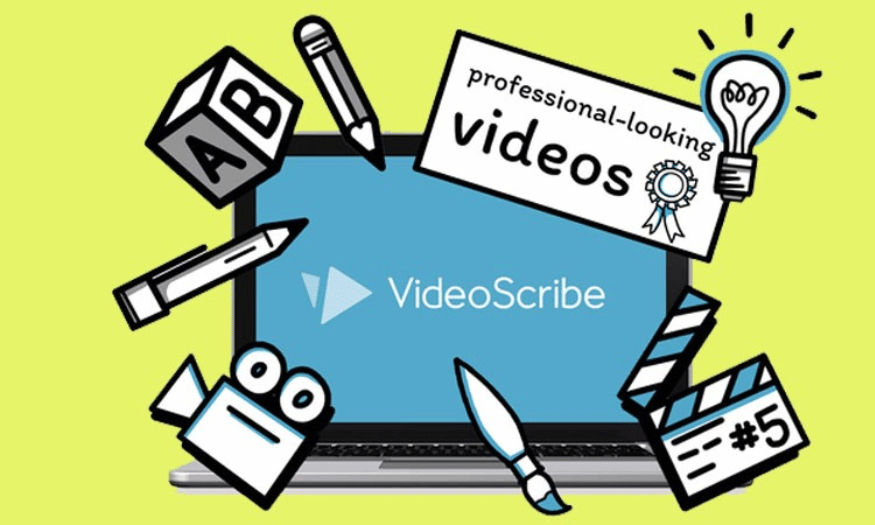
1. What Is VideoScribe?
VideoScribe is an online animation video creation software that allows users to create unique animated videos through hand-drawing techniques. Developed by Sparkol, VideoScribe provides users with an easy-to-use platform where they can create introduction videos, lectures, or advertisements in just a few minutes. With a rich library of images, icons, and sounds, VideoScribe helps users express their ideas in a vivid and engaging way.
The outstanding feature of VideoScribe is its ability to create videos with a unique “hand-drawn” effect, providing viewers with a friendly and enjoyable feeling. Users only need to drag and drop the necessary elements into the workspace, then customize the timing and effects to complete the product. Thanks to its friendly and intuitive interface, even people without experience in the design field can easily become familiar with and create using VideoScribe.
.png)
2. Who Should Use VideoScribe?
VideoScribe is suitable for many different users, from teachers and students to businesses and marketers. For teachers and lecturers, VideoScribe is a useful tool for creating vivid lectures, helping students absorb knowledge more easily. These videos not only help highlight the content but also stimulate students’ interest, creating a more enjoyable and effective learning environment.
For businesses, VideoScribe provides opportunities to promote products and services creatively. Short and impressive introduction videos can attract customers’ attention, helping them better understand the value that the business provides. Moreover, marketers can use VideoScribe to create advertising videos, instructional videos, or social media clips, thereby strengthening the brand’s presence on online platforms.
3. 10 Main Advantages of the VideoScribe Application
3.1 A Collection of Many Stickers and Emojis
VideoScribe stands out with a rich collection of more than 50 diverse stickers and emojis suitable for many different themes. This allows users to easily find interesting images to enrich their videos without having to draw them themselves. Using stickers helps save time and effort while creating more attractive videos.
In addition, the diversity of stickers also gives users greater flexibility in expressing their ideas. You can choose from amusing emojis to images representing complex concepts. The combination of images and content will make your message easier to understand and more attractive to viewers.
This feature is especially useful for people without professional design skills. Instead of worrying about creating images from scratch, users only need to select suitable stickers, allowing them to focus on conveying the content as effectively as possible.
3.2 Integrated Tool Supporting Cartoon Drawing on a White Background
One of VideoScribe’s greatest advantages is its ability to allow users to draw directly on a white background. If you want to create unique images with a personal touch, this drawing tool is the ideal choice. This not only helps you be creative but also gives your work a sense of exclusivity.
When using the drawing tool, you can freely express your ideas without being limited by available images. This opens up opportunities to create highly personalized images that accurately reflect your style and ideas. You can freely create everything from simple strokes to more complex images.
Furthermore, the ability to draw images yourself also helps increase interaction in the video. Viewers will feel more interested when they see images being created directly and vividly, thereby enhancing the video-viewing experience.
.png)
3.3 Easily Set Animation Video Start Times
VideoScribe allows users to easily and quickly set the start time for each image page. This means that you can decide how long each section will be displayed in the video, thereby creating your own rhythm for the work. Customizing this timing gives viewers enough time to absorb the information without feeling rushed.
An interesting feature is the ability to adjust the timing for each individual element in the video. You can choose to adjust the timing for images, text, and even background music. This provides maximum flexibility in creating content, helping you fully control the viewer’s experience.
Furthermore, easily setting the start time also helps you save time during the editing process. You can focus on being creative without having to worry about how to make the video attractive and easy to follow.
3.4 Add Text and Choose Fonts to Insert into Videos
VideoScribe not only allows you to add images but also supports the easy integration of text into videos. Adding text helps clarify the message you want to convey while creating a connection with viewers. You can choose from many different fonts, from modern typefaces to classic ones, to suit the style of the video.
This feature not only helps you express your ideas but also adds liveliness to the video. Text can be used to emphasize an important message or highlight a key point in the video. The combination of images and text will create an engaging and easy-to-understand experience for viewers.
In addition, VideoScribe also provides many text-formatting options, allowing you to adjust the size, color, and position of the text. This helps you easily create videos that are both visually appealing and professional, attracting viewers’ attention from the very first seconds.
.png)
3.5 Provides a Full Range of Colors for Drawings and Text
When creating drawings on VideoScribe, selecting colors is an indispensable factor in bringing liveliness to your video. Colors not only make images more attractive but also affect viewers’ emotions and attention. VideoScribe clearly understands this and provides a diverse color palette, allowing users to freely select and combine different shades. You can easily change the colors of drawings, text, and other elements to create a perfect product.
Using colors appropriately makes your video stand out and become more memorable. Each color can evoke different emotions and create a distinct impression. For example, blue often creates a peaceful feeling, while red can represent energy and determination. VideoScribe not only provides basic colors but also allows you to mix and create unique colors, helping you accurately express your ideas.
In addition, this feature is very useful for educators and content creators because they can use colors to categorize information, highlight key points, or simply create a more enjoyable learning environment. By using colors creatively, you can attract viewers’ attention and help them absorb information more easily.
3.6 Conveniently Select Video Playback Speed and Size
One of VideoScribe’s convenient features is the ability to customize the video playback speed and size with just a few simple operations. This not only helps you adjust the rhythm of the video but also creates a viewing experience suitable for the target audience. You can choose a fast or slow playback speed depending on the content and how you want to convey the message.
Adjusting the playback speed can be an important factor in retaining viewers. If the video is too fast, viewers may not be able to keep up with the message you want to convey. Conversely, if the video is too slow, it may create a sense of boredom. VideoScribe allows you to control this factor flexibly, helping you optimize the viewing experience for your audience.
In addition, the ability to select the video size is also very important, especially when you want to share the video on different platforms. VideoScribe provides many size options, from videos for social media to videos for presentations, helping you easily adjust them according to your usage needs. This provides maximum convenience and helps you save time during the content-creation process.
.png)
3.7 A Rich Music Library Covering Various Themes
Music plays an important role in creating the atmosphere of a video, and VideoScribe does not disappoint with its rich music library. The software provides a diverse collection of audio suitable for many different themes, from cheerful background music for advertising videos to gentle melodies for educational videos. You can easily search for and select music tracks that suit the content you are creating.
Selecting suitable background music not only helps improve the quality of the video but also creates emotions for viewers. A good music track can highlight the content and make your video more memorable. VideoScribe allows users to easily discover suitable music tracks with just a few clicks, saving time and effort in searching.
In addition, the rich music library also provides users with greater creativity. You can experiment with various music genres to see which one is the best choice for your video. This not only helps you find a suitable melody but also opens up opportunities for new creative ideas.
3.8 A Professional Toolkit for Drawing, Creating, and Editing Videos
VideoScribe provides a very complete and professional toolkit for drawing and editing videos, helping users easily create videos according to their wishes. You can choose different types of strokes, from thin to thick, depending on the style you want to express. The diversity of drawing tools gives you greater flexibility in creating unique and creative images.
In addition to drawing, VideoScribe also allows you to add images and videos from the library. This helps you combine different elements to create a more complete and attractive video. You can crop frames, erase unnecessary parts, and preview the presentation to check the video’s level of completion. This feature helps you easily edit and complete the video according to your wishes.
Furthermore, VideoScribe’s friendly and easy-to-use interface makes creating and editing videos more enjoyable than ever. You do not need to be an expert in the design field to create impressive videos. With just a few clicks, you can create unique works of art that are ready to be shared with your audience.
.png)
3.9 Record Your Voice to Insert into Videos
One of VideoScribe’s outstanding features is the ability to record your voice directly and insert it into the video. This not only helps you convey the message vividly but also creates a closer connection with viewers. Using your own voice makes the video more natural and authentic while expressing your individual personality in every frame.
Voice recording is not simply about adding sound to the video. It also allows you to adjust the speed and intonation, helping you emphasize important points in the content. You can easily record audio for each section of text or image, thereby creating an engaging and easy-to-follow narrative flow. This is especially useful when you want to provide an in-depth explanation of a concept or story in your video.
Furthermore, the voice-recording capability also opens up opportunities for educators and content creators. They can use this feature to create online lectures, instructional videos, or any content that requires a high level of interaction. Your voice will serve as a bridge that helps viewers easily receive information and become more interested in the content you convey.
3.10 Download Videos to Your Device or Share Them Directly on YouTube and PowerPoint
After completing the video-editing process, VideoScribe provides convenience in storing and sharing your product. You can easily download the video to your computer in a suitable format, helping you safely preserve your creative work. This is very useful when you need to use the video for personal purposes or as material for future projects.
In addition to saving videos to your device, VideoScribe also allows you to share videos directly on popular platforms such as YouTube or PowerPoint. This helps you quickly reach your audience without having to go through many complicated steps. With just a few clicks, your video can appear on social media, ready to be shared with everyone.
This direct-sharing feature is especially useful for people working in marketing, education, or anyone who needs to introduce their products and services. Being able to share videos quickly will help strengthen your presence on online platforms, thereby creating opportunities to connect and interact effectively with your target audience. VideoScribe not only helps you create high-quality videos but also supports you in distributing content easily and quickly.
.png)
4. Conclusion
Upgrading a VideoScribe account at Appvip is a smart decision for those who are passionate about creating unique and engaging animated videos. With a high-quality service package, you not only receive a genuine account but also receive dedicated support from a team of experienced specialists. Appvip is committed to delivering satisfaction through outstanding features, helping you easily create impressive videos for education, marketing, or advertising.
Furthermore, reasonable prices and attractive promotional programs will help you save costs while still obtaining an excellent creative tool. Do not miss the opportunity to improve your ability to convey messages and attract viewers more effectively. Contact Appvip now to experience the wonderful things that VideoScribe offers!





















VIP Products








Best Selling Products
Upgrade genuine Capture One account
120 USD
Genuine Cheap Canva Pro
39 USD
ChatGPT Plus Account (GPT-4)
16 USD
Autodesk All App Account Copyright
120 USD
MidJourney Account
29 USD
Adobe Premiere Pro Account
99 USD
Capcut Pro 1 Year
39 USD
Adobe Photoshop Copyright - Full App
120 USD
Copyright Adobe Lightroom Account
59 USD
Upgrade Genuine Office 365
49 USD
Windows 10 & 11 Pro Key
36 USD
Freepik Premium Account
59 USD
Upgrade Duolingo Super
29 USD
Plugin Retouch4me
69 USD
Genuine Adobe Illustrator account
99 USD