Best Selling Products

Copyright Adobe Lightroom Account
59 USD

Autodesk All App Account Copyright
120 USD

Genuine Cheap Canva Pro
39 USD

Upgrade Genuine Office 365
49 USD

MidJourney Account
29 USD

Freepik Premium Account
59 USD

Genuine Adobe Illustrator account
99 USD

Upgrade genuine Capture One account
120 USD

Windows 10 & 11 Pro Key
36 USD

ChatGPT Plus Account (GPT-4)
16 USD

Upgrade Duolingo Super
29 USD

Capcut Pro 1 Year
39 USD

Plugin Retouch4me
69 USD

Adobe Premiere Pro Account
99 USD

Adobe Photoshop Copyright - Full App
120 USD
What is Google Workspace? Everything You Need to Know
Nội dung
- 1. What is Google Workspace?
- 2. Key features of Google Workspace
- 2.1 Powerful Gmail integration
- 2.2 Google Drive - a secure storage solution
- 2.3 Multipurpose Office Application Suite
- 2.4 Google Calendar - Effective Time Management
- 2.5 Work Insights - Tracking Work Performance
- 2.6 Google Currents - a social networking platform for businesses
- 2.7 Google Vault - A comprehensive data management solution
- 2.8 Google Chat - A Fast Communication Channel
- 2.9 Google Meet - Easy Online Meetings
- 2.10 Endpoint - Security Device Management
- 2.11 Google Workspace Admin Console - Centralized Management
- 3. What industries can Google Workspace be used in?
- 3.1 Business
- 3.2 Finance
- 3.3 Education
- 4. Conclusion
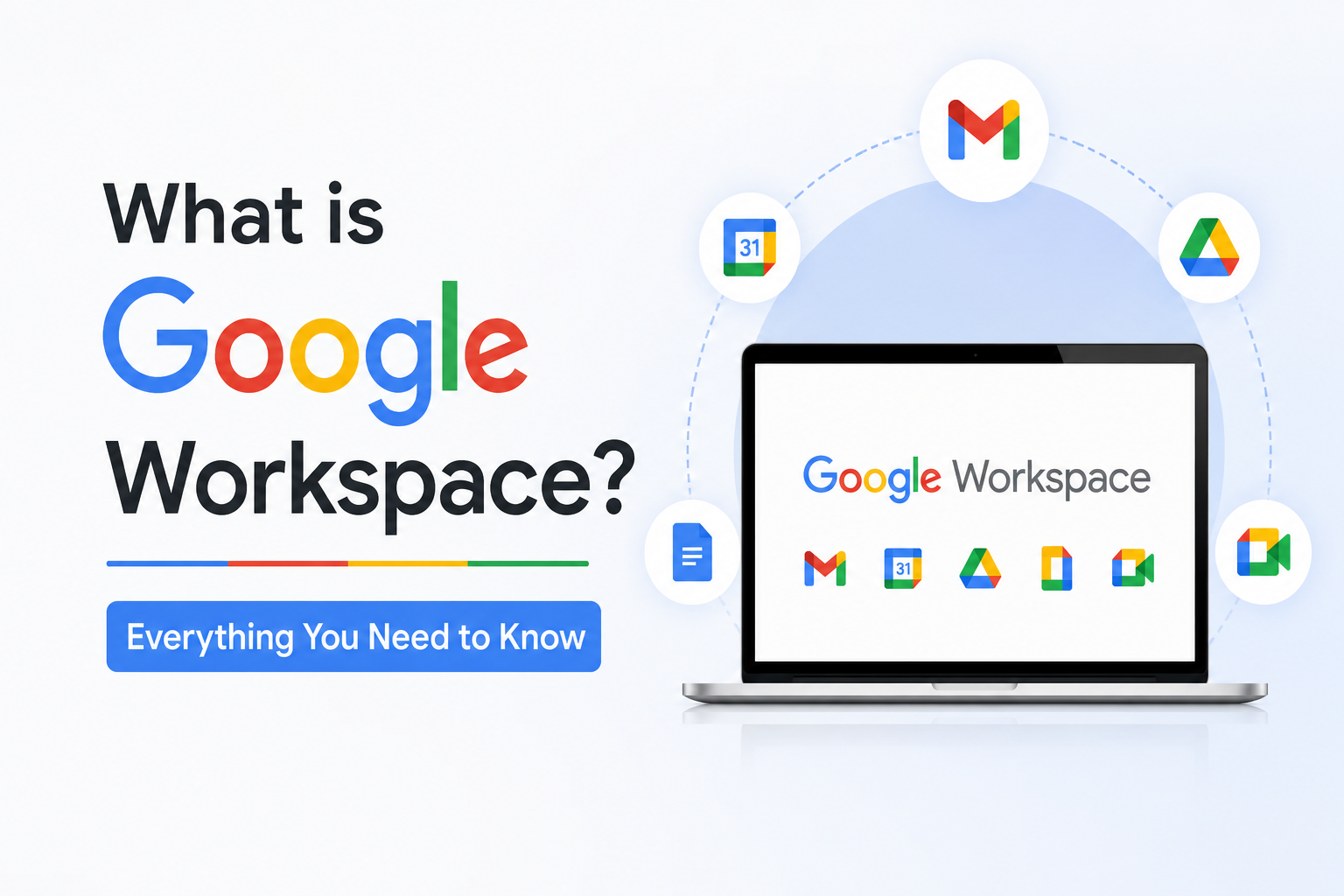
Google Workspace, formerly known as G Suite, is a suite of tools and services developed by Google to support businesses and organizations in managing their daily work.
1. What is Google Workspace?
Google Workspace is a comprehensive suite of tools designed by Google to enhance communication and boost productivity for businesses. With Google Workspace, users can work flexibly from anywhere, from the office to home, optimizing workflows and improving collaboration among team members. Formerly known as G Suite, Google Workspace is more than just an email service; it includes many useful applications such as Google Drive, Google Docs, Google Sheets, Google Slides, Google Chat, and Google Calendar, all integrated to create a seamless experience.
This platform allows users to easily create, edit, and share documents in real time with colleagues and partners anywhere in the world. Thanks to its cloud storage capabilities and powerful collaboration features, Google Workspace helps businesses save time and improve work efficiency. Today, many organizations have leveraged the power of Google Workspace to grow and achieve their business goals, establishing it as an indispensable solution in the modern workplace.

2. Key features of Google Workspace
Google Workspace is more than just a typical work tool; it offers powerful and flexible features tailored to the needs of modern businesses. With its cloud-based platform, Google Workspace allows users to work remotely, easily share documents, and collaborate effectively. Here are some of its standout features that users shouldn't miss.
2.1 Powerful Gmail integration
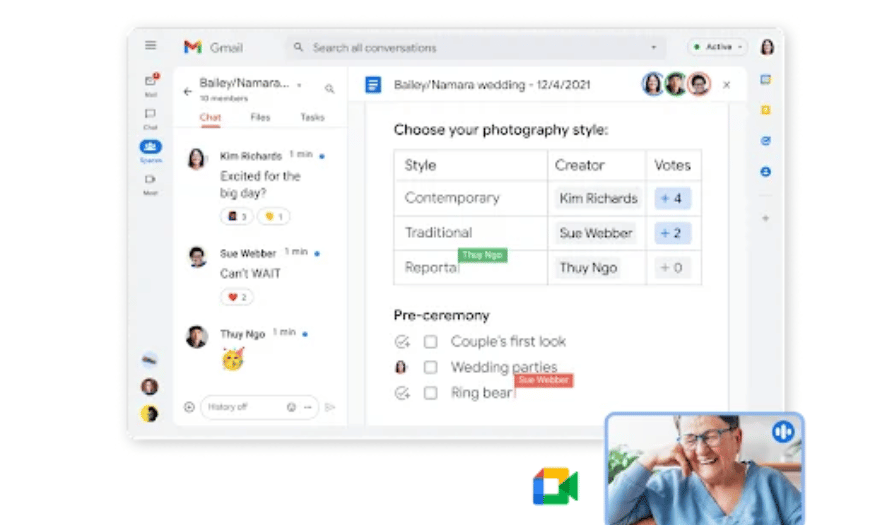
Gmail in Google Workspace is more than just an email service; it's a powerful communication tool for businesses. The Workspace version of Gmail removes ads, allowing users to focus on their work without distractions. Users can personalize their email addresses to match their company domain, creating a more professional image in communication. Furthermore, Gmail seamlessly integrates with other applications like Google Chat and Google Meet, allowing users to easily initiate conversations or meetings with just a few clicks.
One of the notable features is Smart Reply and Smart Compose, which automatically complete sentences and suggest intelligent responses, saving users time. These improvements not only reduce the effort required to compose emails but also minimize spelling errors, resulting in a more efficient communication experience.
2.2 Google Drive - a secure storage solution
Google Drive is a cloud storage platform that allows users to easily access and manage files securely. With diverse service plans, from Business Starter with 30GB to Business Plus with 5TB of storage, Google Drive meets the storage needs of every business. The Shared Drive feature allows users to create shared storage spaces, helping to manage files and projects more efficiently during collaboration.
Beyond just storage, Google Drive offers various access options for individual files, allowing managers to control who can view or edit documents. This not only ensures security but also facilitates information sharing among team members.
2.3 Multipurpose Office Application Suite
Google Workspace includes a diverse suite of office applications, including Google Docs, Google Sheets, Google Slides, and Google Forms. Each application is designed to serve specific work needs, from word processing and spreadsheet creation to presentation design and surveying. With real-time capabilities, users can collaborate with multiple colleagues simultaneously, creating an efficient and flexible work environment.
The version history feature allows users to track changes in documents, making it easy to undo or restore previous versions. In addition, the ability to open and edit file formats from Microsoft Office further increases user flexibility, allowing them to easily switch between platforms without difficulty.
2.4 Google Calendar - Effective Time Management
Google Calendar is a great time management tool, allowing users to easily track their personal and work schedules. Seamlessly integrated with other applications in Google Workspace, Calendar helps users schedule meetings, events, and tasks without leaving their work environment. With its intuitive interface, users can view the calendar in various modes such as daily, weekly, and monthly, making it easy to manage their time.
The guest and location addition feature in Google Calendar allows users not only to schedule meetings but also to inform participants about specific times and locations. This is very useful for organizing online meetings via Google Meet, facilitating connection and communication among team members.
2.5 Work Insights - Tracking Work Performance
Work Insights is a key feature in Google Workspace, providing detailed reports on how employees use tools within the Google ecosystem. With its data analytics and visual insights, Work Insights helps managers, IT administrators, and HR staff easily track employee usage, collaboration, and productivity.
Through this information, organizations can make more strategic decisions in optimizing workflows and improving team performance. This feature not only helps identify strengths but also points out areas for improvement, thereby enhancing the overall efficiency of the entire organization.
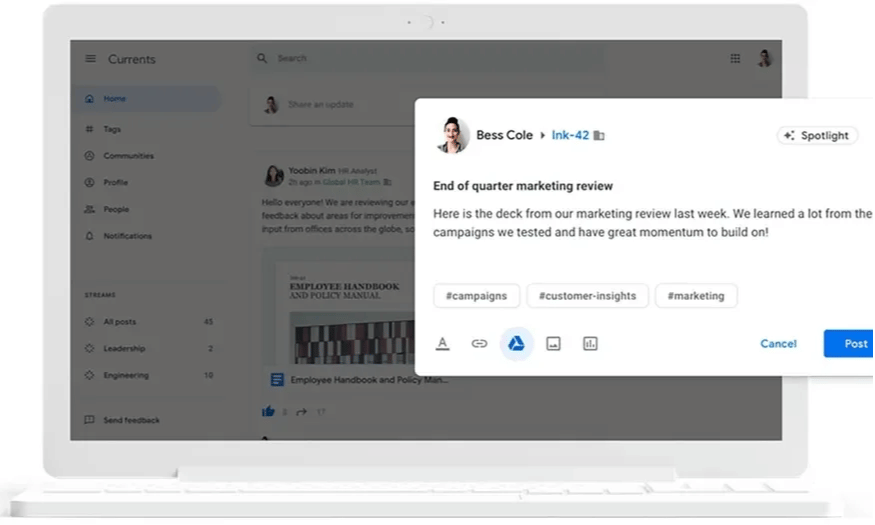
2.6 Google Currents - a social networking platform for businesses
Google Currents is Google Workspace's new community hub, built upon previous platforms like Google+. While it can't compare to major social networks like Facebook, Currents offers useful features that improve communication and interaction among employees within an organization. Especially for companies with a large number of remote workers, Currents becomes a crucial tool for strengthening social connections and building company culture.
Employees can share ideas, achievements, and important messages through the currents information flow. This feature allows everyone to participate in discussions, regardless of their location. Administrators can also monitor content, ensuring that information is moderated and aligns with company policies, thereby creating a more positive and engaged work environment.
2.7 Google Vault - A comprehensive data management solution
Google Vault is an indispensable tool that helps businesses manage data effectively in an increasingly complex environment. With its ability to provide flexible data retention policies, Vault allows users to decide who can access which data and for how long, meeting legal requirements and internal organizational policies.
In addition to supporting searching and exporting content in various formats, Vault also provides detailed reporting features that help managers track and evaluate data usage within the organization. With powerful search capabilities by file type, user, date, and keyword, Google Vault ensures that businesses can easily manage and protect critical information, contributing to security and regulatory compliance.
2.8 Google Chat - A Fast Communication Channel
Google Chat is Google's official messaging service, replacing Hangouts, and is specifically designed for business environments. With the ability to create group meeting rooms with up to 8,000 members, Google Chat allows employees to easily communicate and share information in real time. This feature not only enhances collaboration but also facilitates interaction between different teams within the company.
Users can access Google Chat directly from Gmail or through a separate app, making messaging more convenient than ever. Sending private messages or creating groups to discuss specific projects minimizes disruptions and improves productivity.
2.9 Google Meet - Easy Online Meetings
With remote work becoming increasingly common, Google Meet has become an indispensable video conferencing tool for businesses. Easy to use and tightly integrated with other Google Workspace applications, Meet allows users to join meetings directly from Google Calendar or Gmail. Features such as screen sharing, meeting layout options, and encryption enhance the online meeting experience.
With the ability to support up to 1,000 participants in the enterprise plus version, Google Meet meets the needs of large businesses while also providing a phone number so that those who cannot connect via the internet can join. This ensures that every meeting runs smoothly and efficiently.

2.10 Endpoint - Security Device Management
Google Endpoint is a crucial tool that helps businesses manage and secure all registered devices. With the Bring Your Own Device (BYOD) policy, employees can use their personal devices for work without worrying about security issues. Endpoint allows organizations to set security standards such as strong passwords and access controls, thereby protecting critical data.
One of the key features of endpoints is the ability to lock or erase lost or damaged devices, ensuring that business information doesn't fall into the wrong hands. This helps businesses maintain data security while also allowing employees to work more flexibly.
2.11 Google Workspace Admin Console - Centralized Management
The Google Workspace admin console is a powerful tool that helps business owners easily manage every aspect of their system from a single location. From adding new users and managing devices to configuring security settings like two-factor authentication, the admin console simplifies the management process and improves work efficiency.
With the ability to add custom domains to Gmail and other applications, the admin console provides the flexibility needed for organizations looking to build a professional and secure work environment. This ensures that all employees have access to the necessary tools to perform their jobs most effectively.
3. What industries can Google Workspace be used in?
With its outstanding features, Google Workspace has become a trusted solution for many businesses. Its flexible integration and ease of use optimize workflows and enhance productivity. Google Workspace can be applied to almost all industries, from business, finance, education, healthcare to logistics. Below are some specific examples of Google Workspace's application in these fields.
3.1 Business
In the business world, Google Workspace provides a powerful suite of tools to enhance productivity and foster collaboration among team members. Applications like Gmail, Google Drive, Google Docs, Google Sheets, and Google Slides allow businesses to easily exchange information, create and share documents, and hold online meetings. Thanks to cloud storage, employees can access documents anytime, anywhere, which is especially useful in a remote work environment.
Furthermore, Google Workspace helps businesses save costs by minimizing the need for different software. Robust security features such as two-factor authentication and access control also ensure that business data is always protected.
3.2 Finance
In the financial industry, Google Workspace helps organizations manage transactions, calculate profits, and analyze data efficiently. Applications like Google Sheets allow users to easily create and share spreadsheets, financial reports, and data analyses. Google Slides assists in presenting financial reports to stakeholders, while Google Forms can be used to collect data from customers or employees.
Using Google Workspace in finance not only saves time but also improves the accuracy of information, thereby helping organizations make better decisions.
3.3 Education
In the field of education, Google Workspace has become a powerful tool for schools and teachers. It helps manage classrooms, assign homework, grade assignments, and organize online classes. Applications like Google Classroom, Google Meet, and Google Docs allow teachers to easily exchange information and facilitate flexible learning.
Students can access learning materials anytime, anywhere, thereby enhancing their self-learning abilities. Additionally, using Google Forms to create surveys helps teachers collect feedback from students quickly and easily.
4. Conclusion
Google Workspace is more than just a simple office suite; it's a comprehensive solution that enhances work efficiency and improves collaboration within an organization. With rich features like Gmail, Google Drive, Google Docs, and Google Meet, along with flexible integration capabilities, Google Workspace is a top choice for businesses looking to optimize workflows and improve management effectiveness.
If you're looking for an effective solution for your work, upgrading your Google Workspace account at Sadesign is an ideal choice. Sadesign is committed to providing genuine accounts with various service packages to meet the needs of each business. Furthermore, with competitive pricing and dedicated support, you can rest assured that you're investing in a quality solution. Contact Sadesign to learn more about our Google Workspace upgrade packages and experience the benefits it brings to your organization.





















VIP Products








Best Selling Products
Copyright Adobe Lightroom Account
59 USD
Autodesk All App Account Copyright
120 USD
Genuine Cheap Canva Pro
39 USD
Upgrade Genuine Office 365
49 USD
MidJourney Account
29 USD
Freepik Premium Account
59 USD
Genuine Adobe Illustrator account
99 USD
Upgrade genuine Capture One account
120 USD
Windows 10 & 11 Pro Key
36 USD
ChatGPT Plus Account (GPT-4)
16 USD
Upgrade Duolingo Super
29 USD
Capcut Pro 1 Year
39 USD
Plugin Retouch4me
69 USD
Adobe Premiere Pro Account
99 USD
Adobe Photoshop Copyright - Full App
120 USD