Best Selling Products

Plugin Retouch4me
69 USD

Upgrade genuine Capture One account
120 USD

Upgrade Genuine Office 365
49 USD

Windows 10 & 11 Pro Key
36 USD

Autodesk All App Account Copyright
120 USD

Genuine Adobe Illustrator account
99 USD

Freepik Premium Account
59 USD

Genuine Cheap Canva Pro
39 USD

Copyright Adobe Lightroom Account
59 USD

Adobe Premiere Pro Account
99 USD

Capcut Pro 1 Year
39 USD

MidJourney Account
29 USD

Upgrade Duolingo Super
29 USD

Adobe Photoshop Copyright - Full App
120 USD

ChatGPT Plus Account (GPT-4)
16 USD
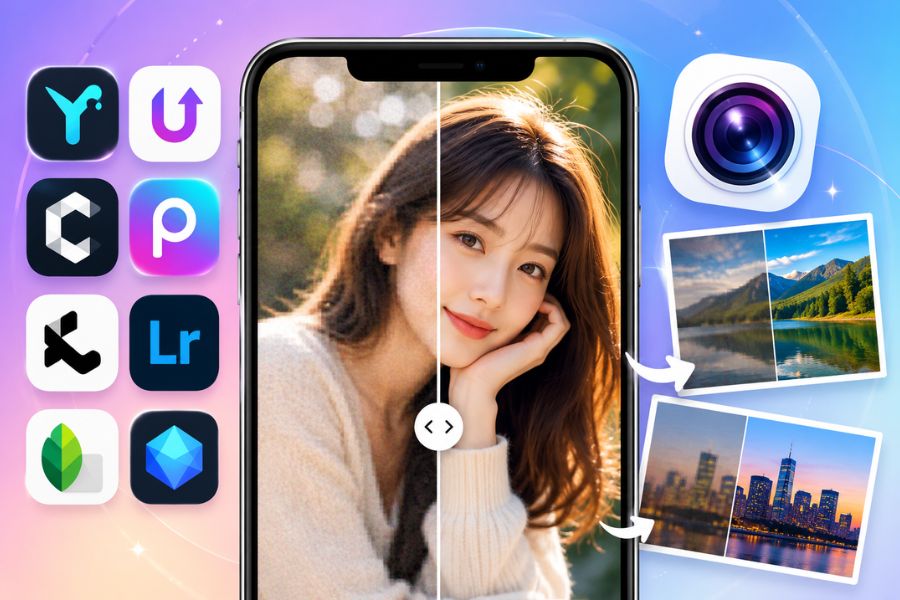
10 Photo Sharpening Apps That Quickly Fix Blurry Images on Your Phone
Nội dung
Do you have old photos, photos downloaded from social media, or photos taken with a low-quality device that leave the image blurry, hazy, and lacking detail? Don''''t rush to delete them, because there are now many blurry-photo-fixing apps that help restore sharpness in just a few taps on your phone. Thanks to modern AI technology, these apps can automatically increase resolution, clarify faces, improve details, and enhance photo quality quickly.
1. YouCam Enhance
When it comes to today's most beloved blurry-photo-fixing apps, YouCam Enhance is a name that can't be overlooked. The app uses modern AI technology to identify blurry, detail-lacking areas of a photo and automatically restore sharpness in just a few seconds. In particular, YouCam Enhance is very well suited to portrait photos, with the ability to clarify faces and increase detail in eyes, hair, and skin while still keeping a natural look. In addition, the app integrates many color-editing tools, background-changing features, and image-quality enhancement, helping users easily obtain professional photos right on their phone.
Outstanding features:
Automatically sharpens photos with AI with high accuracy.
Restores natural facial detail, limiting artificial-looking results.
Easily adjusts color, brightness, and contrast.
Quickly changes or removes the background.
Increases resolution for old, blurry, and low-quality photos.
Simple interface, suitable even for first-time users.
2. UpFoto - AI Photo Enhancer
UpFoto is a blurry-photo-fixing app notable for its ability to upgrade image quality with artificial intelligence in just one tap. The app can effectively process blurry photos, old photos, or low-resolution photos, helping to reconstruct clearer, significantly sharper detail. UpFoto's strength lies in its automatic color balancing, old-photo restoration, and its ability to clarify small details without losing the image's natural look. This is an ideal choice for anyone who wants to preserve memories from photos that have degraded over time.
Outstanding features:
Quickly sharpens blurry photos with AI.
Restores and improves the quality of old photos.
Automatically balances vivid, realistic colors.
Supports colorizing black-and-white photos.
Extracts high-quality images from video.
Simple operation, processes photos in just a few seconds.
.jpg)
3. Clipdrop
Clipdrop is a versatile blurry-photo-fixing app chosen by many content creators and professional users. The app not only helps increase image sharpness but also supports noise removal, resolution upgrading, and background editing extremely effectively. Thanks to advanced AI technology, Clipdrop can accurately identify details within a photo to reconstruct a sharper image while still keeping natural quality. With fast processing speed and compatibility across many platforms, this is a useful tool for both personal needs and work.
Outstanding features:
Sharpens blurry photos with AI with high accuracy.
Removes noise and increases image detail.
Automatically removes the background in just a few seconds.
Supports upgrading resolution for low-quality photos.
Intuitive interface, easy to use.
Compatible across many different devices and platforms.
4. Picsart (AI Image Enhance)
Picsart has long been known as one of the most comprehensive blurry-photo-fixing apps on the phone. The app's AI Image Enhance technology helps perform in-depth image analysis, thereby reconstructing areas that have lost detail and significantly improving sharpness. Not stopping at the ability to clarify photos, Picsart also provides a powerful photo-editing ecosystem with hundreds of filters, effects, cutting/merging tools, and creative design features. Thanks to the combination of smart AI and a professional toolset, Picsart becomes a top choice for anyone who wants to quickly upgrade image quality.
Outstanding features:
Smart and accurate AI photo-sharpening technology.
Effectively restores blurry, low-sharpness photos.
Keeps natural detail intact, limiting grain/noise artifacts.
Upgrades resolution for low-quality photos.
Rich library of effects, filters, and editing tools.
Automatically processes photos quickly, saving time.
.jpg)
5. Krea AI
Krea AI is one of the modern AI platforms being chosen by a large number of users when they need to upgrade image quality. Not only notable for its ability to generate images and videos from text, Krea AI is also highly rated as a blurry-photo-fixing app thanks to its smart image-processing technology. The app can analyze blurry, detail-lacking areas of a photo and automatically reconstruct sharpness naturally. With an intuitive, easy-to-use interface along with a rich set of creative features, Krea AI is suitable for both everyday users and professional content creators looking for a quick image-upgrading solution.
Outstanding features:
Sharpens photos with AI with fast processing speed.
Generates images and videos from text descriptions.
Supports logo design and creative visuals.
Improves resolution and restores photo detail.
AI resource library updated regularly.
Supports flexible collaboration and project sharing.
6. Adobe Lightroom
Adobe Lightroom is a familiar name for anyone who loves professional photo editing on their phone and computer. This is not only a famous color-editing tool but also an effective blurry-photo-fixing app thanks to its powerful Detail toolset. Lightroom allows users to easily increase sharpness, reduce blurriness, and restore lost detail with just a few simple drag-and-drop steps. In addition, the app also has a lighting system, color balancing, and professional filters that help make photos more vivid and appealing.
Outstanding features:
In-depth photo-sharpening tool with flexible customization ability.
Supports increasing sharpness and reducing blurriness.
Friendly interface, easy to use for beginners.
Diverse, professional color filters and presets.
Detailed editing of light, color, and contrast.
Convenient data syncing between phone and computer.
.jpg)
7. Snapseed
Snapseed is a free photo-editing app developed by Google and loved by many thanks to its powerful photo-processing capability. If you're looking for a blurry-photo-fixing app that is simple yet effective, Snapseed is a choice well worth considering. The Sharpening tool integrated into the app helps naturally increase photo clarity, while combining with many brightness-adjustment, color-balancing, and noise-reduction features to improve overall image quality. With support for many professional photo formats, Snapseed is suitable from everyday users to semi-professional photographers.
Outstanding features:
Integrates 29 professional photo-editing tools.
Effectively supports photo sharpening and increased detail.
Flexibly adjusts light, contrast, and color.
Supports high-quality RAW photo editing.
Diverse, beautiful color filter library.
Exports photos at high resolution, keeping image quality intact.
8. Remini
Remini is one of today's most famous blurry-photo-fixing apps thanks to its extremely impressive AI-based photo restoration capability. The app is chosen by millions of users worldwide to improve old photos, blurry photos, or low-resolution photos in just a few seconds. With advanced AI technology, Remini can recognize faces and naturally reconstruct detail in hair, eyes, and skin, helping the image become significantly sharper and more realistic. Not only supporting photos, Remini also has the ability to upgrade video quality, offering a comprehensive editing experience right on the phone.
Outstanding features:
Modern AI technology effectively restores blurry, low-sharpness photos.
Quickly increases sharpness and upgrades image resolution.
Specializes in restoring old photos, low-quality photos, and damaged photos.
Naturally reconstructs facial detail, limiting artificial-looking results.
Supports enhancing the quality of blurry videos and clips.
Simple operation, processes photos with just one tap.
.jpg)
9. Pixlr
Pixlr is a versatile photo-editing tool loved by many thanks to its simple interface that still packs a powerful feature set. If you're looking for an easy-to-use blurry-photo-fixing app, Pixlr is a choice well worth considering. The app provides a Sharpen tool that helps increase photo clarity after just a few simple drag-and-drop steps. Besides its photo-sharpening ability, Pixlr also integrates a host of effects, filters, and professional editing tools, allowing users to easily create beautiful photos without needing much editing experience.
Outstanding features:
The Sharpen tool quickly clarifies blurry photos.
Supports professional photo editing such as cropping, rotating, merging, and blurring photos.
Rich library of effects and filters in a variety of styles.
Integrates many ready-made, beautiful photo frames.
Intuitive interface, suitable even for beginners.
Supports quick editing and sharing of photos across many platforms.
10. Fotor
Fotor is one of the blurry-photo-fixing apps chosen by many users thanks to its ability to quickly and easily improve image quality. The app provides a powerful editing toolset that helps restore sharpness for photos that are blurry, lacking detail, or low resolution. Besides its photo-sharpening feature, Fotor also allows users to customize brightness, contrast, color, and many other parameters to create more professional photos. With a friendly interface along with a rich library of effects, Fotor is suitable for both beginners and those who frequently edit photos on their phone or computer.
Outstanding features:
Photo-sharpening tool that effectively fixes blurry, low-sharpness photos.
Flexibly adjusts brightness, contrast, and color.
Supports enhancing photo quality with just a few simple steps.
Integrates many professional photo-editing tools.
Provides more than 150 diverse effects and filters.
Intuitive interface, easy to use on both phone and computer.
Supports exporting high-quality photos, suitable for personal and work needs.
.jpg)
11. Conclusion
Restoring blurry, low-sharpness photos has now become much simpler thanks to the support of smart photo-editing apps on the phone. Each blurry-photo-fixing app on this list has its own strengths, from AI-based resolution upgrading to improving portrait detail and image color. Depending on your usage needs, you can choose the app that best fits you to quickly clarify photos in just a few seconds. Hopefully these suggestions will help you easily find a useful tool to preserve and enhance memorable moments with the best possible image quality.





















VIP Products








Best Selling Products
Plugin Retouch4me
69 USD
Upgrade genuine Capture One account
120 USD
Upgrade Genuine Office 365
49 USD
Windows 10 & 11 Pro Key
36 USD
Autodesk All App Account Copyright
120 USD
Genuine Adobe Illustrator account
99 USD
Freepik Premium Account
59 USD
Genuine Cheap Canva Pro
39 USD
Copyright Adobe Lightroom Account
59 USD
Adobe Premiere Pro Account
99 USD
Capcut Pro 1 Year
39 USD
MidJourney Account
29 USD
Upgrade Duolingo Super
29 USD
Adobe Photoshop Copyright - Full App
120 USD
ChatGPT Plus Account (GPT-4)
16 USD