Best Selling Products

Adobe Premiere Pro Account
99 USD

Upgrade genuine Capture One account
120 USD

Autodesk All App Account Copyright
120 USD

Plugin Retouch4me
69 USD

Upgrade Duolingo Super
29 USD

Genuine Adobe Illustrator account
99 USD

ChatGPT Plus Account (GPT-4)
16 USD

Freepik Premium Account
59 USD

Windows 10 & 11 Pro Key
36 USD

Adobe Photoshop Copyright - Full App
120 USD

Copyright Adobe Lightroom Account
59 USD

MidJourney Account
29 USD

Genuine Cheap Canva Pro
39 USD

Capcut Pro 1 Year
39 USD

Upgrade Genuine Office 365
49 USD
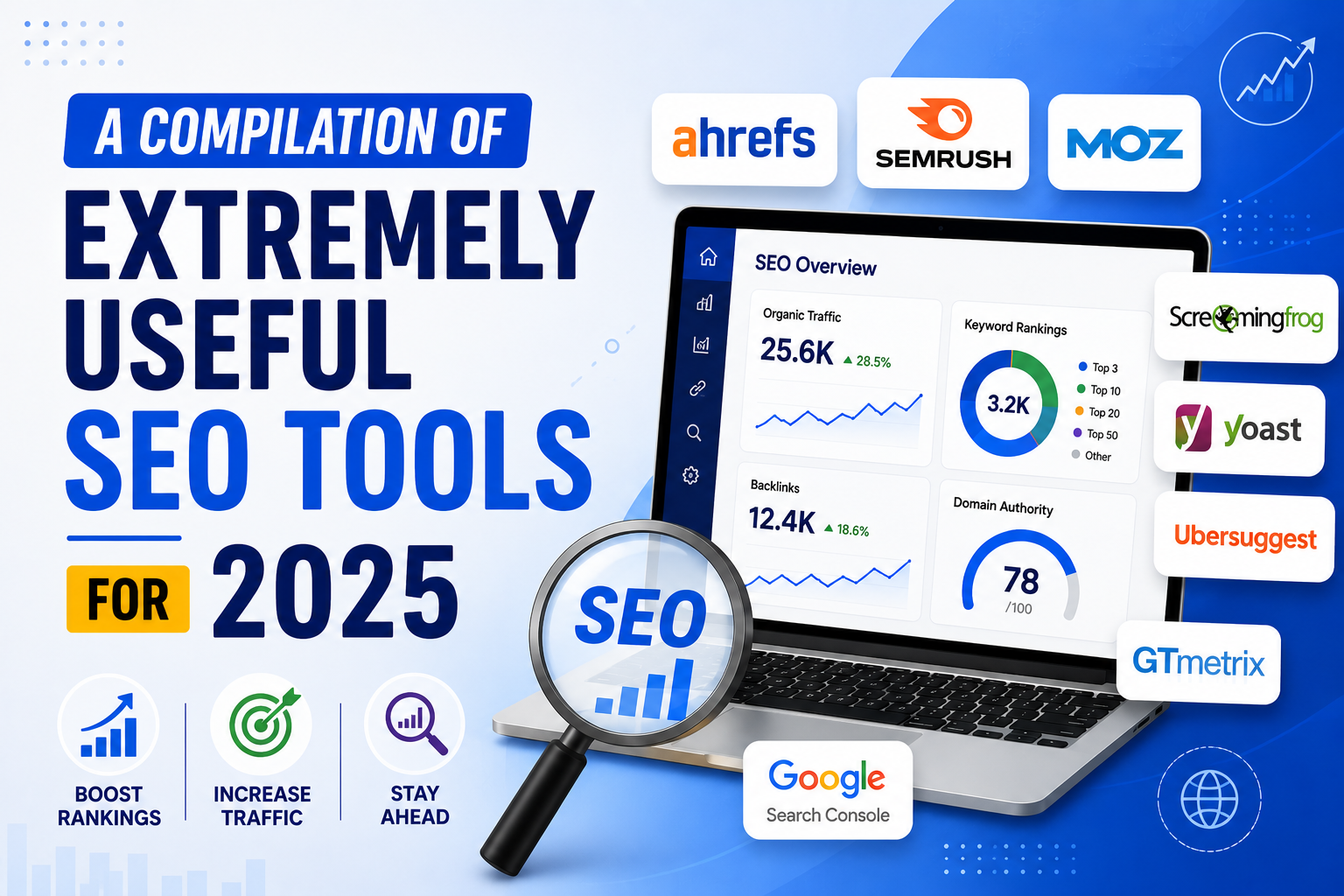
15+ SEO Tools to Help Optimize Technical SEO
Nội dung
- 1. Google Analytics
- Google Analytics is one of the most powerful free tools for web administrators. With its SEO tracking and analysis features, you can easily understand your website's performance. After registering a Google account and installing the tool, you'll have access to detailed reports on traffic, bounce rate, average time on page, and many other metrics. This helps you better understand user behavior and optimize your content accordingly.
- 2. Google Mobile-Friendly Test
- 3. Google PageSpeed Insights
- 4. Google Search Console
- 5. Bing Webmaster Tools
- 6. W3C Validator
- 7. Screaming Frog
- 8. Seositecheckup.com
- 9. WooRank
- 10. Browseo
- 11. SeoQuaKe
- 12. XML Sitemaps
- 13. Searchmetrics
- 14. Seomator
- 15. Sitechecker.pro
- 16. Neilpatel.com
- 17. Conclusion
In the world of digital marketing, technical SEO plays a crucial role in improving a website's visibility on search engines.
1. Google Analytics
Google Analytics is one of the most powerful free tools for web administrators. With its SEO tracking and analysis features, you can easily understand your website's performance. After registering a Google account and installing the tool, you'll have access to detailed reports on traffic, bounce rate, average time on page, and many other metrics. This helps you better understand user behavior and optimize your content accordingly.
In addition, Google Analytics offers features such as audience segmentation, goal and event tracking, giving you deeper insights into the effectiveness of your marketing campaigns. Using this tool will help you identify your website's strengths and weaknesses, thereby making more effective decisions to improve SEO.
2. Google Mobile-Friendly Test
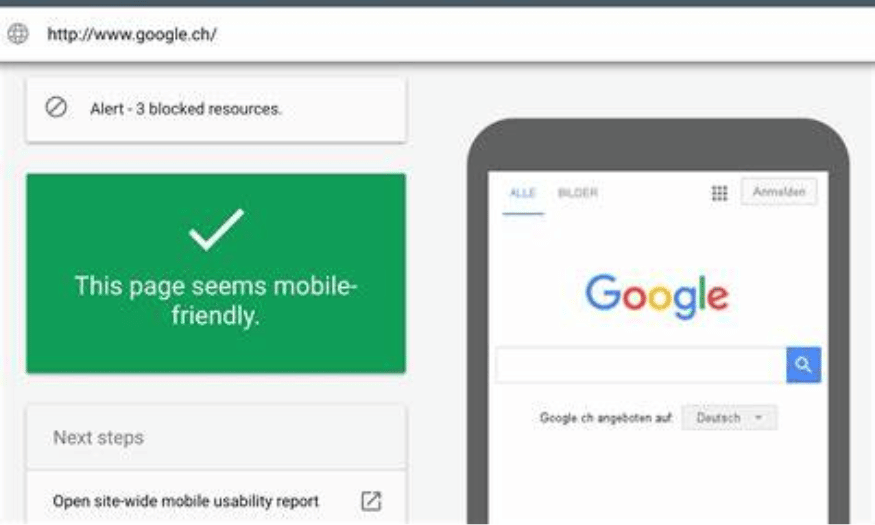
With the increase in mobile usage, Google has started penalizing websites that are not mobile-friendly. This means that if your website is not optimized for small screens, you risk losing a significant amount of traffic. To check your website's mobile-friendliness, simply access the Google Mobile-Friendly Test tool, enter your website's URL, and press Enter. The results will show you whether your website meets the standards.
This tool not only helps you determine the mobile-friendliness of your website but also provides suggestions for improvements to optimize the user experience on mobile devices. Ensuring your website is mobile-friendly will not only improve search rankings but also retain users more effectively.
3. Google PageSpeed Insights
Page load speed is an extremely important factor not only for users but also for Google. A slow website will be ranked poorly in search results, and users will leave if they have to wait too long. To check your page load speed, you can use the Google PageSpeed Insights tool. Simply enter your domain name and press Enter, and you will receive a detailed report on your page load speed.
In addition to providing a speed score, this tool also offers optimization suggestions to help you improve performance. These suggestions may include reducing image sizes, optimizing source code, and many other factors. Implementing improvements based on these suggestions will help your website load faster, thereby enhancing user experience and improving search rankings.
4. Google Search Console
Google Search Console, formerly known as Google Webmaster, is an incredibly useful free tool for anyone managing a website. It provides detailed information about the website's status, including detecting duplicate meta tags, the number of indexed pages, and security-related issues. You can easily monitor your website's performance and receive alerts about problems that could affect search rankings.
One of the standout features of Google Search Console is its ability to show you which keywords your website is ranking for on Google. To view this information, simply go to the Overview section, then to the Performance section. Here, a list of keywords will be displayed by ranking position, helping you clearly identify which keywords are driving traffic to your website.
5. Bing Webmaster Tools
Bing Webmaster Tools is a similar tool to Bing, and while not as popular as Google Search Console, it still offers many useful features for website optimization. This tool allows you to monitor your website's status on Bing and receive information about issues that may affect search rankings. An interesting feature is Bing's integrated keyword research tool, which lets you find valuable keywords that might be overlooked by Google Keyword Tool.
With Bing Webmaster Tools, you can easily track traffic, learn about your audience, and optimize your content to better suit search needs. While not as popular as Google, using Bing also helps you expand your reach and optimize SEO more comprehensively.
6. W3C Validator
W3C Validator is an important tool for checking a website's HTML and CSS code. Ensuring your source code is compliant not only improves website performance but also enhances search engine rankings. W3C Validator analyzes your source code and provides error messages, making it easier to identify and fix problems.
Using this tool will help you maintain high-quality source code and ensure that your website is fully compatible with current web standards. This not only enhances the user experience but also makes your website more trustworthy in the eyes of search engines.

7. Screaming Frog
Screaming Frog is a powerful website analysis application that helps you detect technical issues that can affect SEO performance. This tool allows you to scan your entire website for errors such as broken links, missing title tags, or page load speed issues. The free version of Screaming Frog includes all the basic features, but you can also upgrade to the paid version to access more advanced features.
With Screaming Frog, you'll get an overview of your website's status and can quickly fix problems before they affect search rankings. Regular use of this tool will help you maintain website stability and improve its visibility in search engines.
8. Seositecheckup.com
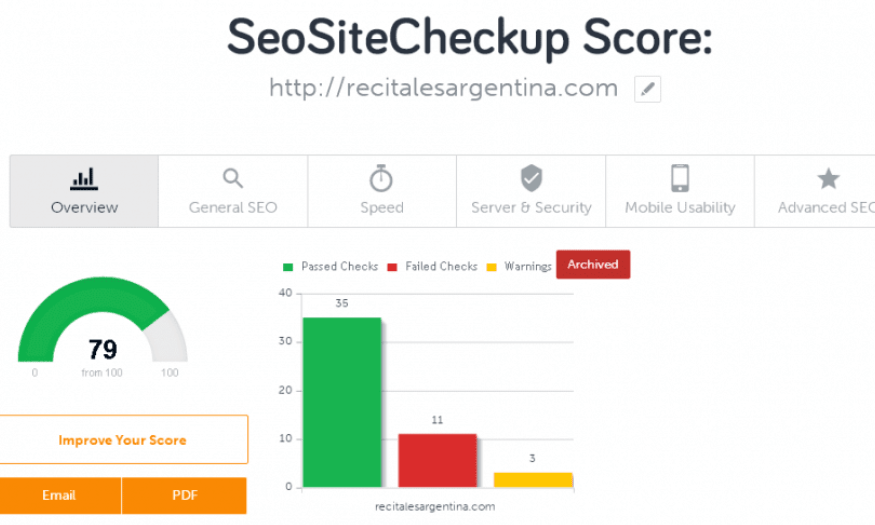
Seositecheckup.com is a free online tool, similar to Screaming Frog, that helps you quickly and effectively check the SEO status of your website. With Seositecheckup, you can check a website daily without needing to log in. This is very convenient for those who want an overview of their website's SEO performance without having to create an account.
If you want to check more websites in a day, Seositecheckup also allows you to register and log in to expand its features. This tool provides detailed reports on various factors such as page load speed, URL structure, title tags, and much more useful information. It's an ideal choice for those just starting to learn about SEO or needing a simple tool to monitor their website performance.
9. WooRank
WooRank is a fantastic browser-integrated tool that makes SEO and website analysis easy. With WooRank, you can quickly assess the performance and SEO factors of any website with just one click. The tool provides detailed information on traffic, bounce rate, and even technical factors that can affect search rankings.
One of WooRank's strengths is its ability to provide SEO improvement suggestions, helping you identify potential problems and guiding you through necessary changes. This not only helps you optimize your website but also enhances your competitiveness in your industry.
10. Browseo
Browseo is a free tool that helps you view your website from a search engine's perspective. This means you can see how search bots read and understand your website's content, which can be completely different from how a typical user sees it. Browseo removes unnecessary elements like images and formatting, focusing on the content and structure of the page.
Using Browseo will help you identify potential problems in how search engines understand your website. From there, you can adjust your content and structure to optimize search bot discoverability, ensuring your website is properly indexed and has a higher chance of appearing on search results pages.
11. SeoQuaKe
SeoQuaKe helps you track the SEO metrics of your website as well as other websites. This tool provides you with an overview of website quality, making it easier to assess the effectiveness of backlink building. With SeoQuaKe, you can compare metrics such as trustworthiness, traffic, and other SEO factors between websites.
This is crucial in building your SEO strategy, as creating backlinks from high-quality pages will help improve your search rankings. SeoQuaKe not only helps you find good backlink opportunities but also helps you better understand how your competitors' websites operate, allowing you to make smarter decisions in your SEO strategy.
12. XML Sitemaps
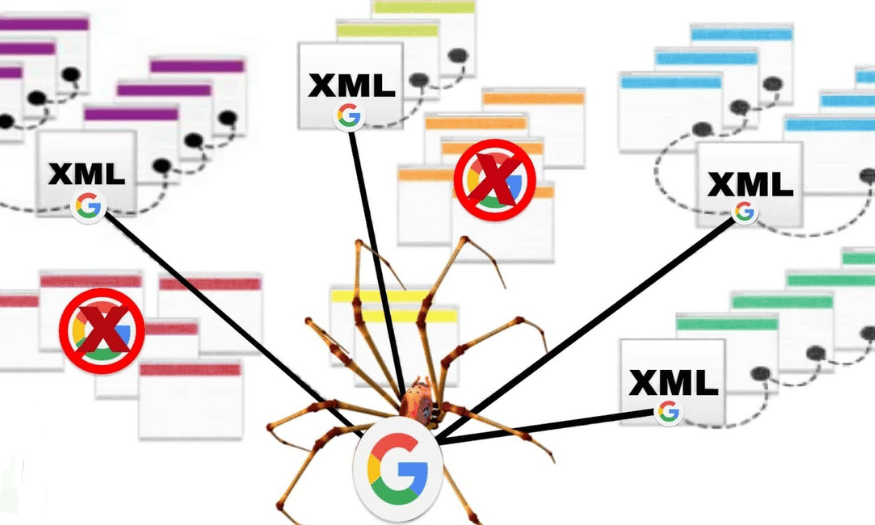
XML Sitemaps is an online application that allows you to easily create a sitemap. Simply by entering your website's URL along with some optional parameters, the tool will automatically generate a complete XML sitemap. This sitemap is crucial because it helps search engines like Google understand the website's structure, thereby improving indexing and ranking.
Once the sitemap is created, you can easily upload it to your website. This not only helps optimize SEO but also ensures that all your important pages are displayed to search bots. Using XML sitemaps is a simple yet effective step to improve your website's visibility on search engines.
13. Searchmetrics
Searchmetrics is a powerful tool that helps you analyze and evaluate your website's SEO performance against competitors. This tool provides many important metrics, from keyword rankings to traffic, helping you understand your position in the market. By comparing these metrics with your competitors, you can identify your strengths and weaknesses.
One of Searchmetrics' standout features is its ability to track changes in rankings and traffic over time. This allows you to evaluate the effectiveness of your SEO campaigns and adjust your strategy accordingly. With Searchmetrics, you can make smart decisions to improve your SEO performance.
14. Seomator
Seomator is a free tool that helps you perform a complete website audit with many useful metrics. This tool analyzes important SEO factors such as page load speed, URL structure, and meta tags, thereby assessing the overall health of your website. Seomator will provide you with a detailed report, helping you identify issues that need fixing.
Using SEOmator not only helps you detect technical errors but also provides improvement suggestions to optimize SEO performance. By regularly auditing your website with SEOmator, you can maintain your website in top condition and ensure that all SEO elements are optimized.
15. Sitechecker.pro
Sitechecker.pro is a free application that offers many benefits in checking the SEO criteria of each website. This tool will scan your website and provide detailed information about its SEO optimization potential, helping you identify issues that may affect search rankings. From there, you can easily adjust the content and structure of your site to improve performance.
One of Sitechecker.pro's strengths is its ability to provide specific suggestions for improving SEO for each page. This not only helps you improve content quality but also ensures that all technical elements are optimized. Using Sitechecker.pro will be a crucial step in ensuring your website is always in top condition to attract traffic.
16. Neilpatel.com
Neilpatel.com is a popular online tool developed by SEO expert Neil Patel. On Neil's blog, you can find many useful tools to help analyze and evaluate your website according to common SEO criteria. This tool provides an overview of SEO performance, from keyword analysis to traffic tracking.
In addition to providing detailed reports, Neilpatel.com also offers specific suggestions for improving your website's SEO. Using this tool will help you better understand your website's current state and make strategic decisions to optimize search performance.
17. Conclusion
Technical SEO optimization is not only a crucial step in your marketing strategy but also a decisive factor in your website's success in reaching your target customers. Using effective SEO tools will help you identify existing problems and improve the user experience. Start applying these tools today to take your website to the next level and attract more visitors!





















VIP Products








Best Selling Products
Adobe Premiere Pro Account
99 USD
Upgrade genuine Capture One account
120 USD
Autodesk All App Account Copyright
120 USD
Plugin Retouch4me
69 USD
Upgrade Duolingo Super
29 USD
Genuine Adobe Illustrator account
99 USD
ChatGPT Plus Account (GPT-4)
16 USD
Freepik Premium Account
59 USD
Windows 10 & 11 Pro Key
36 USD
Adobe Photoshop Copyright - Full App
120 USD
Copyright Adobe Lightroom Account
59 USD
MidJourney Account
29 USD
Genuine Cheap Canva Pro
39 USD
Capcut Pro 1 Year
39 USD
Upgrade Genuine Office 365
49 USD