Best Selling Products

Capcut Pro 1 Year
39 USD

Plugin Retouch4me
69 USD

Windows 10 & 11 Pro Key
36 USD

Upgrade genuine Capture One account
120 USD

Genuine Cheap Canva Pro
39 USD

Freepik Premium Account
59 USD

Adobe Photoshop Copyright - Full App
120 USD

Adobe Premiere Pro Account
99 USD

Copyright Adobe Lightroom Account
59 USD

Genuine Adobe Illustrator account
99 USD

Autodesk All App Account Copyright
120 USD

MidJourney Account
29 USD

Upgrade Duolingo Super
29 USD

ChatGPT Plus Account (GPT-4)
16 USD

Upgrade Genuine Office 365
49 USD
5 common misconceptions about the iPhone that have led many users to misunderstand it for years.
Nội dung
- 1. A container of rice can "save" a waterlogged iPhone.
- 2. Closing background apps helps save battery power.
- 3. Turning off Wi-Fi and Bluetooth in the Control Center completely disables them.
- 4. Charging your iPhone overnight will cause the battery to wear out faster.
- 5. Apple intentionally slows down older iPhones to force users to upgrade.
Debunking the most common misconceptions, from performance and battery life to security. You might be using an iPhone every day but still not fully understand it.
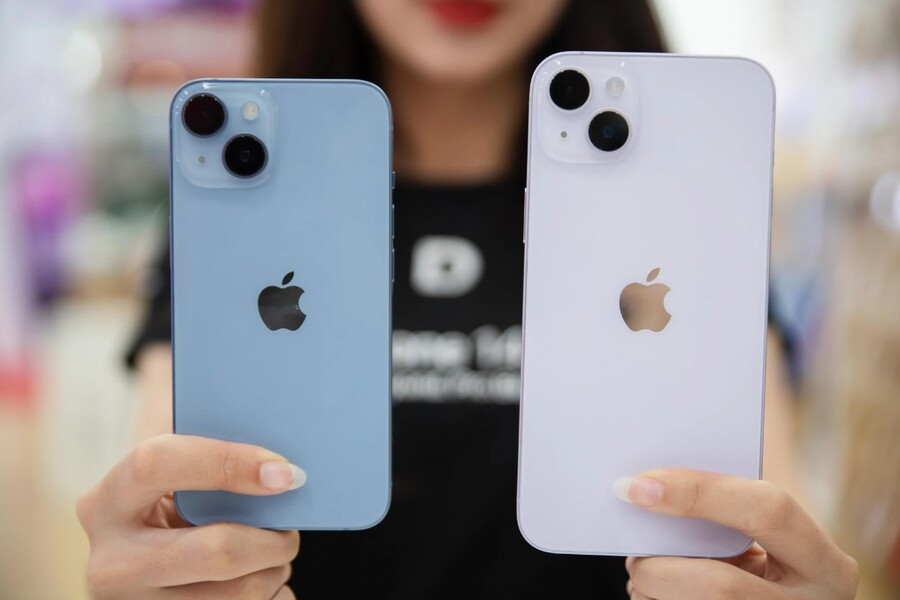
5 common misconceptions about the iPhone that have led many users to misunderstand it for years.
Debunking the most common misconceptions, from performance and battery life to security. You might be using an iPhone every day but still not fully understand it.
Users often develop many iPhone usage habits instinctively, through word-of-mouth, or by quickly learning from "tips and tricks" on social media. The problem is: not all widely circulated tips are correct, and not every seemingly reasonable habit is actually good for the device.
Apple, as a manufacturer, has invested heavily in research into user experience, hardware, software, and especially how people interact with technology. However, the gap between Apple's "intentional design" and the "popular belief" of users is widening. This gap creates a series of misconceptions, causing iPhones to degrade faster, operate less stably, or be unfairly misjudged.
We use iPhones every day, but do you really understand your phone? Many popular "tips" circulating online are actually habits that harm modern devices. From advice to put a wet phone in a bowl of rice, to the habit of closing all background apps to save battery, here are the truths behind 5 of the most common misconceptions about iPhones .
Buy Genuine Licensed Software at Affordable Prices
1. A container of rice can "save" a waterlogged iPhone.
Almost everyone has heard of or tried burying a wet phone in a container of rice. This advice is so common that it's become a natural reflex: whenever an iPhone falls into water, the first thing that comes to mind is rice. For many years, this was considered the simplest, cheapest, and easiest "lifesaver."
However, Apple has officially updated its support documentation, advising users against placing wet iPhones in a container of rice. The reason is not only its low effectiveness, but also the more serious potential risks.
Scientifically speaking, rice does have the ability to absorb moisture, but it's a passive and extremely slow process. Meanwhile, water penetrating the inside of an iPhone can cause component corrosion in a short time. While users patiently "wait for the rice to absorb the water," the internal circuits have already oxidized, leaving irreversible damage.
.jpg)
Furthermore, rice grains and starch dust from rice are very small. When an iPhone is placed in a container of rice, these particles can get into the charging port, speaker grille, microphone, or sound vents. As a result, after the phone dries, users may experience distorted sound from the speaker, intermittent charging, or unstable microphone performance.
Apple recommends a completely different procedure, which, while seemingly less complicated, is far safer. If your iPhone accidentally falls into water, the most important thing is to minimize the time the water remains inside. Quickly point the connector downwards, gently tap to drain the water, then turn off the device and place it in a dry, well-ventilated area, avoiding the use of high-heat hair dryers. In severe cases, taking the device to a reputable repair center for professional handling is still the best option.
2. Closing background apps helps save battery power.
Swipe up, swipe up again, and then swipe to clear the list of running background apps. It gives users a sense of control, like they've just cleaned up a messy room. Many believe that closing all background apps will make the iPhone lighter, faster, and especially more battery-efficient.
In fact, this is one of the most common and harmful misconceptions.
iOS is designed with extremely tight memory and process management mechanisms. When an application is no longer displayed on the screen, the operating system puts it into a "frozen" state. In this state, the application consumes almost no energy, does not occupy the CPU, and retains only a very small amount of data in RAM so that it can be reopened quickly.
.jpg)
When you manually swipe to close an app, iOS is forced to completely delete that temporary storage state. The next time you reopen the app, the CPU has to work harder to restart the process, reload data, and refresh the interface. This process is what consumes more battery power than waking up a dormant app.
Besides affecting battery life, the habit of constantly closing background apps also makes the user experience less smooth. Apps you frequently use will take longer to launch, creating the feeling that your device is slow even if the hardware is perfectly fine.
Apple has repeatedly stated that users don't need and shouldn't manually close background apps unless the app is frozen, unresponsive, or behaving abnormally. Resource management is already the responsibility of iOS, and the operating system does it far better than humans.
3. Turning off Wi-Fi and Bluetooth in the Control Center completely disables them.
Since the introduction of Control Center, iPhone users can quickly turn Wi-Fi, Bluetooth, and cellular data on or off with a single swipe. This is so convenient that many people have formed a habit: when not using Wi-Fi, they turn it off in Control Center; when not using Bluetooth, they tap the icon until it turns gray.
However, since iOS 11, the way these buttons work has completely changed, and many users still haven't realized it.
When you tap the Wi-Fi or Bluetooth icon in Control Center, your iPhone doesn't completely turn off the wireless connections. It only disconnects from the current Wi-Fi network or Bluetooth device. The wireless modules continue to run in the background to support a range of features within the Apple ecosystem, such as AirDrop, Handoff, AirPlay, precise location services, and connectivity with Apple Watch or smart accessories.
This means that, even though the icon has turned gray, your iPhone is still using power to maintain background connections. If your goal is to truly save battery or completely turn off wireless connectivity when not needed, this method is not as effective as desired.
.jpg)
To completely turn off Wi-Fi or Bluetooth, you must go to Settings and manually toggle the switch. Apple chose this design not to "trick" users, but because they prioritize the seamlessness of the ecosystem over the absolute ability to turn connections on and off.
The problem is that when users don't fully understand this difference, they easily fall into the trap of thinking the device is "off" when in reality it's still running in the background, leading to misunderstandings about battery life, performance, or stability.
4. Charging your iPhone overnight will cause the battery to wear out faster.
This is perhaps the most common misconception in the smartphone world. Many people still believe that charging their iPhone overnight is the main reason for battery degradation, and therefore they try to unplug the charger as soon as the battery reaches 100%.
This misconception stems from older battery technology, specifically nickel-cadmium batteries which suffered from the "memory effect." However, modern iPhones use lithium-ion batteries.
Inside every iPhone is a dedicated power management chip. When the battery reaches 100%, the power is automatically cut off, and the device doesn't continue to "charge" the battery as many people fear. Charging overnight, in essence, doesn't cause the battery to overcharge.
.jpg)
Furthermore, Apple introduced the Optimized Battery Charging feature. This feature uses machine learning to understand users' habits. If you typically charge your phone overnight and unplug it at a fixed time in the morning, your iPhone will only charge to about 80%, then pause and only charge the remaining 20% just before you wake up.
The goal of this mechanism is to reduce the time the battery remains at a high voltage. As a result, battery life is naturally extended without requiring manual intervention from the user.
Instead of worrying about charging overnight, it's more important to use a standard charger, avoid excessive heat, and let iOS do its job properly.
5. Apple intentionally slows down older iPhones to force users to upgrade.
It's undeniable that the "Batterygate" scandal severely damaged Apple's image. Apple's admission of reducing the performance of some older iPhone models led many to believe it was a marketing ploy to force users to buy new devices.
However, when viewed from a technical rather than an emotional perspective, the story becomes much more complicated.
Lithium-ion batteries inevitably degrade over time. When the battery is worn out, its ability to provide a stable current for demanding tasks decreases. Without intervention, the iPhone may suddenly shut down when the CPU or GPU requires high current, resulting in an extremely poor user experience and potentially damaging components.
.jpg)
Apple's Performance Management feature addresses this issue. By reducing the CPU clock speed in certain situations, the system ensures stable operation and prevents unexpected shutdowns. While performance may decrease somewhat, it offers greater stability and hardware safety.
Apple's biggest problem wasn't the technical solution, but the way they communicated. Their lack of transparency from the start made users feel cheated. Later, Apple added tools allowing users to monitor battery health, enable/disable performance management, and reduce battery replacement costs.
These five misconceptions aren't "fatal" mistakes, but repeating them daily can cause your iPhone to degrade faster, the battery to wear out prematurely, and the overall experience to be significantly worse. Understanding how your iPhone works correctly will not only help you protect your device better but also allow you to fully enjoy the values that Apple has painstakingly built.





















VIP Products








Best Selling Products
Capcut Pro 1 Year
39 USD
Plugin Retouch4me
69 USD
Windows 10 & 11 Pro Key
36 USD
Upgrade genuine Capture One account
120 USD
Genuine Cheap Canva Pro
39 USD
Freepik Premium Account
59 USD
Adobe Photoshop Copyright - Full App
120 USD
Adobe Premiere Pro Account
99 USD
Copyright Adobe Lightroom Account
59 USD
Genuine Adobe Illustrator account
99 USD
Autodesk All App Account Copyright
120 USD
MidJourney Account
29 USD
Upgrade Duolingo Super
29 USD
ChatGPT Plus Account (GPT-4)
16 USD
Upgrade Genuine Office 365
49 USD