Best Selling Products

Autodesk All App Account Copyright
120 USD

MidJourney Account
29 USD

Capcut Pro 1 Year
39 USD

Freepik Premium Account
59 USD

Upgrade Genuine Office 365
49 USD

Genuine Adobe Illustrator account
99 USD

Genuine Cheap Canva Pro
39 USD

Upgrade Duolingo Super
29 USD

Adobe Premiere Pro Account
99 USD

Upgrade genuine Capture One account
120 USD

Plugin Retouch4me
69 USD

Copyright Adobe Lightroom Account
59 USD

Windows 10 & 11 Pro Key
36 USD

Adobe Photoshop Copyright - Full App
120 USD

ChatGPT Plus Account (GPT-4)
16 USD
Accelerate video creation with Premiere's AI-powered ecosystem.
Nội dung
- 1. New AI generation features are now available in Premiere.
- 1.1. Speed up the mask making process.
- 1.2. Extend the clip to get a perfect cut.
- 1.3. Just describe and search
- 2. AI-powered video editing tools in Premiere.
- 2.2. Automatic subtitle translation
- 2.3. Text-based editing
- 2.4. Tag audio categories and convert speech to text
- 2.6. Scene Editing Detection and Automatic Color
- 3. Add more AI-powered video editing features.
Premiere integrates AI into every stage of the editing process. From content analysis and text-based editing to automatic masking, everything is seamless. It's the optimal solution for those who need speed while maintaining quality.
Accelerate video creation with Premiere's AI-powered ecosystem.
Premiere integrates AI into every stage of the editing process. From content analysis and text-based editing to automatic masking, everything is seamless. It's the optimal solution for those who need speed while maintaining quality.
Premiere 2026 marks a clear turning point. More than just a performance or interface upgrade, this version best exemplifies Adobe's long-term strategy: making AI a creative partner, not just a technical support tool. Backed by Adobe Sensei and Firefly, the AI features in Premiere 2026 are designed to address the inherent pain points of editors: manual background removal, time-consuming footage searches, repetitive audio synchronization and color grading, and the need to repeatedly work on the same video across multiple platforms. AI doesn't replace creative thinking, but it frees creators from mechanical tasks, allowing them to focus on what matters most: storytelling.
Buy Adobe Premiere Pro Accounts at a Cheap Price
1. New AI generation features are now available in Premiere.
1.1. Speed up the mask making process.
Rotoscoping—separating the subject from the background—used to be one of the most tedious and time-consuming tasks in video post-production. Whether it was selective color correction, adding effects, or splicing scenes, creating an accurate mask across hundreds, even thousands, of frames always demanded almost absolute patience.
The new Object Masking feature in Premiere (BETA) has completely changed that experience. Instead of manually drawing masks frame by frame, editors simply hover over the subject, click, and the AI automatically recognizes the object, creates a mask, and tracks its movement throughout the entire clip.
.jpg)
The most valuable aspect lies not just in speed, but in stability. Premiere's AI doesn't simply "track shape," but analyzes movement, depth, and image context to keep the mask on the subject, even when the subject turns, is partially obscured, or the lighting changes. This is especially important for interview videos, fashion, product advertisements, or social media content that requires striking effects.
For experienced designers and editors, this isn't a "replacement of skill," but rather a tool that saves hours of work, allowing them to invest more in concept, editing rhythm, and visual emotion.
1.2. Extend the clip to get a perfect cut.
One of the most frustrating moments in video editing is discovering that the shot is too short, the dialogue is cut off, or the pacing isn't satisfying enough. Previously, this often meant having to reshoot or accept an awkward cut.
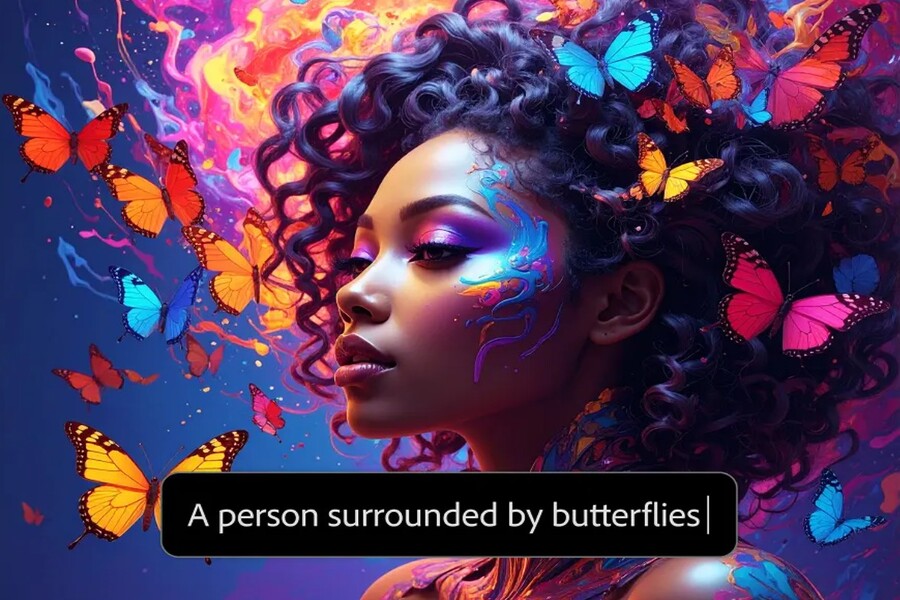
The Creative Extensions feature in Premiere 2026 brings a whole new approach. Powered by Adobe Firefly, this tool allows editors to extend clips directly on the timeline. AI analyzes image motion, ambient sound, and context to create additional frames, making the cut more seamless.
.jpg)
Notably, the AI doesn't obviously "fabricate" content. The added frames tend to maintain the overall composition, lighting, and movement, making it almost impossible for viewers to realize that the segment has been extended using AI. With audio, Firefly can naturally extend ambient sound or background noise, avoiding a sense of "disjointedness."
For commercials, social media content, or short films, this is an extremely valuable tool, giving editors more control over the editing pace without being completely dependent on the original footage.
1.3. Just describe and search
In the video age, the biggest problem is no longer a lack of footage, but an excess of it. Finding a specific shot among hundreds of clips often takes editors hours just to… search.
.jpg)
Media Intelligence solves this problem by enabling natural language searching. Instead of remembering file names or clip locations, you can simply describe it: "outdoor footage with people walking at sunset" or "close-up of a character smiling."
AI will analyze images, audio, motion, and metadata to generate relevant clips. This not only saves time but also changes the way filmmaking is approached. Editors can rediscover their archives in a more intuitive way, sometimes finding great shots that were previously overlooked.
2. AI-powered video editing tools in Premiere.
While AI generation features focus on “expanding capabilities,” the AI editing toolset focuses on optimizing the process. From transcripts, rough editing, color grading, audio processing to cross-platform distribution, AI in Premiere 2026 acts as a comprehensive post-production assistant.
Importantly, Adobe isn't building AI to replace editors, but to eliminate repetitive, low-creative tasks. This gives video creators more time to think about storytelling, emotion, visuals, and messaging.
2.2. Automatic subtitle translation
In the context of increasingly global video content, language barriers are one of the biggest challenges. Premiere's Automatic Subtitle Translation feature allows subtitles to be translated into 27 different languages using AI, while also displaying multiple languages on the same video.
.jpg)
The strength of this feature lies not only in the number of languages supported, but also in its ability to maintain context and nuance. The AI analyzes intonation, speaking speed, and sentence structure to create natural, understandable translations that are appropriate for each platform.
For brands, content creators, and businesses, this is a tool to expand their global community without the added cost of complex translation services.
2.3. Text-based editing
The Text-to-Speech feature is one of the clearest examples of the "AI for creativity" philosophy. Premiere automatically generates transcripts from videos, allowing editors to edit content by directly manipulating the text.
Adding, deleting, and rearranging clips becomes as simple as editing a Word file. Unnecessary silences and filler words like "uh" or "um" can be detected and removed in bulk in just seconds. This is especially useful for interview videos, podcasts, talk shows, or educational conte.jpg) nt.
nt.
For those creating long-form content, this is a significant step forward, considerably shortening the rough editing phase, which usually takes up the most time.
2.4. Tag audio categories and convert speech to text
Audio is always a difficult element to control in post-production. AI in Premiere 2026 can automatically recognize and tag audio as music, dialogue, effects, or background sound. This allows editors to quickly access the appropriate tools for each type of audio, instead of having to adjust it manually.
.jpg)
Combined with its Speech-to-Text feature, Premiere allows you to create accurate subtitles and transcripts in over 18 languages, distinguishing speakers and synchronizing with intonation. This not only makes videos more accessible but also aligns with the current trend of watching videos without sound on social media.
2.5. Improve your voice.
It's not always possible to record in an ideal environment. The Voice Enhancement feature uses AI to remove background noise, increase clarity, and make your voice sound as crisp and clean as if it were recorded in a studio. This is an incredibly valuable tool for vlogs, outdoor interviews, or quick-recorded content.
.jpg)
2.6. Scene Editing Detection and Automatic Color
The Scene Edit Detection feature automatically splits a long video into original footage, saving hours of manual cutting. Meanwhile, Automatic Color allows for intelligent application of basic color correction, creating a good foundation before the editor moves on to the creative color grading phase.
.jpg)
3. Add more AI-powered video editing features.
Morph Cut, Color Matching, Remixing, and Auto-Down
Features like Morph Cut, Color Matching, Remixing, and Automatic Volume Reduction all demonstrate how AI helps to smooth the viewing experience. They are not flashy, but they make a noticeable difference in overall quality, especially with interview videos, documentaries, or longer content.
Automatic frame adjustment
In the age of multi-platforms, editing a video for multiple aspect ratios is almost mandatory. The Auto - Frame feature helps AI identify the focal point of the action and keep it in the frame when switching from 16:9 to 9:16 or 1:1. This allows editors to reuse content more effectively, especially for Instagram, TikTok, or YouTube Shorts.
Adobe Sensei has been integrating AI into every aspect of Creative Cloud, from video, audio, and image editing to content search and management. Premiere 2026 is the clearest evidence that AI doesn't diminish creative identity, but rather expands its boundaries.
By saving time on tedious tasks, AI tools in Premiere allow creators to focus more on the story, emotion, and artistic vision. Whether you're a professional editor, independent filmmaker, or social media content creator, Premiere 2026 delivers a more flexible, intelligent, and efficient workflow than ever before.





















VIP Products








Best Selling Products
Autodesk All App Account Copyright
120 USD
MidJourney Account
29 USD
Capcut Pro 1 Year
39 USD
Freepik Premium Account
59 USD
Upgrade Genuine Office 365
49 USD
Genuine Adobe Illustrator account
99 USD
Genuine Cheap Canva Pro
39 USD
Upgrade Duolingo Super
29 USD
Adobe Premiere Pro Account
99 USD
Upgrade genuine Capture One account
120 USD
Plugin Retouch4me
69 USD
Copyright Adobe Lightroom Account
59 USD
Windows 10 & 11 Pro Key
36 USD
Adobe Photoshop Copyright - Full App
120 USD
ChatGPT Plus Account (GPT-4)
16 USD