Best Selling Products

Windows 10 & 11 Pro Key
36 USD

Adobe Premiere Pro Account
99 USD

Genuine Cheap Canva Pro
39 USD

Plugin Retouch4me
69 USD

Adobe Photoshop Copyright - Full App
120 USD

Upgrade Duolingo Super
29 USD

MidJourney Account
29 USD

Copyright Adobe Lightroom Account
59 USD

Capcut Pro 1 Year
39 USD

Genuine Adobe Illustrator account
99 USD

Freepik Premium Account
59 USD

Upgrade Genuine Office 365
49 USD

Upgrade genuine Capture One account
120 USD

Autodesk All App Account Copyright
120 USD

ChatGPT Plus Account (GPT-4)
16 USD
A Chrome update may cause Windows to start up more slowly.
Nội dung
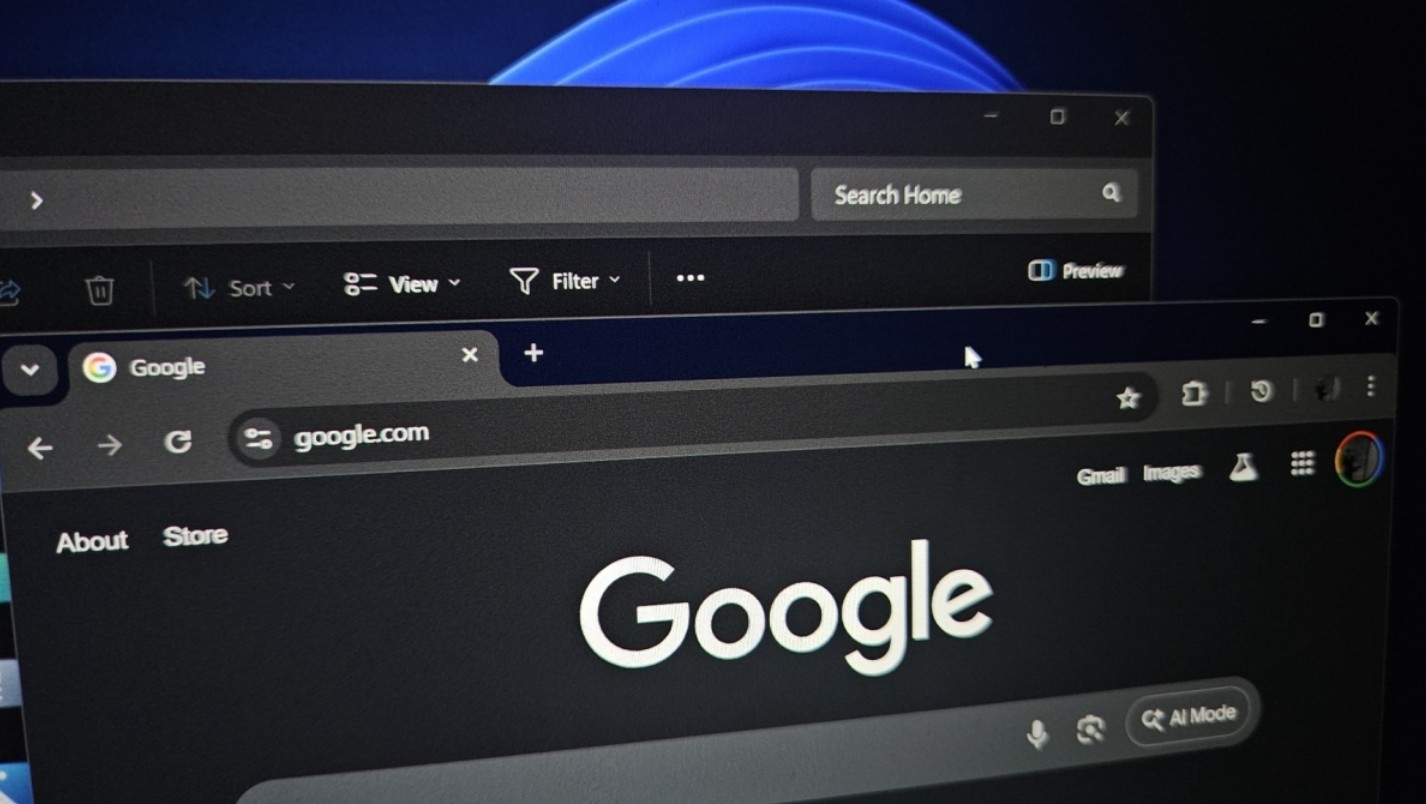
Even without opening the browser, Chrome can still consume resources as soon as the computer is turned on. This new feature in the beta version is causing controversy in the tech community. This serves as a warning to those who consider Chrome their default application.
1. Chrome browser wants to compete for priority with the operating system.
According to tech experts and testers on the Neowin forum, Google is developing a new option called "Launch Chrome when my computer starts": Launching Chrome when the computer boots up. At first glance, this seems like a fairly normal, even convenient, feature for those who habitually open Chrome immediately after turning on their computer.
However, the key point isn't whether Chrome starts automatically or not, but rather how Google designed this process. Unlike most applications that run in the background with low or medium priority, Chrome in this case is set up as a foreground process, the highest priority process in the system.
In the Windows architecture, foreground processes are always granted resource access first. The CPU, RAM, disk, and processing threads all prioritize these processes to ensure they respond quickly and smoothly. When Chrome is pushed to this position right from startup, the operating system is forced to allocate resources to the browser before completing other background tasks.
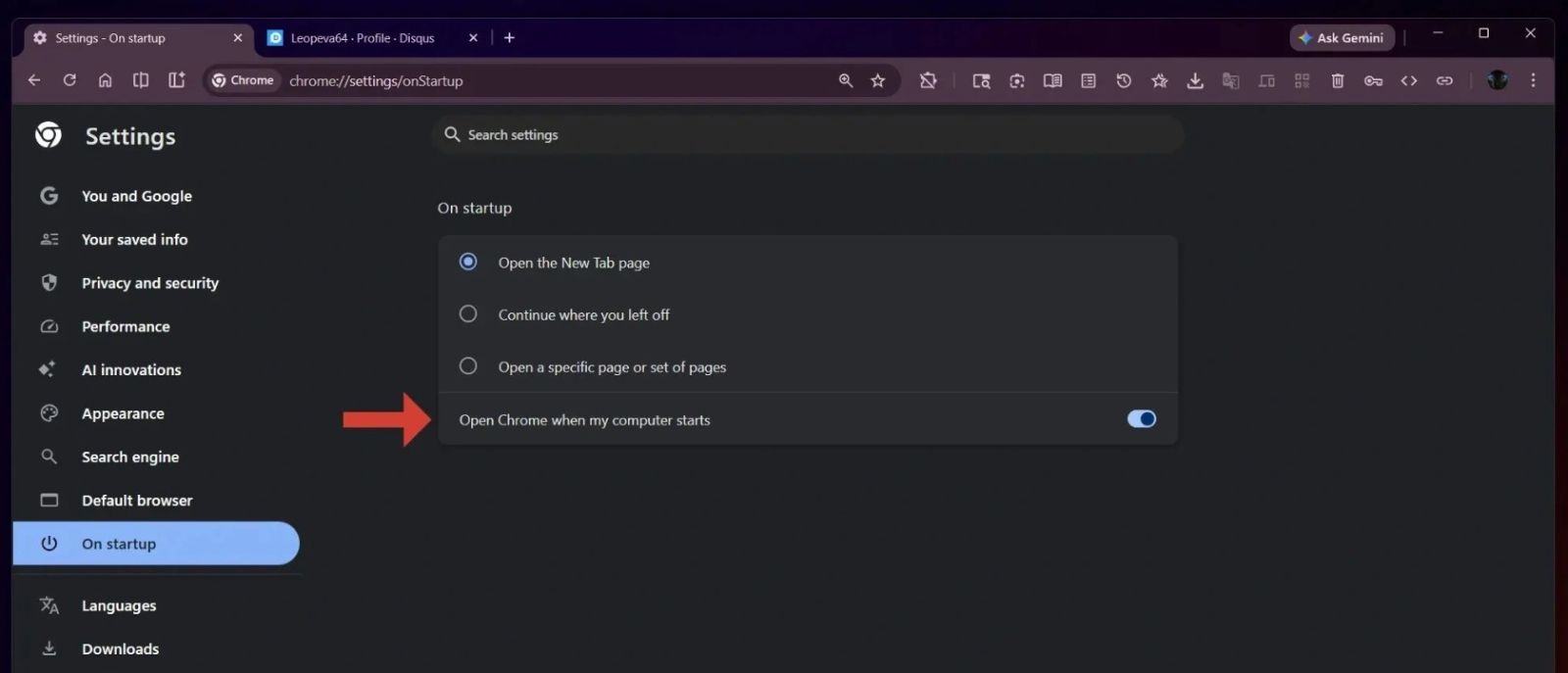
As a result, the Windows startup process now has to "carry" an additional browser that's notoriously RAM and CPU-intensive. This not only slows down desktop loading times but also causes the computer to become sluggish in the first few minutes after powering on.
For users with older computers, office laptops with 4-thread CPUs, or systems still running traditional HDD hard drives, this impact becomes even more pronounced. Chrome not only launches but also preloads secondary processes, synchronization services, extensions, and previously opened tabs, creating a resource-intensive "storm" from the very first second.
2. Why does Chrome, which is already resource-intensive, become even more of a burden during startup?
To understand why this feature is causing concern, we need to look back at how Chrome was designed. Since its inception, Google Chrome has pursued the philosophy that each tab and each extension is a separate process. This approach provides high stability and security, but it also causes Chrome to consume more RAM than traditional browsers.
Over time, Chrome has evolved from just a browser into a platform with a host of integrated services: Google account synchronization, password management, PDF reader, image viewer, extension platform, AI tools, and more recently, features related to intelligent search and AI assistants. Each component consumes resources as soon as it's activated.
When Chrome launches with Windows, the entire ecosystem also begins to operate. Background processes check for updates, synchronize data, restore previous sessions, and activate extensions. On a powerful system, users may not notice the difference. But on weaker machines, sluggishness is inevitable.
It's worth noting that for many years, Google has been criticized by the tech community for Chrome's excessive resource consumption. Despite numerous performance improvements, optimizations for inactive tabs, and reductions in RAM usage, the image of "Chrome being a RAM hog" remains deeply ingrained in users' minds. Adding a high-priority startup feature risks exacerbating this perception.
Any feature needs to weigh the benefits against the cost to the user. With the feature that launches Chrome with Windows, the clear benefit is saving a few seconds opening the browser for those who always use Chrome as soon as they turn on their computer.
However, the cost to the system impacts the entire experience. Users don't just open Chrome; they need Windows to be responsive to open files, connect to the network, run office software, or join online meetings. If the system freezes within the first few minutes, the overall experience will be considered poor, even if Chrome opens a few seconds earlier.

It's not surprising that Google wants Chrome to be ready as soon as a user turns on their computer. Chrome is not just a browser; it's also a gateway connecting users to the entire Google ecosystem: Search, Gmail, Drive, Docs, YouTube, and advertising services.
By having Chrome launch earlier, Google has a better chance of retaining users within its ecosystem, reducing the likelihood of them switching to another browser or standalone app. In the era of AI competition, where browsers integrate increasingly intelligent features, securing the "first spot" in the startup experience has significant strategic implications.
However, this also puts Google in indirect competition with Microsoft. For years, Microsoft has tried to control the startup experience, limiting applications that run automatically and encouraging users to shut down unnecessary processes. Chrome, with its new feature, seems to be going against that philosophy.
Microsoft understands that boot time is one of the most important factors affecting users' perception of computer performance. In Windows 10 and especially Windows 11, the company has invested a lot of effort in optimizing this process, from improving background service management to streamlining startup processes.
Windows Task Manager is increasingly offering tools to help users control startup applications. Microsoft also frequently recommends users disable unnecessary applications to improve speed. In this context, a popular application like Chrome pushing itself to a high priority position can negate all of Windows' optimization efforts.
It's not hard to imagine a scenario where a user turns on their computer, finds Windows starting up slowly, experiences lag, and concludes that "Windows is getting worse," while the real problem stems from a third-party browser. This is a significant image risk for both Microsoft and Google.
Not all users are affected equally. On high-end computers with multi-core CPUs, high-speed NVMe SSDs, and ample RAM, the impact of Chrome starting early may be negligible. But the Windows PC market is not limited to the high-end segment.
Millions of office computers, student laptops, and older devices still use modest configurations. This is the group of users most vulnerable. For them, each additional startup process is a burden. Chrome, with its numerous child processes, can cause the machine to take tens of seconds longer to get ready for use.
For businesses, the problem is even more serious. Slow computer startup means reduced productivity, increased waiting times, and employee frustration. In a work environment, these recurring "small annoyances" can have a significant negative impact.
3. What should users do to protect their experience?
Although this feature is currently disabled by default in Chrome Canary, its appearance serves as a reminder that users need to proactively control their computers. Checking the list of startup applications, shutting down unnecessary processes, and monitoring resource consumption are increasingly important.
Windows provides ample tools for users to do this, from Task Manager to system settings. Meanwhile, Chrome users should also regularly check browser settings, extensions, and experimental features to avoid accidentally activating options that harm performance.
The feature of Chrome launching with Windows, especially with high priority, is a prime example of a conflict between platform interests and user experience. While it may offer convenience to a small group, it risks slowing down the system, causing frustration, and negatively impacting the overall perception of computer performance.





















VIP Products








Best Selling Products
Windows 10 & 11 Pro Key
36 USD
Adobe Premiere Pro Account
99 USD
Genuine Cheap Canva Pro
39 USD
Plugin Retouch4me
69 USD
Adobe Photoshop Copyright - Full App
120 USD
Upgrade Duolingo Super
29 USD
MidJourney Account
29 USD
Copyright Adobe Lightroom Account
59 USD
Capcut Pro 1 Year
39 USD
Genuine Adobe Illustrator account
99 USD
Freepik Premium Account
59 USD
Upgrade Genuine Office 365
49 USD
Upgrade genuine Capture One account
120 USD
Autodesk All App Account Copyright
120 USD
ChatGPT Plus Account (GPT-4)
16 USD