Best Selling Products

Genuine Adobe Illustrator account
99 USD

Windows 10 & 11 Pro Key
36 USD

Autodesk All App Account Copyright
120 USD

Copyright Adobe Lightroom Account
59 USD

Upgrade Genuine Office 365
49 USD

Freepik Premium Account
59 USD

Upgrade Duolingo Super
29 USD

Upgrade genuine Capture One account
120 USD

Genuine Cheap Canva Pro
39 USD

Adobe Premiere Pro Account
99 USD

Plugin Retouch4me
69 USD

Capcut Pro 1 Year
39 USD

Adobe Photoshop Copyright - Full App
120 USD

MidJourney Account
29 USD

ChatGPT Plus Account (GPT-4)
16 USD
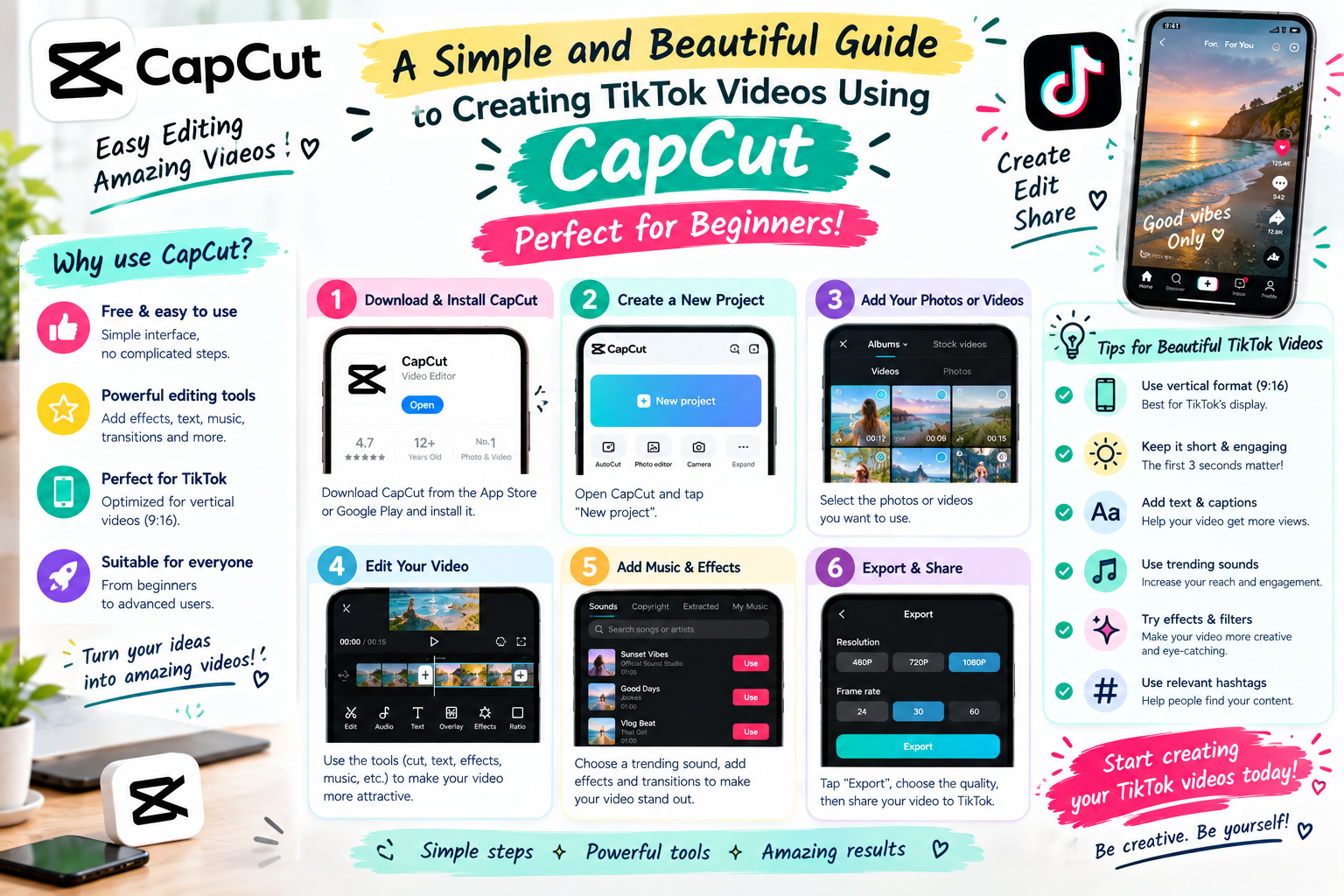
A simple and beautiful guide to creating TikTok videos using CapCut, perfect for beginners.
Nội dung
- 1. Why should you use CapCut to make TikTok videos?
- 2. Prepare the content before making a TikTok video.
- 3. A step-by-step guide to creating TikTok videos using CapCut.
- Step 1: Create a new project
- Step 2: Arrange and trim the video
- Step 3: Adjust the frame to suit TikTok
- Step 4: Add text to the video
- Step 5: Add music and sound effects.
- 4. How to add effects to make your TikTok videos more engaging.
- 5. Tips for making TikTok videos more engaging and professional using CapCut.
- 6. Should I upgrade CapCut at Sadesign for creating TikTok videos?
- 7. Conclusion
TikTok is becoming a place where people share moments, build personal brands, and promote products quickly and visually. However, to keep viewers engaged from the very first seconds, good content alone isn''t enough. The visuals need to be eye-catching, the transitions smooth, the text easy to read, and the sound must evoke emotion. This is also why many people turn to CapCut as a convenient video editing tool. With its intuitive interface and a wide range of effects, filters, sounds, templates, and editing tools, CapCut makes creating TikTok videos much simpler.
1. Why should you use CapCut to make TikTok videos?
CapCut is a popular choice for beginners editing TikTok videos due to its relatively easy-to-learn interface. Instead of using professional software with numerous tool panels, users can perform most operations directly on the intuitive interface. You simply prepare the video, images, or content you want to use and import it into your project to begin editing. Another convenient feature is that CapCut offers a wide range of tools for social media content. From cutting and splicing, adding text, inserting music, to transition effects, everything can be done quickly.
-
Remove unnecessary video segments with just a few taps.
-
Combine multiple video clips into a complete video.
-
Add background music, sound effects, and voiceovers.
-
Insert text to highlight important information.
-
Using transition effects makes videos smoother.
-
Adjust the video speed segment by segment.
-
Add filters to change the color and atmosphere of the frame.
-
Use a pre-made template if you want to create a video quickly.
Especially for those who frequently create TikTok content, mastering captchas can significantly shorten editing time. You can start with simple videos and gradually improve your skills as you become more familiar with the tools.

2. Prepare the content before making a TikTok video.
A compelling video often starts with preparation, not just opening the caption. Before editing, you should determine what the video is about, who your target audience is, and the main message you want to convey. Once the content is clear, the editing process will be faster, and the video will avoid being overly long. For TikTok, the first few seconds are crucial for capturing attention. Therefore, prioritize a concise opening sentence, visual imagery, or a situation that makes viewers want to continue watching.
-
Identify the main topic of the video.
-
Prepare the necessary footage.
-
Filter out videos that are shaky, poorly lit, or have unclear content.
-
Arrange the clips in order before importing them into CapCut.
-
Prepare background music if the video requires the use of separate audio.
-
Write down the important words you want to appear on the screen beforehand.
-
Identify the introduction, the main body, and the conclusion.
-
If you're creating a sales video, you should clearly identify the product or information you want to emphasize.
You don't necessarily have to shoot one long video before you start editing. Dividing the content into shorter segments makes it easier to choose beautiful scenes, change the order, and synchronize with the music.
3. A step-by-step guide to creating TikTok videos using CapCut.
Once you have all the necessary materials, you can start editing your video directly on CapCut. The basic steps aren't too complicated; the important thing is knowing what effects you want to create and arranging the content in a logical sequence.
Step 1: Create a new project
Open CapCut and select "Create New Project." Then, choose the videos or images you want to use in your product. You can select multiple files at once to add to the timeline and start organizing.
Step 2: Arrange and trim the video
Drag the clips on the timeline to change their positions. Review each clip and cut out overly long openings, shaky footage, or unnecessary moments.
-
Select the video segment you want to edit.
-
Move the timeline slider to the desired cutting position.
-
Use the splitter tool to divide the clip.
-
Remove the unnecessary parts of the video.
-
Drag the clips to rearrange their order.
Step 3: Adjust the frame to suit TikTok
TikTok videos are typically presented in portrait mode. Therefore, you should check the aspect ratio from the start to avoid the subject being cut off or too much empty space appearing. If the original video is shot horizontally, consider rearranging the subject within the frame. For videos with speech or products, the main subject should be placed in an easily visible position and not obscured by other details.
Step 4: Add text to the video
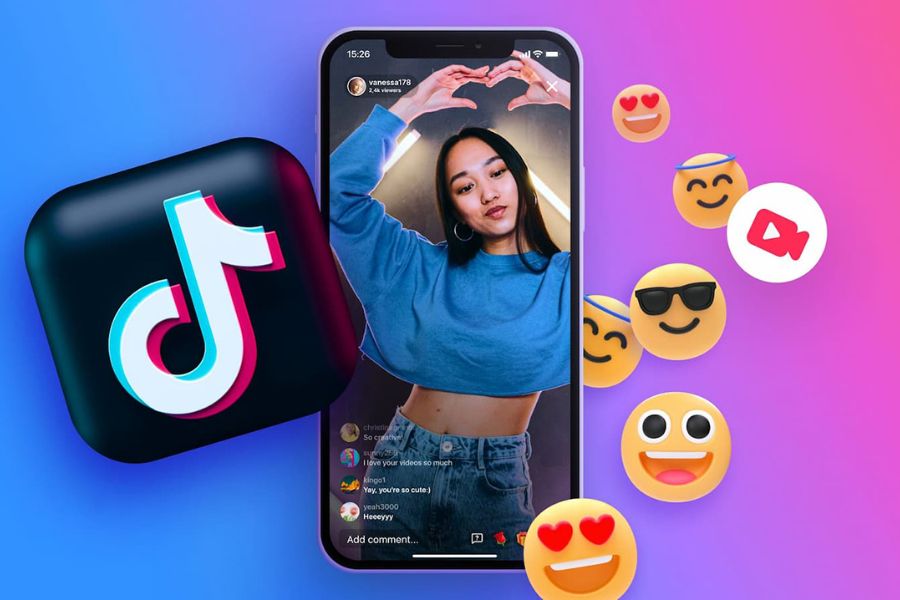
Text helps viewers understand the content even when they're watching a video with the sound off. However, avoid putting too much text on the screen at once.
-
Use short, easy-to-read sentences.
-
Choose a font size that is large enough.
-
Position the text so that it doesn't obscure the main content.
-
Break the information down into smaller sections.
-
Emphasize the important keywords.
Step 5: Add music and sound effects.
Sound can completely change the feel of a video. You can add background music that suits the topic or use voiceovers to convey the content. When using music, pay attention to the volume so that the spoken words aren't drowned out. If the video has dialogue, the background music should be turned down so viewers can still clearly hear the information.
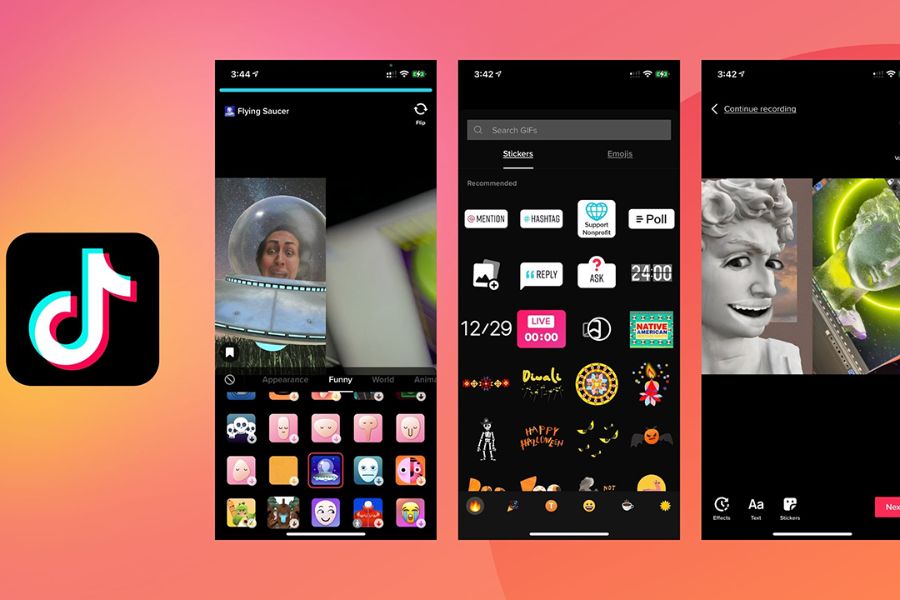
4. How to add effects to make your TikTok videos more engaging.
Effects are the most confusing part for novice video editors. CapCut offers a wide range of options, from visual effects and transitions to color filters. However, a beautiful video doesn't necessarily mean using a lot of effects. Overuse can make the content visually cluttered and distract viewers. Instead of adding effects constantly, choose them based on the content of each scene. Fast transitions might be suitable for dynamic videos, while educational content often requires a clean and easy-to-follow editing style.
-
Use transitions when switching between two different scenes.
-
Use the zoom effect to highlight a detail.
-
Adjust the speed in sections that need emphasis.
-
Add a subtle filter to create color consistency.
-
Use animation for text when you want the content to stand out.
-
Avoid using too many effects in a short clip.
-
Prioritize consistency between scenes rather than chasing too many different styles.
A simple tip is that after you've finished editing, review the entire video from beginning to end. If there's an effect that draws your attention to the effect itself instead of the content, that might be a sign that it needs to be toned down.
5. Tips for making TikTok videos more engaging and professional using CapCut.
A visually appealing TikTok video typically has a clear editing rhythm. Unnecessary scenes should be removed, important information should appear at the right time, and the sound should harmonize with the visuals. You don't need to make the video overly elaborate. Clarity and naturalness are often more important than using a lot of special effects. If you're just starting out, focus on a few basic elements first. Once you're comfortable with editing, you can continue experimenting with color, animation, and different editing styles.
-
Create a strong impact at the beginning of the video: You can start with a question, a striking image, or information that piques the viewer's curiosity.
-
Cut scenes rhythmically: Unnecessary segments should be removed to improve the video's pacing.
-
Don't let the text appear for too long: The content on the screen should be just enough for viewers to read without having to pause the video.
-
Maintain color consistency: If each scene has a different color tone, the video can easily lose its continuity.
-
Choose the right music: Fast-paced music can create a dynamic feel, while softer music is suitable for slower-paced content.
-
Prioritize clear images: Well-lit videos with clearly visible subjects will look more polished.
-
Don't unnecessarily lengthen your video: Every second should be dedicated to the content.
-
Review before publishing: Check for spelling errors, volume, transitions, and text placement.
Another important point is to avoid completely copying the style of a trending video. You can refer to their opening, structure, or pacing, then adapt it to create your own style. This helps the content have a personal touch and is more suitable for your channel.

6. Should I upgrade CapCut at Sadesign for creating TikTok videos?
If you frequently edit videos, the advanced features in CapCut can make the creative process more convenient. Instead of just using basic tools, you can explore many more features for editing, effects, and content creation. This is a suitable option for frequent TikTok creators, KOCs, online sellers, or anyone who wants to invest more seriously in video quality. You can check out Sadesign's CapCut upgrade service if you need support during use. Before choosing, you should check the service package, included benefits, and support policy to ensure it suits your personal needs.
-
Access additional features for video editing.
-
There are more options for effects and creative resources.
-
It's more convenient to create videos with your own style.
-
Suitable for those who frequently create TikTok content.
-
Time can be saved when creating videos that require multiple editing steps.
-
Support is provided when you need to learn how to use the features during the video creation process.
If you only occasionally edit a few simple videos, the basic version might suffice. Conversely, when producing content continuously, having more tools will make the creative process more flexible.

7. Conclusion
With its user-friendly interface and many useful editing tools, CapCut is a convenient choice for those who want to create their own TikTok videos. From basic operations like trimming clips, adding text, inserting music, to effects, transitions, and adjusting speed, you can perform each step without needing extensive experience. Hopefully, this guide on creating TikTok videos using CapCut has helped you better understand the process of creating a complete video. Start with simple content, focusing on the opening and keeping the video easy to watch. Once you're comfortable, you can continue to explore advanced features to create videos with your own unique style that suits your TikTok channel.





















VIP Products








Best Selling Products
Genuine Adobe Illustrator account
99 USD
Windows 10 & 11 Pro Key
36 USD
Autodesk All App Account Copyright
120 USD
Copyright Adobe Lightroom Account
59 USD
Upgrade Genuine Office 365
49 USD
Freepik Premium Account
59 USD
Upgrade Duolingo Super
29 USD
Upgrade genuine Capture One account
120 USD
Genuine Cheap Canva Pro
39 USD
Adobe Premiere Pro Account
99 USD
Plugin Retouch4me
69 USD
Capcut Pro 1 Year
39 USD
Adobe Photoshop Copyright - Full App
120 USD
MidJourney Account
29 USD
ChatGPT Plus Account (GPT-4)
16 USD